


Sometimes, the perfect shot is right in front of you, but an unwanted fence ruins the entire composition. That metal grid can distract from the beauty of your subject, whether it's a family picture at the park or a playful pet. Instead of settling for a compromised picture, why not take control and make it look flawless?
Imagine you’re sharing your pictures without worrying about undesired obstacles in the frame. All this could be solved by reviewing the article, which comprises detailed guidelines on how to remove fences from photos. Importantly, you’re sorted for why it is essential to remove a fence for clarity over your decision.
Table of Contents
Part 1. Can AI Remove a Fence from a Photo?
AI can erase a fence from a photo, and it does so with impressive effectiveness and ease, requiring only a few clicks. The devoted image editing platforms examine an image, recognize the structure of fences, and remove them precisely. After removal, AI reconstructs the area where the fence was, using information from surrounding pixels for a natural fill. This means users only need to upload their picture, highlight the fence, and the AI handles all.
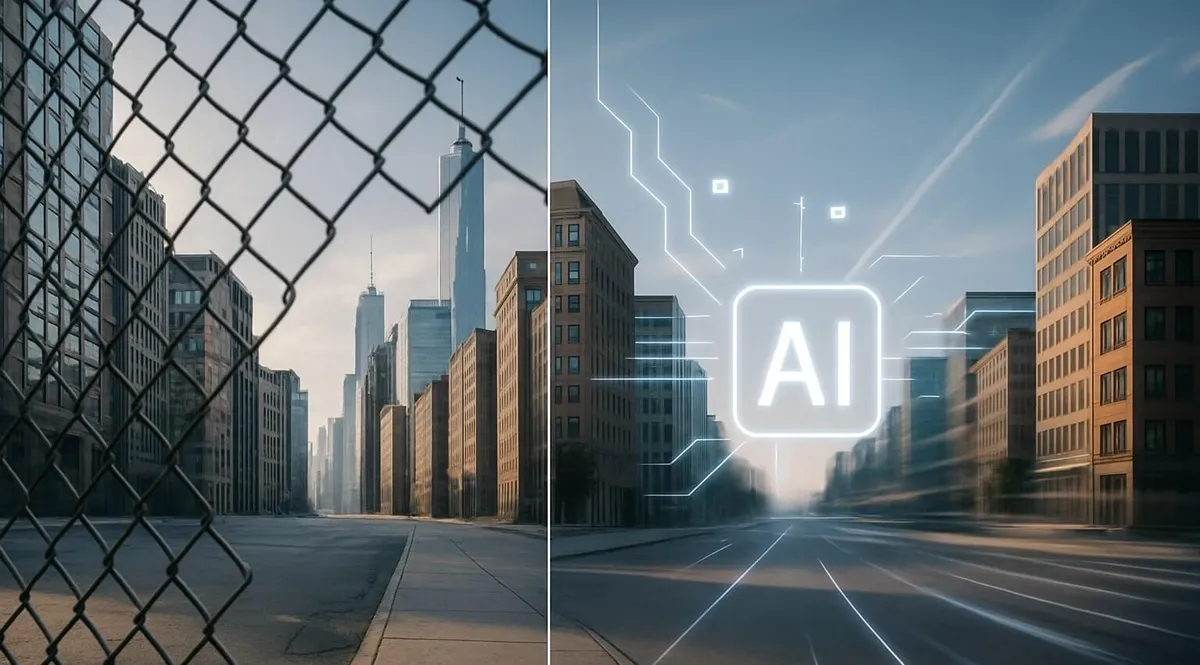
Part 2. Method 1. How to Remove Fence from Photo with AI
For those who want an annoying fence to vanish from their photos, insMind makes it happen in seconds. Its Image-to-Image generator allows users to upload a reference image directly and use prompts to specify elements to alter. Once you get rid of the fence from the photo, you’re allowed to save the final image in Ultra HD quality.
More impressively, the platform enables one to regenerate the result if not convinced by the previous one. Therefore, go through these simplified instructions to remove the fence from your photo with AI algorithms:
Step 1. Access Image-to-Image Generator and Upload Fence Image
To begin, access the main page for the “Image to Image AI” generator, and press the “Upload Image” button. Once the image is uploaded, type a detailed prompt to describe the element for alteration and click the “Generate” button for results.

Step 2. Download the Final Fence Removed Image
When the process comes to an end, preview your image and press the “Download Ultra HD” button.

The Image-to-Image generator from insMind is the simplest and most efficient way to add clarity to your pictures. Its AI assistant doesn’t just remove fences; it completely enhances your image by rebuilding missing elements. Overall, a single line command can transform what once looked blocked or cluttered into a clean, professional masterpiece.
Part 3. Method 2. How to Remove Fence from Photo with Magic Eraser
Another approach offered by insMind is its AI Magic Eraser that allows users to highlight unwanted targets in their images. This tool precisely removes fence from photos through a brush whose size can be adjusted via a slider. Not only this, but you can undo or redo any action if it isn’t done as expected.
The zoom-in and zoom-out functionality enables editors to examine every minor detail and remove it accordingly. Thus, go through this simplified guide to remove the unwanted fences from your image:
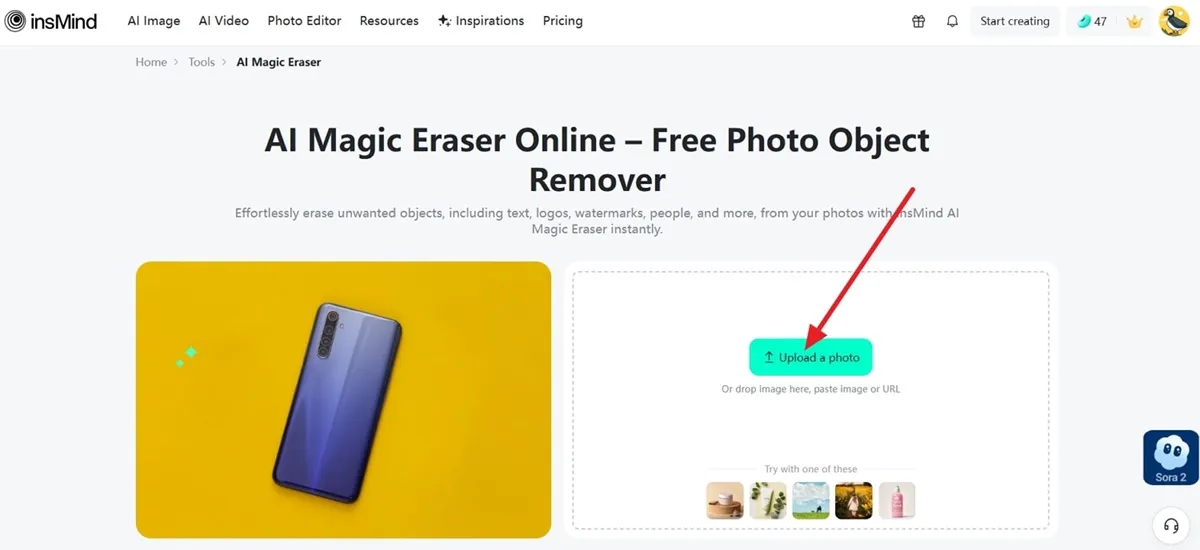
Step 1. Enter AI Magic Eraser and Incorporate Fence Image
At first, open the AI Magic Eraser tool and press the "Upload a Photo" button to insert your image into the tool.
Step 2. Access the Draw Tool and Generate a Fence Free Image
Next, choose the “Draw” tool and highlight the part that needs to be removed from the image. When done, click the “Generate” button to see how precisely the tool removed the fence from the photo.

Step 3. Save the Final Version or Regenerate Result
If not satisfied, regenerate the result or press the “Download Ultra HD” button to preserve the generated fence-free image.
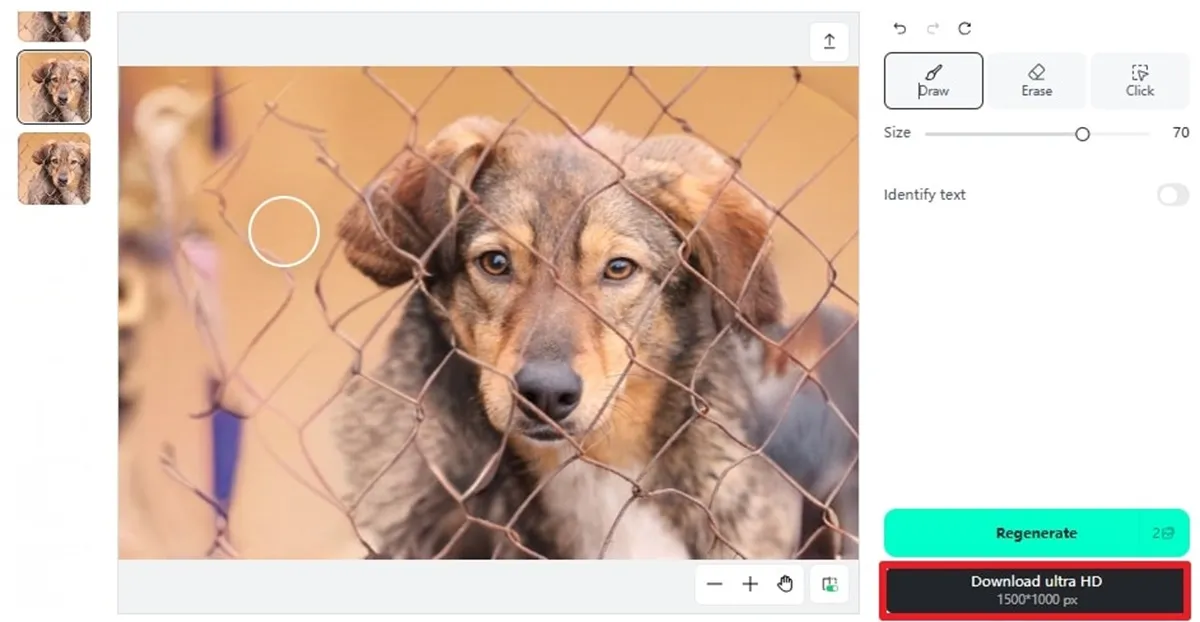
Its AI Magic Eraser is an ultimate solution for anyone looking to eradicate fences from their images with speed, precision, and ease. The remover works efficiently by analyzing every detail and naturally filling in the missing ones. Most importantly, you can transform ordinary, obstructed images into flawless visuals in just a couple of seconds.
Part 4. Why Should You Remove the Fence from the Photo
Once you’ve figured out different AI methods to clean up your images, now understand why it actually matters. For this, dive deeper into the top reasons why one should erase fences from photos and allow their pictures to shine:
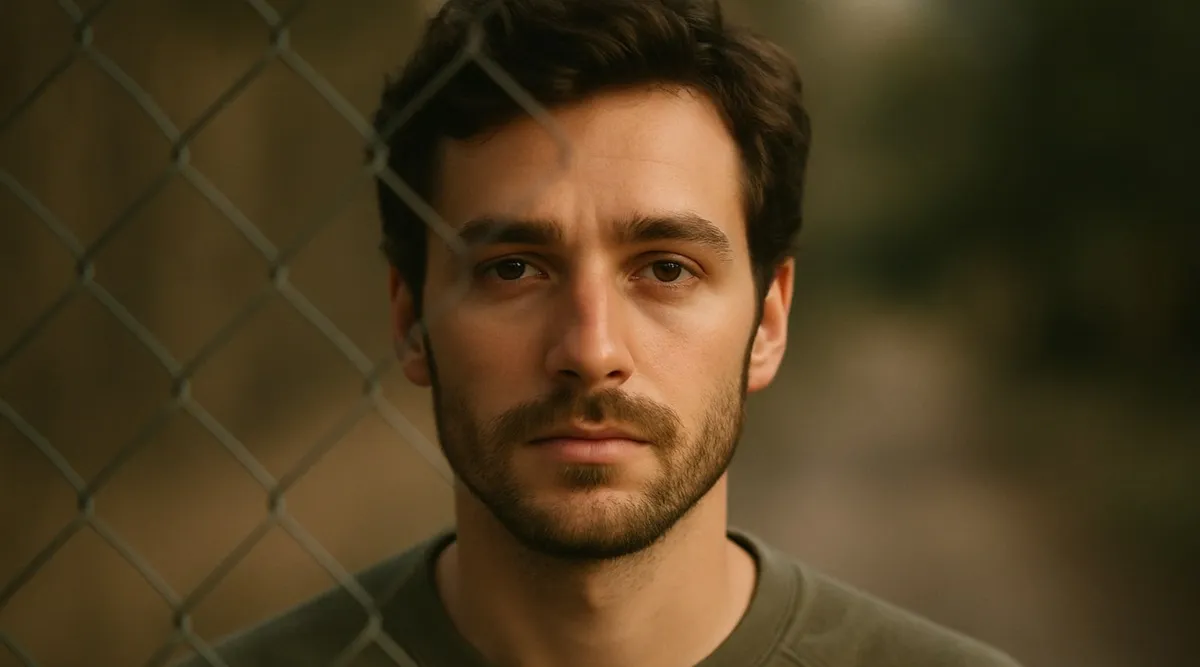
- Improves Visual Clarity: Unnecessary fence interruption often breaks the harmony of a photo, distracting the viewer’s eye from the real subject. Once you remove the fence, the image instantly becomes cleaner, more focused, and visually appealing, making your appearance stand out.
- Embrace the True Subject: Your subject deserves to be the highlight of the picture, not an unnecessary fence. Removing a fence helps you draw attention to what’s important, whether it's a smiling face or a spontaneous moment that deserves a spotlight.
- Achieve a Professional Look: A photo without a barrier instantly exudes clarity and refinement, qualities that define professional photography. When an AI tool is used to eradicate the fence, even a beginner-level photographer can produce professional-quality images suitable for portraits.
- Preserves the Actual Memory: At times, fences can unintentionally hide details that hold emotional value, like a child’s expression. Once you erase them, it enables you to relive those precious moments that are hard to capture.
- Convenient for Sharing and Printing: Any fence-free photo looks clean and appealing on digital platforms and print media alike. Whether you’re creating an album or a social media post, fence removal guarantees your visuals look engaging wherever they appear.
Conclusion
In summary, a process to remove fences from photos provides a transformation that is not only hindrance-free but also equally professional. The AI assistance of insMind's tools eliminates any distraction, whether you opt for the Image-to-Image generator or the AI Magic Eraser. This AI-driven editing helps you gain complete creative control, turning every obstructed picture into a clear masterpiece at the end.

Sarah Michelle
I'm a freelance writer with a passion for editing and designing photos. Here at insMind, I strive to educate users on image creativity, photography, and enhancing product photos to help grow their businesses.


![How to Add Logo to Photos Online for Free [The Simplest Method]](https://static.xsbapp.com/market-operations/market/side/1718795949162.jpg?x-oss-process=image/resize,w_690,h_460,type_6/interlace,1,image/format,webp "How to Add Logo to Photos Online for Free [The Simplest Method]")
![How to Remove Tattoos from Photos [Ultimate Guide 2025]](https://static.xsbapp.com/market-operations/market/side/1718787534476.jpg?x-oss-process=image/resize,w_690,h_460,type_6/interlace,1,image/format,webp "How to Remove Tattoos from Photos [Ultimate Guide 2025]")


