


You've probably seen it on TikTok or Instagram: a still photo suddenly starts moving, dancing, looping—sometimes in a way that makes you stop scrolling and laugh out loud.
No camera.
No choreography.
No video editing skills.
Just a photo and a surprisingly smooth AI-generated dance.
That's exactly what's behind the growing trend of AI twerk videos and AI-powered dance effects. What started as a meme experiment has quickly turned into a creative playground for content creators, marketers, and anyone who enjoys remixing visuals in fun, unexpected ways.
In this guide, we'll break down how to make a photo twerk with AI, show you real use cases, and walk you step by step through creating your own twerk-style dance video using insMind—fast, simple, and beginner-friendly.
Table of Contents
What Is an AI Twerk Video, Really?
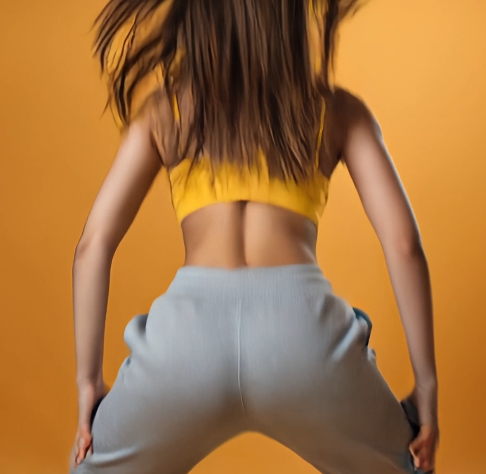
At its core, an AI twerk video is a short animation generated from a single image. The AI detects body structure and applies a preset dance motion, creating a looping movement that feels rhythmic and intentional.
Think of it as:
-
Photo → motion → loop
-
No filming required
-
No timeline editing
It's part of a broader category known as AI dance generation, where movement patterns are applied automatically to images or characters.
The key thing to remember: this is meant to be stylized, playful, and lighthearted—not hyper-realistic or cinematic.
Why Creators Use insMind for AI Dance Videos
There are plenty of AI tools out there, but insMind focuses on one thing: making creative video effects easy to try, even if you've never edited a video before.
What users like most:
-
Upload one image, get a video
-
No complicated settings
-
Fast generation
-
Results designed for short-form platforms
If you're curious about AI twerk or dance effects, insMind removes the friction so you can experiment freely.
How to Make a Photo Twerk with AI (Step by Step)
Create an AI Twerk Video with insMind
You don't need technical skills or prior experience. Just follow these steps.
Step 1: Open the AI Twerk Video Generator
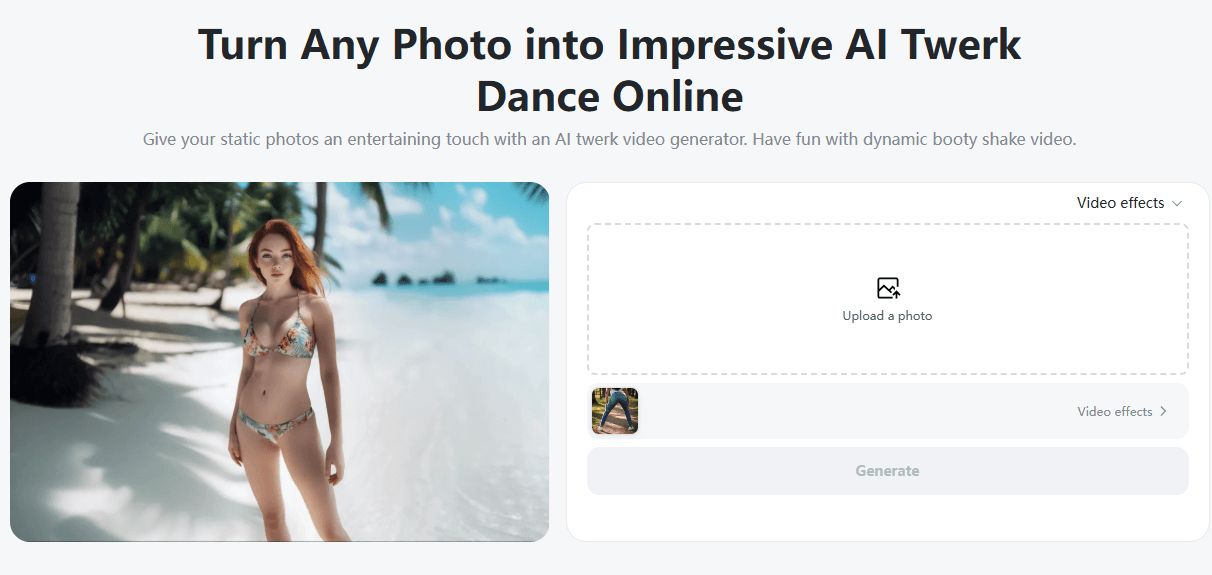
Head to insMind and open the AI twerk video generator. This is where photo-to-video magic happens.
Step 2: Upload a Photo
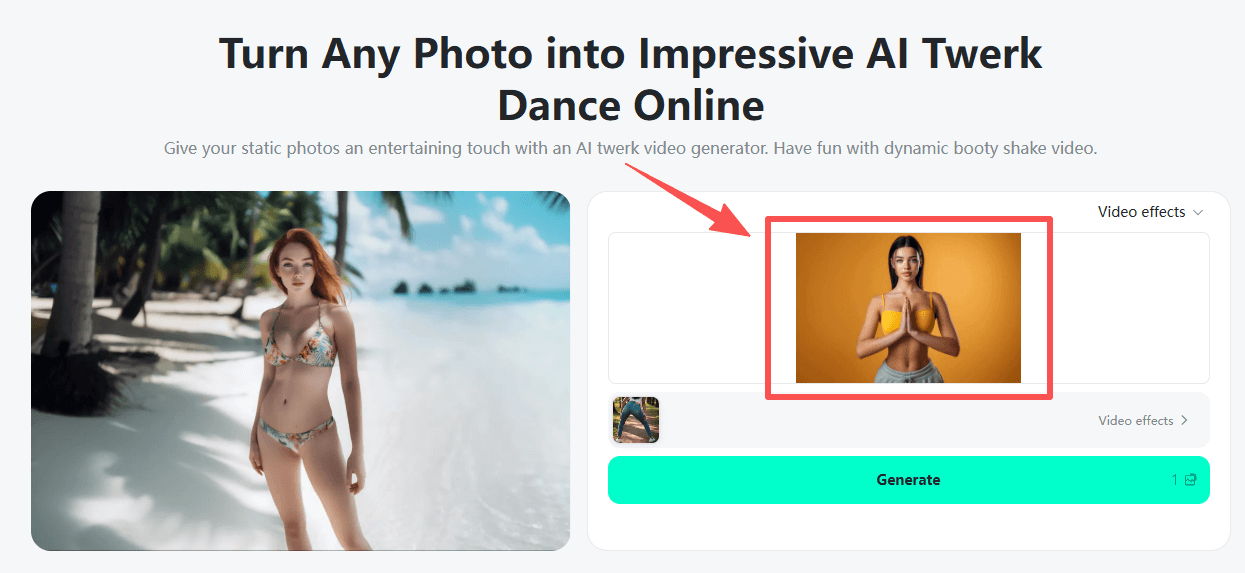
Choose a clear photo. For best results:
-
Use an adult subject, AI avatar, illustration, or fictional character
-
Make sure the body is visible (mid-body or full-body works best)
-
Avoid blurry or low-light images
The clearer the photo, the smoother the motion.
Step 3: Choose the AI Twerk Effect
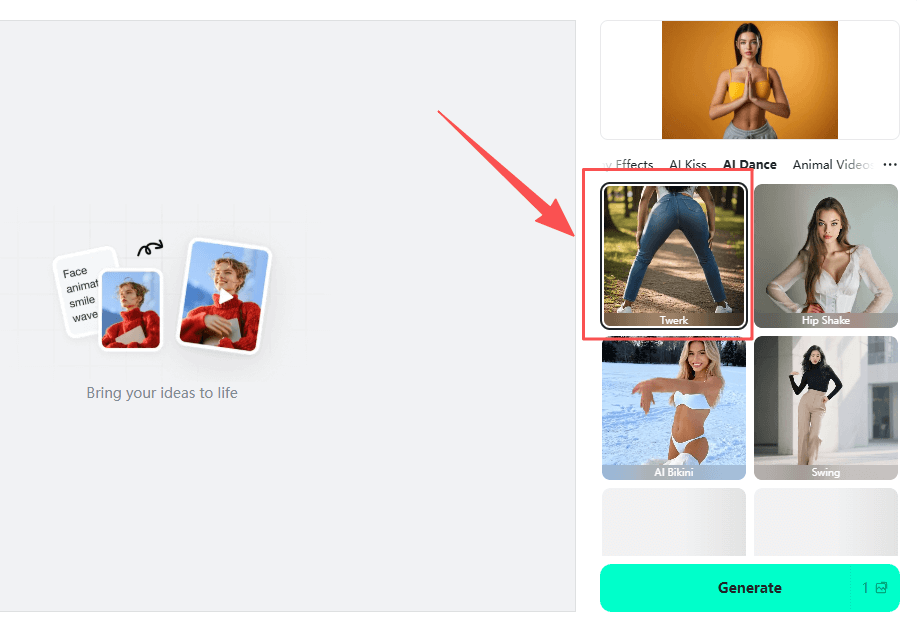
Select the AI twerk or dance effect you want to apply. This tells the system how the motion should look and loop.
You don't need to adjust anything else—the AI handles pose detection and movement automatically.
Step 4: Generate and Download
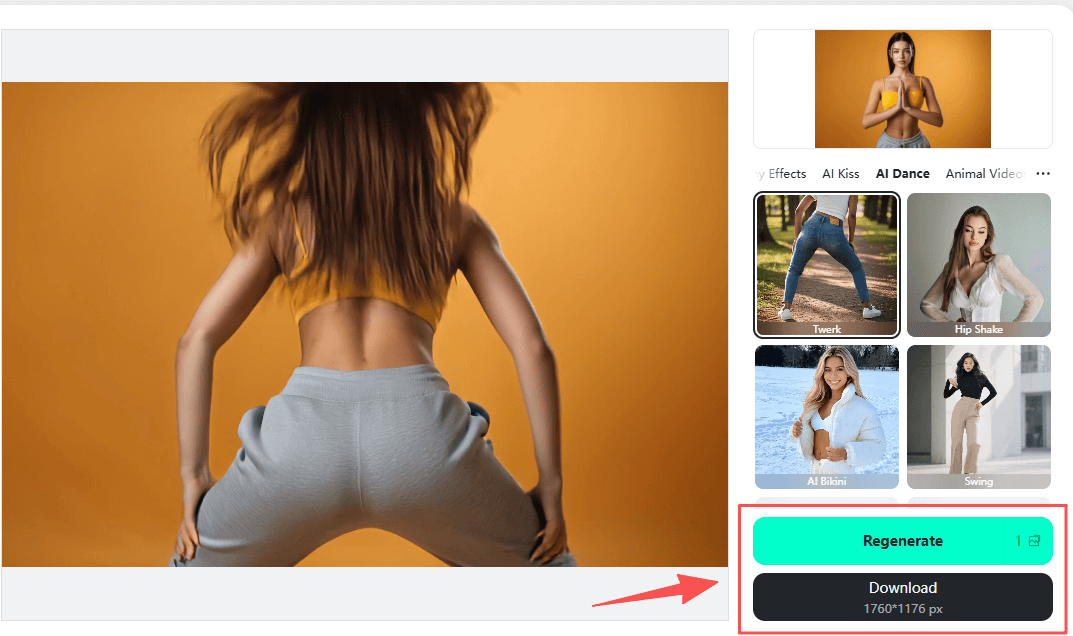
Click generate. In moments, your image becomes a short dance clip. Preview it, then download and share wherever you like.
That's it. No editing timeline. No rendering headaches.
Popular Use Cases for AI Twerk & Dance Videos
1. Meme Content
Creators love using AI twerk videos for reactions and visual jokes. The unexpected movement is what makes people stop scrolling.
2. TikTok Loops
Short, looping dance clips are perfect for TikTok-style formats and trend participation.
3. AI Avatars & Characters
Many users apply dance effects to AI-generated characters, illustrations, or digital personas.
4. Music Visuals
Pair a dance loop with a beat and you've got an instant visual for audio-driven content.
5. Creative Experiments
Sometimes the goal isn't going viral—it's just seeing what AI can do with your image.
6. Engagement Testing
Creators and marketers test playful AI videos to see what gets more likes or comments.
7. Social Media Icebreakers
Fun dance clips often work as profile content or conversation starters.
8. Personal Projects
Not everything needs a strategy. Some AI twerk videos are created just for fun—and that's okay.
Tips for Better AI Dance Results
-
Use high-quality photos whenever possible
-
Avoid busy backgrounds
-
Keep expectations playful, not realistic
-
Try different effects to see what fits your style
AI dance works best when you treat it as a creative effect, not a replacement for real performance.
FAQs: What People Ask About AI Twerk Videos
What is an AI twerk generator?
It's a tool that applies dance-style motion to a still image using AI.
Do I need to record myself dancing?
No. Everything is generated from a photo.
Is this the same as an AI dance generator?
Yes—AI twerk effects are one type of AI dance animation.
Can I use these videos on TikTok?
Yes, as long as your content follows platform rules.
Do I need editing experience?
Not at all. The process is designed for beginners.
What photos work best?
Clear, well-lit images with visible posture.
Is insMind free to try?
Yes. You can explore AI video effects before upgrading.
Final Thoughts: Keep It Fun, Keep It Creative
Making a photo twerk with AI isn't about perfection—it's about experimenting, remixing, and having fun with visual ideas.
With insMind, turning a still image into a dance video takes minutes, not hours. Whether you're testing content ideas, playing with AI avatars, or just curious about AI dance trends, it’s an easy way to explore what modern video creation looks like.

Jayson Harrington
I am the Chief Editor of insMind. I provide tips and skills to help users design better photos with insMind, whether for e-commerce, social media, or any other use.


![How to Add Logo to Photos Online for Free [The Simplest Method]](https://static.xsbapp.com/market-operations/market/side/1718795949162.jpg?x-oss-process=image/resize,w_690,h_460,type_6/interlace,1,image/format,webp "How to Add Logo to Photos Online for Free [The Simplest Method]")
![How to Remove Tattoos from Photos [Ultimate Guide 2025]](https://static.xsbapp.com/market-operations/market/side/1718787534476.jpg?x-oss-process=image/resize,w_690,h_460,type_6/interlace,1,image/format,webp "How to Remove Tattoos from Photos [Ultimate Guide 2025]")


