


Do you wish your sketch could leap off the page and look just like the vision in your mind? If so, the AI today makes this dream possible by turning a drawing into a realistic AI image within a blink. What once required hours of rendering can now be achieved with high-quality visuals that retain detail in every stroke with a single click.
The process refines every contour, enhances lighting, and incorporates natural textures to elevate your concept of AI art. Therefore, you can visualize your imagination taking shape through a trustworthy AI-driven platform we’re about to reveal in the following guide.
Table of Contents
Key Takeaways
With AI tools, you can make realistic AI drawings in minutes, pairing creativity with the assistance they offer. Whether you're a professional artist or an art lover, these innovations unlock new dimensions of artistic expression.
- AI tools like insMind AI Generator allow you to convert simple sketches into photorealistic images.
- The AI realistic filters refine contours and texture details for a look as natural as possible.
- Experiment with styles, colors, and effects to modify your art, maintaining the image realism.
- Even beginners can achieve professional-quality results without complex software or hours of editing.
- Reveals the types of drawings you can transform into a realistic one with visual comparison.
Part 1. Can AI Make Drawings to Realistic AI?
Indeed, AI makes drawing realistic with an advanced learning model, notably known as sketch-to-image generators. These AI platforms work by identifying the lines and elemental composition of a drawing, then use datasets to incorporate details.
Art lovers usually upload a sketch, optionally provide a descriptive prompt about the scene, choose a style, and let AI transform it. Overall, the technology is massively used for conceptual design, marketing animations, and creative brainstorming.
Part 2. Method 1. How to Convert a Drawing to Realistic with an AI Generator
Your AI drawings' realistic transformation can evolve in mere seconds with the insMind Cartoon to Realistic converter. The platform integrates AI engines such as Nano Banana or Recraft, enabling detailed conversions. Artists can simply upload any cartoon or drawing image, add a short prompt to guide the AI about the style, and see wonders unfold.
Most importantly, the transformation process is entirely automated, requiring no design expertise or image editing knowledge. To make drawings realistic with AI, explore this stepwise manual and unlock new possibilities for your art through insMind:
Step 1. Upload Your Drawing File
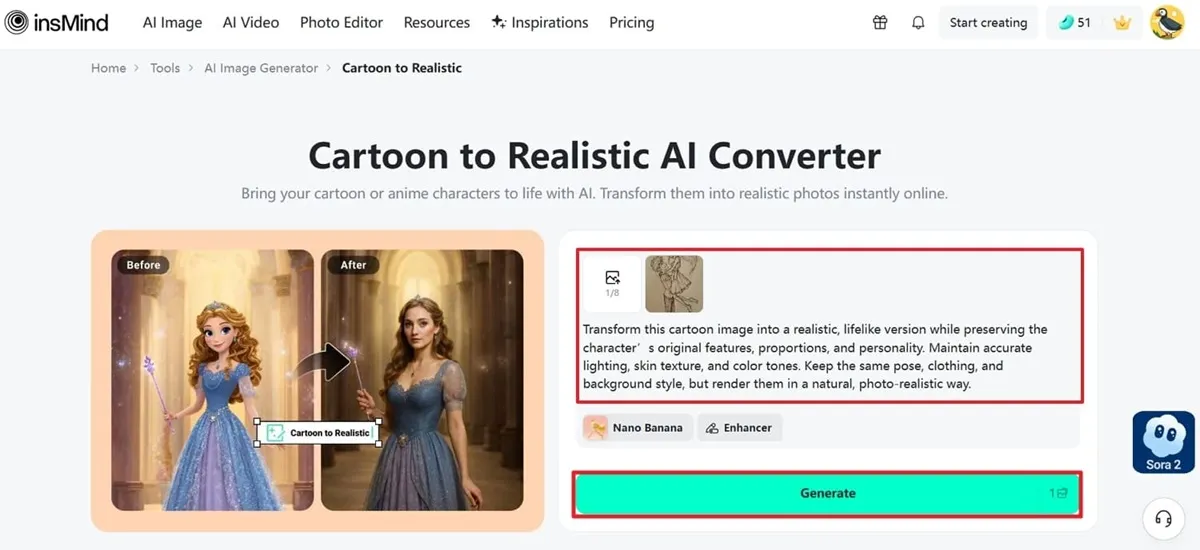
Access the Cartoon to Realistic tool and press the “Upload Image” button to insert your photo. Next, enter a prompt for a realistic image and click the “Generate” button for the results.
Step 2. Download Your Realistic AI Image
Once the AI image is generated, proceed to the "Download" button and save the final, real-looking image on the device.
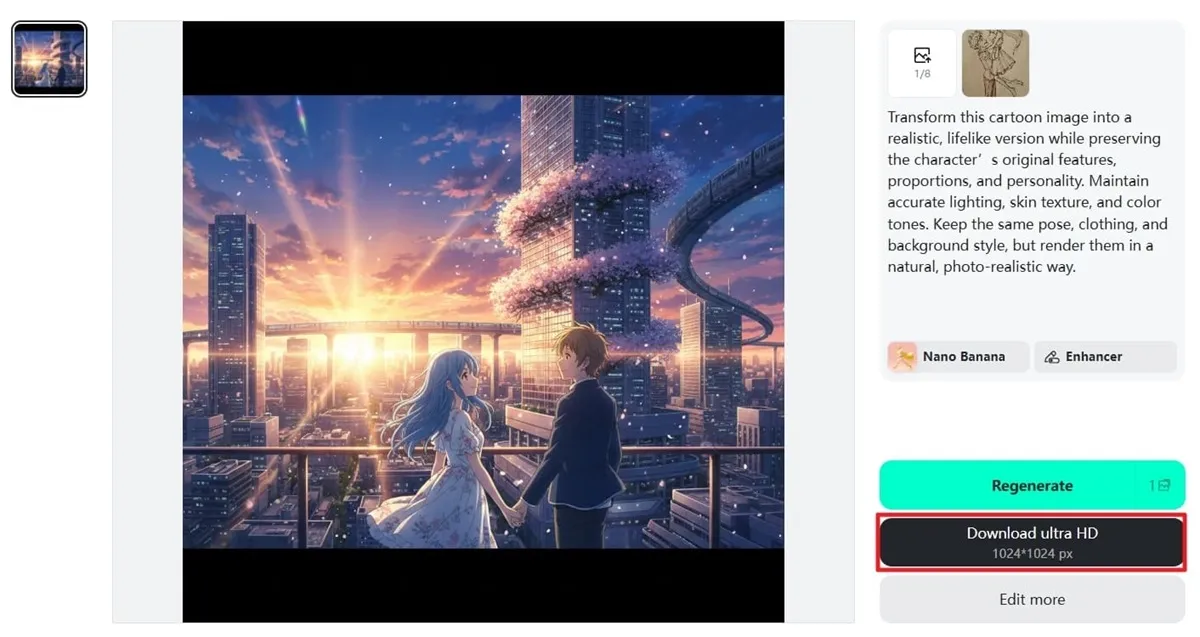
The guided method clarifies that your drawings are no longer just ideas on paper, but they are transformed into real visuals. Essentially, insMind enhances every minor detail, texture, and line to bring out the best version of your sketch. You can say it's a seamless blend of creativity and technology, turning every concept into a pro-level art piece ready to inspire.
Part 3. Method 2. How to Convert a Drawing to Realistic with AI Filters
For greater convenience, meet the insMind AI Sketch-to-Image Generator, allowing users to upload any rough drawing to visualize instant AI transformations. Here, AI makes drawing realistic through numerous AI filters, including Pixel Sticker, Color Line Art, and American Comics. You're allowed to regenerate visuals with different filters every time, unless you're satisfied with the outcome.
Besides, the platform is entirely accessible via a cloud-based web interface; no software installation is required. A deep dive into the tutorial provided below ensures an exceptional experience of your drawing to real-life AI creations with insMind:
Step 1. Browse the Tool & Upload Your Drawing Picture
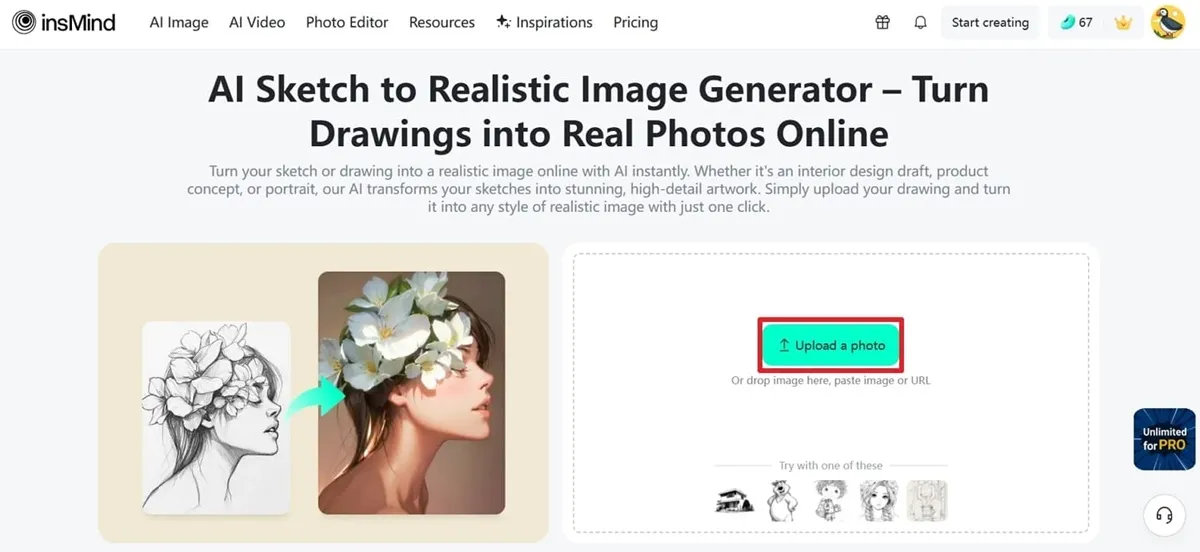
First, visit the main interface for AI Sketch to Image Generator and press the “Upload a Photo” button to add your sketch.
Step 2. Specify an AI Filter & Generate a Realistic AI Image
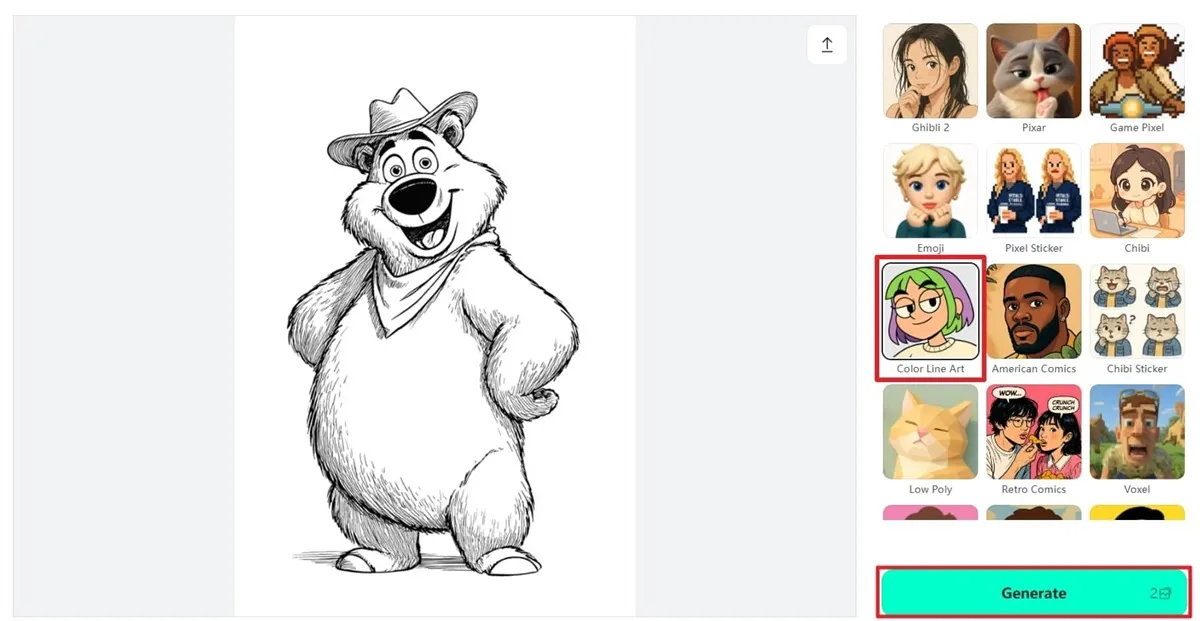
From the given filter options, choose one that suits your preference, such as Color Line Art, then click the “Generate” button to see the results.
Step 3. Download the Final AI Transformation on Your Device
Soon, when the transformation completes, hit the “Download Ultra HD” button and save it to your device.
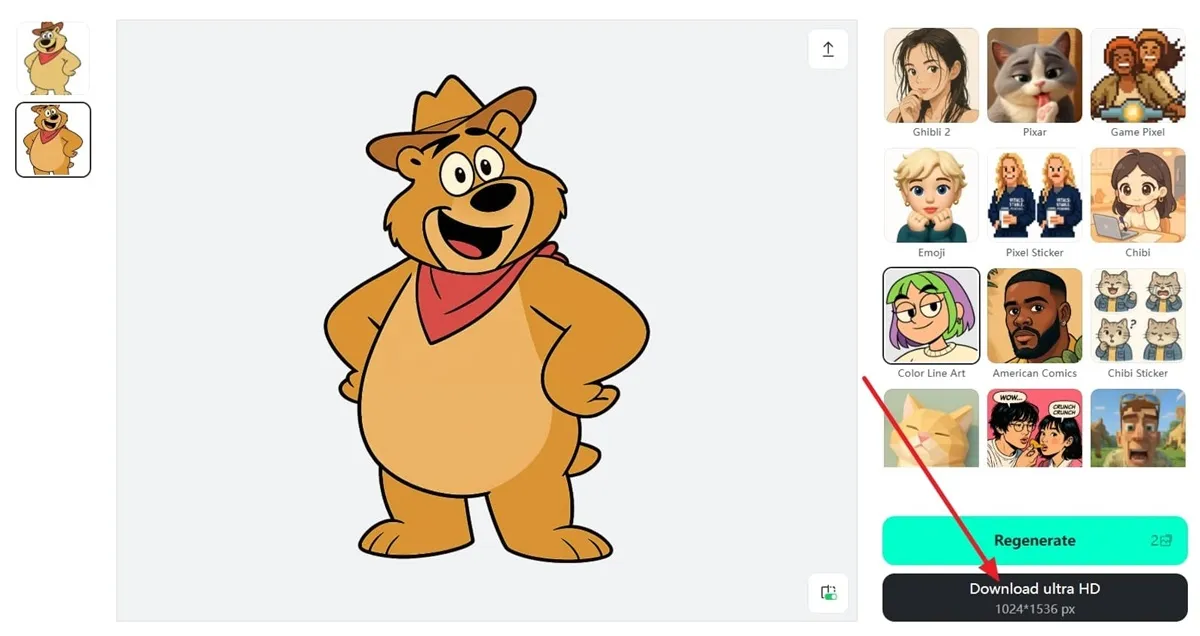
This approach is simpler and transforms sketches with highly detailed visuals with ease. With the assistance of AI filters, every single line, texture, and shadow in your image is carefully enhanced or addressed. Take it as the outlooks are polished, colorful, and natural artwork that perfectly aligns with your original vision.
Part 4. What Types of Drawings Can You Transform into Realistic Ones?
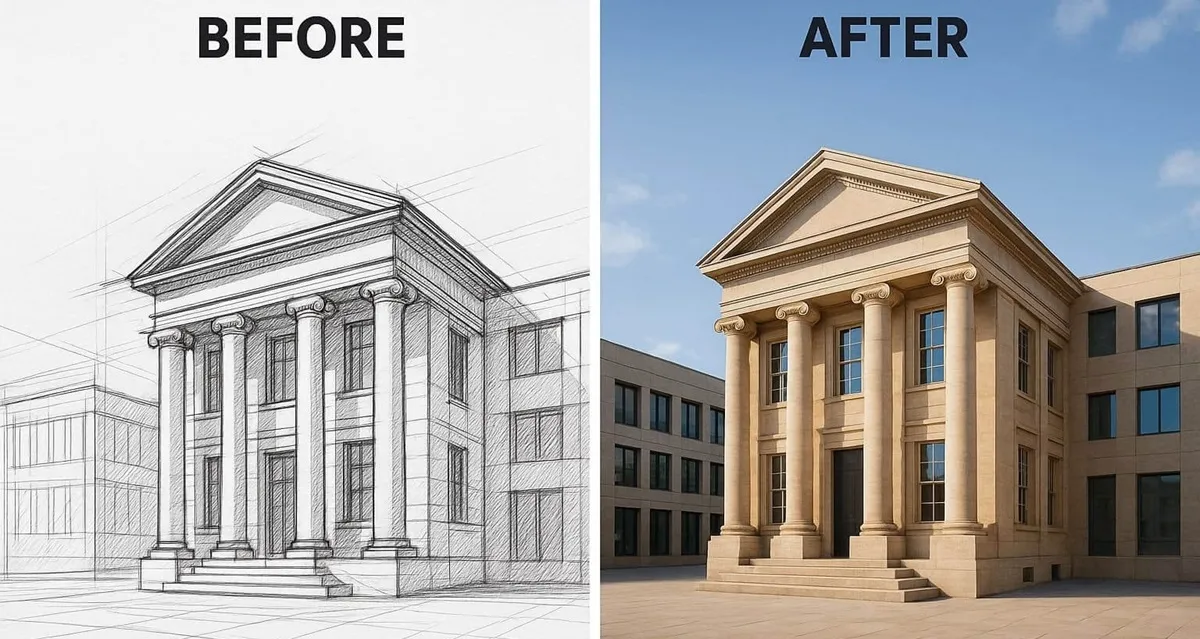
No matter what style you choose or what subject your drawing portrays, a virtual AI transformation is now possible anyway. The given before-and-after comparison of different types of drawing to realistic AI adds further depth to the concept:
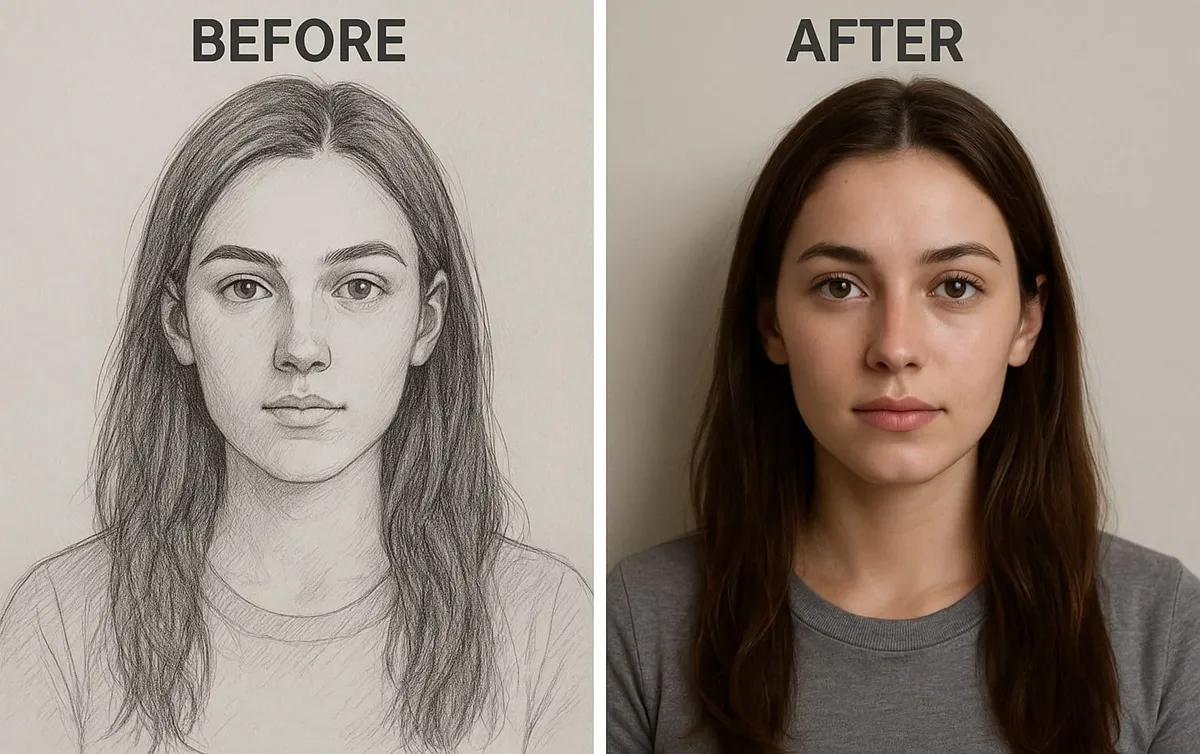
1. Portrait Drawing of a Real-Life Person
Turn your pencil strokes or digital portraits into natural-looking, lively human images. AI further improves facial features, skin tones, and expressions to generate a realistic representation of the person in your drawing.
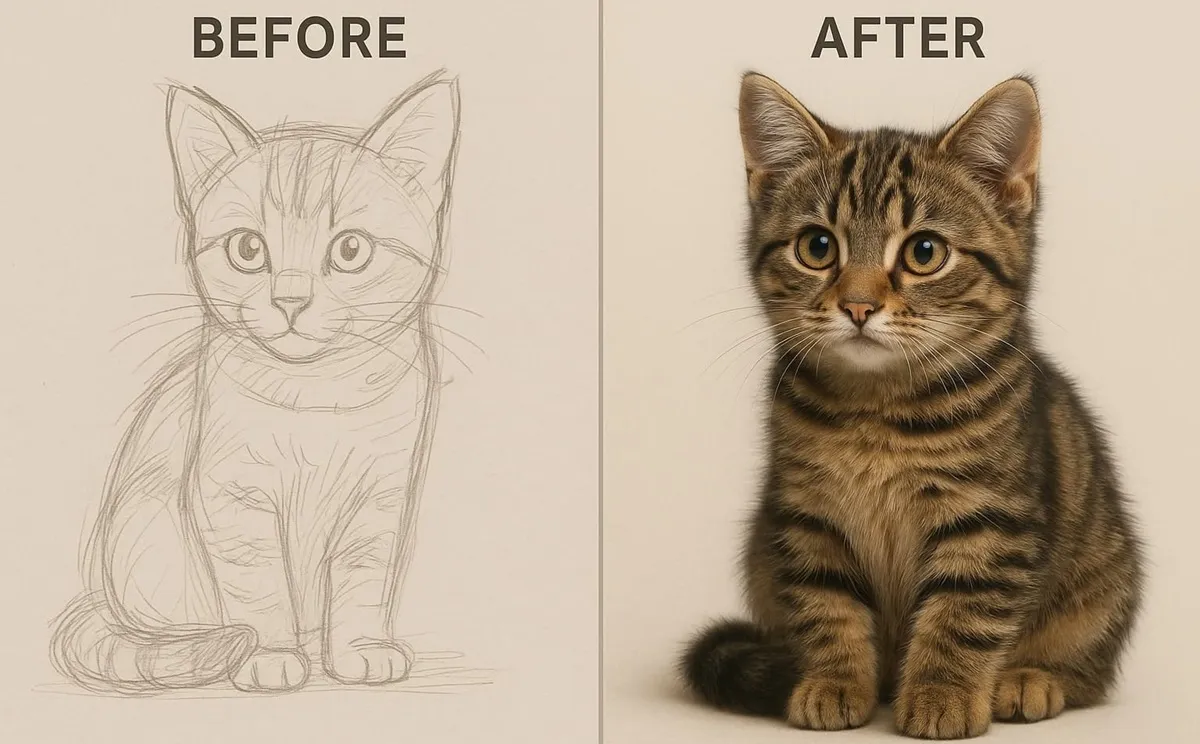
2. Pet Sketch into Realistic Animals
It brings your animal sketches to reality by converting them into highly detailed, natural pets. Impressively, fur textures, eyes, and subtle expressions are refined to make your sketch look like a real animal.
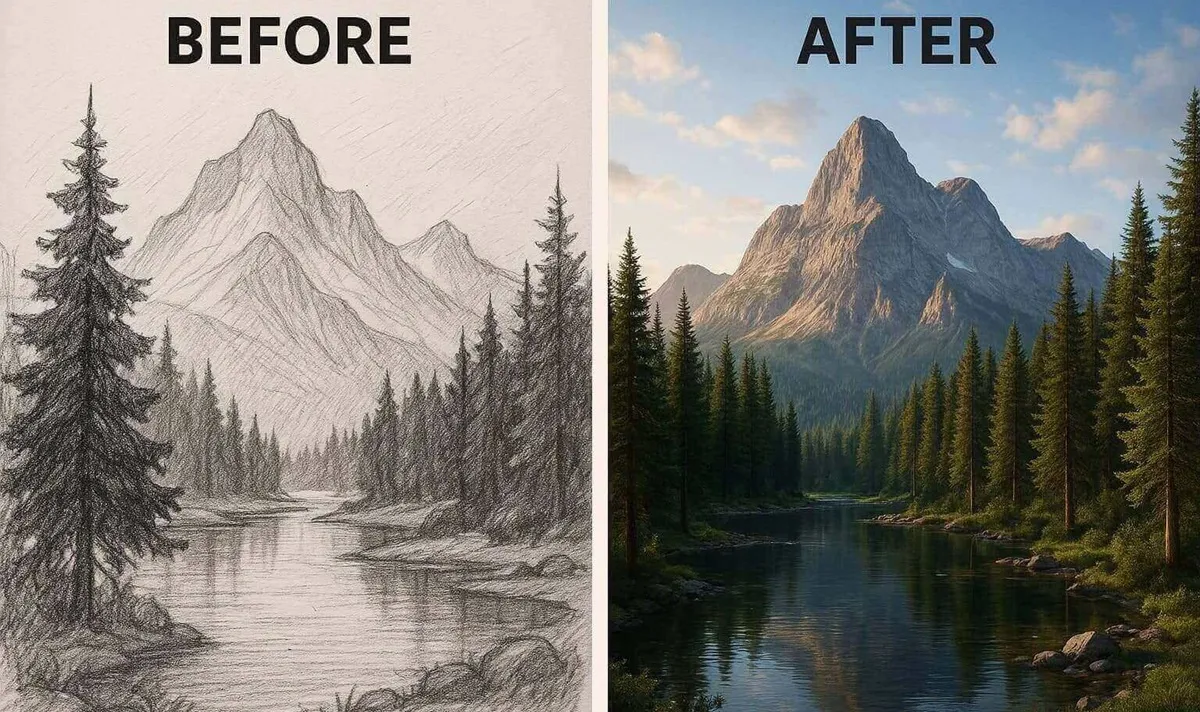
3. Landscape Drawing into Realistic Scenes
This way, you can completely transform your landscape sketches into a vivid, photorealistic environment. AI adds depth, lighting, and natural textures to mountains and forests, making your artwork feel more immersive.
4. Architecture Drawing into Real Buildings
Convert architectural sketches into realistic structures with accurate textures, shadows, and perspectives. From modern buildings to historical designs, your concepts become high-quality visualizations ready for presentation or design review.
Conclusion
In conclusion, a simple sketch can look like professional art through an AI-dedicated platform like insMind. Now, drawing to realistic AI images are easier and more precise since insMind introduced AI filters and Sketch-to-image tools. Together, these 2 remarkable workarounds make insMind the ideal choice for anyone to simplify the creative process.

Sarah Michelle
I'm a freelance writer with a passion for editing and designing photos. Here at insMind, I strive to educate users on image creativity, photography, and enhancing product photos to help grow their businesses.


![How to Add Logo to Photos Online for Free [The Simplest Method]](https://static.xsbapp.com/market-operations/market/side/1718795949162.jpg?x-oss-process=image/resize,w_690,h_460,type_6/interlace,1,image/format,webp "How to Add Logo to Photos Online for Free [The Simplest Method]")
![How to Remove Tattoos from Photos [Ultimate Guide 2025]](https://static.xsbapp.com/market-operations/market/side/1718787534476.jpg?x-oss-process=image/resize,w_690,h_460,type_6/interlace,1,image/format,webp "How to Remove Tattoos from Photos [Ultimate Guide 2025]")


