


Scroll through TikTok, YouTube Shorts, or Instagram Reels, and you'll notice something interesting: not every creator is filming themselves anymore.
Many videos now feature AI-generated presenters, digital avatars, or photos that suddenly start speaking naturally on screen. These are called talking head videos, and they're quickly becoming one of the easiest ways to create content online.
Why the shift?
Because traditional video production is slow. You need lighting, cameras, editing software, and confidence on camera. AI removes all of that friction.
Today, with tools like insMind's image to video generator, you can upload a single photo and transform it into a realistic talking video — complete with motion, expressions, and synchronized speech.
No filming. No studio. No editing experience required.
Let's break down exactly how it works.
Table of Contents
What Is a Talking Head Video?
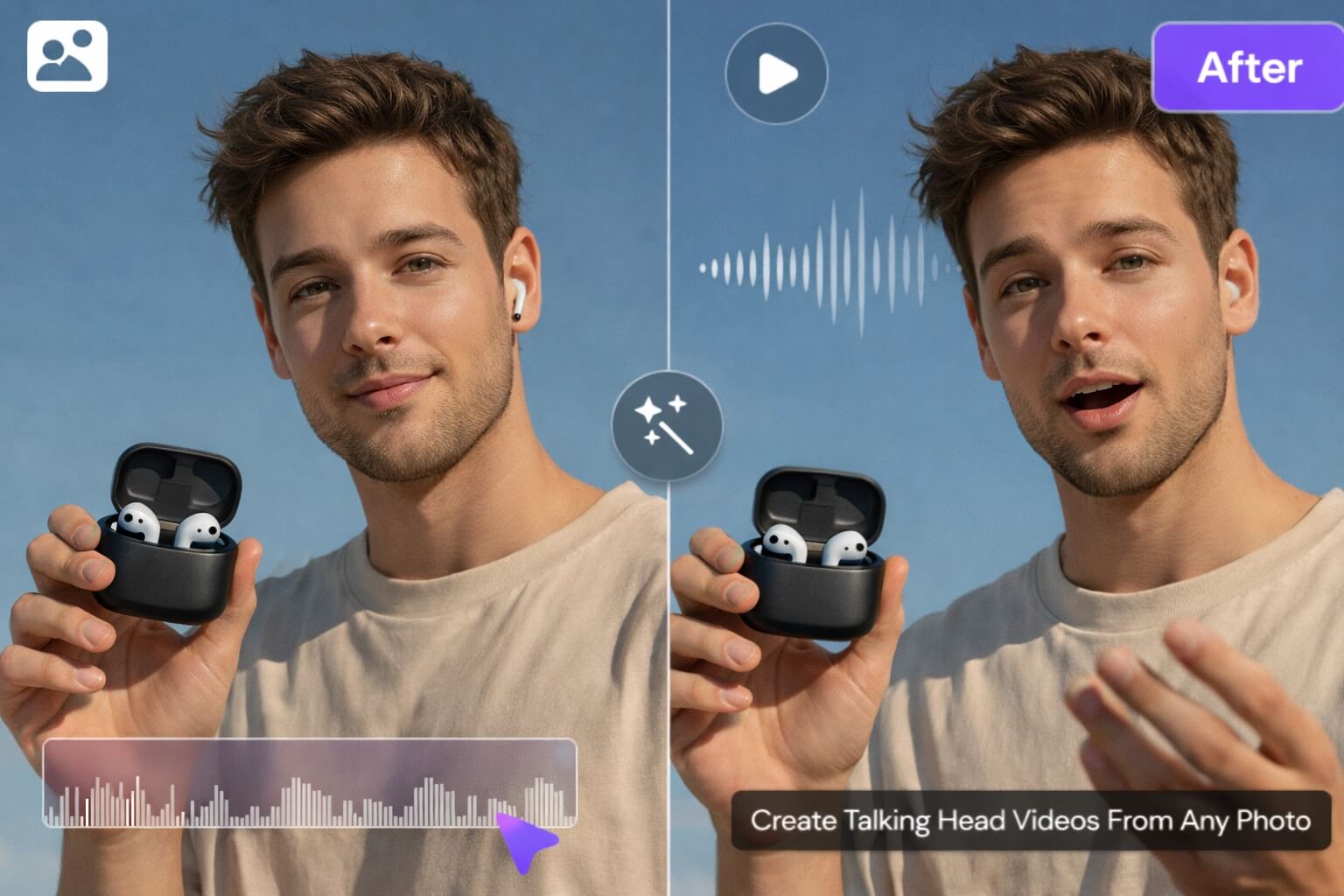
A talking head video is a video format where a person speaks directly to the audience, usually framed from the shoulders up.
Traditionally, this meant recording yourself. Now, AI allows you to create the same format using only an image.
An AI talking head video can be:
-
A digital presenter explaining a topic
-
A virtual influencer speaking to followers
-
A brand spokesperson delivering marketing messages
-
A character avatar narrating content
Instead of recording footage, AI analyzes a photo and generates:
-
facial movement
-
lip synchronization
-
natural expressions
-
realistic motion
The result feels like a real person talking — even though no camera was ever used.
Why Create Talking Head Videos from Photos?
Here's why creators and businesses are rapidly adopting photo-to-video AI workflows.
No Camera Required
Perfect for camera-shy creators or faceless channels.
Faster Content Production
Create multiple videos in minutes instead of hours.
Consistent Branding
Your AI presenter looks identical in every video.
Scalable Content Creation
Produce tutorials, ads, or social videos daily without filming.
Beginner Friendly
No editing skills needed.
If you've ever wondered how creators publish daily videos without burnout — this is often the secret.
How to Make Your Picture Talk with insMind (Step-by-Step)
Let's walk through the exact process.
Step 1 — Open the Image to Video Generator & Upload Your Photo
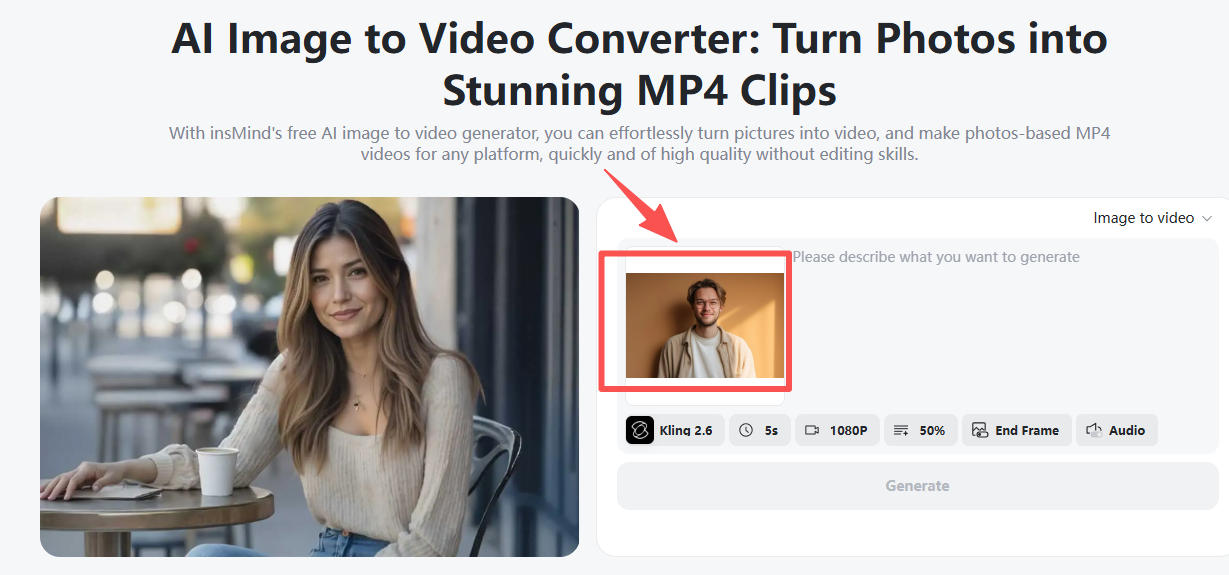
Go to insMind's image to video generator and upload an image.
You can use:
-
AI-generated portraits
-
Real selfies
-
Character illustrations
-
Brand mascots
-
Influencer photos
Best results tip:Choose an image with clear lighting and a forward-facing face.
Step 2 — Choose an Audio-Supported AI Model
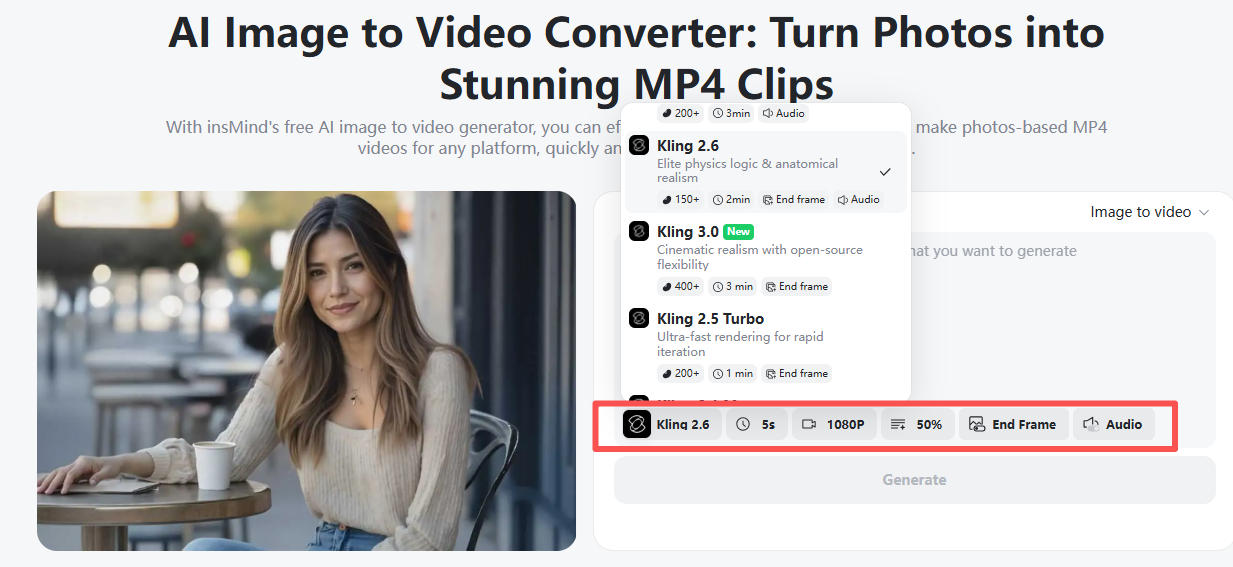
Next, select a model capable of speech animation.
Recommended options:
-
Kling 2.6 — expressive motion and smooth realism
-
Wan 2.6 — stylized talking avatars
-
Google Veo 3.1 — cinematic quality animation
You can also configure:
-
Video duration
-
Aspect ratio (9:16 for Shorts, 16:9 for YouTube)
-
Resolution quality
Think of this step as choosing your production style.
Step 3 — Enter Your Prompt (Make Your Avatar Speak)
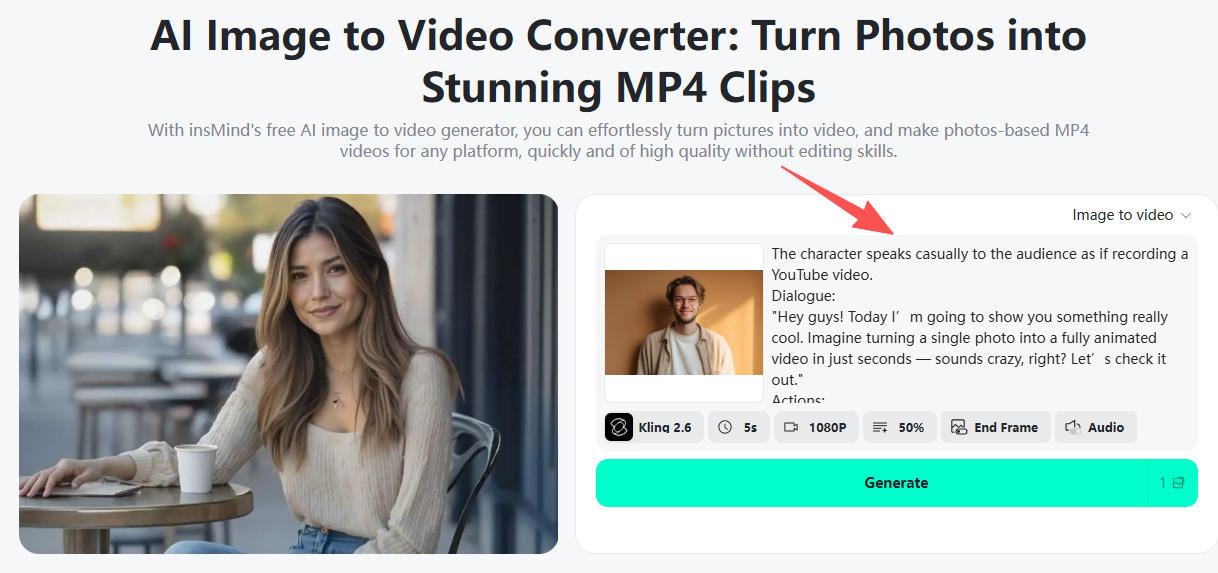
Now comes the creative part.
Describe what your talking head should say and how they should behave.
Example prompts:
-
“Professional presenter explaining AI tools confidently.”
-
“Friendly influencer introducing a product casually.”
-
“Motivational speaker delivering an inspiring message.”
You can define:
-
Tone (excited, calm, professional)
-
Speaking style
-
Facial emotion
-
Camera framing
Step 4 — Generate and Download Your Talking Video
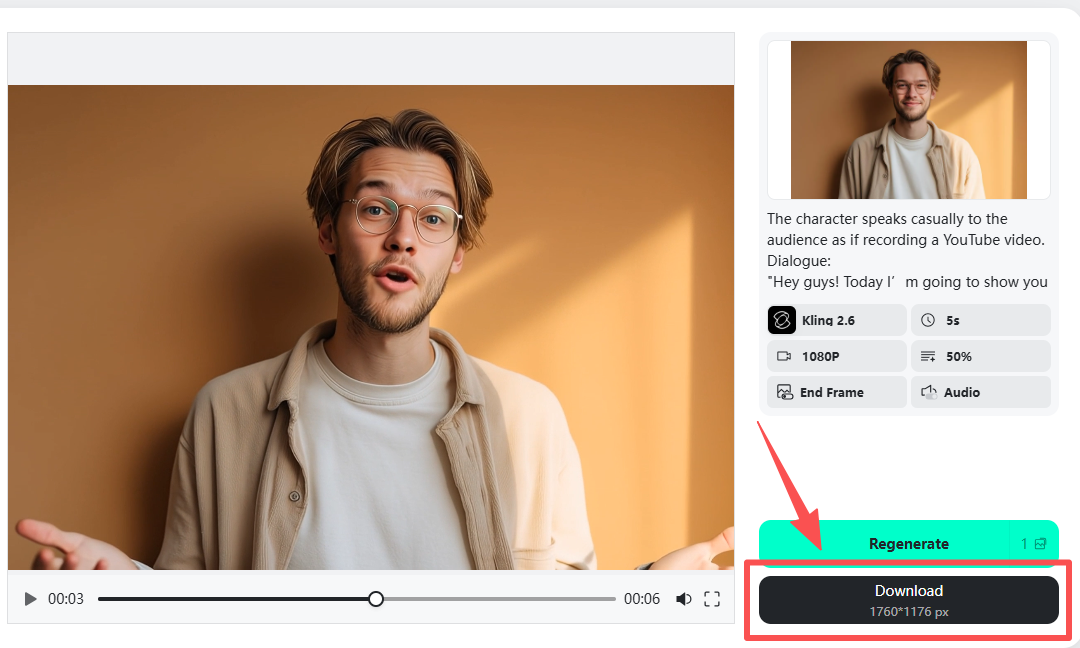
Click Generate, and insMind will:
-
animate the face
-
synchronize speech
-
add natural motion
-
render your video automatically
Within moments, you'll have a ready-to-publish talking head video.
Export formats work perfectly for:
-
TikTok
-
Instagram Reels
-
YouTube Shorts
-
Marketing ads
-
Online courses
How AI Turns a Photo into a Speaking Video
Behind the scenes, modern AI video generators combine several technologies:
-
Image-to-video animation
-
Facial landmark tracking
-
AI motion prediction
-
Voice-driven lip sync
-
Expression generation
The AI studies the face in your image and predicts how muscles move during speech. Then it animates subtle head motion, blinking, and mouth shapes to match dialogue.
Tips to Grow a Faceless Channel with Talking Head Videos
Talking photo videos are a powerful tool for faceless creators.
Choose a Consistent Character
Audiences connect with recognizable personalities, even virtual ones.
Post Frequently
AI-generated videos make daily posting achievable.
Focus on Short, Engaging Hooks
The first few seconds determine whether viewers keep watching.
Experiment with Niches
Try history, motivation, humor, or product reviews.
Build a Story Around Your Character
Give your virtual presenter a personality and narrative.
Many successful faceless channels now rely entirely on talking photo videos.
Frequently Asked Questions (FAQs)
Can I really create a talking head video from just one photo?
Yes. AI video generator technology can animate facial expressions and lip movements from a single image. With insMind, you simply upload a portrait, enter your prompt, and the AI generates a natural talking video automatically.
What kind of photo works best for talking head videos?
A clear, front-facing portrait with good lighting works best. Try to use high-resolution images where the face is fully visible and not covered by hair, sunglasses, or strong filters.
Do I need video editing skills to use insMind?
No experience is needed. The process is designed for beginners — upload a photo, choose a voice-enabled model, add your prompt, and generate the video in just a few clicks.
Can I make the photo speak with real voice audio?
Yes. You can add dialogue through text prompts or supported voice features depending on the selected model. The AI synchronizes speech with realistic lip movement automatically.
How long does it take to generate a talking head video?
Most videos are ready within a few minutes. Short clips typically generate faster depending on duration and model settings.
Can I use talking head videos for social media content?
Yes. Many creators use AI talking videos for TikTok, Instagram Reels, YouTube Shorts, and marketing content because they are fast to produce and highly engaging.
What's the difference between a talking head video and an AI avatar?
A talking head video animates a real photo, while an AI avatar is a fully generated character. Videos made from real images often feel more authentic and personal.
Can I turn a selfie into a professional spokesperson video?
Yes. With the right prompt and voice tone, a simple selfie can become an explainer video, marketing introduction, or personal branding clip.
Will AI talking videos look natural?
Modern AI models create very realistic motion, especially when using clear photos and conversational scripts. Short, natural dialogue usually produces the best results.
Is it safe to upload my own photos?
Yes, as long as you use images you own or have permission to use. Always avoid uploading copyrighted images without authorization.
Conclusion
Talking head videos from photos are changing how content is created. What once required filming equipment and editing skills can now be done with a single image.
Whether you're building a faceless brand, telling stories, or promoting products, making a photo talk is one of the fastest ways to capture attention online.
Your next viral video might already be sitting in your camera roll.

Sid Buckley
I'm a professional writer and amateur photographer, and I author insightful articles at insMind to help you integrate AI into compelling image creation.


![How to Add Logo to Photos Online for Free [The Simplest Method]](https://static.xsbapp.com/market-operations/market/side/1718795949162.jpg?x-oss-process=image/resize,w_690,h_460,type_6/interlace,1,image/format,webp "How to Add Logo to Photos Online for Free [The Simplest Method]")
![How to Remove Tattoos from Photos [Ultimate Guide 2025]](https://static.xsbapp.com/market-operations/market/side/1718787534476.jpg?x-oss-process=image/resize,w_690,h_460,type_6/interlace,1,image/format,webp "How to Remove Tattoos from Photos [Ultimate Guide 2025]")


