


With the final season of Stranger Things premiering on November 26, 2025, fans are once again embracing the show's eerie, nostalgic visual style. The iconic Stranger Things aesthetic, filled with neon lighting, foggy woods, retro typography, and supernatural energy, is becoming one of the most popular creative trends online. Whether you want wallpapers, edits, or logos, a Stranger Things maker can help you create stunning visuals instantly.
Table of Contents
Key Takeaways
The Stranger Things visual trend is resurging as the world prepares for the final season. This guide explains everything you need to know about creating high-quality Stranger Things-inspired images using AI. You'll learn:
- What makes the Stranger Things aesthetic unique
- Examples of popular fan creations and visual styles
- How to use an AI Stranger Things maker step-by-step
- Prompt ideas to level up your wallpapers, edits, and logos
- Tips to create a unique, personalized version of the aesthetic
- Why insMind is one of the best platforms for AI-powered Stranger Things visuals
Understand the Stranger Things Aesthetic Trend
Since its debut, Stranger Things has become a cultural phenomenon. Its blend of supernatural mystery, warm character relationships, and 1980s nostalgia has captivated audiences worldwide. But beyond its storytelling and characters, the series is known for its visually striking style, an aesthetic instantly recognizable across posters, trailers, and fan art.
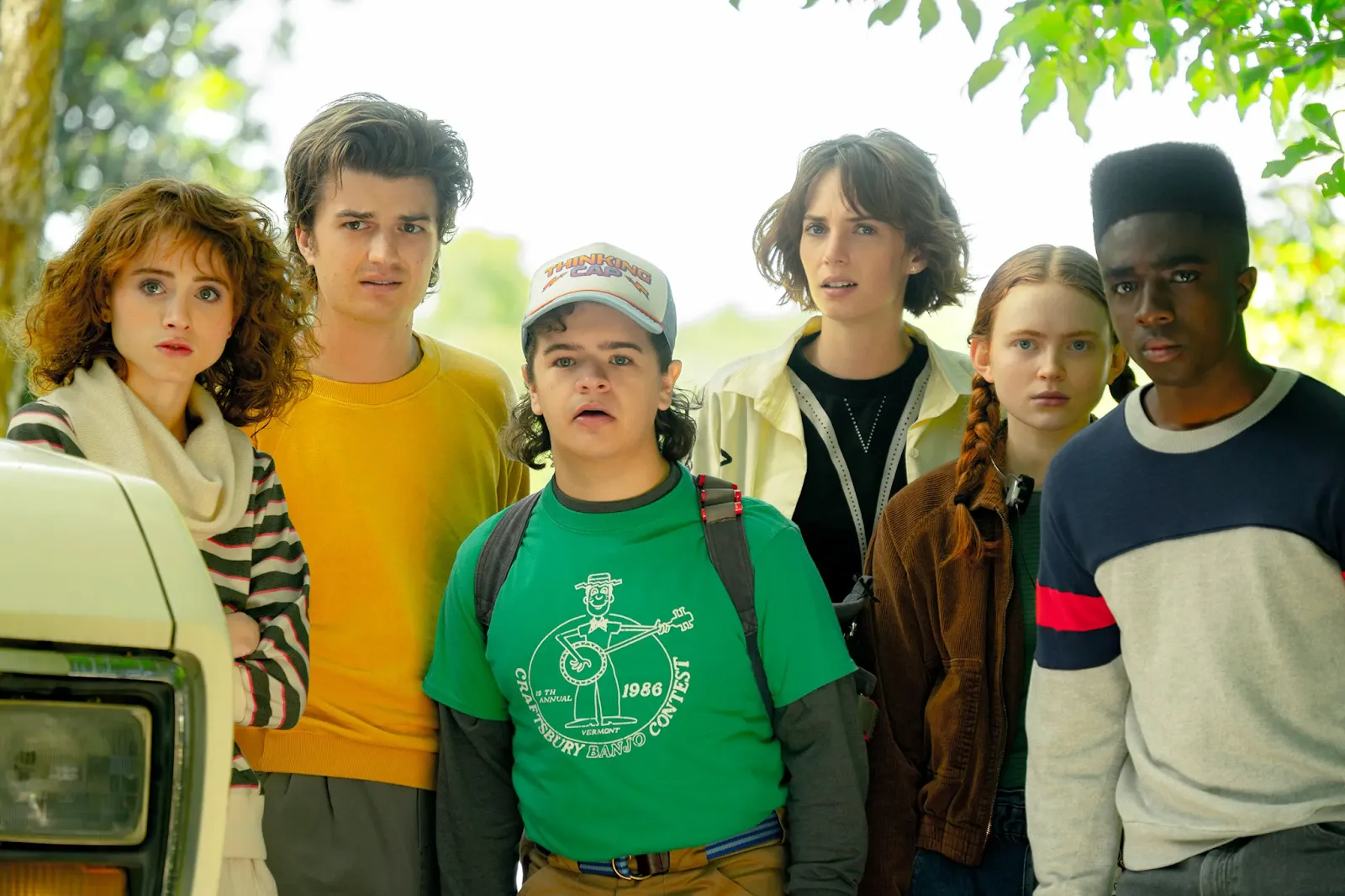
The Stranger Things aesthetic is built on layered elements that together create its eerie, cinematic feel. The show uses glowing red and blue lighting to hint at danger and parallel dimensions, foggy environments that add mystery, and retro textures inspired by 1980s film stock. The typography, bold, serif, and neon-red, is another signature element, used everywhere from episode titles to promotional posters. This combination forms the foundation of the look behind Stranger Things backgrounds, wallpapers, and edits circulating on social media.
As the November 2025 premiere approaches, fans have revived the trend with renewed energy. The upcoming final season has sparked fresh interest in making stranger things wallpaper aesthetic designs, cinematic edits, and custom text graphics using AI tools. You'll find everything from moody Hawkins forests to glowing Upside Down-inspired visuals filling Instagram, Pinterest, and TikTok.
Creators are also using AI tools to create Stranger Things logo variations and character-style portraits through a Stranger Things OC maker, which turns users into original characters that look like they belong in the show.
This surge makes 2025 the perfect moment to experiment with your own take on the aesthetic using AI.
Most Popular Stranger Things-Inspired Creations
The Stranger Things trend has led fans to express creativity in countless ways. With AI tools making it easier to create cinematic visuals in seconds, certain categories have become especially popular. Below are the most common types of fan-made designs inspired by the show's iconic look.
1. Stranger Things Wallpapers
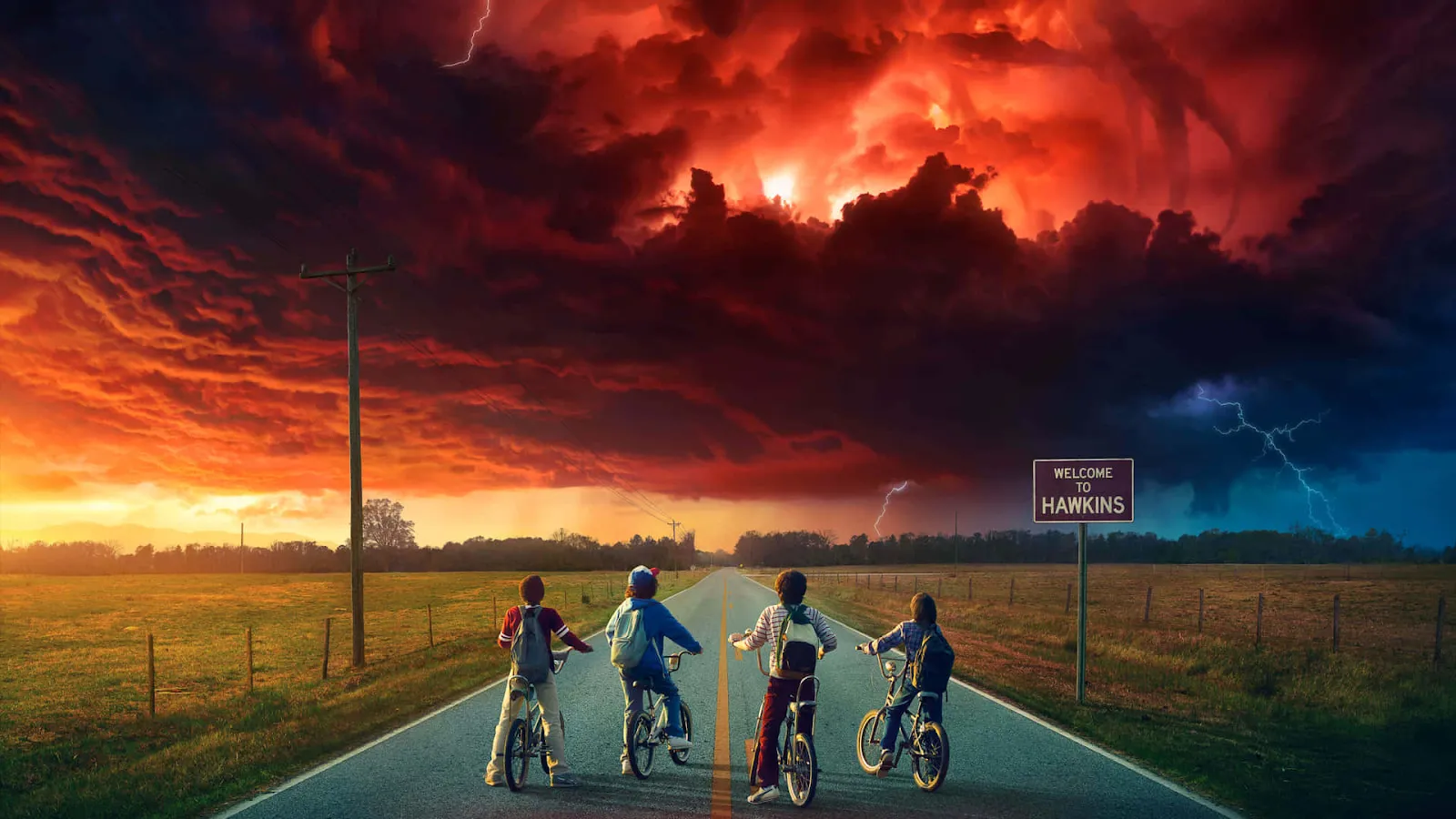
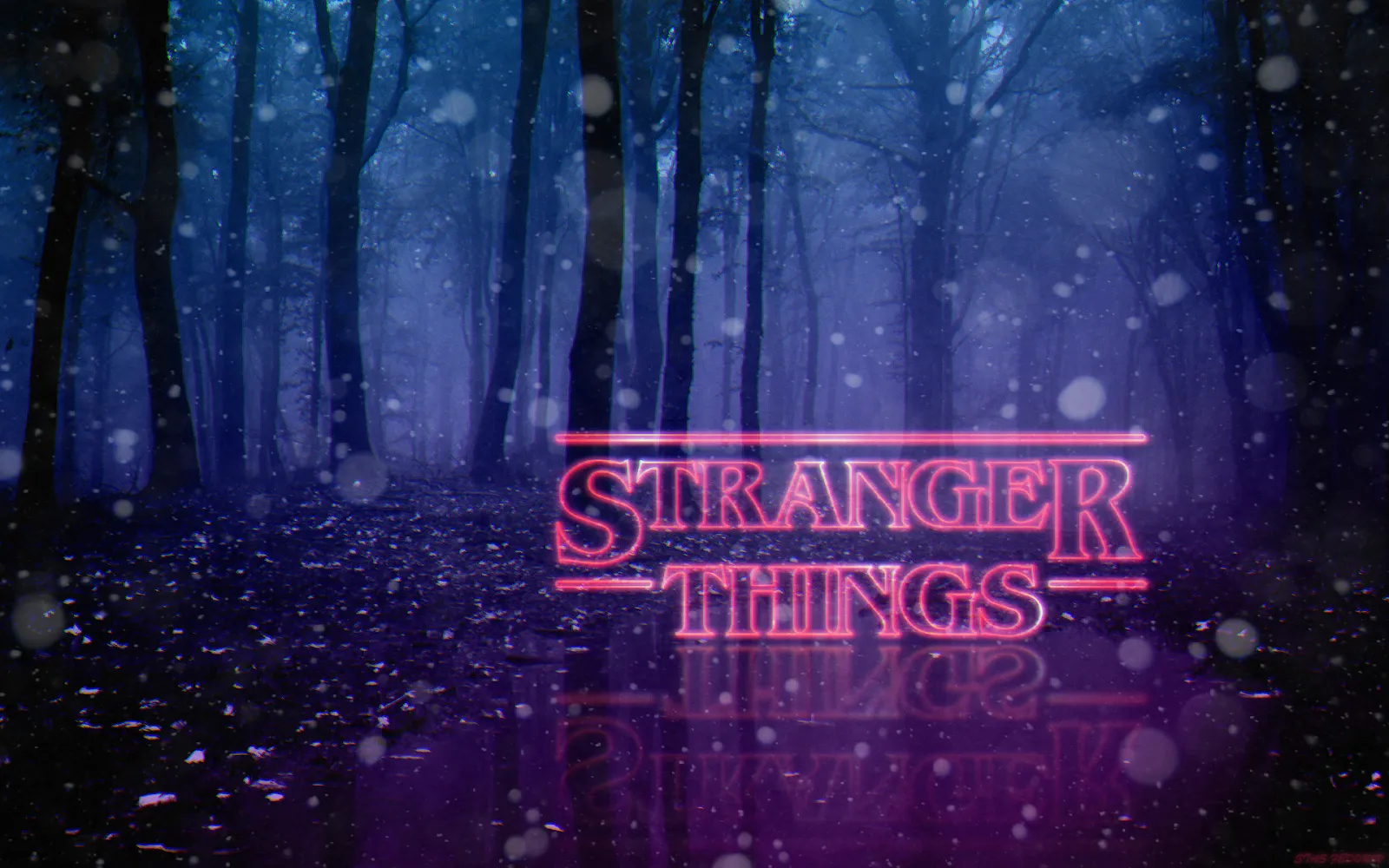
Fans love transforming their screens using bold colors, glowing lights, foggy forests, and atmospheric Upside Down themes. These wallpapers often include red-blue neon glow, silhouettes, and retro lighting effects.
2. Stranger Things Edit
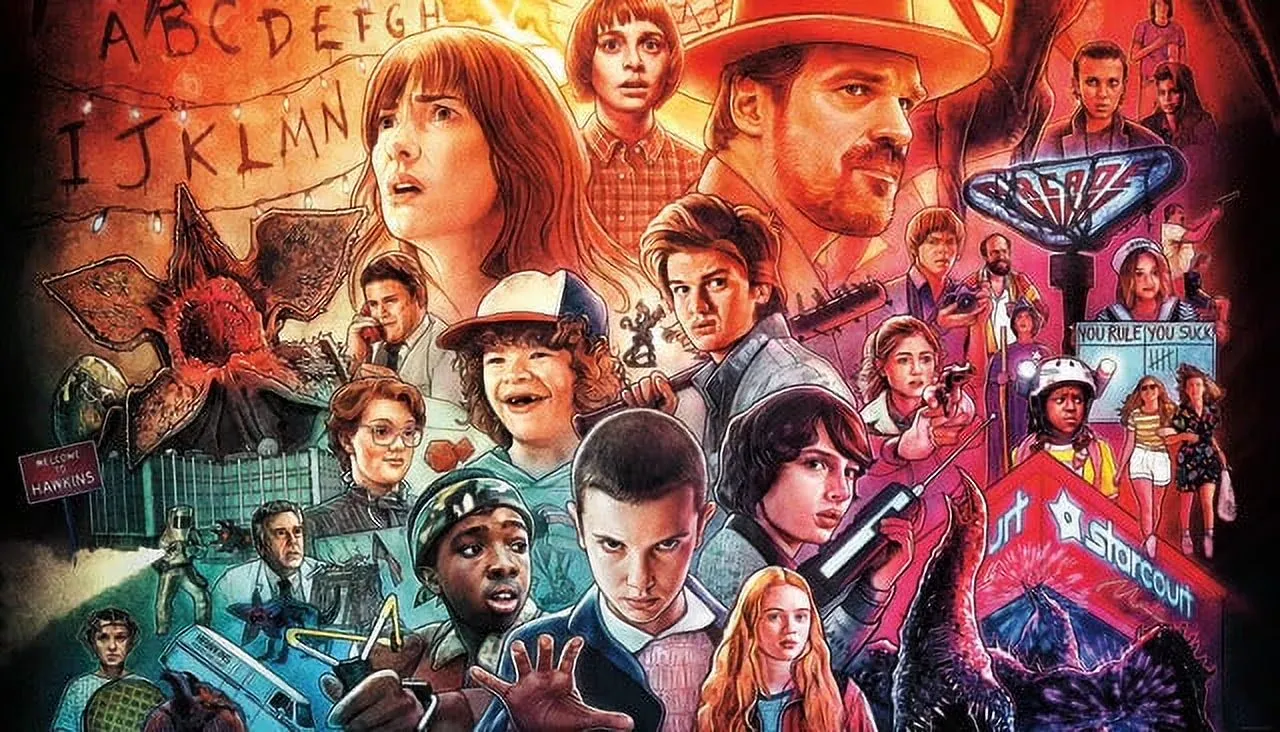
A stranger things edit usually mixes portraits with dramatic lighting, film grain, and supernatural elements like floating particles or eerie shadows. AI tools allow users to apply these stylized effects without manual Photoshop work.
3. Stranger Things Logos
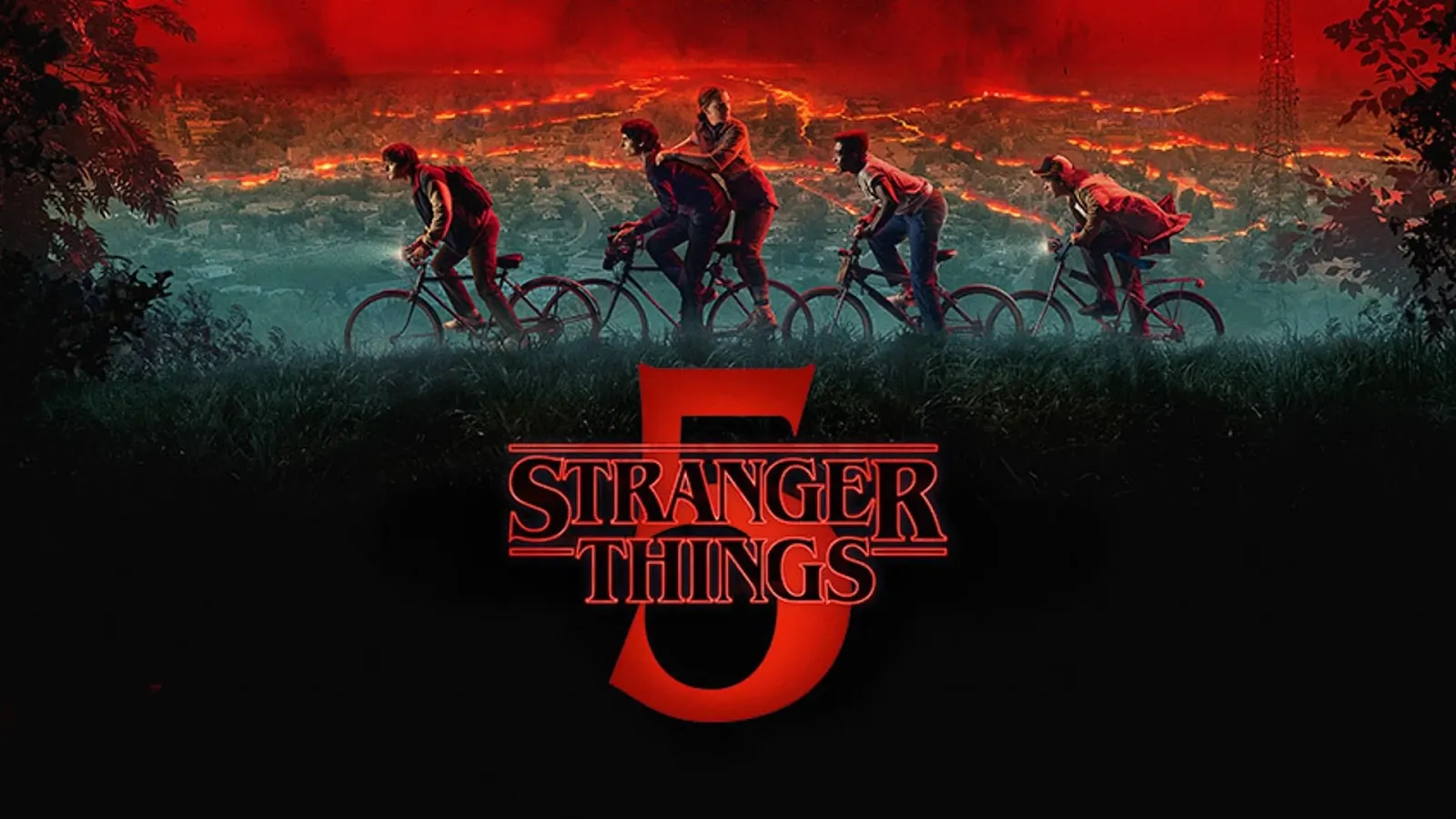
Some creators love designing custom titles inspired by the show's typography. AI tools now allow you to create a Stranger Things logo or text-based poster using red neon serif letters, glossy glow, and dramatic contrast, perfect for fan pages, profile banners, or themed graphics.
4. Stranger Things Background
Creators often design Stranger Things backgrounds featuring dark suburban streets, stormy skies, eerie forests, and Upside Down-inspired elements. These backgrounds are popular for phone wallpapers, edits, posters, and social media graphics. Even when spelled incorrectly as "stranger things backround," millions of users still search for these visuals online.
Now that you've seen what's trending, let's explore how to make your own Stranger Things-inspired creation with AI.
How to Use an AI Stranger Things Maker
Creating your own Stranger Things aesthetic has never been easier with insMind's AI Image Generator.
This tool allows anyone, regardless of design experience, to produce cinematic, retro-inspired visuals in seconds. You can generate wallpapers, edits, logos, or custom character portraits that reflect the show's signature red-blue lighting, foggy atmospheres, and 1980s vibe. Step-by-Step Guide:
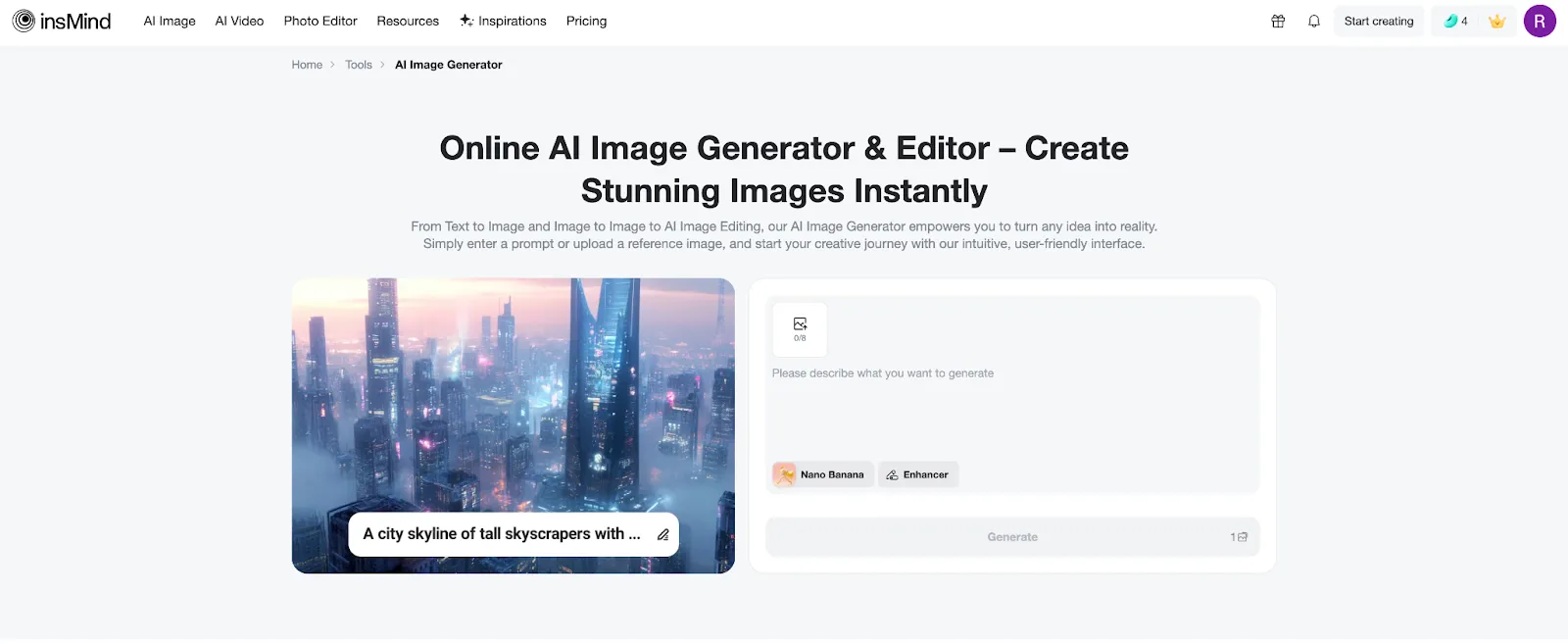
1. Access the AI Generator
Visit insMind AI Image Generator. If you have a reference photo, you can use the image-to-image mode to transform it into a Stranger Things style.
2. Enter a Prompt
Write a descriptive prompt emphasizing lighting, mood, and environment, for example, "foggy Hawkins forest, neon red-blue glow, cinematic retro style." The more specific your prompt, the more accurate and stylized the result.
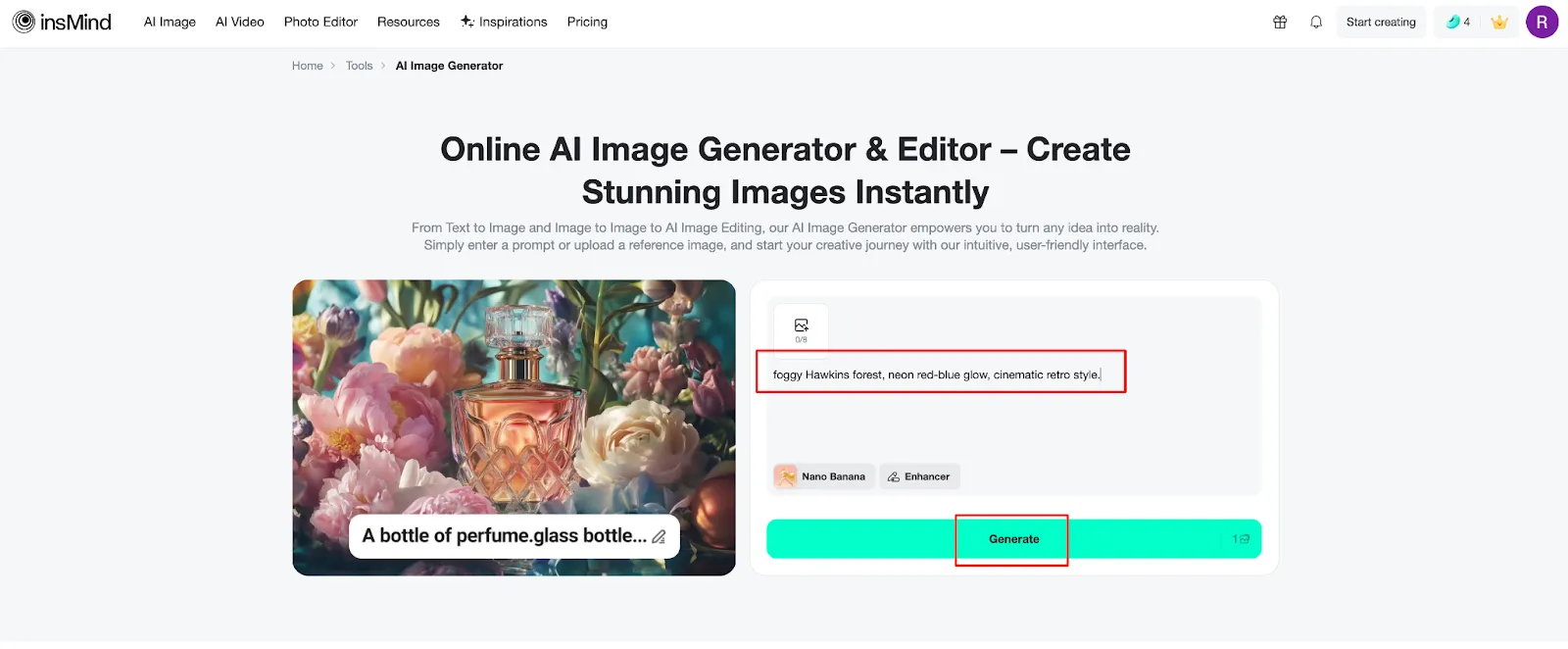
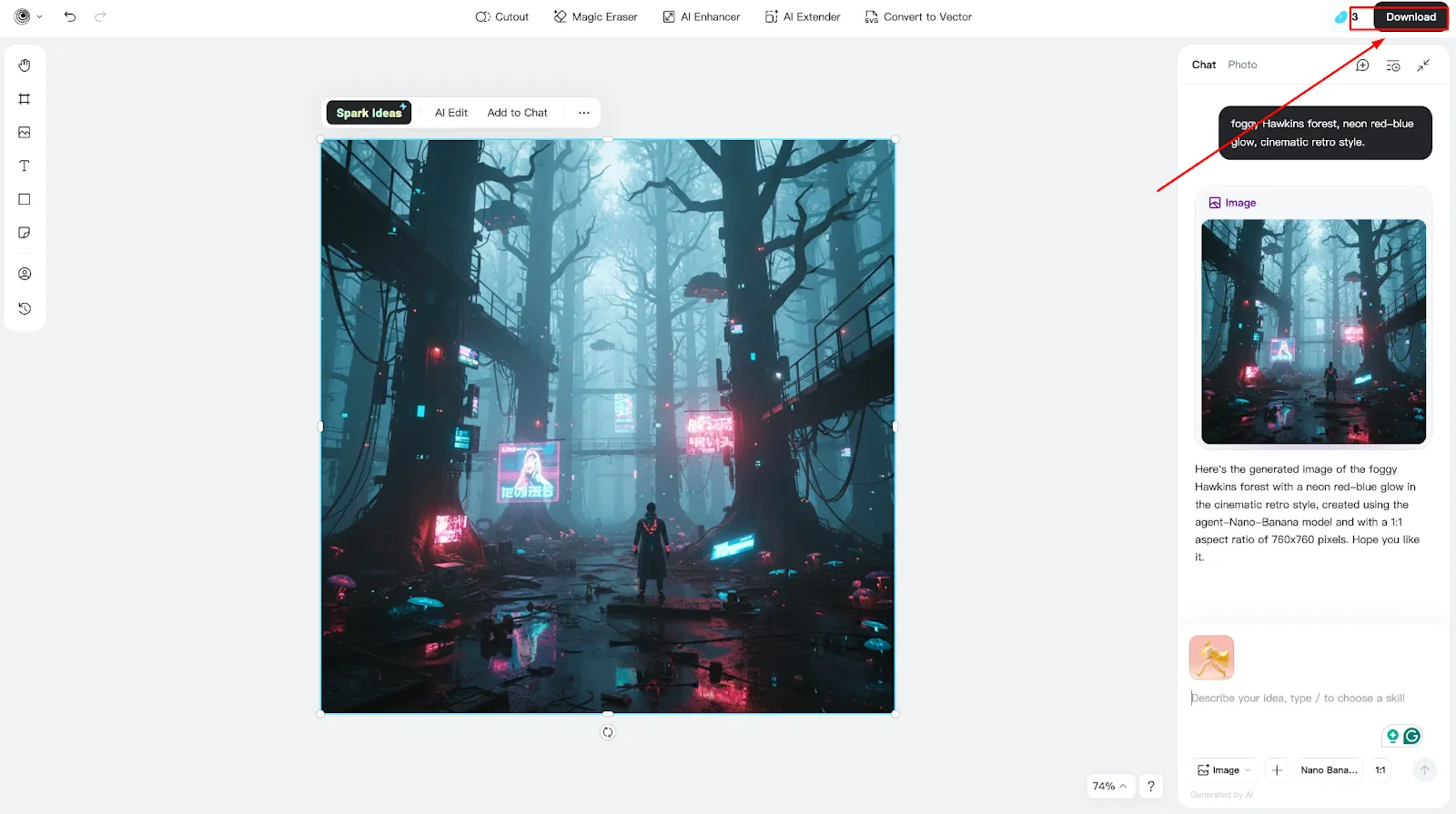
3. Generate and Refine
Click Generate to create your image. Review the result, adjust your prompt or style, and generate again if needed. Once satisfied, click Download.
Pro Tip
Experiment with different prompts, lighting effects, and image uploads to create your unique Stranger Things aesthetic, whether for wallpapers, edits, or logos.
Tips for the Best Stranger Things Aesthetic
Achieving a striking Stranger Things-style visual depends on choosing strong prompt wording and layering the signature elements: neon reds and blues, fog, silhouettes, retro film texture, and bold serif text. The following prompts are designed to help you get the best results from an AI tool while leaving room for customization.
Wallpaper Prompts
1. "80s neon red-blue glow, foggy Hawkins forest, cinematic wide shot"
2. "Retro synthwave colors, dark sky, eerie suburban street, glowing mist"
3. "Spooky forest silhouette, red fog, vintage grain, soft cinematic lighting"
Edit Prompts
1. "Portrait with dramatic 80s lighting, red-blue rim light, shadowy background"
2. "Retro film look, grainy texture, fog, glowing red accents, supernatural vibe"
3. "Upside Down-inspired portrait, floating particles, eerie blue shadows"
Logo Prompts
1. "Retro Stranger Things-style title logo, bold red serif typography, cinematic glow"
2. "Neon red 80s font, dark foggy background, dramatic highlights"
3. "Vintage horror title design, sharp red outline, symmetrical layout"
These phrases work as starting points, feel free to adjust atmosphere words like "foggy," "grainy," "cinematic," "moody," or "retro" to produce a completely different effect. Even small prompt changes can transform the final result, making it easier to craft a uniquely personal version of the aesthetic. Whether you're making wallpapers, edits, or trying a Stranger Things OC maker, experimenting with variations will deliver the most creative outcomes.
Conclusion
The return of Stranger Things has brought its iconic atmosphere back into the spotlight, inspiring creators worldwide to explore its nostalgic, eerie visual language. With powerful AI tools, you no longer need advanced editing skills to produce cinematic Stranger Things backgrounds, wallpapers, logos, or character edits. Platforms like insMind allow you to experiment endlessly with lighting, textures, and moods, helping you bring your ideas to life in seconds.
If you're ready to explore your creativity, try insMind's AI image generator and start designing your own Stranger Things aesthetic today! Whether you want a wallpaper, an edit, or a custom logo, the possibilities are endless.
Ryan Barnett
I'm a tech enthusiast and writer who loves exploring AI, digital tools, and the latest tech trends. I break down complex topics to make them simple and useful for everyone.


![How to Add Logo to Photos Online for Free [The Simplest Method]](https://static.xsbapp.com/market-operations/market/side/1718795949162.jpg?x-oss-process=image/resize,w_690,h_460,type_6/interlace,1,image/format,webp "How to Add Logo to Photos Online for Free [The Simplest Method]")
![How to Remove Tattoos from Photos [Ultimate Guide 2025]](https://static.xsbapp.com/market-operations/market/side/1718787534476.jpg?x-oss-process=image/resize,w_690,h_460,type_6/interlace,1,image/format,webp "How to Remove Tattoos from Photos [Ultimate Guide 2025]")


