Immagine AI
Video AI
Editor di foto
Risorse
IspirazioniPrezzi

Trasforma Foto in Schizzo Online Gratis – Converti Immagini Istantaneamente
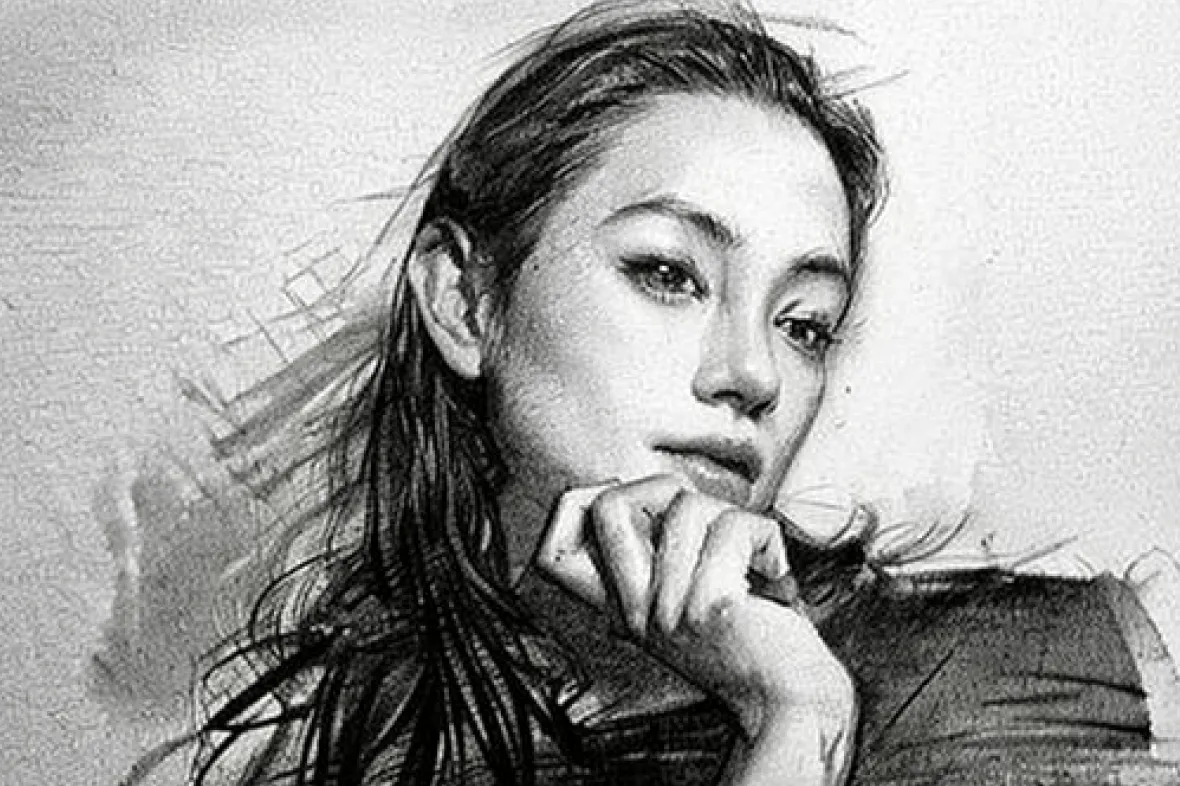
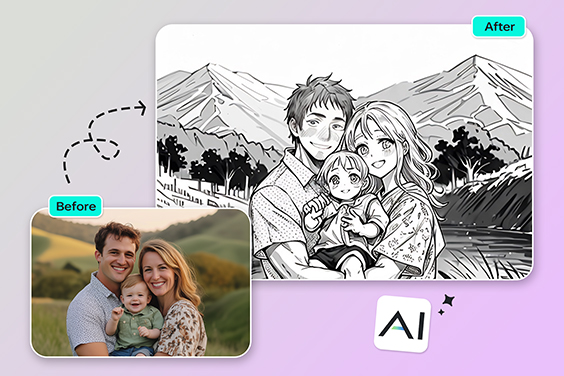
Converti facilmente una foto in schizzo o disegno a mano libera online con il nostro convertitore AI gratuito. Carica un ritratto, un paesaggio o la foto del tuo animale domestico, scegli il filtro Schizzo AI e scarica subito un bellissimo disegno a linee — perfetto per regali, poster, tatuaggi o social.

Trasforma Foto in Schizzo Online Gratis – Converti Immagini Istantaneamente
Dopo
Prima
Oltre 100 idee ispiratrici
Oppure trascina l'immagine qui, incolla l'immagine o l'URL
Prova con uno di questi
Esempio di filtro per il pianto di insMind AI 1
Esempio di filtro per il pianto di insMind AI 2
Esempio di filtro per il pianto di insMind AI 3
Esempio di filtro per il pianto di insMind AI 4

Create Similar

{ "task_configuration": { "task_type": "screen_simulation_photorealism", "target_model": "SDXL_1.0_Refiner", "aspect_ratio": "3:4", "resolution": { "width": 1152, "height": 1536 } }, "visual_hierarchy": { "layer_1_physical_macro": { "camera_angle": "high-angle", "framing": "MacBook screen dominant", "surface_imperfections": ["pixel texture","dust","reflection","smudges"] }, "layer_2_digital_interface": { "theme": "Dark Mode", "window_layout": { "left_panel": "Spotify Liked Songs", "right_panel": "Photo Booth" } }, "layer_3_nested_subject_content": { "environment": "dim bedroom", "lighting_simulation": "cool screen glow + warm tones", "subjects": { "shared_attributes": ["black hoodies","reclining"], "subject_a_guy": { "identity_target": "male from uploaded image", "action": "holding phone" }, "subject_b_girl": { "identity_target": "female from uploaded image", "action": "resting beside A" } } } }, "prompt_assembly": { "positive_prompt": "Hyper-realistic downward shot of a MacBook screen with dust and reflections. Photo Booth shows a couple in a dark room, identities from uploaded male and female subjects, wearing black hoodies. Low-key, candid, nocturnal.", "negative_prompt": "vector, flat, clean, daylight, cartoon, 3d, painting, watermark" }, "identity_preservation_settings": { "strictness_level": "CRITICAL", "methodology": { "face_restoration": false, "control_net_stack": [ { "unit": "ControlNet_Tile","weight": 0.4 }, { "unit": "IP-Adapter_FaceID_Plus","weight": 0.95 } ] } }, "rendering_parameters": { "sampler": "DPM++ 3M SDE", "steps": 40, "cfg_scale": 5.5, "denoising_strength": 0.35 } }
task: "edit-image: add widened torn-paper layered effect" base_image: use_reference_image: true preserve_everything: - character identity - facial features and expression - hairstyle and anatomy - outfit design and colors - background, lighting, composition - overall art style rules: - Only modify the torn-paper interior areas. - Do not change pose, anatomy, proportions, clothing details, shading, or scene elements. effects: - effect: "torn-paper-reveal" placement: "across chest height" description: - Add a wide, natural horizontal tear across the chest area. - The torn interior uses the style defined in `interior_style`. - effect: "torn-paper-reveal" placement: "lower abdomen height" description: - Add a wide horizontal tear across the lower abdomen. - The torn interior uses the style defined in `interior_style`. interior_style: mode: "line-art" style_settings: line-art: palette: "monochrome" line_quality: "clean, crisp" paper: "notebook paper with subtle ruled lines" sumi-e: palette: "black ink tones" brush_texture: "soft bleeding edges" paper: "plain textured paper" figure-render: material: "PVC-like" shading: "semi-realistic highlights" paper: "plain smooth surface" colored-pencil: stroke_texture: "visible pencil grain" palette: "soft layered hues" paper: "rough sketchbook paper" watercolor: palette: "soft transparent pigments" blending: "smooth bleeding" edges: "soft contours" paper: "watercolor paper texture" pencil-drawing: graphite_texture: "visible pencil grain" shading: "smooth gradients" line_quality: "mixed sharp and soft" tone: "gray-scale" paper: "notebook paper with faint ruled lines"
Product photography, perfectly straight-on frontal view. CRITICAL: The original art style, linework, and character features of the input illustration MUST BE STRICTLY PRESERVED. Do not abstract or simplify the drawing itself. The artwork is a physical multi-layered construction mounted on a white wall. **COMPOSITION RULE:** 1. The aspect ratio and orientation of the final product photography should match the dimensions of the input source image. 2. A large clear base panel is secured with visible metallic standoffs. 3. Crucially, the entire die-cut illustration (all layers) MUST be contained entirely within the boundaries of this base panel. 4. There should be an appropriate clear margin between the edges of the illustration and the edges of the base panel. **MATERIAL PHYSICS RULE (HIGH TRANSMISSION):** On top of the base, the illustration is reconstructed using **ultra-clear, highly luminous tinted acrylic sheets** designed for maximal light transmission. 1. The colors are the color of the transparent material itself (glass-like), not painted. 2. **For Skin/White Areas:** MUST be **pure, colorless, ultra-clear glass-like acrylic**. 3. **For Colored Areas (Hair/Clothes):** Use **highly translucent colored acrylic**. The color is vibrant but extremely see-through, allowing significant light to pass. **LIGHTING & SHADOWS:** Strong cool diagonal lighting passes through the highly transparent artwork. **Instead of creating dark or heavy shadows, the light casts bright, glowing, highly translucent colorful caustics onto the wall, showing the wall's texture underneath.** The shadow area should feel light and airy, revealing the original colors as bright projections. 8k resolution, ultra-detailed.
Use the person from the uploaded image as the main subject. A table covered with CDs and album covers featuring this person’s face. Bold colors, shiny discs, and the exaggerated, flashy, tacky aesthetic of 2000s rap, fully embodied by this subject.
Make a screenshot from an early-2000s American cooking show, in a Bake-Off style, shot-by-shot format, with subtle realistic glitches on an old SD TV screen featuring this person.
Use the subject from the user-uploaded image. Generate a hand-drawn portrait illustration in red and yellow pen on notebook paper, inspired by doodle art and comic annotations. Keep full likeness of the subject, express spontaneous gestures, bold outline glow, handwritten around, realistic pen stroke texture, 4K resolution.
Use the uploaded photo. Keep the person fully photorealistic — face, body, clothing, colors, and textures unchanged. Do NOT alter background perspective or turn the person into an illustration. Add dense pop-style illustrated “Christmas monsters” and graphic decorations ONLY around the person (and on top of their clothing if needed), but never on their skin or face. Illustrated elements: - many colorful cartoon monsters with thick black outlines, flat colors, and cute-but-ugly expressions - Christmas-inspired monsters: Christmas tree, snowman, reindeer, Santa Claus, gingerbread man, Christmas pudding, gift boxes, star, stockings, candles, bells, wreath - additional graphic shapes: stars, hearts, arrows, drips, splashes, zigzag lines, exclamation marks, motion lines, sparkles, bubbles, comic-style text shapes (but no real text) Make the decoration very dense and “busy”: - fill background with overlapping Christmas monsters and shapes - add monsters peeking from behind the shoulders, around the bag, at the person’s feet, and near the head - allow some monsters and shapes to overlap the clothing and accessories (shirt, shorts, bag, shoes), but keep the skin of the face, arms, and legs photorealistic and visible - use multiple layers of illustrations in front of and behind the person to create depth - add glowing outlines, small white dots, and speed lines around the person to emphasize energy Color & style: vivid neon palette (hot pink, yellow, cyan, lime, orange, purple, turquoise) flat, graphic, clean-edge illustrations with bold outlines slight shadows where monsters touch clothing for realism Goal: Create a highly decorated, maximalist pop-art scene where the real person stands in the middle, surrounded and wrapped by a chaotic crowd of playful Christmas monsters and graphic doodles, while the person remains clearly photorealistic.
Use the uploaded photo. Keep the person fully photorealistic — face, body, clothing, colors, and textures unchanged. Do NOT alter the background perspective or turn the person into an illustration. Add a dense layer of pop-style illustrated “sweets monsters” and graphic decorations ONLY around the person (and on clothing if needed), never on skin or face. Illustrated elements: colorful cartoon monsters with thick black outlines, flat colors, cute/ugly expressions sweets-themed monsters: bananas, cookies, strawberries, melting chocolate, lollipops, ice cream, oranges, cupcakes, donuts, candy, soda bottles extra shapes: stars, hearts, arrows, drips, splashes, zigzags, exclamation marks, motion lines, sparkles, bubbles, comic-style text shapes (no real text) Density & placement: fill background with overlapping sweets monsters and shapes monsters peeking from behind shoulders, around bag, near feet and head allow overlap on clothing/accessories but keep all skin photorealistic and visible multiple illustration layers in front and behind the person for depth add glowing outlines, white dots, speed lines around the person for energy Color & style: vivid neon palette (hot pink, yellow, cyan, lime, orange, purple, turquoise) flat, graphic, clean-edge illustrations with bold outlines add slight shadows where monsters touch clothing for interaction realism Goal: Create a maximalist pop-art scene where the real person stands photorealistically in the center, surrounded by a chaotic crowd of playful sweets monsters and graphic doodles.
A 3D cartoon-style winter scene of a vintage red tram on a snow-covered street, pedestrians walking around, all elements made of semi-transparent silk-like threads with natural messy interweaving, tram in red gradient threads, pedestrians in soft gradient clothes with round cute proportions, street trees wrapped in glowing thread lights, buildings and market stalls emitting warm thread light, falling snowflakes as thin white threads, smooth rounded 3D shapes, balanced composition, soft shadows enhancing 3D depth, cable-knit thread style, cozy winter atmosphere.
Minimalist 3D model of a simple geometric snow mountain, created with semi-transparent silk-thread material, dense fine line-weaving texture, soft fabric-like micro details, and clean gradient pastel colors. The mountain shape is smooth and simplified, with a few stylized silk-thread trees placed on the slope, all built from tightly interwoven translucent threads. Light snowflakes float around the scene as delicate thread-based particles. The background is a pure blue minimal gradient with large negative space, soft diffused lighting, dreamy surreal atmosphere, clean minimal composition, soft fresh color palette, ultra-simple structure, no clutter.
A minimalistic 3D model with simple clean structure, rendered in semi-transparent silk-thread material with bright, fresh gradient colors, dense fine line-fiber textures, and crisp woven surface details. On a soft, irregular snow mound formed by layered bright thread-snow, stands an extra-cute round snowman with smooth simplified shapes, wearing a vivid red silk-thread scarf and holding a tiny translucent thread snowflake. The snowman has adorable colored eyes and matching colored buttons (non-white), enhancing its charm. Soft bright snowflakes float around. The scene features luminous, uplifting tones, dreamy diffusion light, surreal minimalism, and large clean negative space. Background is a bright blue-to-purple pure gradient, clean and minimal, with soft atmospheric lighting, refined thread-texture clarity.
3D plush-texture stylized diorama centered on creative typographic design, all elements made of soft plush, dense flocking, and felt materials. A smiling plush snowman wearing a bright blue felt hat and a red plaid felt scarf, with softly rounded fluffy contours. Beside him, a yellow felt bucket with a red plush shovel, and a small felt tree stump with visible stitched edges. Background shows a snowy pine forest made of layered plush and flocked textures, with falling snowflakes rendered as soft fluffy fiber specks. Bright, high-contrast, vivid colors with a clean, luminous atmosphere. Natural soft lighting enhancing the plush sheen and fine fiber details. Rich micro-textures, consistent stylized modeling, polished diorama look. Ultra-detailed, high-quality rendering, cohesive visual style.
3D rendering of a miniature stylized winter scene inspired by creative typography design, without any text or letters. A snow-covered Christmas tree stands next to a small red house, surrounded by gently falling snowflakes, under a bright blue sky. All objects rendered with detailed plush textures: fluffy, dense, soft fur, felt details on roofs and tree ornaments, subtle stitching and pile variations visible. Bright, vivid colors with strong contrast, high saturation, and clear, crisp details. Natural lighting enhances soft shadows and gentle highlights on plush surfaces. Consistent visual style across all elements, emphasizing texture richness and intricate material details. High-resolution, finely detailed rendering.
Four winter plants arranged in two rows: a small plush Christmas tree with decorative ornaments, a branch of red plum blossoms, holly, and a snowy spruce. All elements are fully covered in soft, short, fluffy fur, round and cute shapes, playful and trendy plush-style 3D modeling. Vibrant, high-contrast, bright colors on a clean light blue background. Crisp, high-quality rendering, visually appealing, fun, youthful, simplified composition.
A felt art scene with full felt material rendering, cartoon-style 3D modeling, soft and plush felt appearance emphasized, flat and stylized design. Four winter clothing items arranged in two neat rows on a black background, each covered with snow: one blue snow boot, one pair of orange gloves with small snowflake patterns, one pair of red socks, and one brown-and-white earmuff. Bright, vivid colors with strong contrast, high saturation, clean and pure color background, simple and playful style, 3D soft shapes, youthful and fun aesthetic, highly detailed and exquisite textures, sharp and clean presentation.
A handcrafted flat felt illustration of an anthropomorphic cartoon reindeer wearing a green scarf, holding a golden heart, standing among a pile of gift boxes. Red background. Made entirely from dense small felt fibers, with rich raised fiber texture and fluffy effects. Minimalist flat painting style, flat color with layered color blocking (flat + overlay). Realistic felt fiber details, fibers intertwined and slightly raised, strong felted effect, subtle fiber fuzz. Flat picture plane, clean solid background, smooth color blending, handcrafted tactile felt material. Calm and mysterious atmosphere.
Transform the subject from the user-uploaded photo into a giant, highly creative and dreamy picture-book style felt-art sculpture placed at the center of the scene. The sculpture must feature rich felt texture, dense fibers, handcrafted wool-felt aesthetics, soft edges, vibrant colors, and whimsical cartoon proportions. Keep the subject’s original outfit exactly the same as in the uploaded photo. Place the real subject (same appearance and outfit) standing beside the giant sculpture, looking up and admiring it — creating a clear scale contrast between the oversized felt sculpture and the real human subject. Surround the sculpture with professional exhibition stanchions (museum-style barriers), not fences. Background: a bright, modern art gallery with clean lighting. On the gallery walls, display framed artworks derived from the subject — dreamy, creative, felt-inspired illustrations that visually extend or reinterpret the subject’s form, colors, or personality. These wall artworks should match the whimsical picture-book felt-art style. No text. Studio-quality render, warm tones, dreamy atmosphere, high-detail felt material.
Use the uploaded image as the primary reference and create a handmade thread-art scene rendered as a soft, 3D fluffy object. A diorama crafted with yarn-like softness and plush sculptural qualities. Visible macro-level fluffy fibers, soft diffused lighting, pastel color palette, highly detailed textures, and a cozy fairytale atmosphere. Slightly miniature scale, like a diorama.
Use the uploaded image as the primary reference and create a handmade-style scene rendered as a soft, 3D fluffy plush object. Everything appears sculpted from velvety, plush, fuzzy materials with visible fluffy surface texture. Macro photography, soft diffused light, pastel palette, high-detail fibers, gentle fuzz, a cozy fairytale atmosphere, and a slightly miniature diorama scale.
Use the uploaded product image as the primary reference. Transform the product into a soft, 3D fluffy object, with long-pile plush texture and smooth rounded modeling. The bottle body features delicate embroidered text and embroidered decorative patterns, matching the exact color details of the original product. Place the fluffy product on an off-white plush blanket with visible fibers, lightly decorated with small snowflake ornaments. Background setting: a warm table lamp on the side, and a mini Christmas tree covered with snow, arranged to create a cozy winter holiday atmosphere. Soft diffused lighting, shallow depth of field, high-detail plush fibers, macro realism, gentle warm highlights. No additional objects. No text beyond the embroidered details on the product.
Create an image at the location with latitude and longitude 21.28° N, -157.83° W that matches the local current time atmosphere and real-time weather. Make the specified character blend in naturally as if sightseeing at that location, with clothing appropriate to the local time and weather, rather than matching the uploaded image. There are many tourists of various nationalities. “Based on the uploaded image, generate a high-angle CCTV surveillance camera–style image with an ultra-wide-angle lens (horizontal field of view ≥110°), producing a fisheye/mirror-like visual effect. Draw white face-detection frames on each person’s face, zoom in on the most noticeable person’s face and display it in a separate frame connected by a line. Add noise and distortion to the main image, while keeping the zoomed-in frame clean and sharp. Do not include any text or timestamps. Ratio: 3:4
Create a high angle CCTV surveillance shot using the uploaded image as the source. Detect every visible person in the image and automatically draw a white rectangular bounding box around each face. For the most prominent person, add a large zoom in inset: a sharp, enhanced close-up of their face displayed in a floating rectangular frame connected with a thin white line.Keep the main image slightly noisy and security camera like (soft grain, slight distortion, muted colors), while the zoom in face box should be clearer, brighter, and more detailed. No text, no timestamps, no overlays except the boxes and connecting line. Maintain the original scene layout, angle, and environment of the uploaded image.
Generate a cohesive 3x3 grid cinematic contact sheet featuring 9 distinct, photorealistic camera shots of the subject(s) from the input image. Location & Setting: Set the scene at the following coordinates: Latitude: 55.7558° N, Longitude: 37.6173° E. The environment must accurately reflect the specific location, local time, and weather. Emotional Theme: The overall emotional theme for the 9 shots is: [fun / joy / bittersweet / calm / curious / determined etc. – write the desired emotion here]. Each shot should subtly reinforce this theme. Style & Emotion: The 9 shots must maintain a consistent, dramatic, and emotionally profound mood. Subject's facial expressions must dynamically adapt to the narrative emphasis of each unique perspective, while strongly conveying the overall Emotional Theme. 9 Shot Coverage (Focus on Content & Angle): Full Environment View: Subject small in a vast, atmospheric environment. Full Body Shot: Entire subject visible, emphasizing presence against the backdrop. Mid-Body Shot: Knees-up view, capturing an emotionally charged stance. Upper Body Shot: Waist-up; focus on expressive posture and interaction. Intimate Chest-Up Shot: Chest-up; intimate framing, highlighting the gaze and inner feeling. Tight Face Shot: Close-up on the face, clearly conveying a specific, unstated emotion. Macro Detail Shot: Extreme close-up on hands, texture, or eyes, revealing a narrative element. Upward Gaze Shot: Looking up from below (worm's eye view); emphasizing quiet power or resolve. Downward Gaze Shot: Looking down from above (bird's eye view); suggesting reflection or vulnerability. Strict Constraints: Maintain strict consistency (same subject, clothes, lighting) across all 9 panels. Depth of field must shift realistically (bokeh in close-ups). Absolutely NO text, logos, labels, watermarks, symbols, numbers, letters, or typography should appear in any of the 9 generated images.
Create a single page photo collection from a high-end Japanese photobook scan featuring 5 photos of a woman at the location with latitude and longitude 35.31721720077321, 139.5357227423284, matching the local current time atmosphere and real-time weather. Make the specified character blend in naturally as if sightseeing at that location. Arrange the 5 photos in varying sizes with a beautifully designed, album-style layout, without showing any photobook or album background—only the single curated photo page. Do not display any explicit year, date, or timestamp; only reflect the atmosphere.
**[Type]:** A scanned page from a high-end Japanese photobook. **9-grid photo layout on textured matte art paper.** **[Layout Design]:** 9 photos in a clean grid with **wide white bottom margins** for typography. **[Subject Consistency - STRICT]:** * **Source:** Must follow uploaded reference image. **Same character in all panels.** * **Styling (RANDOM ONE):** 1. {Classic}: Loose white shirt + shorts. 2. {Soft}: Beige knit cardigan + camisole. 3. {Pure}: White lace-trim slip dress (best for bath). * **Note:** Row 3 outfit appears wet / shows skin. **[Typography & Title]:** AI must render a title in the bottom white margin. **(Randomly choose one theme):** 1. {Summer}: Large text **“Blue Summer”**, small **“www.insmind.com”**. 2. {Private}: Large **“Private Novel”**, small **“www.insmind.com”**. 3. {Air}: Large **“One Fine Day”**, small **“www.insmind.com”**. * **Signature:** Handwritten **“By : InsMind”** near the title or as a watermark. **[Grid Narrative – Day to Night]:** **Row 1: Outdoor Breath** 1. TL (Wide): Subject in wind, hair blowing, **sun backlight**. 2. TM (Detail): Close-up of **hand with soda bottle** or blocking sun. 3. TR (Motion): Blurry candid of subject **walking away on street**. **Row 2: Indoor Play** 4. ML (Hiding): On tatami, **covering one eye with dried flower**. 5. M (Candid): **Upside-down on sofa**, reading, face partly hidden. 6. MR (Fetish): Detail of **bare feet on rug** or fingers touching hair. **Row 3: Private/Wet** 7. BL: **Back view in steamy bathroom**, wet hair on neck. 8. BM: **In bathtub**, water to chin, dreamy high-key light. 9. BR: Detail of **steam on mirror**. **[Aesthetic Style]:** * Film: Fujifilm Pro 400H (cyan shadows, airy highlights). * Texture: **Visible paper texture**, slight vignetting, photobook layout. **[Parameters]:** --ar 2:3 --style raw --v 6.0 --stylize 200 --cref [URL] --cw 80 --no commercial smile, stiff posing, studio lighting
Generate a cohesive 3x3 grid cinematic contact sheet featuring 9 distinct, photorealistic camera shots of the subject(s) from the input image. Location & Setting: The environment for all 9 shots must be directly derived from the uploaded input image, accurately reflecting its specific location, local time, and weather. Emotional Theme: The overall emotional theme for the 9 shots is: [fun / joy / bittersweet / calm / curious / determined etc. – write the desired emotion here]. Each shot should subtly reinforce this theme. Style & Emotion: The 9 shots must maintain a consistent, dramatic, and emotionally profound mood. Subject's facial expressions must dynamically adapt to the narrative emphasis of each unique perspective, while strongly conveying the overall Emotional Theme. 9 Shot Coverage (Focus on Content & Angle): Full Environment View: Subject small in a vast, atmospheric environment. Full Body Shot: Entire subject visible, emphasizing presence against the backdrop. Mid-Body Shot: Knees-up view, capturing an emotionally charged stance. Upper Body Shot: Waist-up; focus on expressive posture and interaction. Intimate Chest-Up Shot: Chest-up; intimate framing, highlighting the gaze and inner feeling. Tight Face Shot: Close-up on the face, clearly conveying a specific, unstated emotion. Macro Detail Shot: Extreme close-up on hands, texture, or eyes, revealing a narrative element. Upward Gaze Shot: Looking up from below (worm's eye view); emphasizing quiet power or resolve. Downward Gaze Shot: Looking down from above (bird's eye view); suggesting reflection or vulnerability. Strict Constraints: Maintain strict consistency (same subject, clothes, lighting) across all 9 panels. Depth of field must shift realistically (bokeh in close-ups). Absolutely NO text, logos, labels, watermarks, symbols, numbers, letters, or typography should appear in any of the 9 generated images.
A giant cartoon cat 3D model, head lowered, playfully digging into a miniature ski resort, fully constructed from intertwined colorful threads with natural messy patterns, semi-transparent silk-like material, soft 3D round shapes, subtle color gradients on the cat’s fur, the ski resort features tiny thread-made pine trees and small cartoon figures skiing on snow, snow composed of layered thread gradients, dynamic top-down composition, sense of motion and story, bright Memphis-inspired color palette, blue sky background with subtle thread clouds, balanced visual proportion between cat and ski scene, 3:4 aspect ratio, whimsical and playful atmosphere, full 3D modeling style, realistic thread textures, no collage.
Create a flat cartoon felt fabric illustration of four winter animals arranged in two rows, on a clean purple background. Top row: a penguin wearing a cute hat and scarf, a polar bear building a snowman. Bottom row: a squirrel warming itself by a small campfire, a reindeer lying inside an igloo. Each character is made of layered felt with visible stitched edges, soft and slightly puffed fabric texture, bright and warm colors, whimsical and cute expression, high detail, consistent felt craft style, soft shadows, clear outlines, flat perspective, playful composition.

Filtri Schizzo per Ogni Stile

Usa l'AI per trasformare le tue immagini con diversi filtri schizzo di insMind.
Contorno
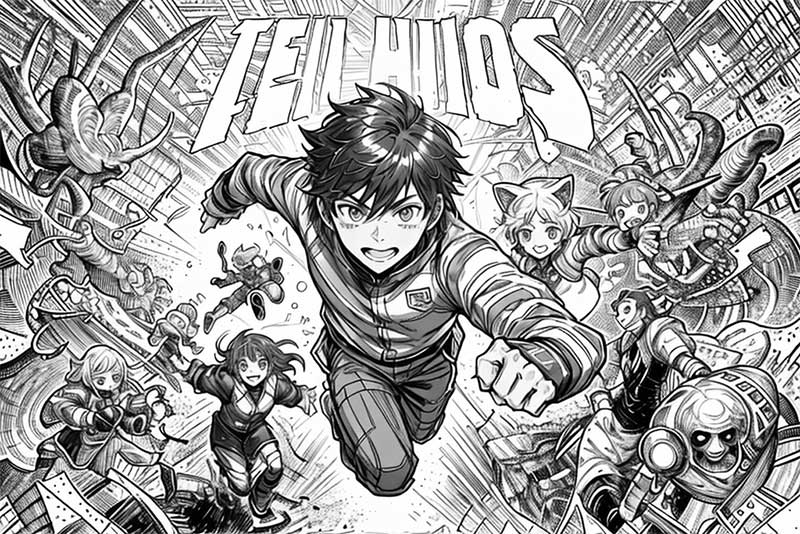
Contorno

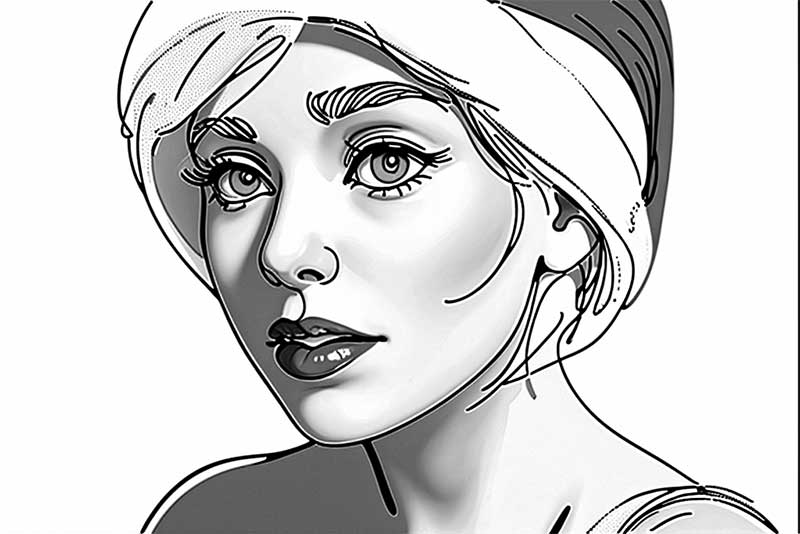
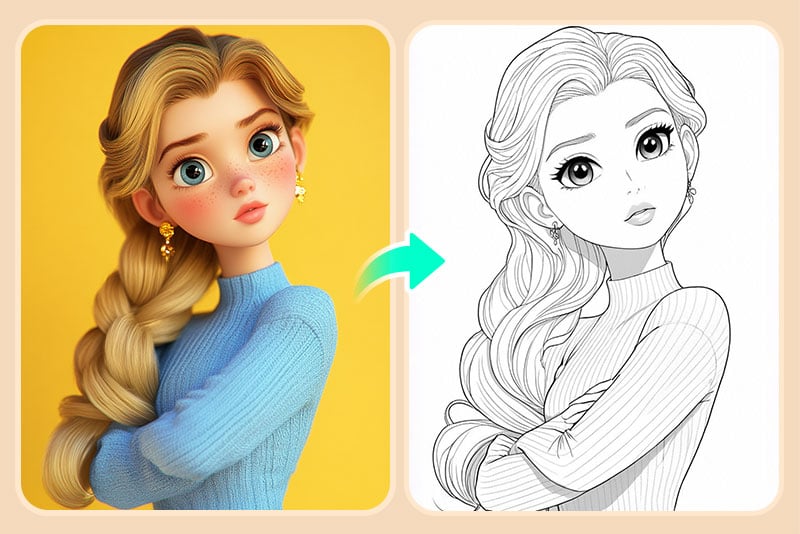
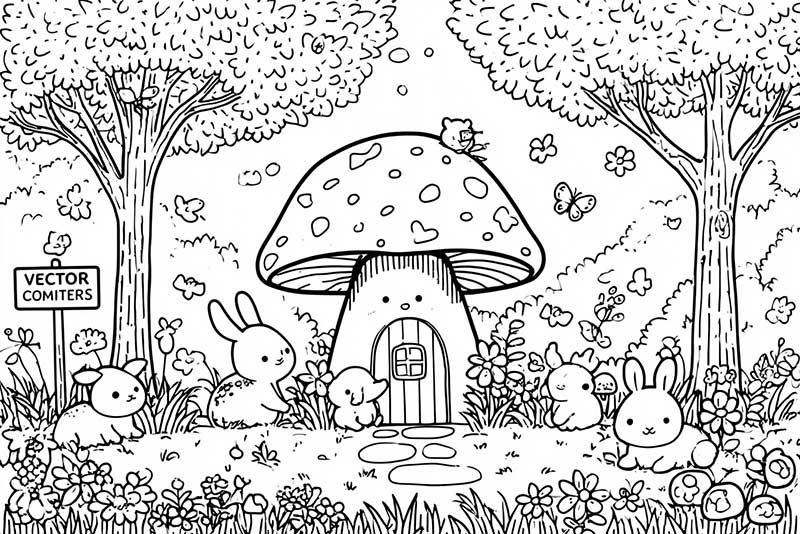
Trasforma la tua immagine in linee nette e pulite, perfette per libri da colorare, schemi di prodotto o wireframe UX.
Fumetto Americano

Fumetto Americano

Aggiungi contorni spessi e ombreggiature dinamiche per ottenere uno stile da fumetto americano, ideale per avatar, fan art o poster.
Disegno a Linee

Disegno a Linee

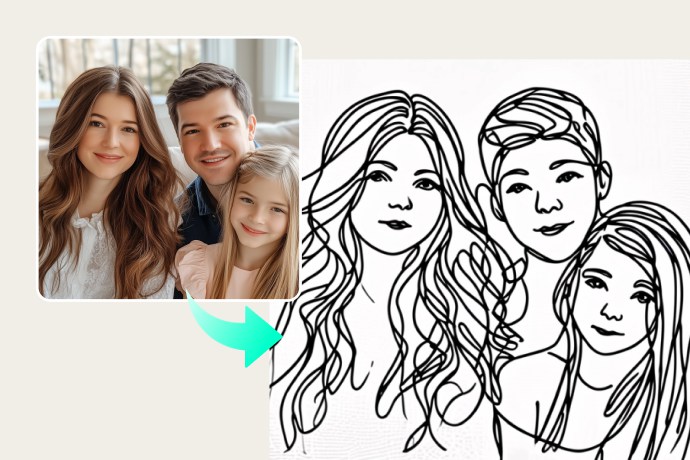
Crea linee di contorno fluide, ideale per moda, architettura o la progettazione di personaggi in stile anime.
Matita

Matita

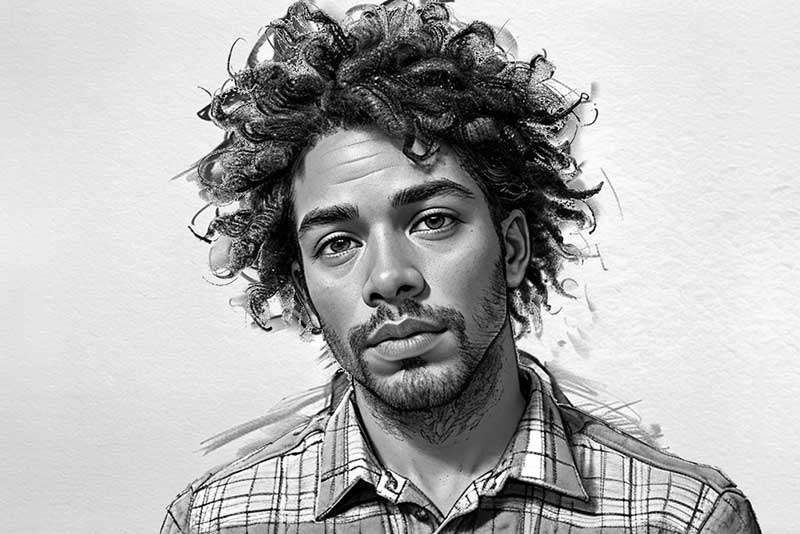
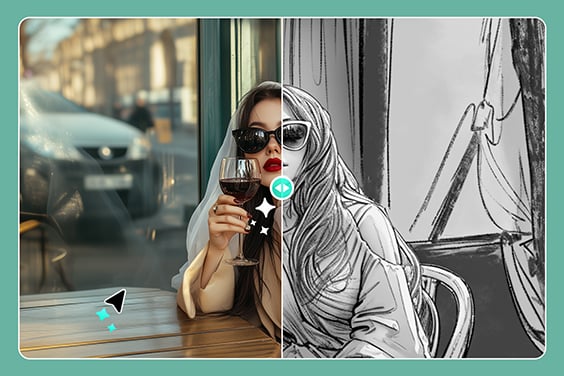
Dona ombreggiature morbide e texture delicate per un vero effetto foto in disegno a matita, perfetto per ritratti o ricordi.
Schizzo Classico

Schizzo Classico

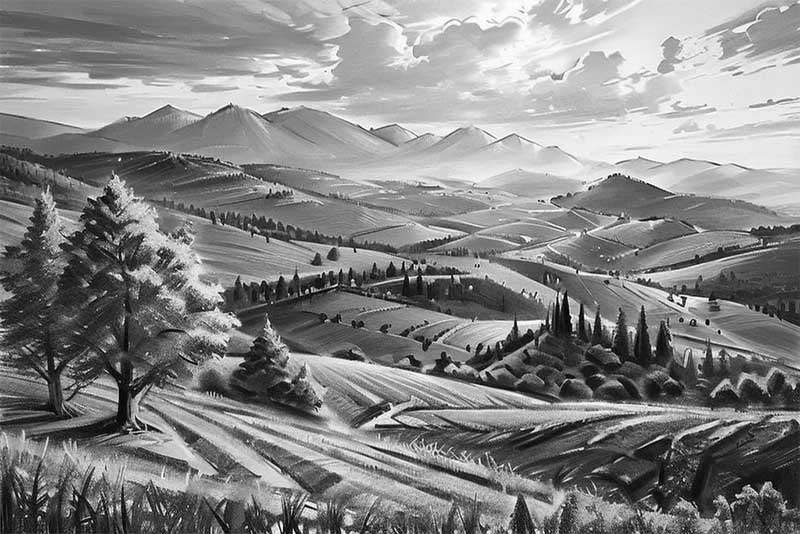
Stile vintage a mano libera con contrasti marcati: perfetto per paesaggi o regali personalizzati.
Penna Tecnica

Penna Tecnica

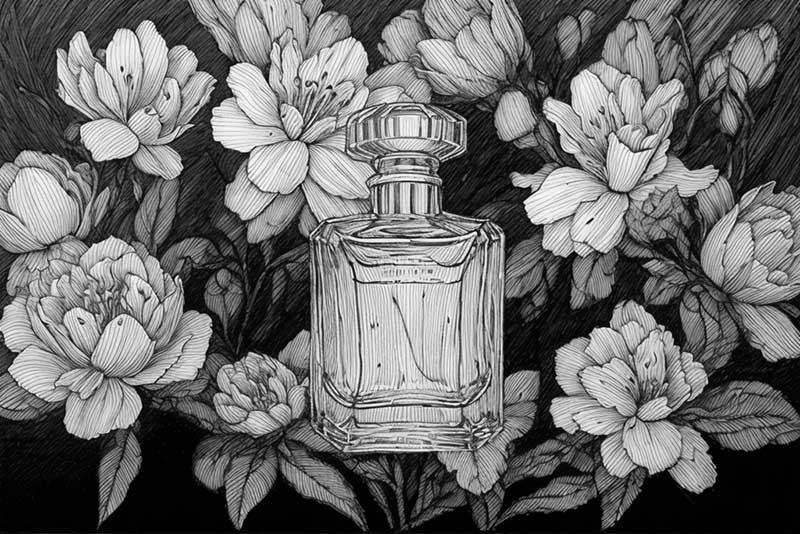
Effetto inchiostro a linea sottile, perfetto per illustrazioni scientifiche, disegni botanici e vecchi fumetti in stile inchiostro.
Xilografia

Xilografia

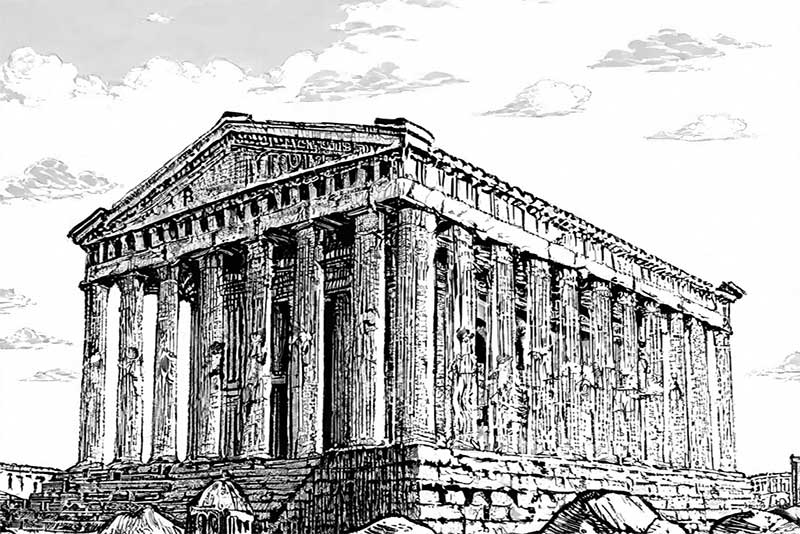
Effetto vintage che ricorda la xilografia, ideale per texture scolpite su legno, tatuaggi o pattern in bianco e nero d'impatto.
Foto a Schizzo — L'AI Trasforma le Tue Immagini in Arte Fatta a Mano

Foto a Schizzo — L'AI Trasforma le Tue Immagini in Arte Fatta a Mano

Creare schizzi con l'AI rende i tuoi ricordi ancora più preziosi e senza tempo. Con insMind puoi convertire foto in disegno che cattura l'emozione e i dettagli dell'originale aggiungendo un tocco artistico fatto a mano. L'intelligenza artificiale riconosce bordi, contorni e sfumature per ricreare l'immagine con tratti realistici di matita. Puoi usare questa funzione per ritratti, foto di famiglia, animali domestici, foto di viaggio e molto altro. Ideale anche per trasformare una foto in schizzo per prodotti o contenuti social. È il modo più semplice per aggiungere eleganza e fascino alle tue immagini, senza bisogno di materiali da disegno.
Trasforma Foto in Schizzo
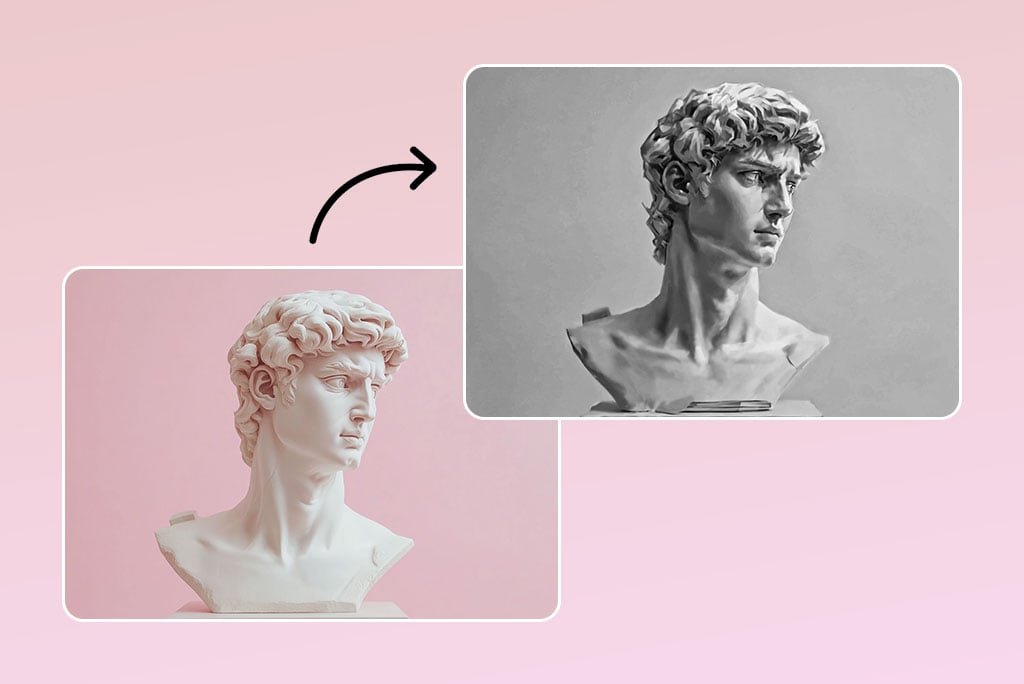
Trasforma il tuo Ritratto in un Disegno a Matita in un Attimo
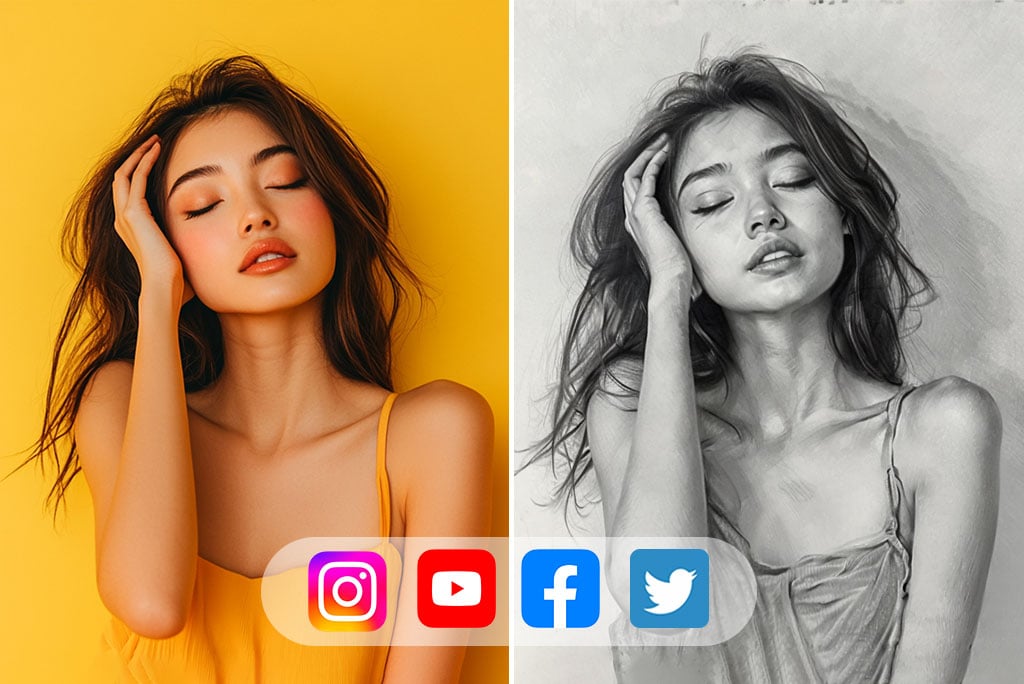
Trasforma il tuo Ritratto in un Disegno a Matita in un Attimo

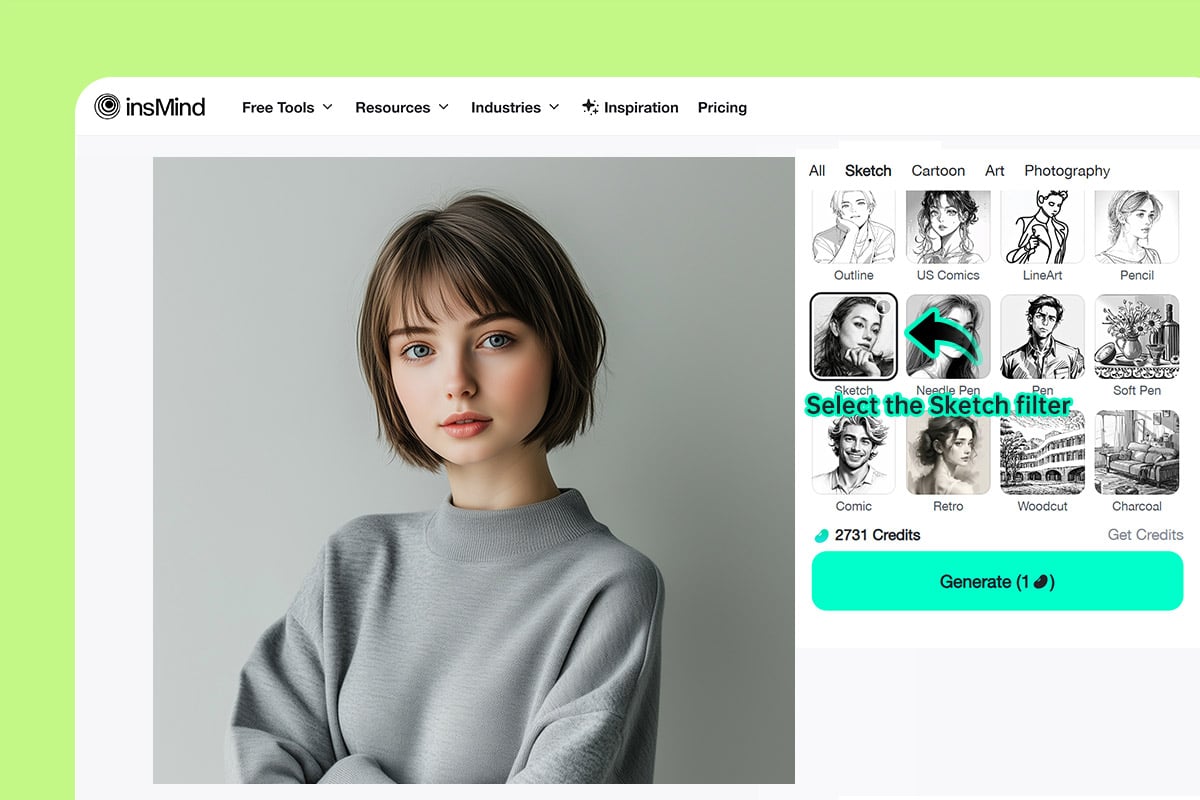
Convertire foto in disegno a matita è facilissimo: bastano pochi clic per trasformare un volto in un'opera d'arte. Il filtro AI di insMind mette in risalto i tratti del viso e le espressioni, donando alla tua foto un aspetto professionale e fatto a mano. Con i filtri AI di insMind, carica la tua immagine, seleziona Filtro Schizzo, e guarda la magia: trasformare foto in disegno non è mai stato così immediato!
Trasforma Foto in Schizzo
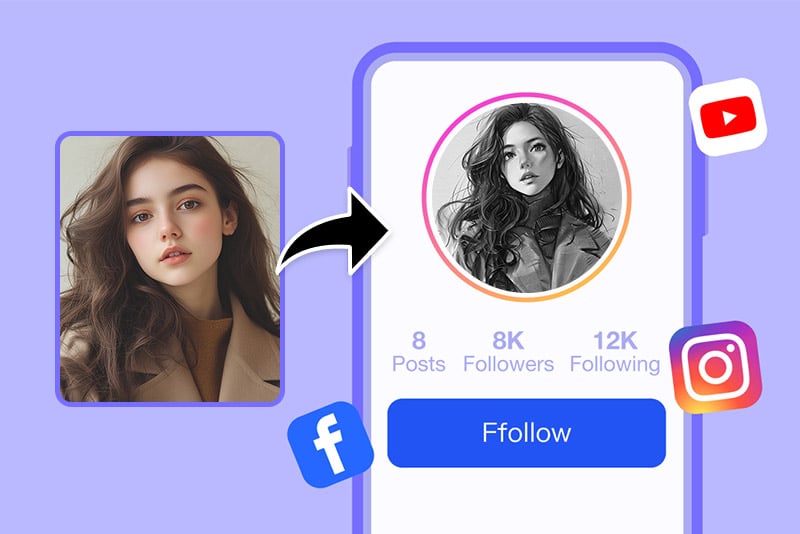
Crea Schizzi Artistici da Condividere sui Social

Crea Schizzi Artistici da Condividere sui Social

Condividi la tua immagine a schizzo direttamente su Facebook, Instagram e altri social. Ideale per i creativi, questo strumento migliora il tuo feed con disegni digitali professionali senza bisogno di modifiche aggiuntive. Porta il tuo profilo a un altro livello con foto in disegno a matita generate con il nostro strumento per trasformare foto in schizzo online.
Trasforma Foto in Schizzo
Trasforma i Paesaggi in Straordinari Disegni a Matita

Trasforma i Paesaggi in Straordinari Disegni a Matita

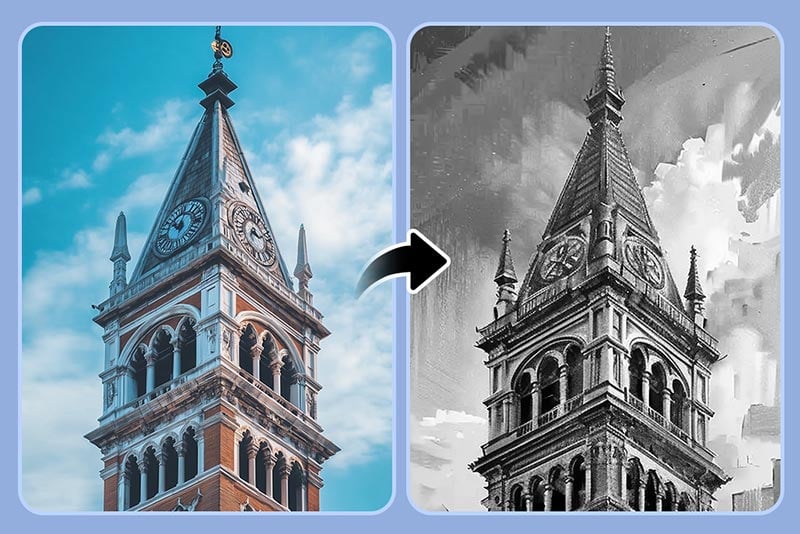
Utilizza ifiltri AI di insMind per convertire paesaggi in disegni a matita dettagliati in pochi secondi. Che si tratti di montagne, mare o città, ogni scena diventa un'opera d'arte.

Il nostro filtro AI avanzato evidenzia i dettagli naturali e li traduce in immagini a schizzo realistiche con ombre e tratti precisi—senza il lungo lavoro del disegno manuale.

Trasforma Foto in Schizzo
Converti Foto di Still Life in Schizzi Professionali
Converti Foto di Still Life in Schizzi Professionali

Dai nuova vita alle tue foto di oggetti con disegni a matita dettagliati creati tramite intelligenza artificiale. Che si tratti di cibo, fiori, utensili o accessori, ogni oggetto può essere trasformato in una foto a schizzo senza tempo. Perfetto per brand o social media, gli schizzi migliorano l'appeal visivo delle immagini e aumentano la credibilità. Con insMind, tutti possono ottenere disegni professionali in pochi click.
Trasforma Foto in Schizzo
Esplora Infiniti Stili Artistici: Schizzi, Disegni, Cartoni, Olio, 3D e altro

Esplora Infiniti Stili Artistici: Schizzi, Disegni, Cartoni, Olio, 3D e altro

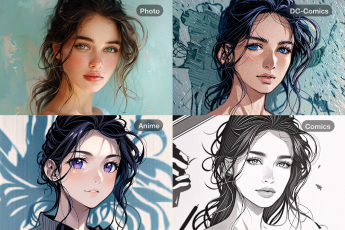
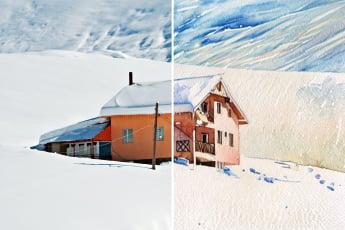
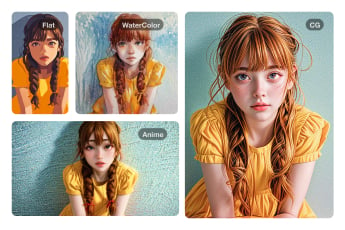
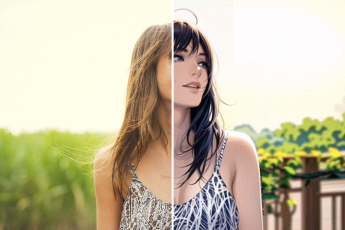
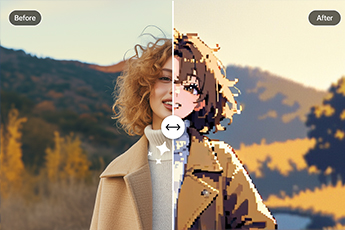
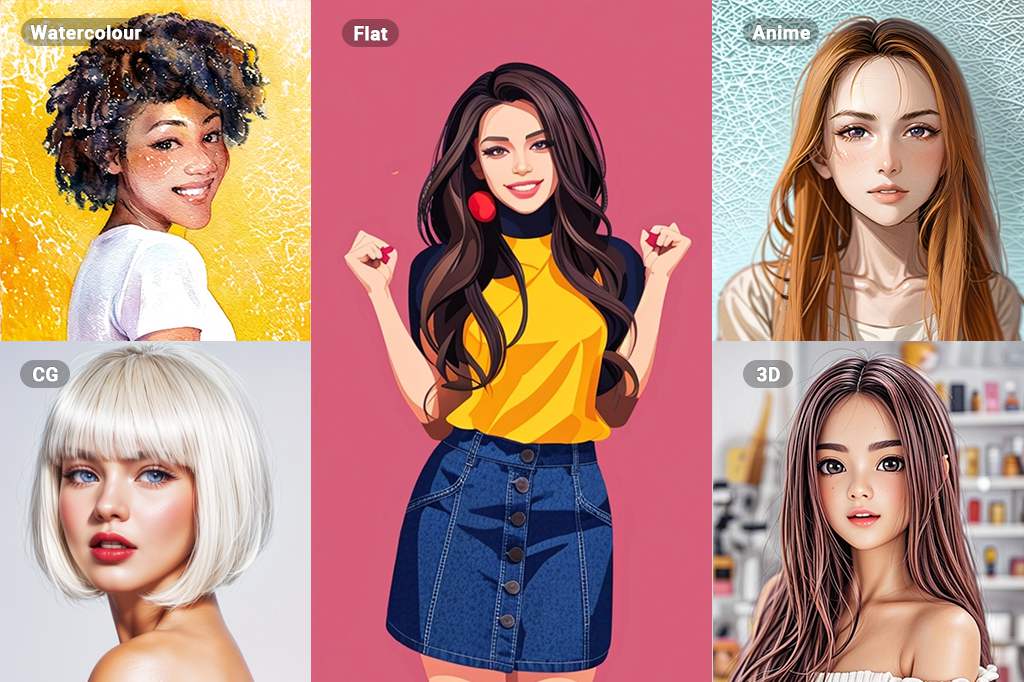
Il nostro convertitore foto in disegno online offre molteplici opzioni artistiche gratuite. Puoi trasformare le tue immagini in schizzi, dipinti ad acquerello o olio, con un solo clic.

Prova effetti come filtri cartoon, filtri anime, filtri acquerello e effetti 3D—libera la tua creatività con la nostra gamma di strumenti artistici AI.

Trasforma Foto in Schizzo

Come fare: Come trasformare una foto in uno schizzo
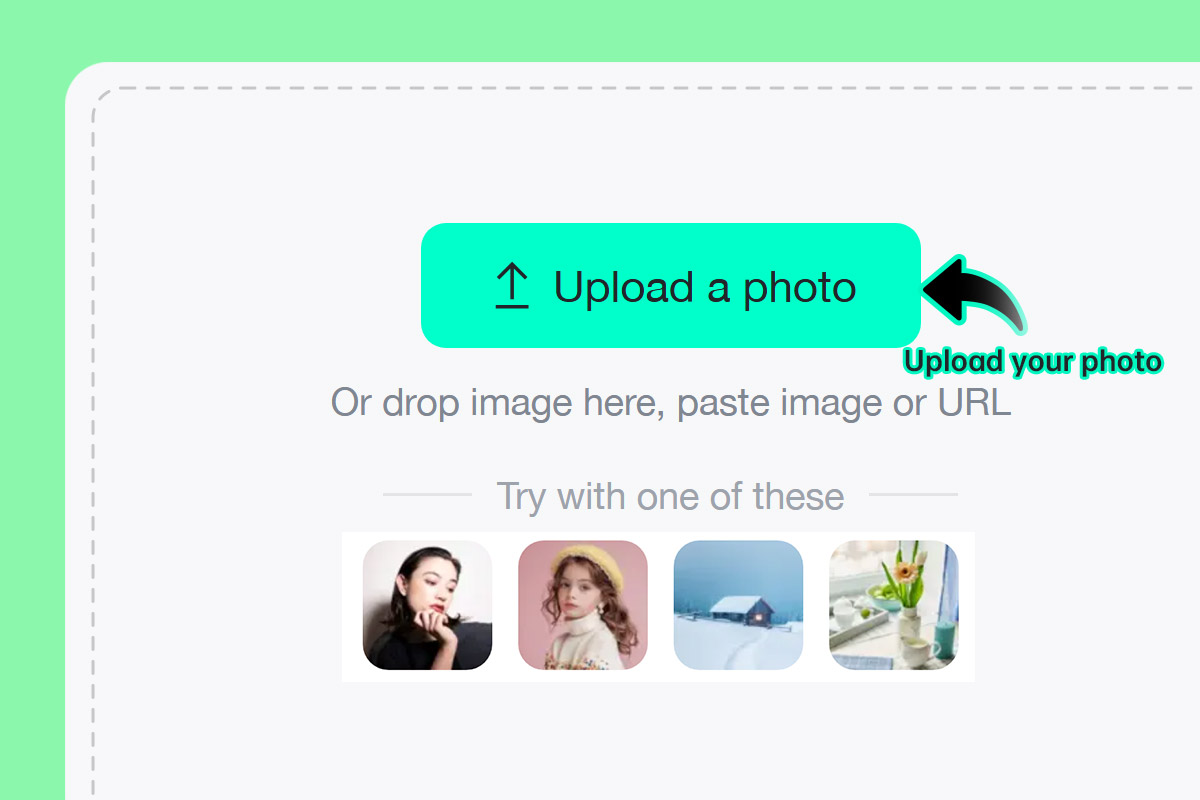
Passaggio 1: Carica la tua foto
1

1 Passaggio 1: Carica la tua foto

Scegli qualsiasi immagine: ritratto, prodotto, animale domestico o paesaggio. Il nostro strumento supporta la maggior parte dei formati comuni.
Passaggio 2: Seleziona un filtro schizzo
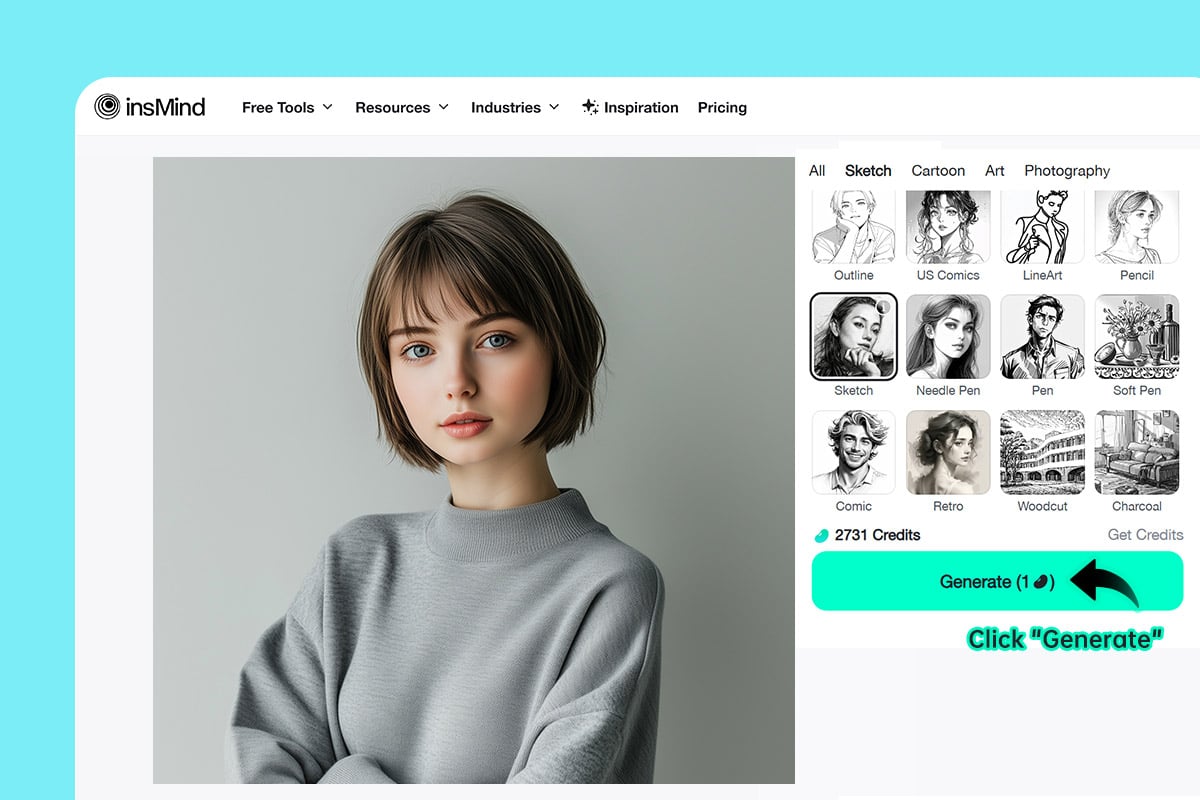
2

2 Passaggio 2: Seleziona un filtro schizzo

Scegli tra Pencil, Outline, LineArt o Woodcut per adattare lo stile ai tuoi gusti.
Passaggio 3: Clicca su Genera
3

3 Passaggio 3: Clicca su Genera

Il nostro convertitore foto a schizzo AI analizza i bordi, migliora il contrasto e crea un risultato stilizzato quando clicchi su Genera.
Passaggio 4: Scarica il tuo schizzo
4

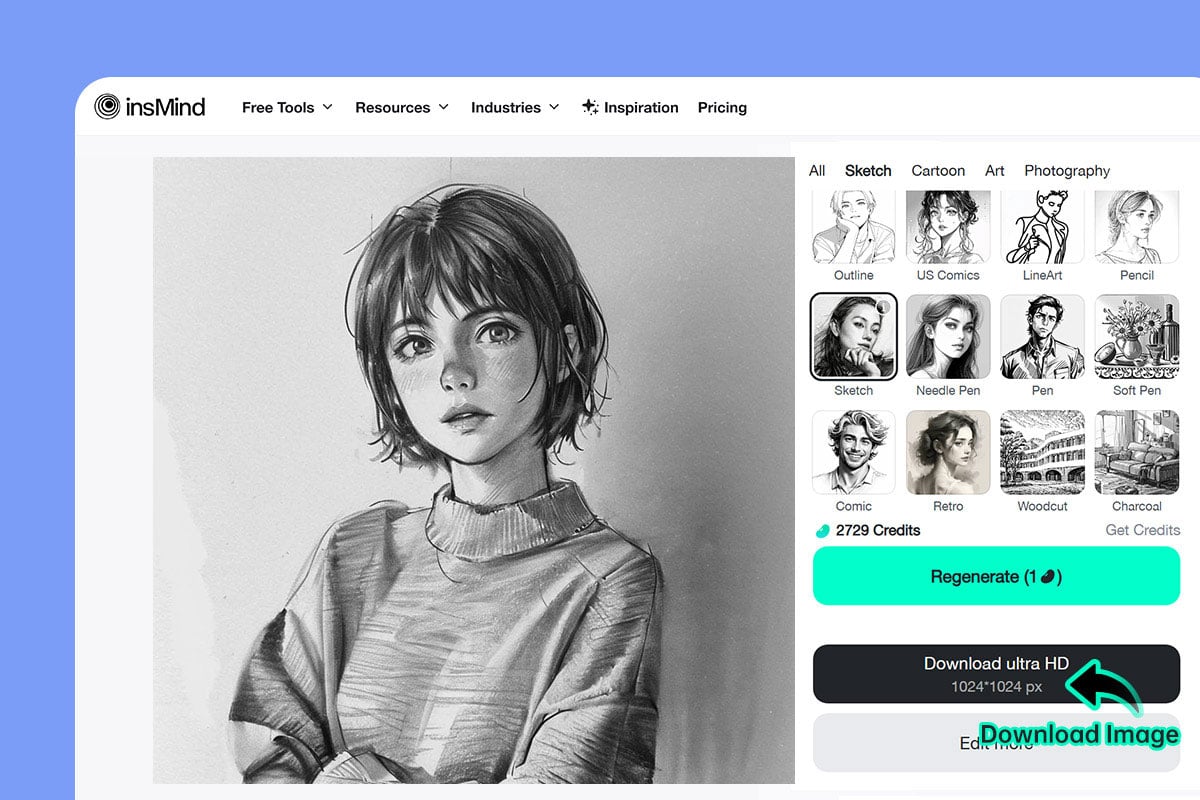
4 Passaggio 4: Scarica il tuo schizzo

Al termine, scarica il file e usalo ovunque: regali personalizzati, pagine da colorare o modelli per tatuaggi.

Scopri Tutti gli Usi del Convertitore da Foto a Schizzo

Converti qualsiasi immagine in arte con lo strumento AI di insMind. Nessuna installazione richiesta: lo schizzo viene generato in pochi minuti grazie all'intelligenza artificiale.
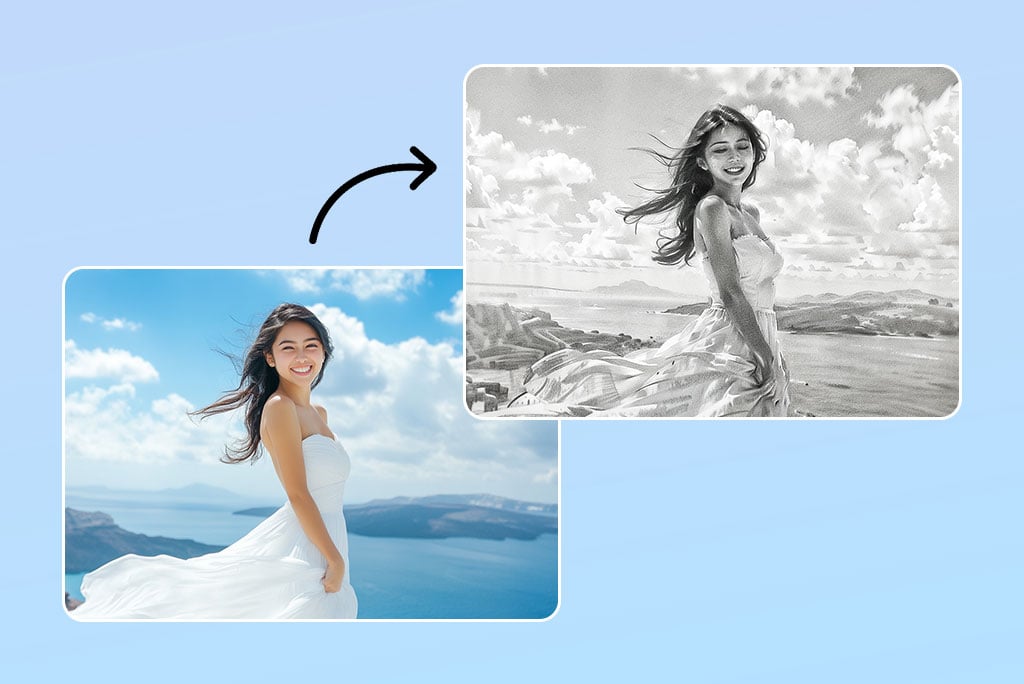
Foto Ritratto
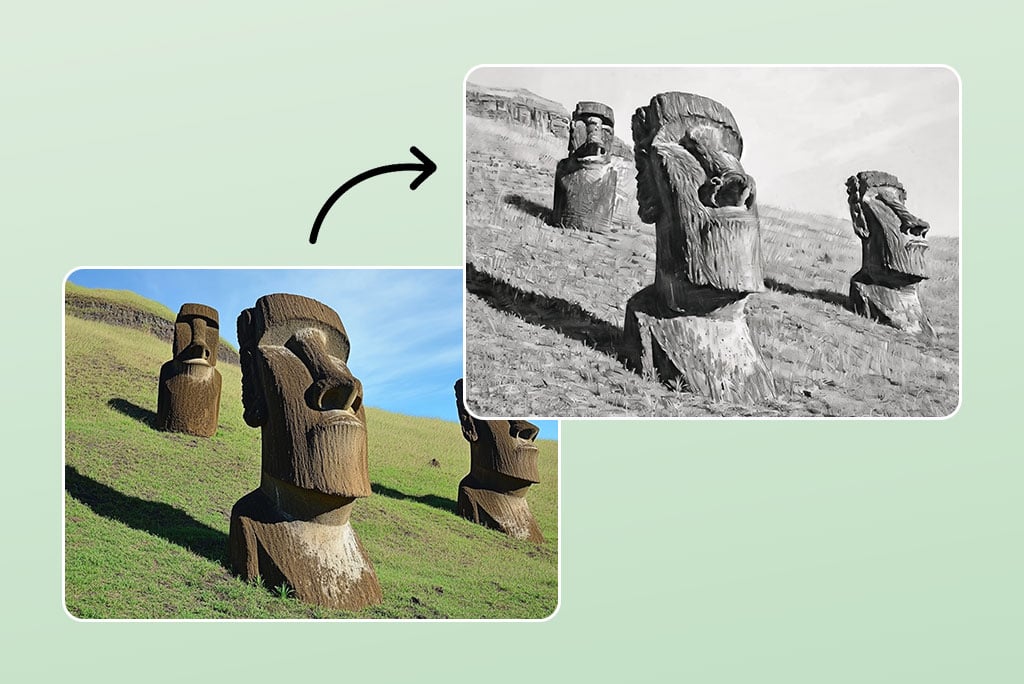
Foto Ritratto

Perfetto per creare ritratti a matita realistici. Il focus si sposta dai dettagli del corpo all'espressività del volto.
Foto di Paesaggio

Foto di Paesaggio

Trasforma paesaggi esterni in schizzi artistici dettagliati, che mantengono il fascino dell'originale.
Natura Morta

Natura Morta

Rendi accattivanti le foto di oggetti quotidiani con disegni a matita. Ideale per esaltare prodotti e design.
Libri da colorare

Libri da colorare

Trasforma immagini in schizzi a linee pulite, ideali per libri da colorare da stampare per bambini o adulti.
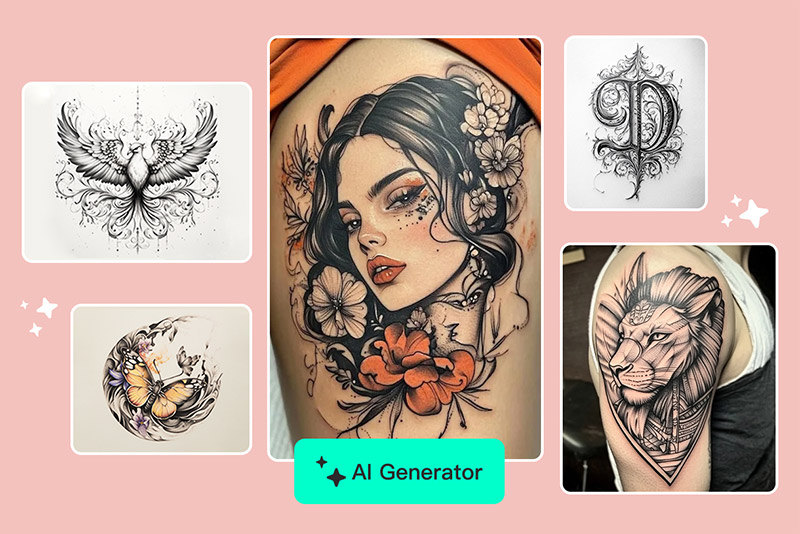
Modelli per tatuaggi

Modelli per tatuaggi

Usa il convertitore da immagine a schizzo per preparare contorni precisi e artistici per tatuaggi.
Avatar social

Avatar social

Dai un upgrade alla tua foto profilo con il convertitore foto a schizzo per uno stile pulito e fatto a mano.

Perché Scegliere il Convertitore Foto in Schizzo di insMind

Vasta Libreria di Filtri AI

Vasta Libreria di Filtri AI

Hai a disposizione una vasta gamma di filtri AI per disegni a matita e altri stili artistici. Puoi personalizzare facilmente l'effetto che desideri.
Modifica Automatica con l'Intelligenza Artificiale

Modifica Automatica con l'Intelligenza Artificiale

Con insMind, non hai bisogno di modificare nulla manualmente. L'AI si occupa di tutto per te, offrendo risultati rapidi e professionali.
Conversione Veloce e Risultati Precisi

Conversione Veloce e Risultati Precisi

Che tu voglia trasformare una foto in uno schizzo a matita o applicare altri filtri, insMind garantisce risultati accurati in pochi secondi.

Domande Frequenti sul Convertitore Foto in Schizzo

Cos'è un filtro o effetto schizzo?

insmind expand icon
Un filtro schizzo è un effetto digitale che trasforma una foto normale in un'opera d'arte simile a uno schizzo disegnato a mano.

Come trasformare una foto ritratto in uno schizzo?

insmind expand icon
Carica la tua foto ritratto nel nostro convertitore e applica il filtro AI per ottenere lo schizzo perfetto in pochi secondi.

Come trasformare una foto in un disegno a matita?

insmind expand icon
Carica l'immagine, seleziona l'opzione "Disegno a matita", e l'AI trasformerà la tua foto in un disegno realistico a matita.

Come trasformare una foto in cartone animato?

insmind expand icon
Sulla nostra piattaforma puoi trovare anche effetti cartoon. Carica la tua immagine e scegli il filtro cartoon per ottenere un look animato.

È gratuito convertire foto in schizzi?

insmind expand icon
Sì, il convertitore AI da foto a schizzo di insMind è gratuito. Alcune funzionalità avanzate potrebbero richiedere la versione pro, ma la conversione base è libera.

Posso trasformare una foto in uno schizzo dal mio iPhone?

insmind expand icon
Certo, insMind è ottimizzato per browser mobile. Basta caricare la tua immagine e usare lo strumento foto a schizzo online, oppure scaricare l'app insMind se preferisci.

Come disegnare un volto a partire da una foto?

insmind expand icon
Usa il nostro convertitore foto in schizzo per analizzare i tratti del viso e ridisegnarli con effetto matita o linee. Perfetto per ritratti o progetti di design.

Il convertitore foto a schizzo è gratuito?

insmind expand icon
Sì! Puoi trasformare foto in schizzo con la versione gratuita, che include diversi stili e download in alta risoluzione.

Potresti essere interessato a

Rendi le tue foto più belle con le funzioni completamente gratuite.