AI Görüntü
Yapay Zekâ Video
Fotoğraf Editörü
Kaynaklar
İlhamlarFiyatlandırma

Fotoğrafları Anında Ücretsiz Olarak Tabloya Çevirin

Sıradan fotoğraflarınızı, ücretsiz çevrimiçi fotoğraf-tablo dönüştürücümüzle harika sanat eserlerine dönüştürün. Güzel başyapıtlar yaratmak için bir dizi yağlı boya filtresi ve efekt uygulayın.

Fotoğrafları Anında Ücretsiz Olarak Tabloya Çevirin
Sonrasında
Önce
Veya buraya resim bırakın, resim veya URL yapıştırın
Bunlardan biriyle deneyin
insMind AI Ağlama Filtresi Örneği 1
insMind AI Ağlama Filtresi Örneği 2
insMind AI Ağlama Filtresi Örneği 3
insMind AI Ağlama Filtresi Örneği 4

Benzerini Oluştur

Subject: The main character in the picture. Expression: An anthropomorphic expression, with the mouth wide open, revealing teeth, canine teeth and tongue. The eyes are narrowed, looking disdainfully at the camera. Style: An exaggerated portrait painting in a digital painting style, combining expressionist brushstrokes. Texture: Has distinct brushstroke textures, as if it was quickly applied with rough oil paints or acrylic brushes. Detail depiction: The details are very realistic, such as hair, teeth, a moist nose and the inside of the mouth, but the overall structure and expression are highly exaggerated to achieve a humorous effect. Posture: Frontal shot, profile view Background: Solid color background
Subject: The main character in the picture. Expression: Extremely angry / Exaggerated anger. Furrowed brows, wrinkled forehead, dilated nostrils, mouth wide open and revealing clenched teeth, facial muscles completely contracted. Looking at the camera. Pose: One-to-one replication of the main character in the picture. Costume: One-to-one replication of the character's costume. Style: Exaggerated portrait painting in a digital painting style, combining expressionist brushstrokes. Texture: Has distinct brushstroke textures, as if it was quickly applied with rough oil painting or acrylic brushes, especially the background and clothing parts. Character style: Satirical caricature style, extremely exaggerated features (big mouth, big teeth, big eyes, big nose), funny expression, proportion: The head is significantly enlarged, the proportion is distorted, while the body is relatively smaller. Facial features: The facial muscles are extremely exaggerated, there are deep expressive lines around the eyes and mouth. Detail depiction: Skin texture, pores, teeth and other details are depicted very realistically, but the overall proportion and expression are exaggerated to a great extent. Lighting: Uses dramatic and intense contrast of light and shadow, highlighting the three-dimensionality of the character's face and the tension of the emotions. Posture: Frontal, portrait Background: Abstract and rough blue-green and orange/brown brushstrokes form the background, without specific environmental depiction, completely focusing on the character.
Character: The main figure in the picture. Core: An exaggerated comic with a wedding photo theme. Style: A highly exaggerated cartoon comic style, presented through digital painting. Head: Both of their heads are significantly enlarged, with distorted proportions, while the bodies are relatively smaller. Facial features: The facial muscles are extremely exaggerated, with deep expressive lines around the eyes and mouth, a very large and prominent nose, and very large teeth. Expression: An extremely exaggerated and joyful wide-open mouth laugh, with bulging eyes, fully matching the joyful mood in the reference image. Both are looking directly at the camera. Light and details: Sharp highlights on the forehead, nose, and cheekbones, contrasting with deep, smooth shadows to emphasize the exaggerated contours. Clean, smooth digital brush strokes. Background: A pure white background, with two red hearts decorating the gap between the two heads. Appearance: A one-to-one replica of the main character in the picture. Costume: The bride is wearing a white strapless wedding dress with a veil, and the groom is wearing a black tuxedo with a bow tie. Posture: Full body, both looking at the camera, the groom holding the bride like a princess, and the bride holding a red rose bouquet of flowers.
Main character: The person in the picture Art style: Exaggerated cartoon style. Bright colors, bold outlines. Character blush. Proportion: The heads are significantly enlarged and the proportions are distorted. Facial features: Exaggerated processing based on the facial features of the reference figure, exaggerated facial muscles, extremely exaggerated facial features (big mouth, big teeth, big eyes, big nose), funny expressions. Expression: Reproduce the main character's expression in the picture and exaggerate it. Facing the camera. Hair: Reproduce the hairstyle of the main character in the picture. Clothing: Exactly the same as the main character's clothing in the picture. Background: Solid color background. Light and details: Styled highlights and shadows, highlighting the facial contours, with the typical smooth texture of digital painting. Posture: Affectionate action, head touching head, looking at the camera, half-length portrait
Subject: The main figure in the picture. Core: A high-resolution real photo showing a couple standing beside a framed painting hanging on the wall. The center of the picture features a large black-framed portrait. The content is an exaggerated caricature style of the main character: extremely exaggerated facial features (big mouth, big teeth, big eyes, big nose), with a funny expression. Portrait: Black simple border (no white border), style: highly exaggerated cartoon comic style, presented by digital painting. Head: Both people's heads are significantly enlarged, with distorted proportions, while the body is relatively smaller. Facial features: Facial muscles are extremely exaggerated, there are deep expressive lines around the eyes and mouth, the nose is very large and prominent, and the teeth are also very big. Comic expression: Extremely exaggerated, joyful mouth wide open laughter, eyes bulging, fully matching the joyful mood in the reference image. Both are looking directly at the camera. Light and details: Sharp highlights on the forehead, nose, and cheekbones, contrasting with the deep, smooth shadows to emphasize the exaggerated contours. Clean, smooth digital brushstroke texture. Low saturation blue as the background of the portrait. Style: One-to-one replication of the main figure in the picture Clothing: One-to-one replication of the main character's clothing Photo scene: Indoor, with warm decoration, warm yellow background wall Posture: The main figure stands in front of the portrait, looking at the camera, with one hand raised in front of the chest pointing at the portrait on the wall. Warm lighting, natural integration of light and shadow, clear image quality, 8K
Subject: The main character in the picture. Art style: Exaggerated cartoon style. Head: The head is enlarged while the body is relatively small. Facial features: Exaggerated facial muscles, exaggerated facial lines, and a large nose. Expression: Reproduce the expression of the main character in the picture and exaggerate it. Looking at the camera. Family name: Exactly the same as the appearance of the main character in the picture. Attire: One-to-one reproduction of the main character's outfit in the picture. Background: Solid color background. Lighting and details: Stylized highlights and shadows, highlighting the facial contours, with a smooth feel typical of digital painting. Pose: Frontal half-length portrait
Retain all the details of the image and convert it to color.
Use the character from the uploaded image exactly as it appears — keep all features, colors, proportions, and style unchanged. Create a four-panel comic/storyboard with each panel showing a different scene of the character. Maintain the same cartoon art style as the reference image. Add speech bubbles/dialogues for the character in each panel, appropriate to the story. Ensure visual continuity: same background style, color palette, and lighting consistent across all panels. Focus on clear composition, expressive poses, and readable dialogue. Output: four distinct panels forming a coherent story.
Refer to Figure 2 and convert the style of Figure 1
Generate a set of powerful 3-panel Japanese anime storyboards by referring to the image
Polaroid 2:3 photo: IMG1 person and IMG2 cartoon character hugging like friends, smiling and laughing, heads close together, looking at the camera, hips-up; original clothes; white-curtain background; cartoon character’s arms naturally around person, proportions adjusted for natural interaction; subtle shadowing for depth; strong flash, slight overall blur, soft light vignette, no omissions; no face-swap, no distortion; classic white-border Polaroid, flat on white table, back flush, 90° top-down, zero tilt, no extras.
Optimize the line drawing, transform it into a Japanese anime style and color it to add a campus background
Mother's Day Photo to Watercolor
Boy Photo to Watercolor
Young Millionaire Photo to Anime Cartoon
Mother's Day Disney Filter
Disney Style Mother Holding Baby
Father and Daughter in Watercolor
Cute Cartoon Boy
Cute Cartoon Boy
Cute Cartoon Boy
Attractive Anime Girl Filter
A girl in a blue shirt and black jacket sitting at a table with coffee and drinks, A steampunk-style background featuring intricate gears, brass pipes and glowing lights illuminating the scene. A desk with mechanical tools is in sharp focus while surrounding walls display vintage timepieces and cogs.
depicting futuristic cities with towering skyscrapers made from metallic gold and green hues. Include flying cars and high-tech elements to create a sense of wonder in space and cyberpunk aesthetics.
Beautiful Anime Girl
AI ile Fotoğraflarınızı Yağlı Boya Tablosuna Kolayca Dönüştürün

AI ile Fotoğraflarınızı Yağlı Boya Tablosuna Kolayca Dönüştürün

Favori fotoğraflarınızı harika yağlı boya tablosuna dönüştürmek mi istiyorsunuz? Fotoğrafı tabloya dönüştürme aracımız, her fotoğraftan gerçekçi yağlı boya tabloları yapmayı kolaylaştırır. Doğal bir manzara ya da değerli bir portre olsun, aracımız geleneksel yağlı boya tablolarının hislerini ve renklerini yeniden yaratır.

AI tabanlı çevrimiçi fotoğrafı tuval tabloya dönüştürme aracımızı kullanarak sıradan fotoğraflarınızı harika sanat eserlerine dönüştürmeyi deneyin. Akıllı AI'mız, fotoğrafınızı analiz eder ve modern bir şekilde sanatsal yağlı boya efektlerini uygular. Manzaralar ve portreler için mükemmel olan bu dönüştürücü, favori fotoğraflarınıza kolayca ve özgürce nostaljik bir cazibe katmanızı sağlar.

Şimdi Deneyin
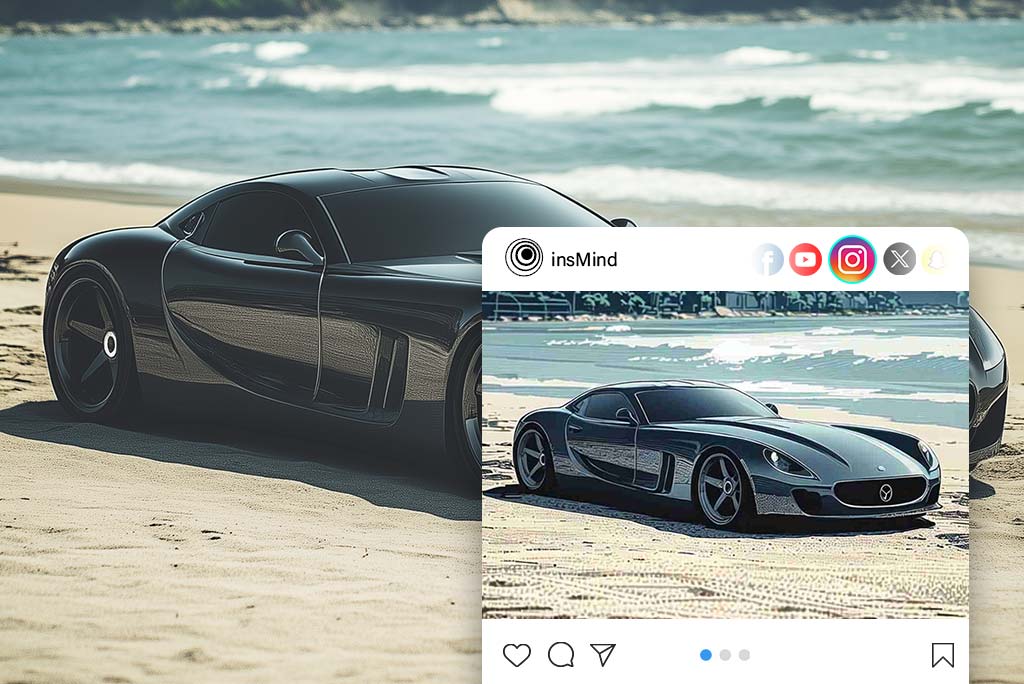
Sosyal Medya Pazarlamanızı Boyama Filtremizle Güçlendirin
Sosyal Medya Pazarlamanızı Boyama Filtremizle Güçlendirin

Fotoğraflarınızı, markanızın pazarlama çabalarını güçlendirecek göz alıcı sanat eserlerine dönüştürün. Ürünleri sergileyin, etkinlikleri tanıtın veya müşteri hikayelerini vurgulayın, bu göz alıcı illüstrasyonlar sizi öne çıkaracaktır. Sıradan görüntüleri görsel olarak etkileyici içeriklere dönüştürerek dikkat çekecek, etkileşimi artıracak ve sosyal medya platformlarında varlığınızı güçlendireceksiniz. Boyama filtresini kullanarak unutulmaz pazarlama görselleri oluşturun ve izleyicinizle bağlantı kurarak markanızın cazibesini artırın.
Şimdi Deneyin
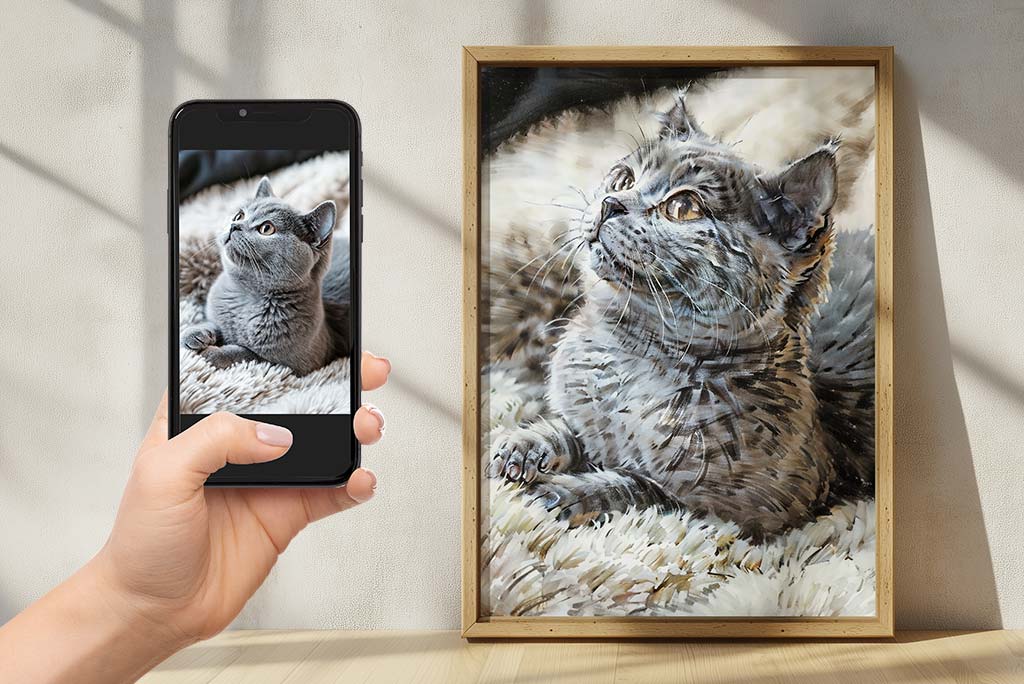
Fotoğrafları Tabloya Çevirerek Özel Hediye Verin

Fotoğrafları Tabloya Çevirerek Özel Hediye Verin

Özel olan fotoğraflardan hediye vererek duygularınızı ifade edin. Fotoğrafı sanata dönüştürme hizmetimiz, fotoğraflarınızı ömür boyu hatırlanacak tabloya dönüştürmenizi sağlar. Sevgili birinin portresi, güzel bir manzara ya da herhangi bir güzel anı dondurmak, gravürlü hediyelerimiz insanlarla iletişim kurmak için mükemmeldir.
Fotoğrafınızı Yükleyin
Van Gogh'un Yıldızlı Gece Efektini Fotoğraflarınıza Uygulayın
Van Gogh'un Yıldızlı Gece Efektini Fotoğraflarınıza Uygulayın

Fotoğraflarınızın profesyonel bir sanatçı tarafından nasıl yeniden şekillendirildiğini izleyin, Van Gogh sanat filtremizle. Favori anılarınızın, Van Gogh'un kendisi tarafından nasıl boyanacağına dair merak ediyor musunuz? Akıllı filtremiz, fotoğraflarınızı onun ikonik "Yıldızlı Gece" ortamına alarak ünlü olduğu kıvrımları ve renkleri ekler. Filtresi uygulayın ve her gün çektiğiniz fotoğrafların olağanüstü görüntülere dönüştüğünü izleyin, Van Gogh'un zamansız güzellik ve zarafetini hatırlatacak şekilde. Sanat dünyasını keşfedin ve fotoğraflarınızı bizim sanat filtremizle yepyeni bir ışıkla görün.
Fotoğrafınızı Yükleyin
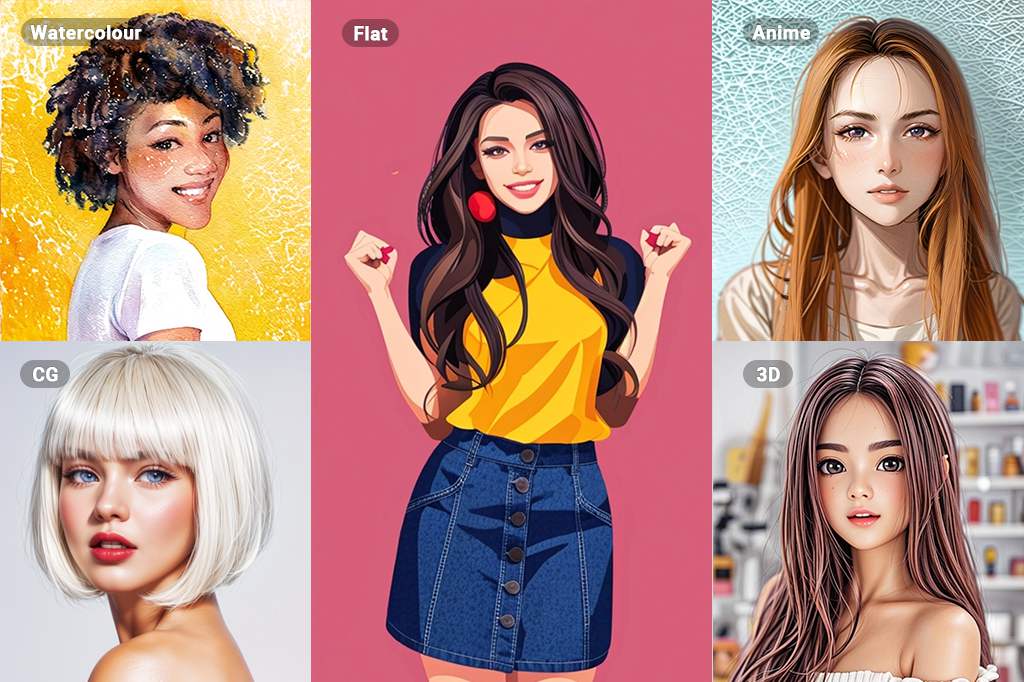
Fotoğraf Filtresiyle Sonsuz Olanaklar

Fotoğraf Filtresiyle Sonsuz Olanaklar

AI fotoğraf filtrelerinin sunduğu geniş seçeneklerle sanatı tamamen yeni bir seviyeye taşıyın. Akvarelden çizime, eskiz yapma, yağlı boya ve animeye kadar uzanan filtrelerle, yaratıcılığınızın ve fotoğraflarınıza getireceği sonuçların neredeyse sınırsız olanakları vardır. Çeşitli stilleri ve teknikleri denemekten korkmayın ve kendiniz için mükemmel yaratıcı çıkışı keşfedin.

İster görsel olarak etkileyici CG başyapıtları, ister büyüleyici 3D sanat eserleri yapmak isteyin, insMind size mükemmel bir filtre sunar. Gelişmiş AI teknolojimiz, her dönüşümün yüksek kaliteli ve görsel açıdan çekici olmasını sağlar. insMind'in çeşitli filtre seçenekleri ile sonsuz olanakları keşfedin ve sanatsal vizyonunuzu zahmetsizce hayata geçirin.

Fotoğrafınızı Yükleyin

Fotoğrafı Tabloya Dönüştürme Özelliklerini Daha Fazla Keşfedin

Fotoğrafı Tabloya Dönüştürmek İçin Nasıl Yapılır?

Adım 1: AI Tablo Dönüştürücüye Erişim
1

1 Adım 1: AI Tablo Dönüştürücüye Erişim

İlk olarak, insMind web sitesini ziyaret edin ve AI Tablo Dönüştürücü aracını bulun. Bu kullanım kolaylığı sağlayan araç oldukça basittir.
Adım 2: Fotoğrafınızı Yükleyin
2

2 Adım 2: Fotoğrafınızı Yükleyin

Aracı bulduktan sonra, değiştirmek istediğiniz fotoğrafı yükleyin.
Adım 3: Fotoğrafı Tablolara Dönüştürme
3

3 Adım 3: Fotoğrafı Tablolara Dönüştürme

Sonra insMind filtre menüsünden yağlı boya filtresini seçin. Bu filtre, fotoğrafınıza geleneksel yağlı boya görünümünü ve hissini kazandırmak için aynı doku ve fırça darbeleriyle tasarlandı.
Adım 4: İndirin ve Paylaşın
4

4 Adım 4: İndirin ve Paylaşın

Yaratımınızdan memnun kaldığınızda, tabloyu istediğiniz formatta kaydedin. Ardından, arkadaşlarınızla ve ailenizle ya da sosyal medyada sanat yeteneklerinizi sergilemek için paylaşabilirsiniz.

İnsMind ile Fotoğraflarınızı Sanata Dönüştürün

İnsMind AI fotoğraf tablo aracını sanatsal, kişisel ve profesyonel kullanımlar dahil birçok amaçla kullanabilirsiniz.
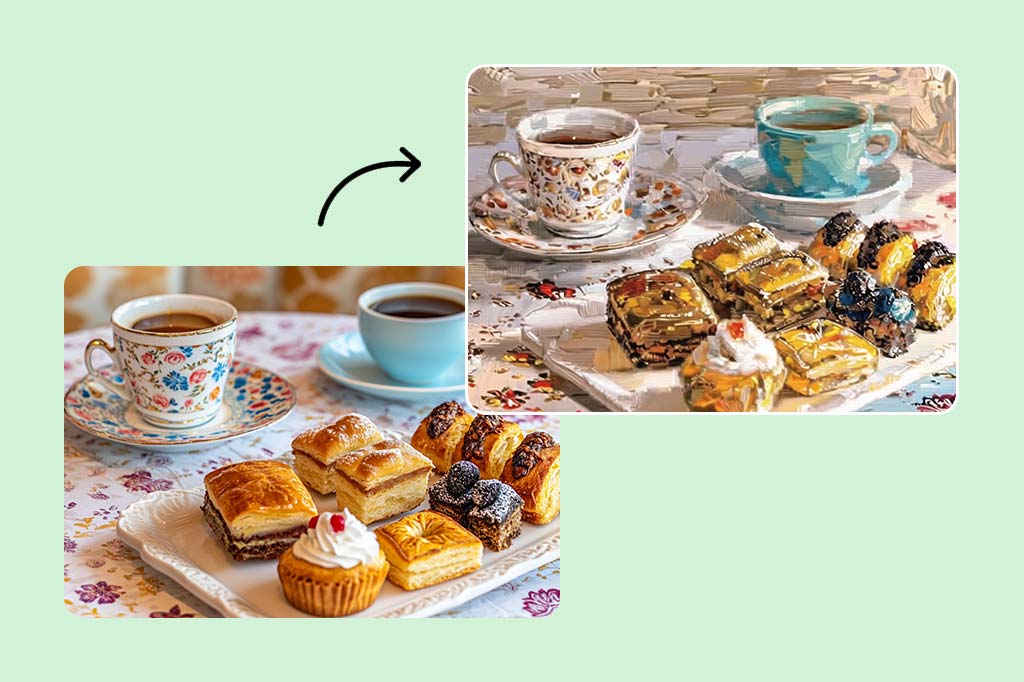
Sosyal Medya

Sosyal Medya

Çevrimiçi varlığınızı geliştirin ve siteye daha çekici ve dikkat çekici içerikler göndererek insanları nasıl cezbetmeyi öğrenin. Farklı profil resimleri, kapak görselleri ve dikkat çeken durum güncellemeleri oluşturun.
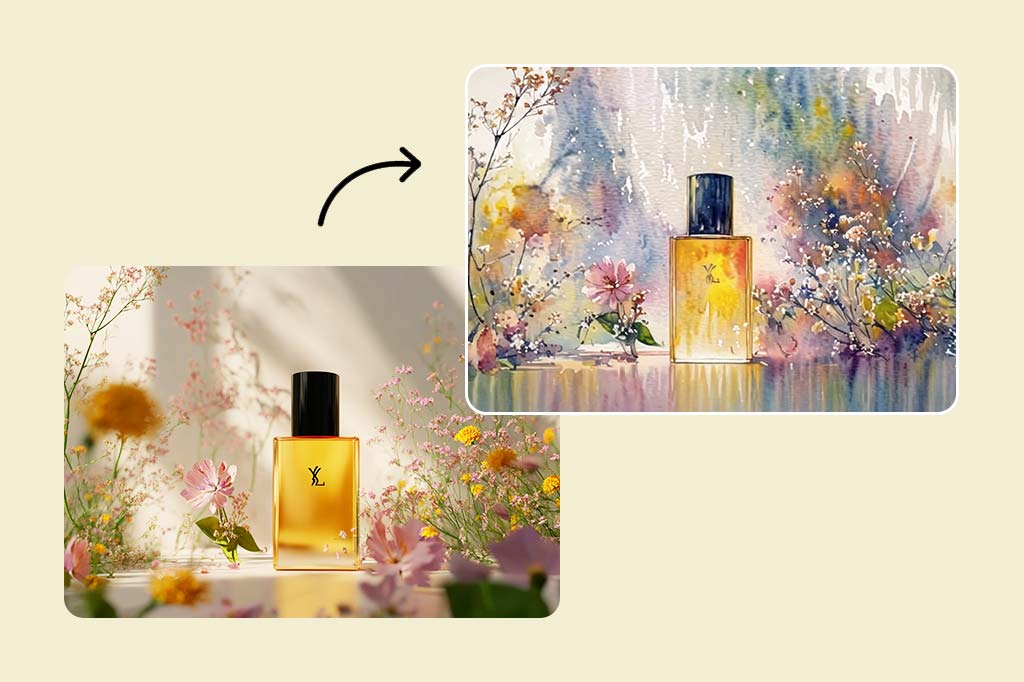
Pazarlama

Pazarlama

Reklamlar, sosyal medya tanıtımları, resmi web sitelerinde bulunan afişler gibi pazarlama nesneleri için farklı görseller oluşturun. Hedef müşterilerinizin dikkatini çekin ve içeriğinizin güzelliği ile silinmez bir iz bırakın.
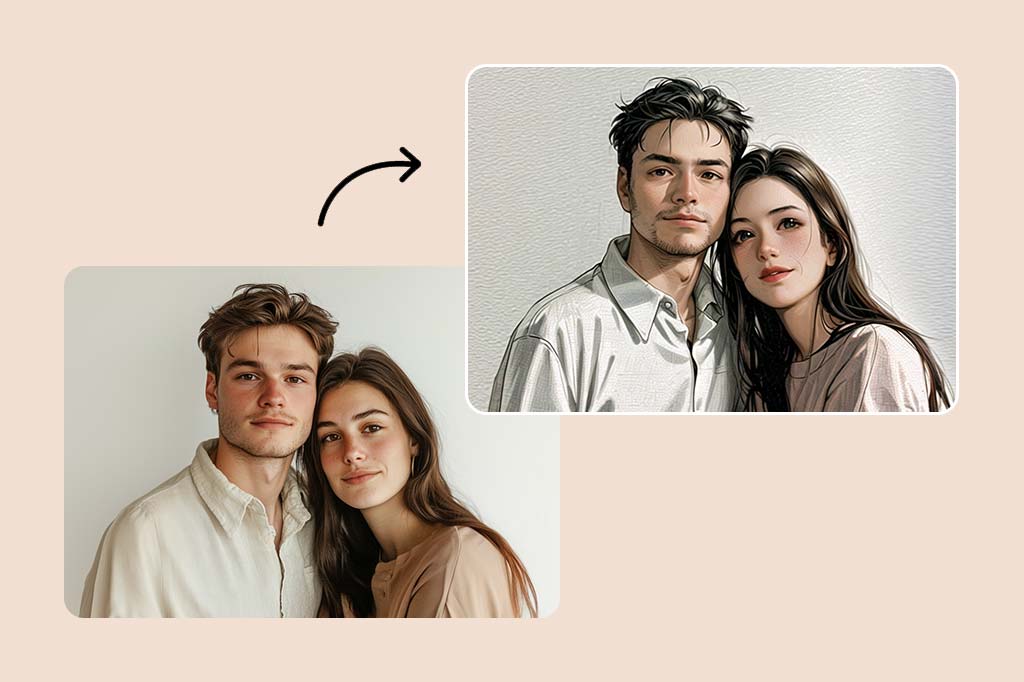
Kişisel

Kişisel

Hatırlanması gereken anları, zamanla solmayacak sanat eserlerine dönüştürerek saklayın. Eserinizi duvarda sergileyin, böylece evinizin yaratıcılığını ve özgünlüğünü artırın. Farklı teknikler kullanarak resim yapın ve olabildiğince yaratıcı olun.

Neden İnsMind Fotoğrafı Tablolara Dönüştürme Aracını Seçmelisiniz?

Kolay Kullanım

Kolay Kullanım

Basit arayüz ve detaylı talimatlar sayesinde herkes, herhangi bir fotoğraf koleksiyonunu alıp anında sanat eserine dönüştürebilir.

Yüksek Çözünürlük Çıktısı

Yüksek Çözünürlük Çıktısı

Orijinal fotoğrafınızın küçük detayları ve canlı renkleri, yüksek çözünürlük çıktısı ile korunur.

Birçok Farklı Resim Tarzı

Birçok Farklı Resim Tarzı

Fotoğrafınız için, geleneksel yağlı boya ve çağdaş soyut gibi birçok sanatsal stil seçeneği bulabilirsiniz.

Frequently Asked Questions

Fotoğraflarımı nasıl sanat eserine dönüştürürüm?

insmind expand icon
Sadece fotoğrafınızı İnsMind AI resim aracına yükleyin, istediğiniz resim stilini seçin ve akıllı bilgisayarımızın fotoğrafınızı güzel bir sanat eserine dönüştürmesini izleyin.

İnsMind'in fotoğrafı tabloya dönüştürme aracını kullanmak için herhangi bir özel beceriye ihtiyacım var mı?

insmind expand icon
Hayır, geçmişte herhangi bir sanat deneyiminiz olmasına gerek yok. Kullanımı kolay aracımız ve yardımcı araçlarımız sayesinde herkes güzel tablolar yaratabilir.

Fotoğrafı Tablolara Dönüştürmenin Faydaları Nelerdir?

insmind expand icon
Fotoğrafı Tablolara Dönüştürme, özel anıları saklamanızı, benzersiz ve kişiselleştirilmiş hediyeler yapmanızı ve sanatsal yönünüzü göstermenizi sağlar.

How to make a photo look like a painting?

insmind expand icon
insMind can convert any photo into an oil painting - simply upload your photo to the platform and select the oil painting filter from the menu. Settings: adjust the intensity of the painting effect if desired. Once satisfied with the output, download your transformed image.

İnsMind Fotoğrafı Tablolara Dönüştürme Ücretsiz mi?

insmind expand icon
Yağlı boya tabloya dönüştürme için temel özellikler ücretsiz olarak kullanılabilir. Gelişmiş özellikler ve yüksek çözünürlüklü çıktılar için uygun fiyatlı premium planlar sunuyoruz.

Fotoğraflardan yapılmış tablolar işte kullanılabilir mi?

insmind expand icon
Evet, İnsMind ile yapılmış tabloları pazarlama materyalleri, sosyal medya içeriği ve ürün tasarımları gibi çeşitli iş alanlarında kullanabilirsiniz.

İlginizi Çekebilecek Diğer Araçlar

Fotoğraflarınızı tamamen ücretsiz özelliklerle canlandırın.