Imagem de IA
Vídeo de IA
Editor de fotos
Recursos
InspiraçõesPreços

Converter Fotos em Desenhos Animados com 1 Clique Grátis Online

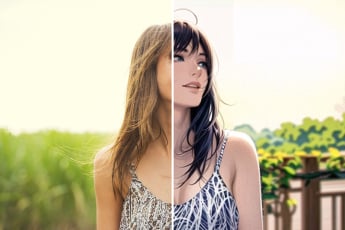
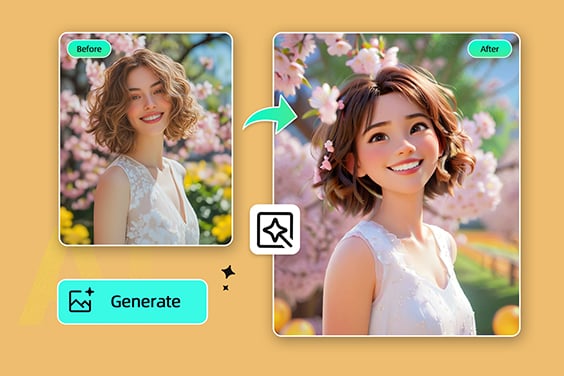
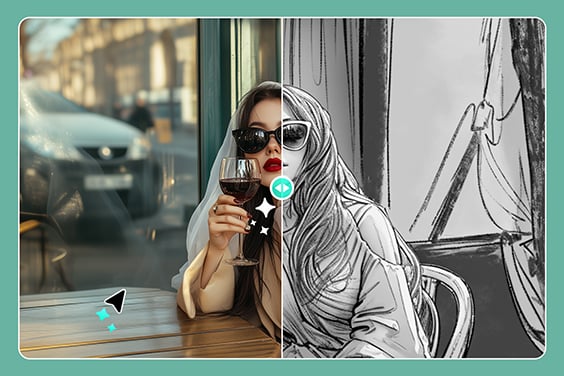
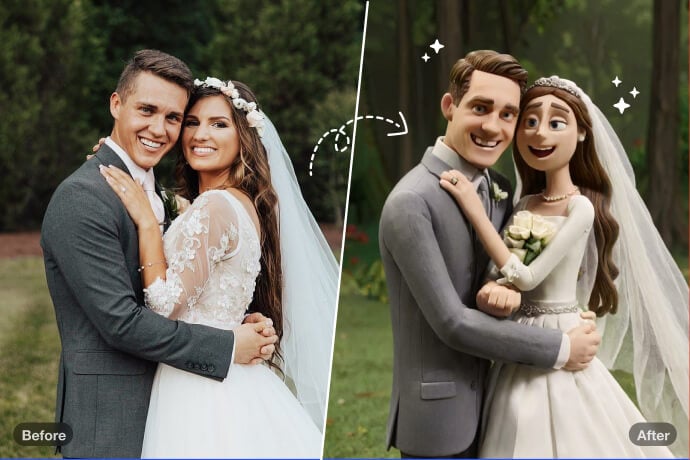
Transforme suas fotos em imagens divertidas no estilo desenho animado instantaneamente! Nosso gerador gratuito de foto para desenho facilita o processo. Basta fazer o upload da sua imagem e veja a transformação com filtros de desenho animado.

Converter Fotos em Desenhos Animados com 1 Clique Grátis Online
Ou solte a imagem aqui, cole a imagem ou URL
Tente com um destes
Amostra de filtro de choro da IA ​​insMind 1
Amostra de filtro de choro da IA ​​insMind 2
Amostra de filtro de choro da IA ​​insMind 3
Amostra de filtro de choro da IA ​​insMind 4

Criar semelhante

{ "task_configuration": { "task_type": "screen_simulation_photorealism", "target_model": "SDXL_1.0_Refiner", "aspect_ratio": "3:4", "resolution": { "width": 1152, "height": 1536 } }, "visual_hierarchy": { "layer_1_physical_macro": { "camera_angle": "high-angle", "framing": "MacBook screen dominant", "surface_imperfections": ["pixel texture","dust","reflection","smudges"] }, "layer_2_digital_interface": { "theme": "Dark Mode", "window_layout": { "left_panel": "Spotify Liked Songs", "right_panel": "Photo Booth" } }, "layer_3_nested_subject_content": { "environment": "dim bedroom", "lighting_simulation": "cool screen glow + warm tones", "subjects": { "shared_attributes": ["black hoodies","reclining"], "subject_a_guy": { "identity_target": "male from uploaded image", "action": "holding phone" }, "subject_b_girl": { "identity_target": "female from uploaded image", "action": "resting beside A" } } } }, "prompt_assembly": { "positive_prompt": "Hyper-realistic downward shot of a MacBook screen with dust and reflections. Photo Booth shows a couple in a dark room, identities from uploaded male and female subjects, wearing black hoodies. Low-key, candid, nocturnal.", "negative_prompt": "vector, flat, clean, daylight, cartoon, 3d, painting, watermark" }, "identity_preservation_settings": { "strictness_level": "CRITICAL", "methodology": { "face_restoration": false, "control_net_stack": [ { "unit": "ControlNet_Tile","weight": 0.4 }, { "unit": "IP-Adapter_FaceID_Plus","weight": 0.95 } ] } }, "rendering_parameters": { "sampler": "DPM++ 3M SDE", "steps": 40, "cfg_scale": 5.5, "denoising_strength": 0.35 } }
task: "edit-image: add widened torn-paper layered effect" base_image: use_reference_image: true preserve_everything: - character identity - facial features and expression - hairstyle and anatomy - outfit design and colors - background, lighting, composition - overall art style rules: - Only modify the torn-paper interior areas. - Do not change pose, anatomy, proportions, clothing details, shading, or scene elements. effects: - effect: "torn-paper-reveal" placement: "across chest height" description: - Add a wide, natural horizontal tear across the chest area. - The torn interior uses the style defined in `interior_style`. - effect: "torn-paper-reveal" placement: "lower abdomen height" description: - Add a wide horizontal tear across the lower abdomen. - The torn interior uses the style defined in `interior_style`. interior_style: mode: "line-art" style_settings: line-art: palette: "monochrome" line_quality: "clean, crisp" paper: "notebook paper with subtle ruled lines" sumi-e: palette: "black ink tones" brush_texture: "soft bleeding edges" paper: "plain textured paper" figure-render: material: "PVC-like" shading: "semi-realistic highlights" paper: "plain smooth surface" colored-pencil: stroke_texture: "visible pencil grain" palette: "soft layered hues" paper: "rough sketchbook paper" watercolor: palette: "soft transparent pigments" blending: "smooth bleeding" edges: "soft contours" paper: "watercolor paper texture" pencil-drawing: graphite_texture: "visible pencil grain" shading: "smooth gradients" line_quality: "mixed sharp and soft" tone: "gray-scale" paper: "notebook paper with faint ruled lines"
Product photography, perfectly straight-on frontal view. CRITICAL: The original art style, linework, and character features of the input illustration MUST BE STRICTLY PRESERVED. Do not abstract or simplify the drawing itself. The artwork is a physical multi-layered construction mounted on a white wall. **COMPOSITION RULE:** 1. The aspect ratio and orientation of the final product photography should match the dimensions of the input source image. 2. A large clear base panel is secured with visible metallic standoffs. 3. Crucially, the entire die-cut illustration (all layers) MUST be contained entirely within the boundaries of this base panel. 4. There should be an appropriate clear margin between the edges of the illustration and the edges of the base panel. **MATERIAL PHYSICS RULE (HIGH TRANSMISSION):** On top of the base, the illustration is reconstructed using **ultra-clear, highly luminous tinted acrylic sheets** designed for maximal light transmission. 1. The colors are the color of the transparent material itself (glass-like), not painted. 2. **For Skin/White Areas:** MUST be **pure, colorless, ultra-clear glass-like acrylic**. 3. **For Colored Areas (Hair/Clothes):** Use **highly translucent colored acrylic**. The color is vibrant but extremely see-through, allowing significant light to pass. **LIGHTING & SHADOWS:** Strong cool diagonal lighting passes through the highly transparent artwork. **Instead of creating dark or heavy shadows, the light casts bright, glowing, highly translucent colorful caustics onto the wall, showing the wall's texture underneath.** The shadow area should feel light and airy, revealing the original colors as bright projections. 8k resolution, ultra-detailed.
Use the person from the uploaded image as the main subject. A table covered with CDs and album covers featuring this person’s face. Bold colors, shiny discs, and the exaggerated, flashy, tacky aesthetic of 2000s rap, fully embodied by this subject.
Make a screenshot from an early-2000s American cooking show, in a Bake-Off style, shot-by-shot format, with subtle realistic glitches on an old SD TV screen featuring this person.
Use the subject from the user-uploaded image. Generate a hand-drawn portrait illustration in red and yellow pen on notebook paper, inspired by doodle art and comic annotations. Keep full likeness of the subject, express spontaneous gestures, bold outline glow, handwritten around, realistic pen stroke texture, 4K resolution.
Use the uploaded photo. Keep the person fully photorealistic — face, body, clothing, colors, and textures unchanged. Do NOT alter background perspective or turn the person into an illustration. Add dense pop-style illustrated “Christmas monsters” and graphic decorations ONLY around the person (and on top of their clothing if needed), but never on their skin or face. Illustrated elements: - many colorful cartoon monsters with thick black outlines, flat colors, and cute-but-ugly expressions - Christmas-inspired monsters: Christmas tree, snowman, reindeer, Santa Claus, gingerbread man, Christmas pudding, gift boxes, star, stockings, candles, bells, wreath - additional graphic shapes: stars, hearts, arrows, drips, splashes, zigzag lines, exclamation marks, motion lines, sparkles, bubbles, comic-style text shapes (but no real text) Make the decoration very dense and “busy”: - fill background with overlapping Christmas monsters and shapes - add monsters peeking from behind the shoulders, around the bag, at the person’s feet, and near the head - allow some monsters and shapes to overlap the clothing and accessories (shirt, shorts, bag, shoes), but keep the skin of the face, arms, and legs photorealistic and visible - use multiple layers of illustrations in front of and behind the person to create depth - add glowing outlines, small white dots, and speed lines around the person to emphasize energy Color & style: vivid neon palette (hot pink, yellow, cyan, lime, orange, purple, turquoise) flat, graphic, clean-edge illustrations with bold outlines slight shadows where monsters touch clothing for realism Goal: Create a highly decorated, maximalist pop-art scene where the real person stands in the middle, surrounded and wrapped by a chaotic crowd of playful Christmas monsters and graphic doodles, while the person remains clearly photorealistic.
Use the uploaded photo. Keep the person fully photorealistic — face, body, clothing, colors, and textures unchanged. Do NOT alter the background perspective or turn the person into an illustration. Add a dense layer of pop-style illustrated “sweets monsters” and graphic decorations ONLY around the person (and on clothing if needed), never on skin or face. Illustrated elements: colorful cartoon monsters with thick black outlines, flat colors, cute/ugly expressions sweets-themed monsters: bananas, cookies, strawberries, melting chocolate, lollipops, ice cream, oranges, cupcakes, donuts, candy, soda bottles extra shapes: stars, hearts, arrows, drips, splashes, zigzags, exclamation marks, motion lines, sparkles, bubbles, comic-style text shapes (no real text) Density & placement: fill background with overlapping sweets monsters and shapes monsters peeking from behind shoulders, around bag, near feet and head allow overlap on clothing/accessories but keep all skin photorealistic and visible multiple illustration layers in front and behind the person for depth add glowing outlines, white dots, speed lines around the person for energy Color & style: vivid neon palette (hot pink, yellow, cyan, lime, orange, purple, turquoise) flat, graphic, clean-edge illustrations with bold outlines add slight shadows where monsters touch clothing for interaction realism Goal: Create a maximalist pop-art scene where the real person stands photorealistically in the center, surrounded by a chaotic crowd of playful sweets monsters and graphic doodles.
A 3D cartoon-style winter scene of a vintage red tram on a snow-covered street, pedestrians walking around, all elements made of semi-transparent silk-like threads with natural messy interweaving, tram in red gradient threads, pedestrians in soft gradient clothes with round cute proportions, street trees wrapped in glowing thread lights, buildings and market stalls emitting warm thread light, falling snowflakes as thin white threads, smooth rounded 3D shapes, balanced composition, soft shadows enhancing 3D depth, cable-knit thread style, cozy winter atmosphere.
Minimalist 3D model of a simple geometric snow mountain, created with semi-transparent silk-thread material, dense fine line-weaving texture, soft fabric-like micro details, and clean gradient pastel colors. The mountain shape is smooth and simplified, with a few stylized silk-thread trees placed on the slope, all built from tightly interwoven translucent threads. Light snowflakes float around the scene as delicate thread-based particles. The background is a pure blue minimal gradient with large negative space, soft diffused lighting, dreamy surreal atmosphere, clean minimal composition, soft fresh color palette, ultra-simple structure, no clutter.
A minimalistic 3D model with simple clean structure, rendered in semi-transparent silk-thread material with bright, fresh gradient colors, dense fine line-fiber textures, and crisp woven surface details. On a soft, irregular snow mound formed by layered bright thread-snow, stands an extra-cute round snowman with smooth simplified shapes, wearing a vivid red silk-thread scarf and holding a tiny translucent thread snowflake. The snowman has adorable colored eyes and matching colored buttons (non-white), enhancing its charm. Soft bright snowflakes float around. The scene features luminous, uplifting tones, dreamy diffusion light, surreal minimalism, and large clean negative space. Background is a bright blue-to-purple pure gradient, clean and minimal, with soft atmospheric lighting, refined thread-texture clarity.
3D plush-texture stylized diorama centered on creative typographic design, all elements made of soft plush, dense flocking, and felt materials. A smiling plush snowman wearing a bright blue felt hat and a red plaid felt scarf, with softly rounded fluffy contours. Beside him, a yellow felt bucket with a red plush shovel, and a small felt tree stump with visible stitched edges. Background shows a snowy pine forest made of layered plush and flocked textures, with falling snowflakes rendered as soft fluffy fiber specks. Bright, high-contrast, vivid colors with a clean, luminous atmosphere. Natural soft lighting enhancing the plush sheen and fine fiber details. Rich micro-textures, consistent stylized modeling, polished diorama look. Ultra-detailed, high-quality rendering, cohesive visual style.
3D rendering of a miniature stylized winter scene inspired by creative typography design, without any text or letters. A snow-covered Christmas tree stands next to a small red house, surrounded by gently falling snowflakes, under a bright blue sky. All objects rendered with detailed plush textures: fluffy, dense, soft fur, felt details on roofs and tree ornaments, subtle stitching and pile variations visible. Bright, vivid colors with strong contrast, high saturation, and clear, crisp details. Natural lighting enhances soft shadows and gentle highlights on plush surfaces. Consistent visual style across all elements, emphasizing texture richness and intricate material details. High-resolution, finely detailed rendering.
Four winter plants arranged in two rows: a small plush Christmas tree with decorative ornaments, a branch of red plum blossoms, holly, and a snowy spruce. All elements are fully covered in soft, short, fluffy fur, round and cute shapes, playful and trendy plush-style 3D modeling. Vibrant, high-contrast, bright colors on a clean light blue background. Crisp, high-quality rendering, visually appealing, fun, youthful, simplified composition.
A felt art scene with full felt material rendering, cartoon-style 3D modeling, soft and plush felt appearance emphasized, flat and stylized design. Four winter clothing items arranged in two neat rows on a black background, each covered with snow: one blue snow boot, one pair of orange gloves with small snowflake patterns, one pair of red socks, and one brown-and-white earmuff. Bright, vivid colors with strong contrast, high saturation, clean and pure color background, simple and playful style, 3D soft shapes, youthful and fun aesthetic, highly detailed and exquisite textures, sharp and clean presentation.
A handcrafted flat felt illustration of an anthropomorphic cartoon reindeer wearing a green scarf, holding a golden heart, standing among a pile of gift boxes. Red background. Made entirely from dense small felt fibers, with rich raised fiber texture and fluffy effects. Minimalist flat painting style, flat color with layered color blocking (flat + overlay). Realistic felt fiber details, fibers intertwined and slightly raised, strong felted effect, subtle fiber fuzz. Flat picture plane, clean solid background, smooth color blending, handcrafted tactile felt material. Calm and mysterious atmosphere.
Transform the subject from the user-uploaded photo into a giant, highly creative and dreamy picture-book style felt-art sculpture placed at the center of the scene. The sculpture must feature rich felt texture, dense fibers, handcrafted wool-felt aesthetics, soft edges, vibrant colors, and whimsical cartoon proportions. Keep the subject’s original outfit exactly the same as in the uploaded photo. Place the real subject (same appearance and outfit) standing beside the giant sculpture, looking up and admiring it — creating a clear scale contrast between the oversized felt sculpture and the real human subject. Surround the sculpture with professional exhibition stanchions (museum-style barriers), not fences. Background: a bright, modern art gallery with clean lighting. On the gallery walls, display framed artworks derived from the subject — dreamy, creative, felt-inspired illustrations that visually extend or reinterpret the subject’s form, colors, or personality. These wall artworks should match the whimsical picture-book felt-art style. No text. Studio-quality render, warm tones, dreamy atmosphere, high-detail felt material.
Use the uploaded image as the primary reference and create a handmade thread-art scene rendered as a soft, 3D fluffy object. A diorama crafted with yarn-like softness and plush sculptural qualities. Visible macro-level fluffy fibers, soft diffused lighting, pastel color palette, highly detailed textures, and a cozy fairytale atmosphere. Slightly miniature scale, like a diorama.
Use the uploaded image as the primary reference and create a handmade-style scene rendered as a soft, 3D fluffy plush object. Everything appears sculpted from velvety, plush, fuzzy materials with visible fluffy surface texture. Macro photography, soft diffused light, pastel palette, high-detail fibers, gentle fuzz, a cozy fairytale atmosphere, and a slightly miniature diorama scale.
Use the uploaded product image as the primary reference. Transform the product into a soft, 3D fluffy object, with long-pile plush texture and smooth rounded modeling. The bottle body features delicate embroidered text and embroidered decorative patterns, matching the exact color details of the original product. Place the fluffy product on an off-white plush blanket with visible fibers, lightly decorated with small snowflake ornaments. Background setting: a warm table lamp on the side, and a mini Christmas tree covered with snow, arranged to create a cozy winter holiday atmosphere. Soft diffused lighting, shallow depth of field, high-detail plush fibers, macro realism, gentle warm highlights. No additional objects. No text beyond the embroidered details on the product.
Create an image at the location with latitude and longitude 21.28° N, -157.83° W that matches the local current time atmosphere and real-time weather. Make the specified character blend in naturally as if sightseeing at that location, with clothing appropriate to the local time and weather, rather than matching the uploaded image. There are many tourists of various nationalities. “Based on the uploaded image, generate a high-angle CCTV surveillance camera–style image with an ultra-wide-angle lens (horizontal field of view ≥110°), producing a fisheye/mirror-like visual effect. Draw white face-detection frames on each person’s face, zoom in on the most noticeable person’s face and display it in a separate frame connected by a line. Add noise and distortion to the main image, while keeping the zoomed-in frame clean and sharp. Do not include any text or timestamps. Ratio: 3:4
Create a high angle CCTV surveillance shot using the uploaded image as the source. Detect every visible person in the image and automatically draw a white rectangular bounding box around each face. For the most prominent person, add a large zoom in inset: a sharp, enhanced close-up of their face displayed in a floating rectangular frame connected with a thin white line.Keep the main image slightly noisy and security camera like (soft grain, slight distortion, muted colors), while the zoom in face box should be clearer, brighter, and more detailed. No text, no timestamps, no overlays except the boxes and connecting line. Maintain the original scene layout, angle, and environment of the uploaded image.
Generate a cohesive 3x3 grid cinematic contact sheet featuring 9 distinct, photorealistic camera shots of the subject(s) from the input image. Location & Setting: Set the scene at the following coordinates: Latitude: 55.7558° N, Longitude: 37.6173° E. The environment must accurately reflect the specific location, local time, and weather. Emotional Theme: The overall emotional theme for the 9 shots is: [fun / joy / bittersweet / calm / curious / determined etc. – write the desired emotion here]. Each shot should subtly reinforce this theme. Style & Emotion: The 9 shots must maintain a consistent, dramatic, and emotionally profound mood. Subject's facial expressions must dynamically adapt to the narrative emphasis of each unique perspective, while strongly conveying the overall Emotional Theme. 9 Shot Coverage (Focus on Content & Angle): Full Environment View: Subject small in a vast, atmospheric environment. Full Body Shot: Entire subject visible, emphasizing presence against the backdrop. Mid-Body Shot: Knees-up view, capturing an emotionally charged stance. Upper Body Shot: Waist-up; focus on expressive posture and interaction. Intimate Chest-Up Shot: Chest-up; intimate framing, highlighting the gaze and inner feeling. Tight Face Shot: Close-up on the face, clearly conveying a specific, unstated emotion. Macro Detail Shot: Extreme close-up on hands, texture, or eyes, revealing a narrative element. Upward Gaze Shot: Looking up from below (worm's eye view); emphasizing quiet power or resolve. Downward Gaze Shot: Looking down from above (bird's eye view); suggesting reflection or vulnerability. Strict Constraints: Maintain strict consistency (same subject, clothes, lighting) across all 9 panels. Depth of field must shift realistically (bokeh in close-ups). Absolutely NO text, logos, labels, watermarks, symbols, numbers, letters, or typography should appear in any of the 9 generated images.
Create a single page photo collection from a high-end Japanese photobook scan featuring 5 photos of a woman at the location with latitude and longitude 35.31721720077321, 139.5357227423284, matching the local current time atmosphere and real-time weather. Make the specified character blend in naturally as if sightseeing at that location. Arrange the 5 photos in varying sizes with a beautifully designed, album-style layout, without showing any photobook or album background—only the single curated photo page. Do not display any explicit year, date, or timestamp; only reflect the atmosphere.
**[Type]:** A scanned page from a high-end Japanese photobook. **9-grid photo layout on textured matte art paper.** **[Layout Design]:** 9 photos in a clean grid with **wide white bottom margins** for typography. **[Subject Consistency - STRICT]:** * **Source:** Must follow uploaded reference image. **Same character in all panels.** * **Styling (RANDOM ONE):** 1. {Classic}: Loose white shirt + shorts. 2. {Soft}: Beige knit cardigan + camisole. 3. {Pure}: White lace-trim slip dress (best for bath). * **Note:** Row 3 outfit appears wet / shows skin. **[Typography & Title]:** AI must render a title in the bottom white margin. **(Randomly choose one theme):** 1. {Summer}: Large text **“Blue Summer”**, small **“www.insmind.com”**. 2. {Private}: Large **“Private Novel”**, small **“www.insmind.com”**. 3. {Air}: Large **“One Fine Day”**, small **“www.insmind.com”**. * **Signature:** Handwritten **“By : InsMind”** near the title or as a watermark. **[Grid Narrative – Day to Night]:** **Row 1: Outdoor Breath** 1. TL (Wide): Subject in wind, hair blowing, **sun backlight**. 2. TM (Detail): Close-up of **hand with soda bottle** or blocking sun. 3. TR (Motion): Blurry candid of subject **walking away on street**. **Row 2: Indoor Play** 4. ML (Hiding): On tatami, **covering one eye with dried flower**. 5. M (Candid): **Upside-down on sofa**, reading, face partly hidden. 6. MR (Fetish): Detail of **bare feet on rug** or fingers touching hair. **Row 3: Private/Wet** 7. BL: **Back view in steamy bathroom**, wet hair on neck. 8. BM: **In bathtub**, water to chin, dreamy high-key light. 9. BR: Detail of **steam on mirror**. **[Aesthetic Style]:** * Film: Fujifilm Pro 400H (cyan shadows, airy highlights). * Texture: **Visible paper texture**, slight vignetting, photobook layout. **[Parameters]:** --ar 2:3 --style raw --v 6.0 --stylize 200 --cref [URL] --cw 80 --no commercial smile, stiff posing, studio lighting
Generate a cohesive 3x3 grid cinematic contact sheet featuring 9 distinct, photorealistic camera shots of the subject(s) from the input image. Location & Setting: The environment for all 9 shots must be directly derived from the uploaded input image, accurately reflecting its specific location, local time, and weather. Emotional Theme: The overall emotional theme for the 9 shots is: [fun / joy / bittersweet / calm / curious / determined etc. – write the desired emotion here]. Each shot should subtly reinforce this theme. Style & Emotion: The 9 shots must maintain a consistent, dramatic, and emotionally profound mood. Subject's facial expressions must dynamically adapt to the narrative emphasis of each unique perspective, while strongly conveying the overall Emotional Theme. 9 Shot Coverage (Focus on Content & Angle): Full Environment View: Subject small in a vast, atmospheric environment. Full Body Shot: Entire subject visible, emphasizing presence against the backdrop. Mid-Body Shot: Knees-up view, capturing an emotionally charged stance. Upper Body Shot: Waist-up; focus on expressive posture and interaction. Intimate Chest-Up Shot: Chest-up; intimate framing, highlighting the gaze and inner feeling. Tight Face Shot: Close-up on the face, clearly conveying a specific, unstated emotion. Macro Detail Shot: Extreme close-up on hands, texture, or eyes, revealing a narrative element. Upward Gaze Shot: Looking up from below (worm's eye view); emphasizing quiet power or resolve. Downward Gaze Shot: Looking down from above (bird's eye view); suggesting reflection or vulnerability. Strict Constraints: Maintain strict consistency (same subject, clothes, lighting) across all 9 panels. Depth of field must shift realistically (bokeh in close-ups). Absolutely NO text, logos, labels, watermarks, symbols, numbers, letters, or typography should appear in any of the 9 generated images.
A giant cartoon cat 3D model, head lowered, playfully digging into a miniature ski resort, fully constructed from intertwined colorful threads with natural messy patterns, semi-transparent silk-like material, soft 3D round shapes, subtle color gradients on the cat’s fur, the ski resort features tiny thread-made pine trees and small cartoon figures skiing on snow, snow composed of layered thread gradients, dynamic top-down composition, sense of motion and story, bright Memphis-inspired color palette, blue sky background with subtle thread clouds, balanced visual proportion between cat and ski scene, 3:4 aspect ratio, whimsical and playful atmosphere, full 3D modeling style, realistic thread textures, no collage.
Create a flat cartoon felt fabric illustration of four winter animals arranged in two rows, on a clean purple background. Top row: a penguin wearing a cute hat and scarf, a polar bear building a snowman. Bottom row: a squirrel warming itself by a small campfire, a reindeer lying inside an igloo. Each character is made of layered felt with visible stitched edges, soft and slightly puffed fabric texture, bright and warm colors, whimsical and cute expression, high detail, consistent felt craft style, soft shadows, clear outlines, flat perspective, playful composition.
Adicione Diversão Transformando Suas Fotos em Desenho Animado
Adicione Diversão Transformando Suas Fotos em Desenho Animado

Use nossos filtros de desenho animado para transformar foto em desenho animado! Sem edição complicada – basta fazer o upload da sua foto e, em segundos, ela se transformará em um desenho cheio de estilo. Nossa ferramenta intuitiva permite adicionar um toque de personalidade e criatividade às suas memórias. Compartilhe suas criações em desenho animado com familiares e amigos ou adicione mais diversão às suas postagens nas redes sociais. Explore a arte do desenho animado e descubra seu gênio criativo interior. Capture sua imaginação e faça suas fotos se destacarem!
Transformar Foto em Desenho Animado
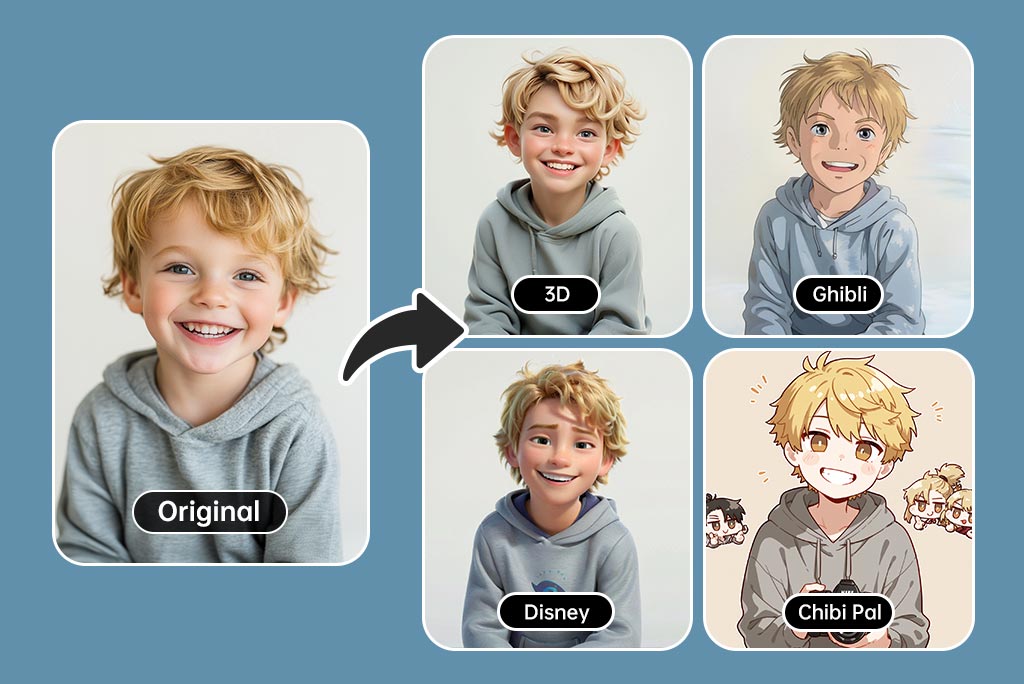
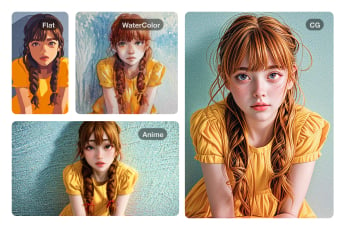
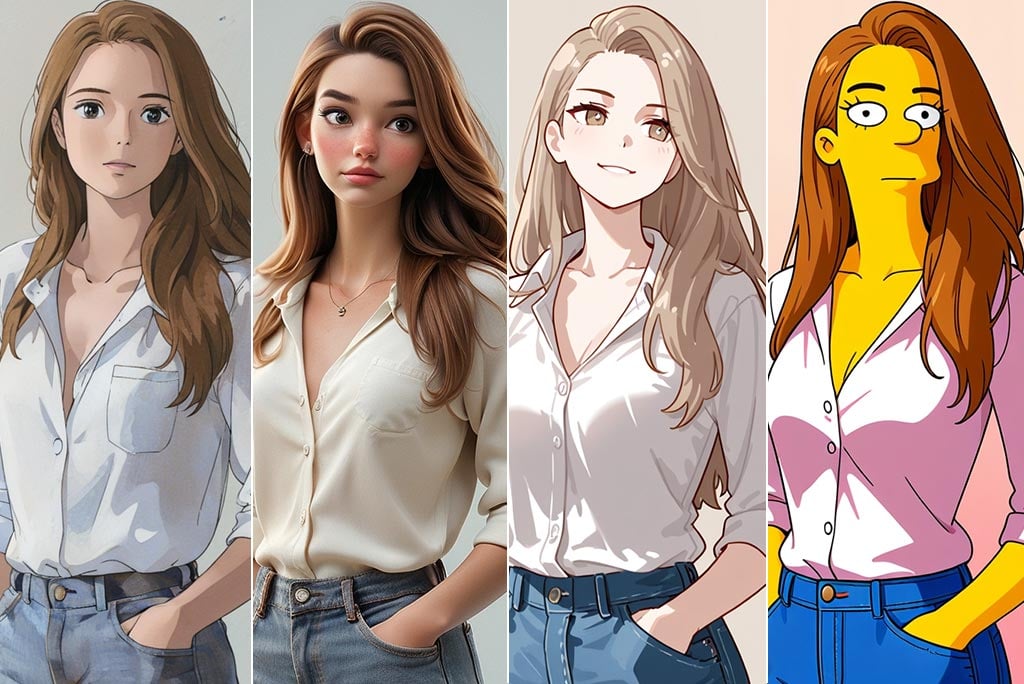
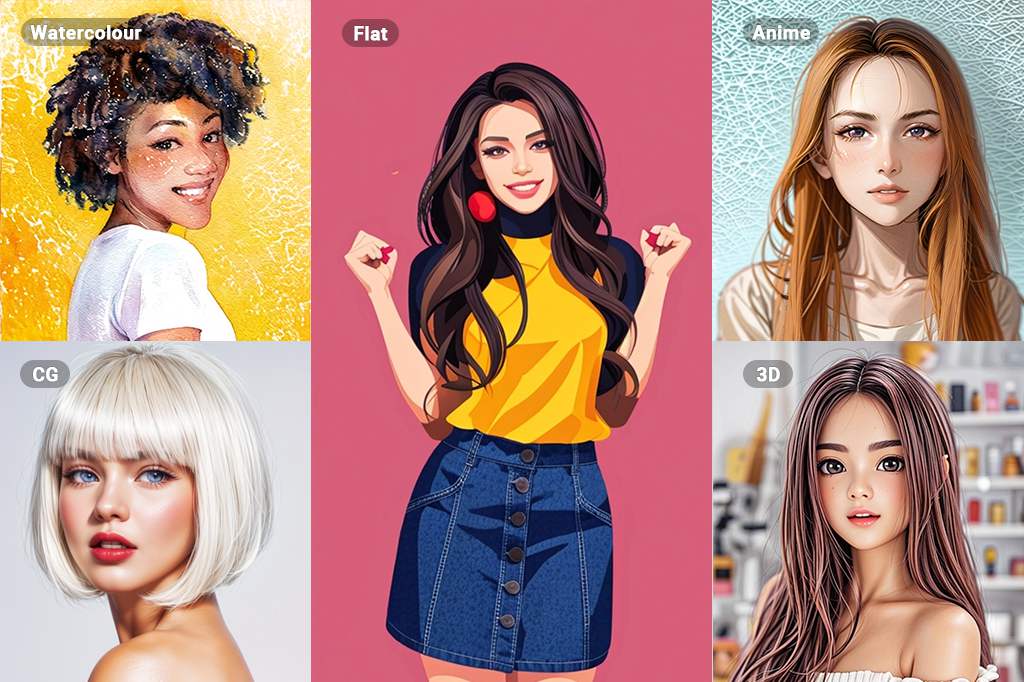
Filtros de Cartoon — Disney, Ghibli, Simpsons, Anime e muito mais

Filtros de Cartoon — Disney, Ghibli, Simpsons, Anime e muito mais

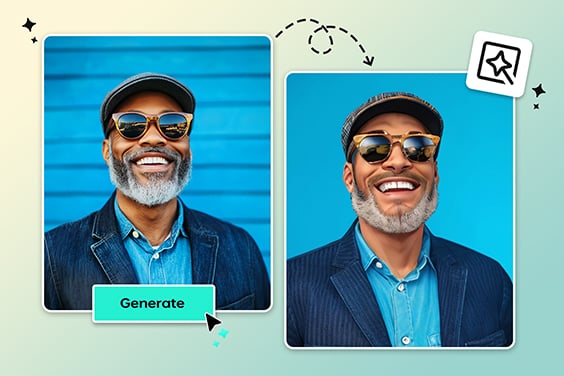
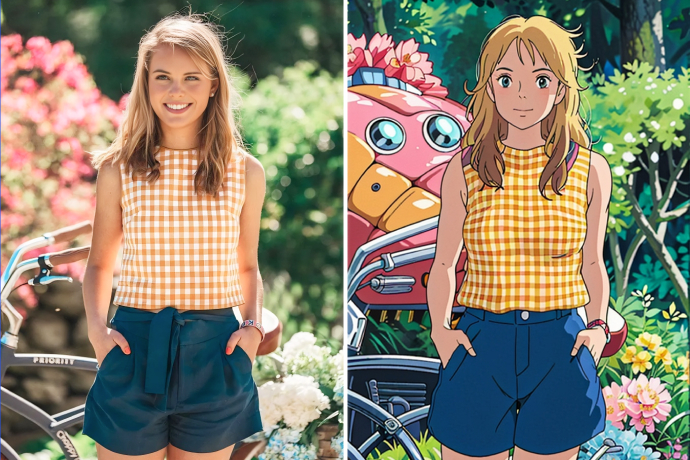
Quer ir além do básico ao transformar foto em caricatura? Com o gerador de cartoon IA da insMind, você pode experimentar uma variedade incrível de estilos artísticos. Escolha entre filtros icônicos como Disney, Anime, Ghibli, Chibi, Simpsons, Clay ou até o visual retrô do PS2.

Todos esses estilos são criados por inteligência artificial avançada, resultando em imagens únicas que transformam sua foto em uma verdadeira obra de arte digital. Seja para se divertir ou para criar impressões personalizadas, os filtros cartoon para foto da insMind são perfeitos para todos os perfis — desde usuários casuais até criadores de conteúdo.

Basta fazer upload da sua foto, escolher o estilo preferido e pronto: você tem uma caricatura em alta resolução, super atrativa e pronta para compartilhar.
Testar Filtro Cartoon Agora
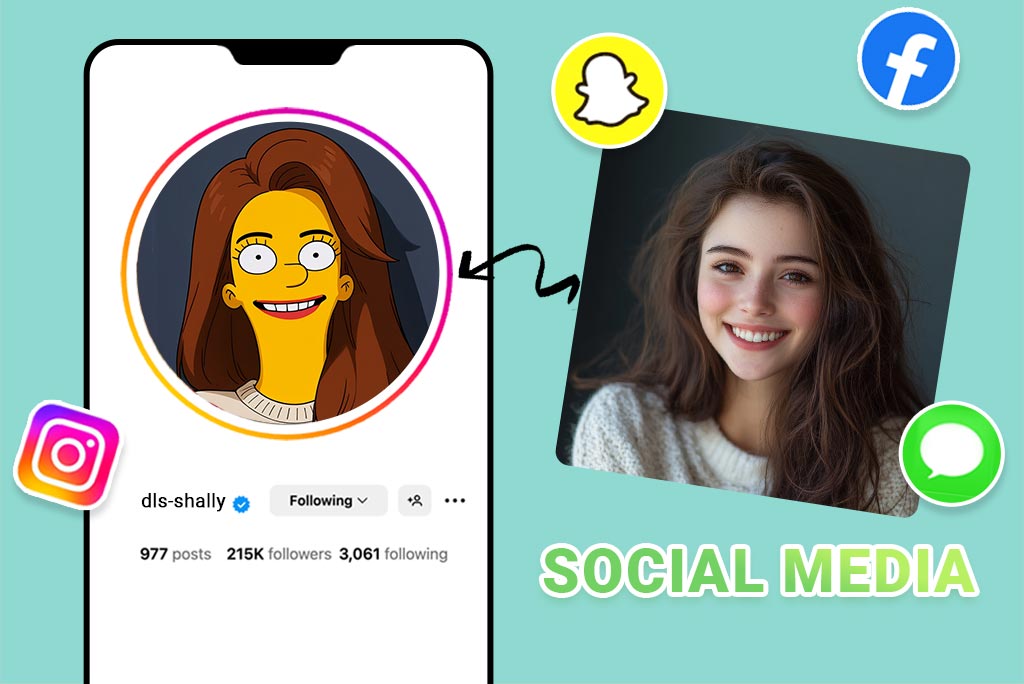
Criador de Avatar Cartoon — Perfeito para Redes Sociais
Criador de Avatar Cartoon — Perfeito para Redes Sociais

Precisa renovar seu perfil nas redes sociais? Com nosso avatar de desenho animado, transforme seu selfie em um personagem estilizado em segundos. Não é apenas mais um editor de rosto em cartoon — o insMind cria avatares altamente personalizados e com ótima resolução, ideais para TikTok, Instagram ou Twitch. Usando o gerador de cartoon IA da insMind, sua foto é otimizada automaticamente quanto à iluminação, ângulos e expressões. Você ganha um avatar animado e marcante no estilo cartoon, sem precisar de habilidades de design ou ferramentas complicadas — basta enviar, clicar e compartilhar sua nova identidade divertida em todas as plataformas.
Criar Meu Avatar Animado
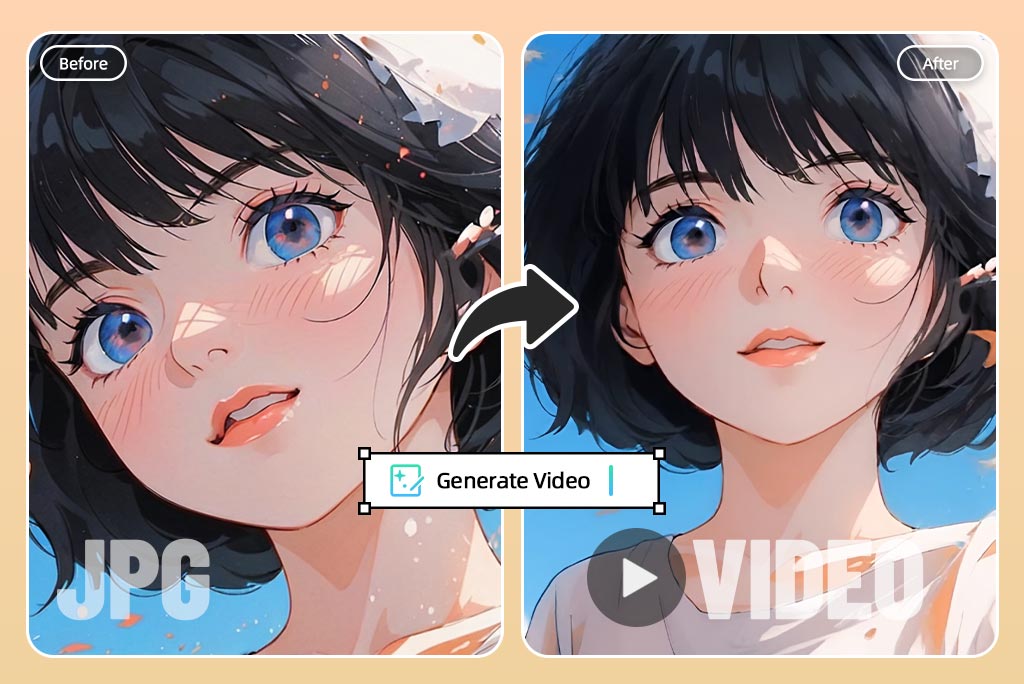
Transforme Fotos em Desenhos Animados em Segundos

Transforme Fotos em Desenhos Animados em Segundos

Por que se contentar com imagens estáticas se você pode criar versões animadas no estilo Anime? O recurso de transformar foto em cartoon animado da insMind usa animação facial com IA para fazer seu personagem piscar, sorrir e reagir de forma divertida e envolvente. Seja para criar GIFs, vídeos curtos ou apenas algo diferente para se divertir, esta ferramenta leva sua imagem a outro nível de interação. Basta cartoonizar sua foto com nosso editor de foto cartoon e aplicar a animação para dar mais expressividade. O animador facial com IA cuida do movimento, garantindo um resultado suave e realista.
Transformar Foto em Cartoon Animado
Transforme Suas Fotos de Paisagens com Filtros de Desenho Animado por IA

Transforme Suas Fotos de Paisagens com Filtros de Desenho Animado por IA

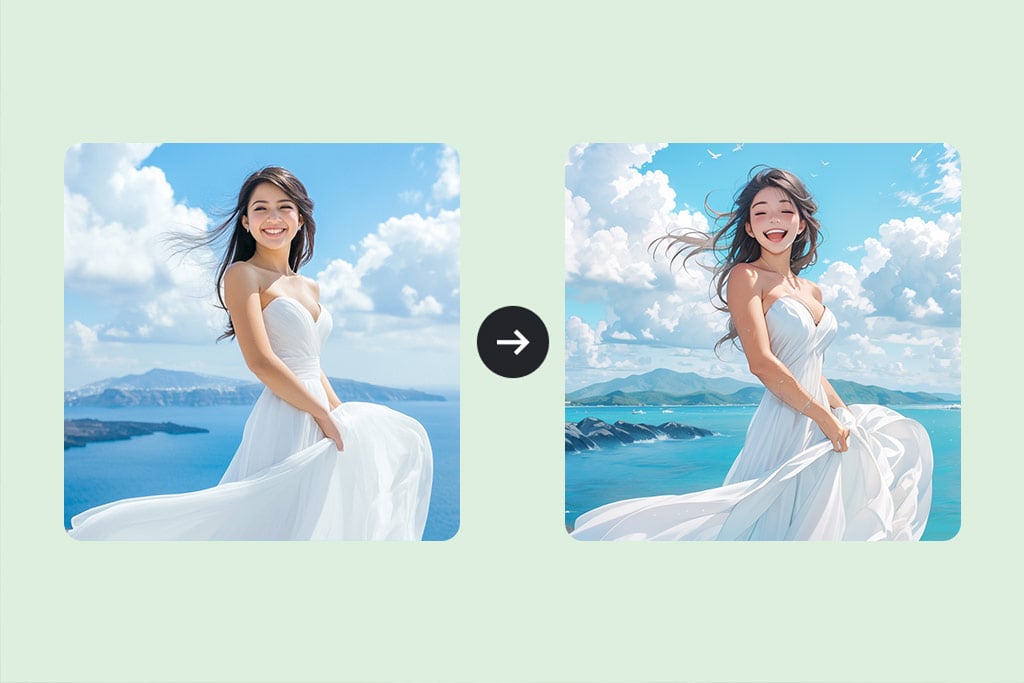
Com os filtros de desenho animado baseados em inteligência artificial, você pode transformar suas fotos de paisagens em ilustrações encantadoras. Nossa tecnologia avançada aplica efeitos de desenho animado de forma instantânea, preservando todos os detalhes do cenário original. Seja uma montanha, uma praia ou uma cidade, nossos filtros deixam suas fotos ainda mais bonitas. Converta foto em desenho animado sem complicação: escolha qualquer imagem, faça o upload e, em segundos, ela se transformará em um desenho animado. Este filtro foi desenvolvido para qualquer pessoa, independentemente da experiência em edição de fotos.
Transformar Foto em Desenho Animado
Transforme Fotos do Seu Pet em Versões Cartunizadas
Transforme Fotos do Seu Pet em Versões Cartunizadas

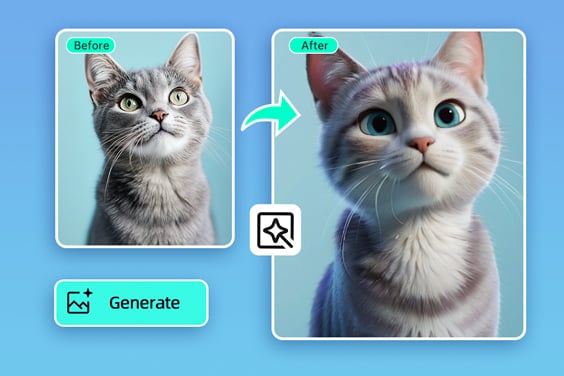
Quer transformar foto do seu pet em desenho animado? Nosso gerador de foto para desenho animado ajuda você a criar imagens fofas e divertidas do seu animal de estimação. Em segundos, converta suas fotos favoritas em ilustrações encantadoras que vão surpreender e encantar. Nossa tecnologia exclusiva preserva todos os traços e a personalidade do seu pet, criando imagens personalizadas incríveis. Você pode escolher o estilo de desenho animado, adicionar itens divertidos e incluir textos para tornar as imagens ainda mais especiais.
Transformar Foto em Desenho Animado
Descubra Diversos Filtros para Fotos

Descubra Diversos Filtros para Fotos

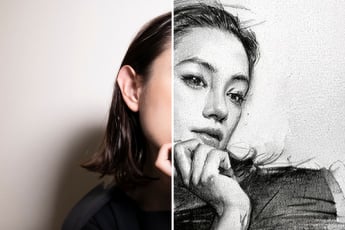
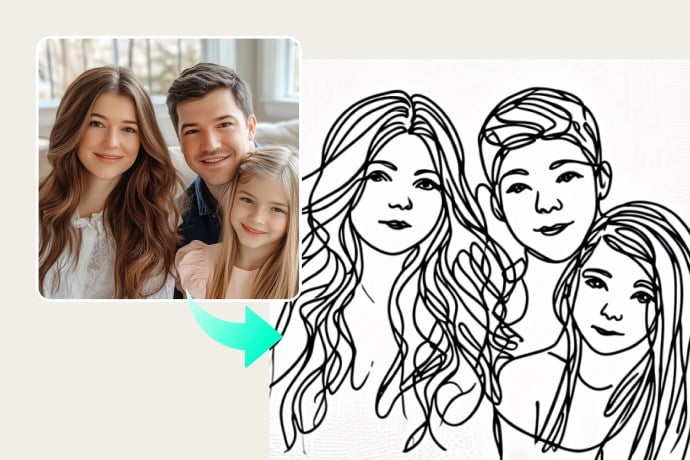
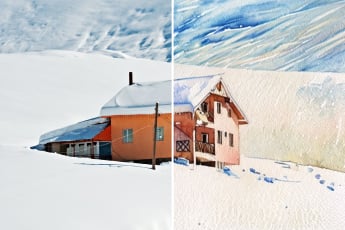
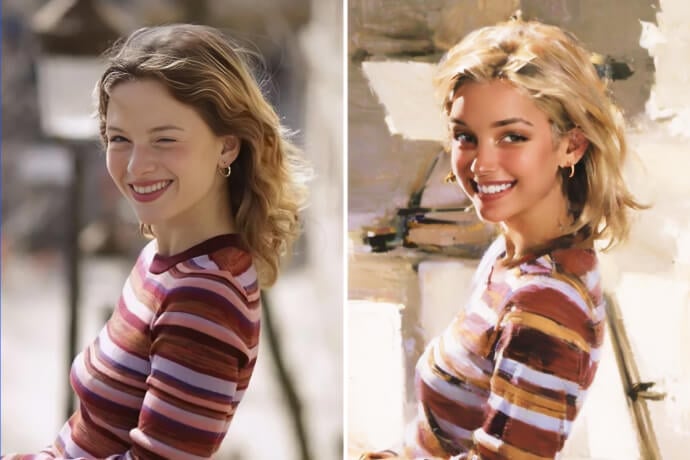
Explore diferentes filtros de foto com IA para transformar suas imagens em obras de arte. Desde traços suaves de uma aquarela até os contornos marcantes de uma pintura a óleo, nossos filtros oferecem infinitas possibilidades criativas. Use o desenho linear para simplicidade e elegância, o esboço para expressar emoção, e para se divertir, experimente efeitos como anime, quadrinhos e 3D.

Seja criativo e faça imagens artísticas que expressem sua originalidade. Aprenda como transformar foto em anime e dê um toque especial às suas criações.

Transformar Foto em Desenho Animado

Explore mais recursos do conversor de foto para desenho animado

Como transformar uma foto em caricatura?
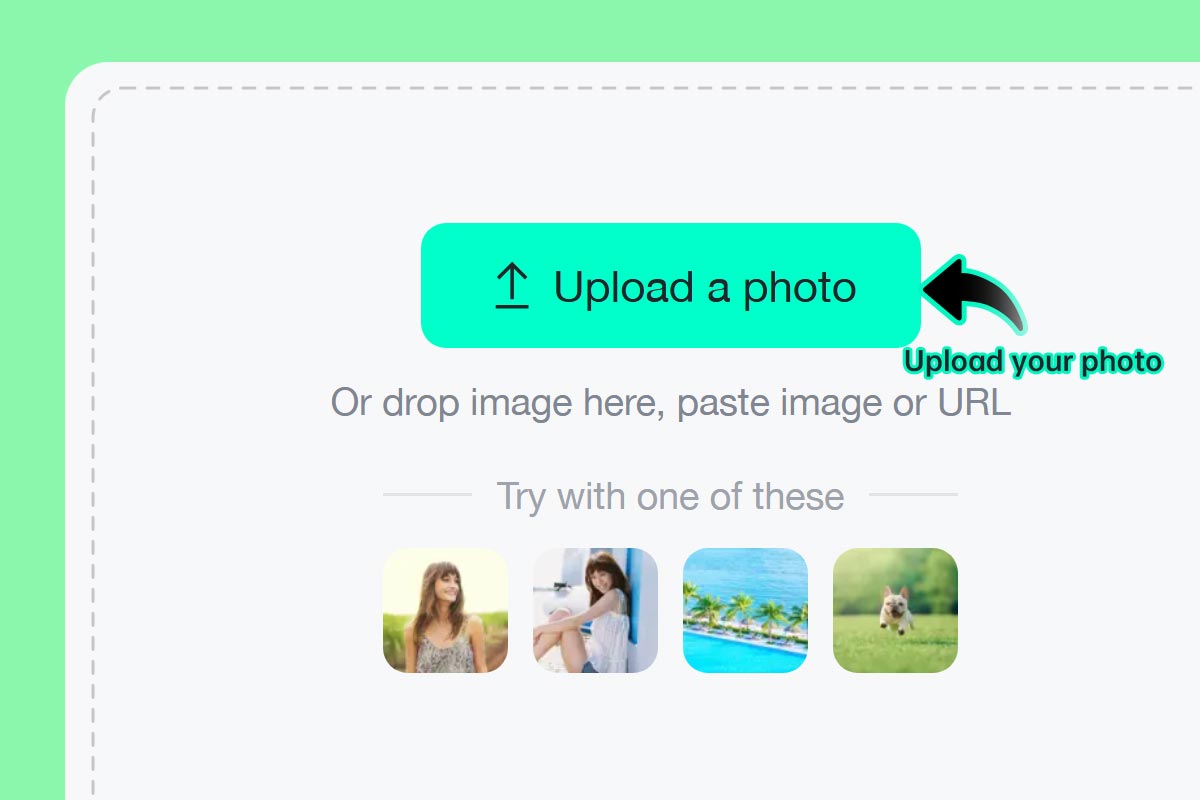
Passo 1: Envie uma foto
1

1 Passo 1: Envie uma foto

Selecione sua foto ou selfie favorita e faça upload no insMind. Você pode usar o computador ou até o celular. Tudo funciona online, sem precisar instalar nada.
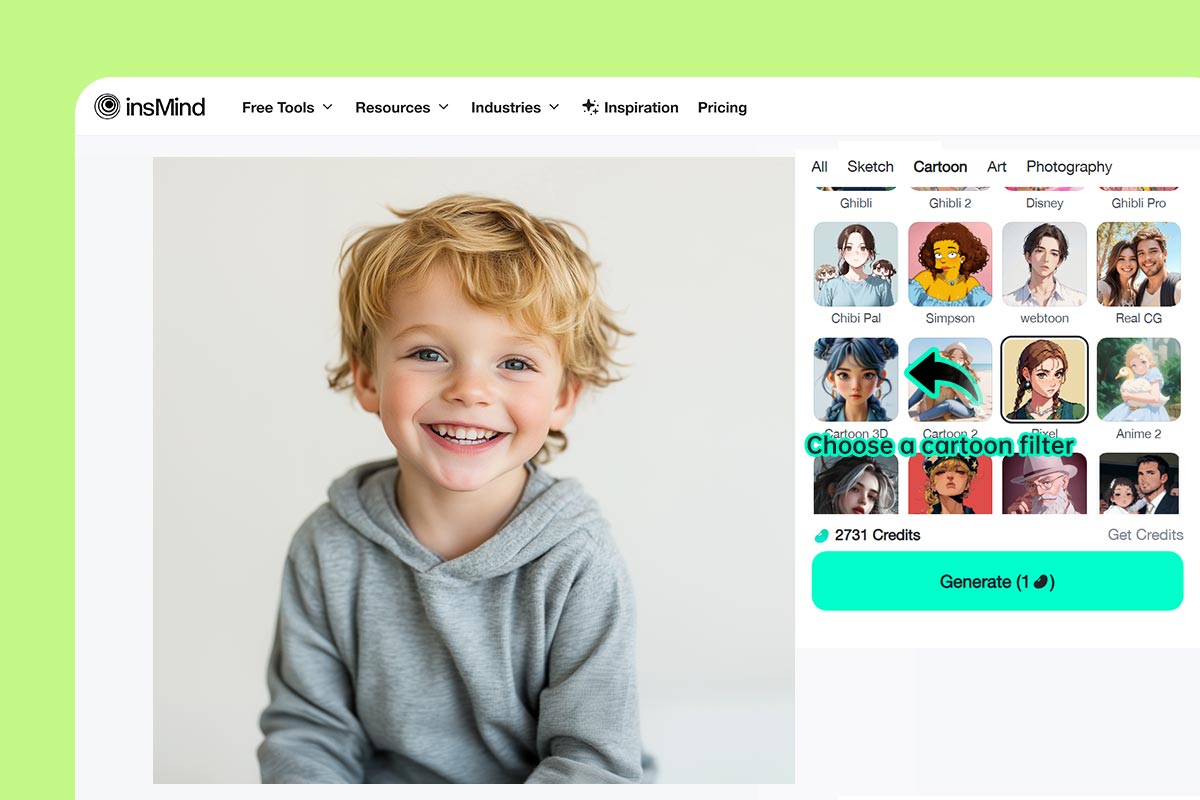
Passo 2: Escolha seu filtro cartoon favorito
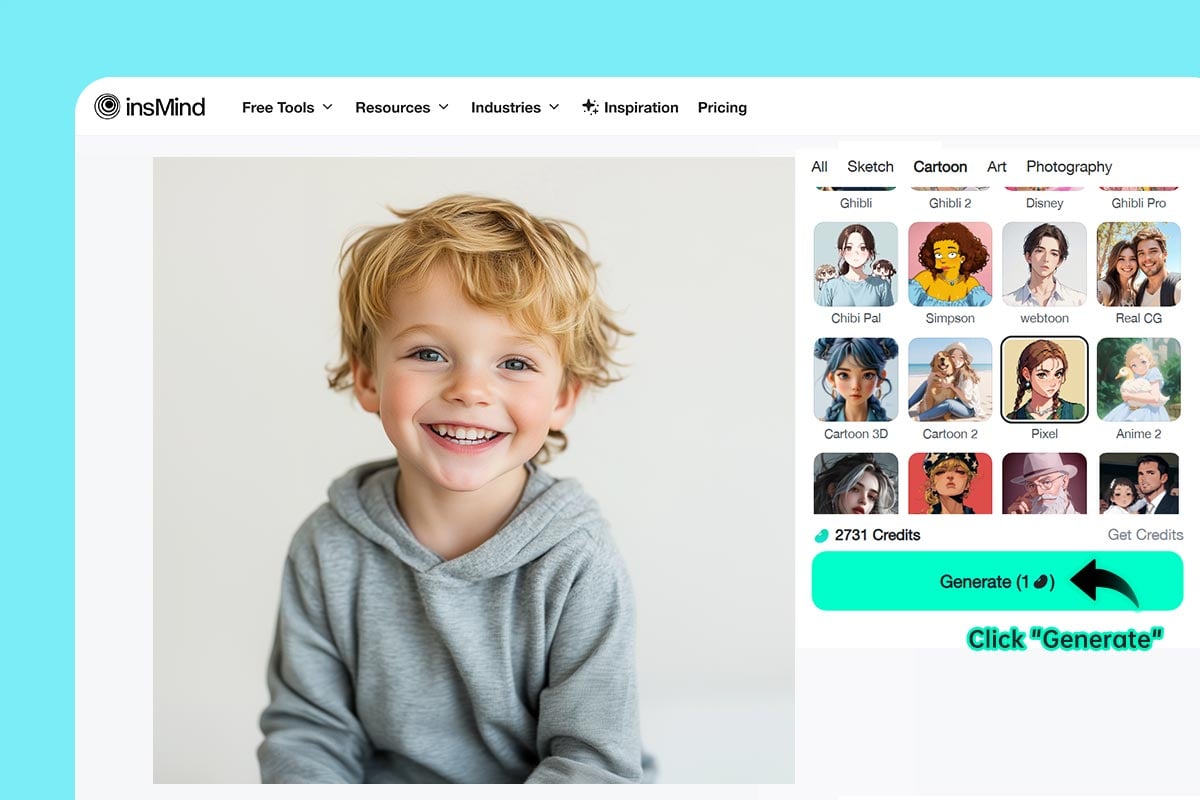
2

2 Passo 2: Escolha seu filtro cartoon favorito

Escolha entre filtros como Simpsons, Anime, Ghibli e outros para combinar com seu estilo.
Passo 3: Clique em “Gerar”
3

3 Passo 3: Clique em “Gerar”

Clique em "Gerar" e veja sua foto ser cartoonizada pela IA com muitos detalhes e um toque artístico.
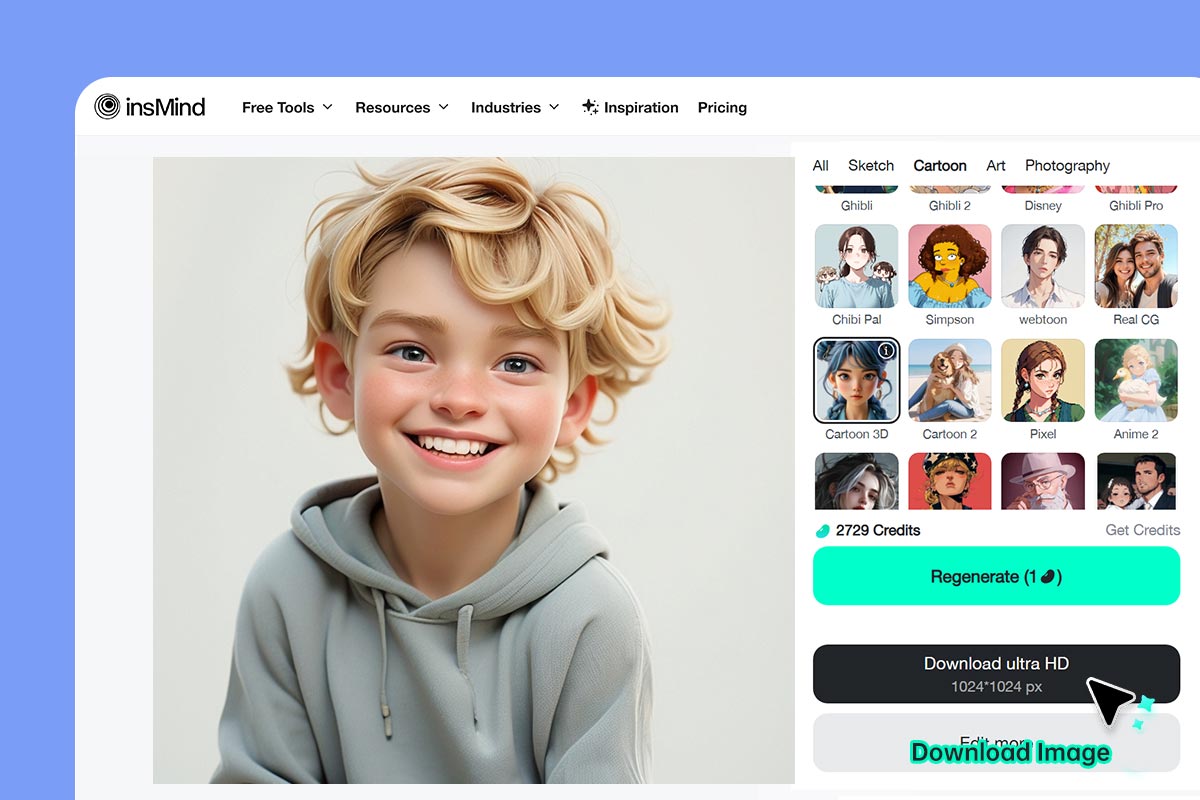
Passo 4: Baixe e compartilhe
4

4 Passo 4: Baixe e compartilhe

Clique em "Download". Em poucos segundos, você terá sua foto cartoon pronta para compartilhar nas redes sociais ou imprimir.

Transforme Suas Fotos em Desenhos Animados com Filtros de IA

Revise e melhore suas fotografias, transformando-as em incríveis desenhos animados com as soluções avançadas de IA da insMind. Experimente várias possibilidades criativas e crie seu próprio personagem animado ou até mesmo uma história em quadrinhos com seu pet!
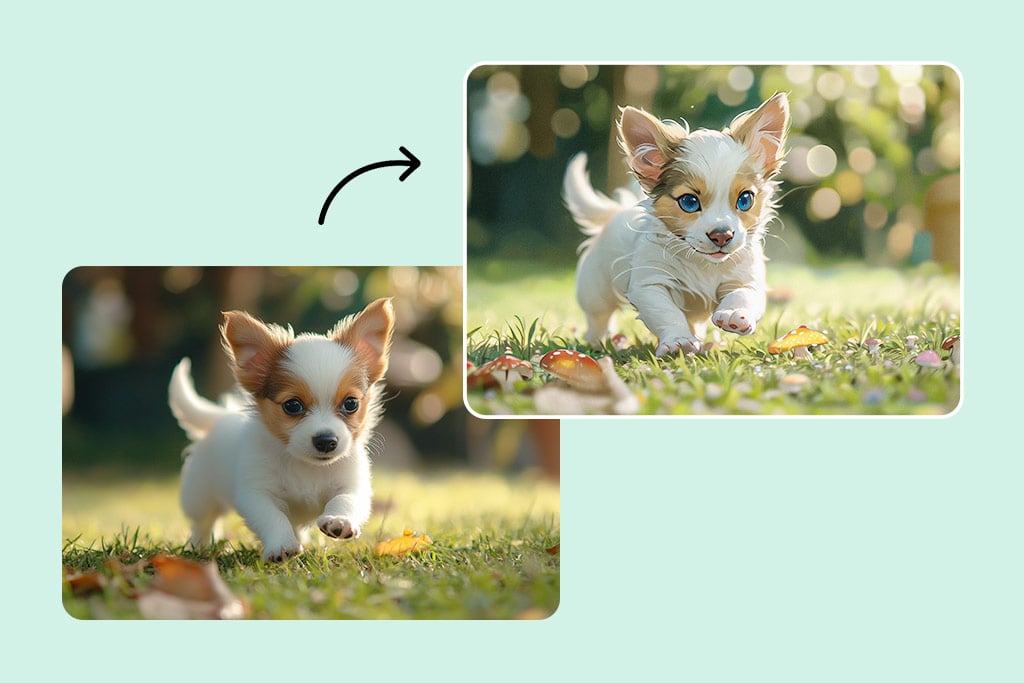
Cartoonize Seu Pet
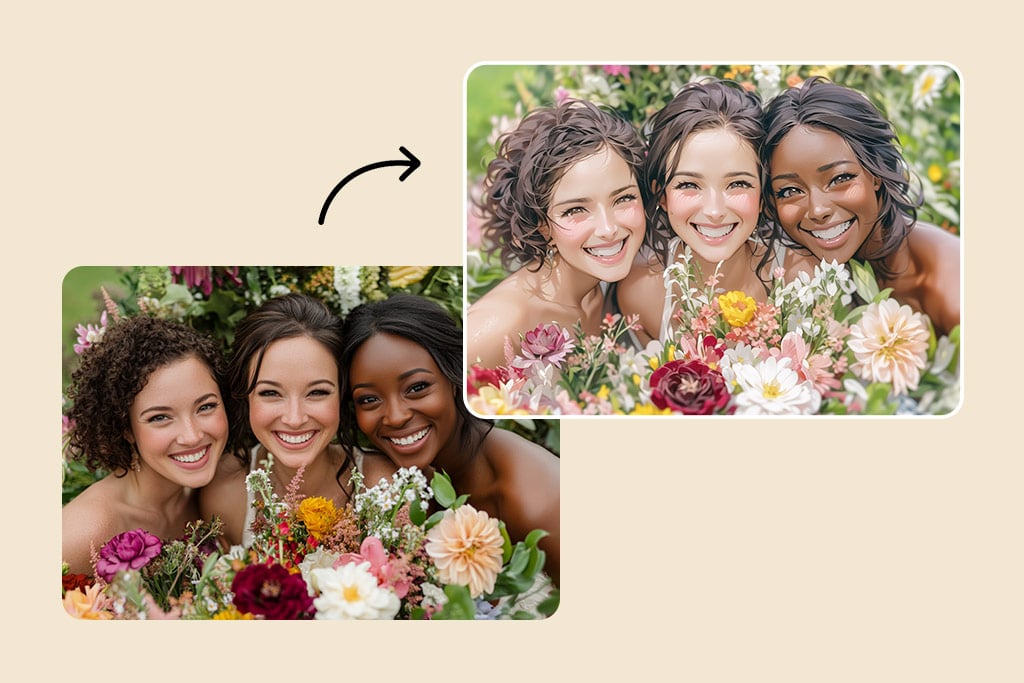
Cartoonize Seu Pet

Dê vida às fotos do seu pet em formato de desenho animado. Nossa IA preserva as características únicas do seu bichinho para criar imagens divertidas e cativantes.
Transforme Fotos em Histórias em Quadrinhos
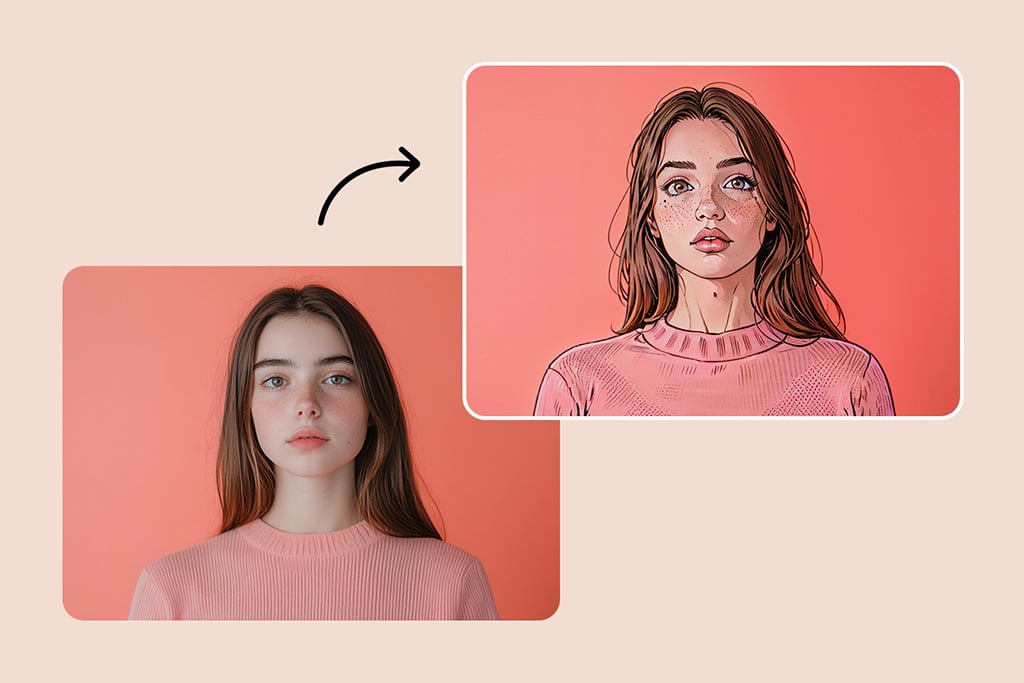
Transforme Fotos em Histórias em Quadrinhos

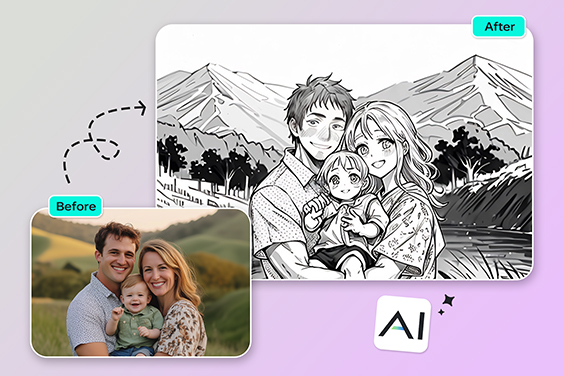
Entre no mundo dos super-heróis e vilões! Nossos filtros permitem criar páginas de quadrinhos com cenários dinâmicos, balões de fala e efeitos incríveis.
Crie uma Versão Animada de Você Mesmo

Crie uma Versão Animada de Você Mesmo

Transforme-se em um personagem animado e explore um universo repleto de desenhos. Os filtros de IA permitem que você se torne um herói de anime, um personagem de mangá ou um super-herói estiloso.

Por Que Escolher o Conversor de Foto para Desenho Animado da insMind?

Efeitos Rápidos e Fáceis

Efeitos Rápidos e Fáceis

Transforme suas fotos em desenhos com um clique, sem precisar de experiência em edição.
Imagens em Alta Resolução

Imagens em Alta Resolução

Exporte seus desenhos animados com qualidade impecável, prontos para qualquer tela.
Vários Estilos Únicos

Vários Estilos Únicos

Escolha entre filtros inspirados em anime, mangá, quadrinhos e muito mais!

Perguntas Frequentes sobre o Gerador de Foto para Cartoon

Quais estilos de cartoon posso escolher?

insmind expand icon
Você pode escolher entre uma grande variedade de estilos usando nossa ferramenta de fazer foto virar desenho animado, incluindo Anime, Ghibli, Disney, 3D, Chibi, Clay, PS2, Simpsons e muitos outros.

Posso exportar imagens de cartoon em alta resolução?

insmind expand icon
Sim! Todas as imagens processadas pelo nosso editor de foto cartoon ficam disponíveis em alta resolução, perfeitas para impressão ou compartilhamento.

Posso cartoonizar fotos em preto e branco?

insmind expand icon
Com certeza. Nosso ferramenta de foto para cartoon animado pode colorir imagens em preto e branco e aplicar o filtro cartoon de sua escolha, para um resultado vibrante e estiloso.

Como posso transformar minha foto em desenho animado?

insmind expand icon
Basta fazer o upload da sua imagem no criador de desenhos animados da insMind e escolher um estilo. Nossa IA fará o resto!

O conversor de fotos para desenho animado da insMind é gratuito?

insmind expand icon
Sim! A ferramenta é gratuita, exceto para downloads em ultra-alta resolução.

Quais formatos de imagem posso usar?

insmind expand icon
Você pode salvar suas imagens desenhadas em formatos de alta qualidade como JPEG e PNG.

Posso transformar fotos de paisagens em desenhos animados?

insmind expand icon
Claro! Nossa IA pode converter qualquer tipo de imagem, incluindo paisagens e retratos.

Posso criar um desenho animado do meu pet?

insmind expand icon
Sim! É uma forma divertida de destacar a personalidade do seu bichinho. Basta fazer o upload da foto e deixar nossa IA trabalhar!

Você pode se interessar por

Faça suas fotos se destacarem com recursos completamente gratuitos.

Foto para Esboço

Foto para Esboço

Transforme suas fotos em incríveis esboços com nossa ferramenta prática. Resultados surpreendentes em segundos!
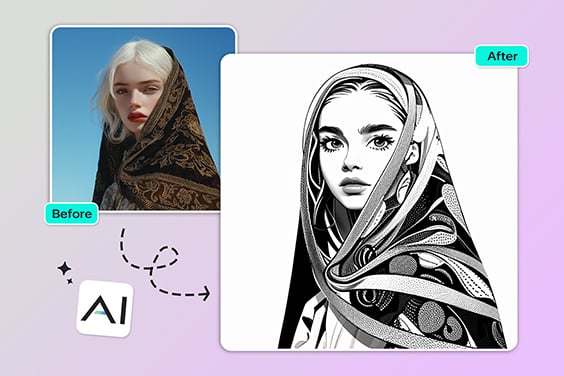
Foto para Desenho Linear

Foto para Desenho Linear

Converta suas fotos em desenhos minimalistas com traços limpos, ideal para uso criativo ou profissional.
Foto para Aquarela

Foto para Aquarela

Dê um toque artístico às suas fotos com o efeito de aquarela. Crie pinturas incríveis em poucos cliques!
Foto para Pintura

Foto para Pintura

Transforme suas fotos em verdadeiras obras de arte com nossa ferramenta de pintura digital.
Filtro de IA

Filtro de IA

Desbloqueie uma variedade de filtros com inteligência artificial que transformam qualquer foto em uma obra-prima com insMind.
Foto para Anime

Foto para Anime

Transforme sua foto em um personagem de anime com apenas um clique e divirta-se com o novo visual!
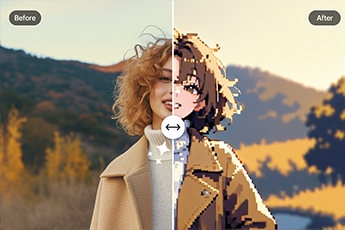
Foto para Pixel Art

Foto para Pixel Art

Converta suas fotos em arte pixelada online com nosso conversor fácil de usar.
Filtro de Quadrinhos

Filtro de Quadrinhos

Aplique efeitos de histórias em quadrinhos às suas fotos e crie imagens dinâmicas e estilosas.
Filtro IA PS2

Filtro IA PS2

Recrie a estética nostálgica dos jogos de PS2 com filtros de IA poderosos.
Filtro Disney

Filtro Disney

Transforme sua foto em um personagem encantador no estilo Disney com um toque mágico.
Filtro Disney Pixar

Filtro Disney Pixar

Dê um visual animado às suas fotos e transforme-se em um personagem inspirado na Pixar.
Foto para Contorno

Foto para Contorno

Converta suas imagens em ilustrações com contornos definidos. Ideal para esboços e design criativo.
Filtro Vintage

Filtro Vintage

Aplique um efeito retrô nas suas fotos com um clique e traga um toque nostálgico às suas imagens.
Foto para desenho a lápis

Foto para desenho a lápis

Transforme imagens em desenhos realistas a lápis com sombreamento detalhado para um toque artístico.
AI Clay Filter

AI Clay Filter

Turn your photo into clay art with AI in just seconds!
Filtro Estilo Ghibli

Filtro Estilo Ghibli

Transforme suas fotos em arte Ghibli com um clique.