KI-Bild
KI-Video
Fotoeditor
Ressourcen
InspirationenPreise

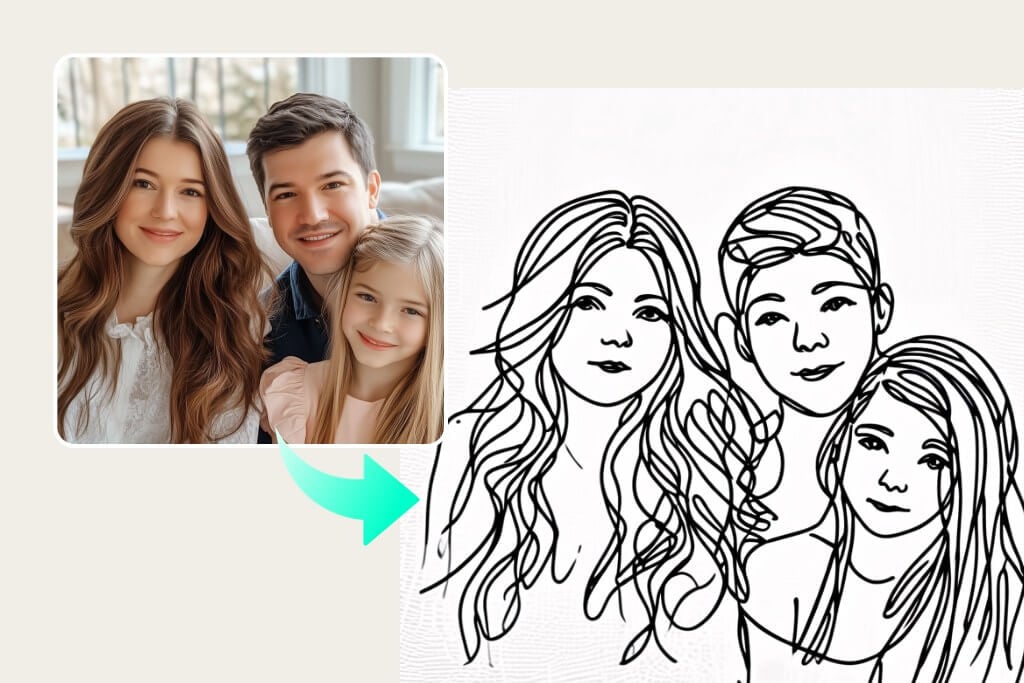
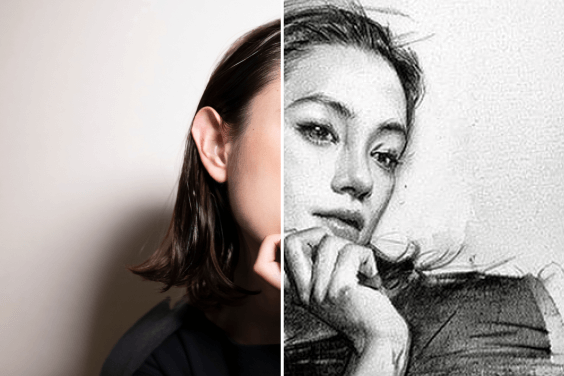
Verwandeln Sie ein Foto in Sekundenschnelle in eine realistische Strichzeichnung

Wandeln Sie Ihr Foto mit nur einem Klick in eine Strichzeichnung um. Erzeugen Sie kostenlos perfekte Linienzeichnungen ohne Vorkenntnisse und ohne großen Aufwand!

Verwandeln Sie ein Foto in Sekundenschnelle in eine realistische Strichzeichnung
Oder Bild hier ablegen, Bild oder URL einfügen
Versuchen Sie es mit einem dieser
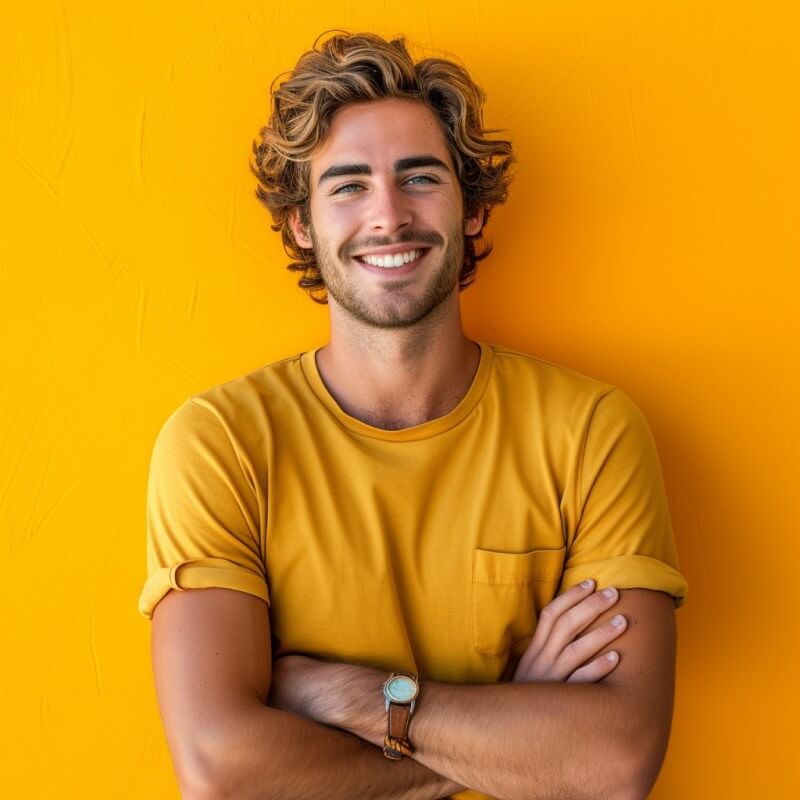
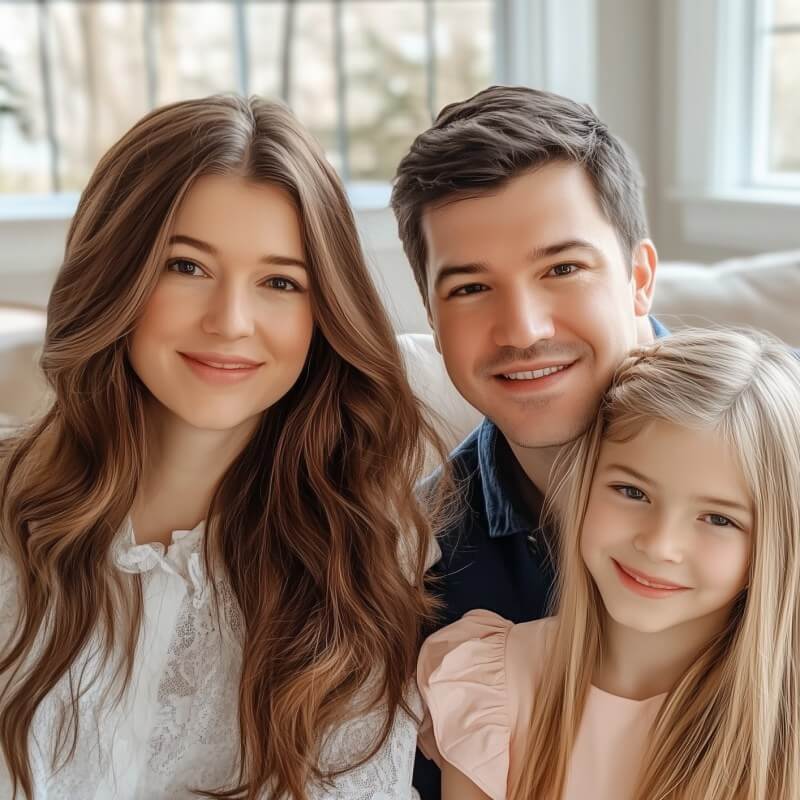
Beispiel für einen insMind AI-Weinfilter 1
Beispiel für einen insMind AI-Weinfilter 2
Beispiel für einen insMind AI-Weinfilter 3
Beispiel für einen insMind AI-Weinfilter 4
Beispiel für einen insMind AI-Weinfilter 5

Ähnliches Erstellen

Create an image at the location with latitude and longitude 21.28° N, -157.83° W that matches the local current time atmosphere and real-time weather. Make the specified character blend in naturally as if sightseeing at that location, with clothing appropriate to the local time and weather, rather than matching the uploaded image. There are many tourists of various nationalities. “Based on the uploaded image, generate a high-angle CCTV surveillance camera–style image with an ultra-wide-angle lens (horizontal field of view ≥110°), producing a fisheye/mirror-like visual effect. Draw white face-detection frames on each person’s face, zoom in on the most noticeable person’s face and display it in a separate frame connected by a line. Add noise and distortion to the main image, while keeping the zoomed-in frame clean and sharp. Do not include any text or timestamps. Ratio: 3:4
Create a high angle CCTV surveillance shot using the uploaded image as the source. Detect every visible person in the image and automatically draw a white rectangular bounding box around each face. For the most prominent person, add a large zoom in inset: a sharp, enhanced close-up of their face displayed in a floating rectangular frame connected with a thin white line.Keep the main image slightly noisy and security camera like (soft grain, slight distortion, muted colors), while the zoom in face box should be clearer, brighter, and more detailed. No text, no timestamps, no overlays except the boxes and connecting line. Maintain the original scene layout, angle, and environment of the uploaded image.
Generate a cohesive 3x3 grid cinematic contact sheet featuring 9 distinct, photorealistic camera shots of the subject(s) from the input image. Location & Setting: Set the scene at the following coordinates: Latitude: 55.7558° N, Longitude: 37.6173° E. The environment must accurately reflect the specific location, local time, and weather. Emotional Theme: The overall emotional theme for the 9 shots is: [fun / joy / bittersweet / calm / curious / determined etc. – write the desired emotion here]. Each shot should subtly reinforce this theme. Style & Emotion: The 9 shots must maintain a consistent, dramatic, and emotionally profound mood. Subject's facial expressions must dynamically adapt to the narrative emphasis of each unique perspective, while strongly conveying the overall Emotional Theme. 9 Shot Coverage (Focus on Content & Angle): Full Environment View: Subject small in a vast, atmospheric environment. Full Body Shot: Entire subject visible, emphasizing presence against the backdrop. Mid-Body Shot: Knees-up view, capturing an emotionally charged stance. Upper Body Shot: Waist-up; focus on expressive posture and interaction. Intimate Chest-Up Shot: Chest-up; intimate framing, highlighting the gaze and inner feeling. Tight Face Shot: Close-up on the face, clearly conveying a specific, unstated emotion. Macro Detail Shot: Extreme close-up on hands, texture, or eyes, revealing a narrative element. Upward Gaze Shot: Looking up from below (worm's eye view); emphasizing quiet power or resolve. Downward Gaze Shot: Looking down from above (bird's eye view); suggesting reflection or vulnerability. Strict Constraints: Maintain strict consistency (same subject, clothes, lighting) across all 9 panels. Depth of field must shift realistically (bokeh in close-ups). Absolutely NO text, logos, labels, watermarks, symbols, numbers, letters, or typography should appear in any of the 9 generated images.
Create a single page photo collection from a high-end Japanese photobook scan featuring 5 photos of a woman at the location with latitude and longitude 35.31721720077321, 139.5357227423284, matching the local current time atmosphere and real-time weather. Make the specified character blend in naturally as if sightseeing at that location. Arrange the 5 photos in varying sizes with a beautifully designed, album-style layout, without showing any photobook or album background—only the single curated photo page. Do not display any explicit year, date, or timestamp; only reflect the atmosphere.
**[Type]:** A scanned page from a high-end Japanese photobook. **9-grid photo layout on textured matte art paper.** **[Layout Design]:** 9 photos in a clean grid with **wide white bottom margins** for typography. **[Subject Consistency - STRICT]:** * **Source:** Must follow uploaded reference image. **Same character in all panels.** * **Styling (RANDOM ONE):** 1. {Classic}: Loose white shirt + shorts. 2. {Soft}: Beige knit cardigan + camisole. 3. {Pure}: White lace-trim slip dress (best for bath). * **Note:** Row 3 outfit appears wet / shows skin. **[Typography & Title]:** AI must render a title in the bottom white margin. **(Randomly choose one theme):** 1. {Summer}: Large text **“Blue Summer”**, small **“www.insmind.com”**. 2. {Private}: Large **“Private Novel”**, small **“www.insmind.com”**. 3. {Air}: Large **“One Fine Day”**, small **“www.insmind.com”**. * **Signature:** Handwritten **“By : InsMind”** near the title or as a watermark. **[Grid Narrative – Day to Night]:** **Row 1: Outdoor Breath** 1. TL (Wide): Subject in wind, hair blowing, **sun backlight**. 2. TM (Detail): Close-up of **hand with soda bottle** or blocking sun. 3. TR (Motion): Blurry candid of subject **walking away on street**. **Row 2: Indoor Play** 4. ML (Hiding): On tatami, **covering one eye with dried flower**. 5. M (Candid): **Upside-down on sofa**, reading, face partly hidden. 6. MR (Fetish): Detail of **bare feet on rug** or fingers touching hair. **Row 3: Private/Wet** 7. BL: **Back view in steamy bathroom**, wet hair on neck. 8. BM: **In bathtub**, water to chin, dreamy high-key light. 9. BR: Detail of **steam on mirror**. **[Aesthetic Style]:** * Film: Fujifilm Pro 400H (cyan shadows, airy highlights). * Texture: **Visible paper texture**, slight vignetting, photobook layout. **[Parameters]:** --ar 2:3 --style raw --v 6.0 --stylize 200 --cref [URL] --cw 80 --no commercial smile, stiff posing, studio lighting
Generate a cohesive 3x3 grid cinematic contact sheet featuring 9 distinct, photorealistic camera shots of the subject(s) from the input image. Location & Setting: The environment for all 9 shots must be directly derived from the uploaded input image, accurately reflecting its specific location, local time, and weather. Emotional Theme: The overall emotional theme for the 9 shots is: [fun / joy / bittersweet / calm / curious / determined etc. – write the desired emotion here]. Each shot should subtly reinforce this theme. Style & Emotion: The 9 shots must maintain a consistent, dramatic, and emotionally profound mood. Subject's facial expressions must dynamically adapt to the narrative emphasis of each unique perspective, while strongly conveying the overall Emotional Theme. 9 Shot Coverage (Focus on Content & Angle): Full Environment View: Subject small in a vast, atmospheric environment. Full Body Shot: Entire subject visible, emphasizing presence against the backdrop. Mid-Body Shot: Knees-up view, capturing an emotionally charged stance. Upper Body Shot: Waist-up; focus on expressive posture and interaction. Intimate Chest-Up Shot: Chest-up; intimate framing, highlighting the gaze and inner feeling. Tight Face Shot: Close-up on the face, clearly conveying a specific, unstated emotion. Macro Detail Shot: Extreme close-up on hands, texture, or eyes, revealing a narrative element. Upward Gaze Shot: Looking up from below (worm's eye view); emphasizing quiet power or resolve. Downward Gaze Shot: Looking down from above (bird's eye view); suggesting reflection or vulnerability. Strict Constraints: Maintain strict consistency (same subject, clothes, lighting) across all 9 panels. Depth of field must shift realistically (bokeh in close-ups). Absolutely NO text, logos, labels, watermarks, symbols, numbers, letters, or typography should appear in any of the 9 generated images.
A giant cartoon cat 3D model, head lowered, playfully digging into a miniature ski resort, fully constructed from intertwined colorful threads with natural messy patterns, semi-transparent silk-like material, soft 3D round shapes, subtle color gradients on the cat’s fur, the ski resort features tiny thread-made pine trees and small cartoon figures skiing on snow, snow composed of layered thread gradients, dynamic top-down composition, sense of motion and story, bright Memphis-inspired color palette, blue sky background with subtle thread clouds, balanced visual proportion between cat and ski scene, 3:4 aspect ratio, whimsical and playful atmosphere, full 3D modeling style, realistic thread textures, no collage.
Create a flat cartoon felt fabric illustration of four winter animals arranged in two rows, on a clean purple background. Top row: a penguin wearing a cute hat and scarf, a polar bear building a snowman. Bottom row: a squirrel warming itself by a small campfire, a reindeer lying inside an igloo. Each character is made of layered felt with visible stitched edges, soft and slightly puffed fabric texture, bright and warm colors, whimsical and cute expression, high detail, consistent felt craft style, soft shadows, clear outlines, flat perspective, playful composition.
A flat, high-resolution illustration in knitted textile style, featuring four diverse travelers raising their hands and posing for a photo on a map. The scene is filled with detailed knitting texture throughout, with uniform stitch direction and prominent yarn weaving texture. The edges of the composition have scattered small elements like airplanes, travel documents, and snowflakes. Background is soft pink. The characters and map are depicted in a colorful, high-contrast, bright palette, with flat style and clear embroidered and knitted details. Yarn appears thick and tactile, with hand-crafted feel, moderate density, and raised texture. The overall composition is harmonious, with layered textures, vivid colors, strong contrast, and refined, delicate illustration quality. Embroidery-like details, flat color areas with knitted shading, and yarn stitch patterns are clearly visible, emphasizing fiber art aesthetics.
Create a high-resolution 3D render of the subject from the user-uploaded image as an inflatable, puffy object. The shape should appear soft, and air-filled, like a plush balloon or blow-up toy. Use a smooth, matte texture with subtle fabric creases and stitching to emphasize the inflatable look. The form should be slightly squishy, with gentle shadows and soft lighting that highlight volume and realism. Place it on a clean, minimal background (light gray)Create a high-resolution 3D render of attached logo as an inflatable, puffy object. The shape should appear soft, and air-filled, like a plush balloon or blow-up toy. Use a smooth, matte texture with subtle fabric creases and stitching to emphasize the inflatable look.
Felt toys Full body toy of the subject from the uploaded image, with attributes/accessories based on the uploaded image, showing the expression seen in the uploaded image. Made of felt, placed in a location matching the uploaded image, with lighting that follows the uploaded image. Friendly and cartoonish appearance, rich and soft felt textures.
Close-up photo of a small plush keychain of the subject from the user-uploaded image, held gently between two fingers, made of soft felt or fuzzy material, cartoon-style proportions, embroidered face with simple expressive features, character designed to resemble the uploaded subject, attached to a shiny silver keyring, neutral beige background, shallow depth of field, soft natural lighting, highly detailed texture, cute and handcrafted aesthetic, studio photography, 1:1 aspect ratio.
A stop-motion animation using the user-uploaded image as the visual reference for the subject’s appearance. A whimsical sculpture of the subject—based directly on the features, proportions, and styling shown in the uploaded image—crafted from various fabric pieces. The sculpture is positioned on a handmade [object/element] built from felt and yarn. The overall design remains playful and charming, featuring visible stitching, soft textures, and a handcrafted aesthetic.
Transform a simple flat vector logo into a soft, 3D fluffy object. Use the exact colors. The shape is fully covered in fur, with hyperrealistic hair texture and soft shadows. The object is centered on a clean, light gray background and floats gently in space. The style is surreal, tactile, and modern, evoking a sense of comfort and playfulness. Studio lighting, high-resolution render.
use the uploaded image as a primary reference and create a handmade thread art piece, a diorama made of yarn and felt. The texture of the knitted yarn is clearly visible.Macro photography, soft diffused light, pastel palette, high-detailed fibers and stitches, a cozy, fairytale atmosphere, and a slightly reduced scale, like a diorama.
Using the person from the user-uploaded image, create a soft plush-textured doll keychain with an oversized head, small body, and stubby limbs. The doll is made of fluffy plush material, with embroidered facial features, and wears the same outfit as the person in the uploaded image, keeping the key colors and clothing details. The doll is attached to a keychain. The keychain has a red strap with white ‘Merry Christmas’ text, held by a hand in the upper-left corner of the frame. The scene has a strong Christmas atmosphere — warm festive lighting, Christmas decorations, holiday colors, and a cozy seasonal mood. Centered, full-body doll view.
Using the animal from the user-uploaded image, a soft, high-quality plush toy with an oversized head, small body, and stubby limbs. It’s made of fuzzy fabric, has embroidered facial features, and is shown sitting or standing against a neutral background. The expression is cute or expressive, and it retains the natural markings and colors of the animal from the uploaded image. The lighting is soft and even, with a realistic, collectible toy look. Centered, full-body view.
A super cute semi-realistic puppet character designed for a puppet show, shaped like the character from the user-uploaded image. The body keeps the natural shape of the character from the user-uploaded image (not stretched into a cylinder), fully covered in thick detailed plush fur matching its original colors. Large googly puppet eyes with big white areas, black pupils each containing a perfectly centered small white circle inside (double pupil look), shiny plastic toy-like surface, a small round nose based on the character from the user-uploaded image, a wide movable puppet mouth with plain black fabric inside (no teeth, no tongue). Two short thin black fabric arms, slightly curved outward in a friendly pose (not long or hanging down), attached naturally to the sides of the body. No legs. The puppet sits directly on a flat neutral surface (not floating). Child-friendly, extremely adorable, photographed in a studio with realistic soft lighting, professional product photo style.
Deconstruct this 3D product packaging photo into a precise, flattened 2D dieline template. Unfold the box into a complete technical net structure, revealing all panels, including previously hidden dust flaps, tucks, and glue tabs. Eliminate all perspective and lens distortion to create a perfect orthographic top-down view. Retain the exact high-fidelity texture and typography from the original photo but map it accurately onto the flat surface. Superimpose clean, technical die-cut lines (solid) and fold lines (dashed) in a contrasting color. Isolated on a pure white background, shadowless, print-ready production quality
{ "product": { "name": "Nike Air Max Sneaker", "style": "premium Nike x Stranger Things", "presentation": "centered hero, clean silhouette, visible swoosh", "materials": "mesh, leather, stitching" }, "branding": { "logo": "bottom-right", "text": "Nike x Stranger Things", "style": "Nike logo, red retro typography", "integration": "minimalist" }, "scene": { "environment": "Upside Down, fog, spores, cracked ground, red-blue light", "background": "Hawkins forest silhouette, drifting particles", "foreground": "Vecna-style tentacles around shoe, wet vine texture" }, "composition": { "framing": "centered hero", "size": "dominant, 60–70% vertical", "spacing": "negative space, fog depth", "angle": "3/4 view" }, "camera": { "tilt": "slight downward", "lens": "85mm", "focus": "sharp on materials", "DOF": "shallow", "movement": "static" }, "lighting": { "primary": "red-blue", "key": "soft on upper shoe", "rim": "thin neon-blue", "under_glow": "red below", "specularity": "glossy highlights", "texture": "soft halation, grain" }, "effects": { "fog": "low-lying", "spores": "glowing", "tentacles_glow": "faint red veins", "shadow": "long behind shoe" }, "vecna": { "style": "twisted vines", "coverage": "two wrapping sole, one behind heel", "interaction": "light pressure, subtle shadow" }, "visual": { "genre": "Stranger Things horror-cinematic", "colors": "black, crimson, neon blue", "tone": "premium commercial meets supernatural" }, "output": { "quality": "ultra-high-res", "ratio": "3:4", "background": "clean", "final": "studio sharpness, Stranger Things cinematic" } }
Create an image about "Stranger Things" retold through a series of Polaroid photos pinned to a cork board. Each photo captures a key moment, with simple captions below. Arrange the photos in a loosely chronological path across the board, using colored strings to connect events and characters. Light the scene warmly to evoke nostalgia. Include incidental details, coffee cup rings, paper clips, handwritten notes, for authenticity.
Using the uploaded image of the user as the main subject, depict them riding a vintage bicycle on an empty suburban street at dusk. They wear a retro varsity jacket, crop top, and high-waisted jeans, with a camera hanging from their neck. The scene is dark, moody, and dramatic. A massive shadowy creature with long, tentacle-like limbs looms in the red stormy sky behind them, creating an intense sci-fi horror vibe. Their hair blows in the wind as they look to the side with a tense, alert expression. Apply grainy film texture, warm desaturated tones, and cinematic lighting inspired by 80s horror dark fantasy and thriller aesthetics. Keep the user’s facial features natural and unchanged.
A cinematic, highly detailed scene featuring the person from the uploaded image sitting on an old, worn-out couch in a dim, cluttered 80s-style living room. The person has their real face perfectly preserved (100% face accuracy), messy, slightly wavy hair, and wears a flannel shirt over a plain t-shirt. They hold an axe firmly with both hands, looking tensely toward something off-frame. The wall behind them has a warm, faded brown/yellow retro background color with large black alphabet letters painted across it. Colorful Christmas lights hang over the wall, softly glowing in red, blue, yellow, and white, creating an eerie yet nostalgic atmosphere. The room is filled with scattered books, papers, soda cans, and old electronics. Cinematic lighting, soft film grain, and high-detail realism throughout.
Using the uploaded image as the subject, recreate the scene: a person with medium-length, voluminous hair stands with their arms crossed inside a bright retro ice-cream shop. They wear a navy blue sailor-style uniform with white stripes and a red necktie, along with a name tag on their chest. Behind them is a window with textured glass and warm indoor lighting softly illuminating their face. Their expression is confident and slightly playful, evoking an 80s nostalgic vibe. Render with high-detail skin texture, soft cinematic lighting, and a crisp, colorful retro aesthetic.
A dramatic portrait poster featuring the person from the user-uploaded image, portrayed with a serious expression in a Stranger Things–inspired aesthetic. Use dark red and black lighting, with glowing red neon lines forming a large “5” in the background. Create a cinematic, moody atmosphere with detailed facial lighting, strong red highlights, and soft directional shadows. Keep the subject wearing vintage 1980s-style clothing. Ultra-detailed, high-contrast, premium poster quality.
{ "image_description": "Promotional poster for the TV series Stranger Things, featuring the user-uploaded character.", "subject": { "type": "Person", "details": "Replace this with a precise description of the user-uploaded person, including hair color, style, clothing, and any distinctive features." }, "series_title": "Stranger Things", "tagline": "One Last Adventure.", "season_context": "Implied to be Season 5 (based on the large neon '5' in the background).", "distributor": "NETFLIX" }
A cinematic Stranger Things–style apocalyptic scene featuring the character from the uploaded image standing at the center of a deserted, cracked asphalt road. The character has their back facing the horizon but turns their face over the left shoulder toward the viewer with a serious expression. Their appearance, face, hairstyle and overall identity must stay perfectly true to the uploaded image. They wear a dark jacket, jeans, and boots, with a backpack on their back, and have a strong, thin body. To the right side of the road sits a green traffic sign reading “Welcome to Hawkins” in white letters. The environment is dominated by an apocalyptic supernatural atmosphere: an intense blood-red and black sky filled with massive dark storm clouds. At the center of the clouds looms a colossal shadowy creature with long tentacle-like limbs reaching toward the ground, resembling a giant spider. Branches of red lightning strike through the sky around the creature, illuminating the road surface and casting dramatic red highlights across the character’s silhouette.
Using the person from the uploaded image as the main subject, recreate a Stranger Things–style scene. Keep their real face perfectly natural and unchanged. They stand confidently, holding the iconic nail-studded baseball bat in their right hand. Place them inside the Upside Down world with floating particles, red mist, a dark atmosphere, and eerie blue lighting. Show cracked ground, dark vines, and distant Demogorgon silhouettes. Their outfit should follow an ’80s adventure look: jacket, gloves, backpack, and optionally sunglasses if it fits. Make the scene cinematic, dramatic, and intense, like a Season 4 hero moment. Camera angle: slightly low and heroic. Preserve 100% accurate identity—no beautifying, reshaping, or altering the face. Maintain a realistic Stranger Things color palette and mood throughout.
Use the person from the user-uploaded image as the main subject. Create a cinematic Stranger Things–style scene where this person is floating in mid-air in a trance, just like the iconic Max Mayfield Vecna moment. Top-down camera angle, looking down at their face as they levitate. Their eyes appear glazed or blank, giving a supernatural possessed look. They are wearing retro headphones with natural hanging wires. Lighting is dramatic and moody, with soft shadows and a slightly desaturated cinematic grade. Background: a grassy outdoor area with friends or figures on the ground looking up at them, slightly blurred. Keep the person’s real face completely natural and unchanged, preserving their true identity and expression style without over-editing. Capture the intense, eerie, emotional atmosphere characteristic of Stranger Things.
Trompe l'oeil illusion of Demogorgon steps out of a large screen displaying Instagram social media interface. The screen shows the username "Demogorgon" 10K likes, and 2K comments.
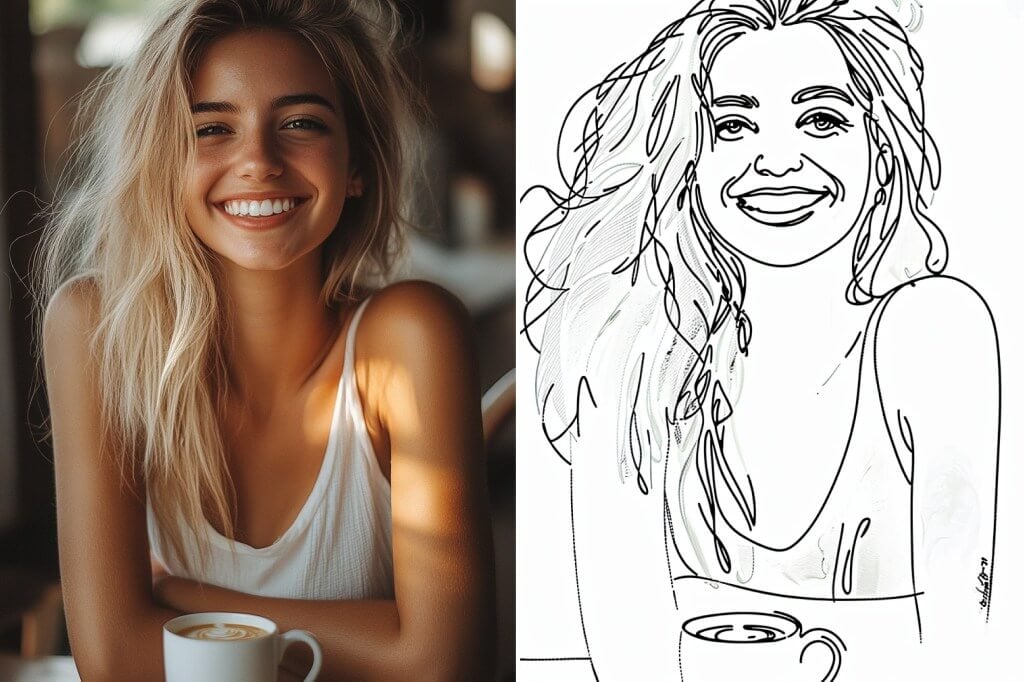
Verwandeln Sie Ihr Foto mühelos in ein liniengezeichnetes Porträt

Verwandeln Sie Ihr Foto mühelos in ein liniengezeichnetes Porträt

Möchten Sie eine Zeichnung, die Ihre Persönlichkeit einfängt? Laden Sie Ihre Porträtfotos hoch und lassen Sie insMind seine Magie wirken! Der insMind-Filter für Strichzeichnungen ist perfekt, um beeindruckende Kunstwerke in jeder Ausrichtung zu erstellen. Er bietet gleichbleibende Qualität und Vielseitigkeit für alle Ihre kreativen Projekte.

Foto jetzt in Strichzeichnung umwandeln
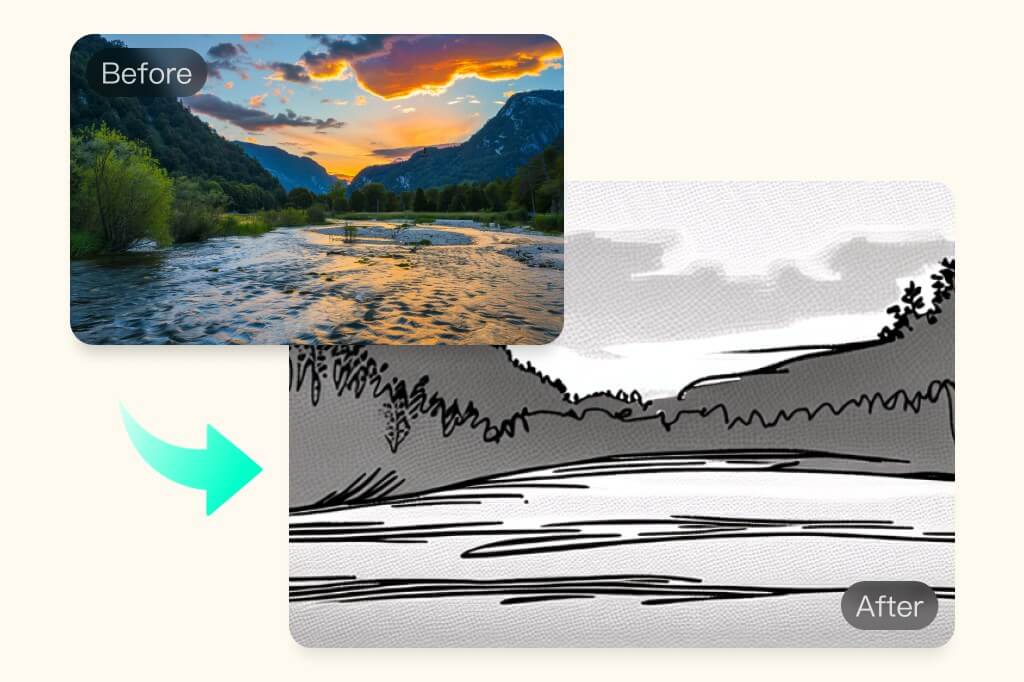
Konvertieren Sie ein Foto in eine realistische Strichzeichnung

Konvertieren Sie ein Foto in eine realistische Strichzeichnung

Erzeugen Sie realistische und detaillierte Kunstwerke im Querformat. Verwandeln Sie Fotos im Querformat in einer Minute in Strichzeichnungen, ob für die Arbeit oder zum Spaß. Die AI von insMind kann Ihre Bilder mit lebensechten, farblosen oder farbigen Skizzen aufwerten. Laden Sie Ihr Bild jetzt hoch, erhalten Sie hochwertige Strichzeichnungen mit hoher Detailgenauigkeit und entdecken Sie eine Vielzahl kreativer Möglichkeiten.
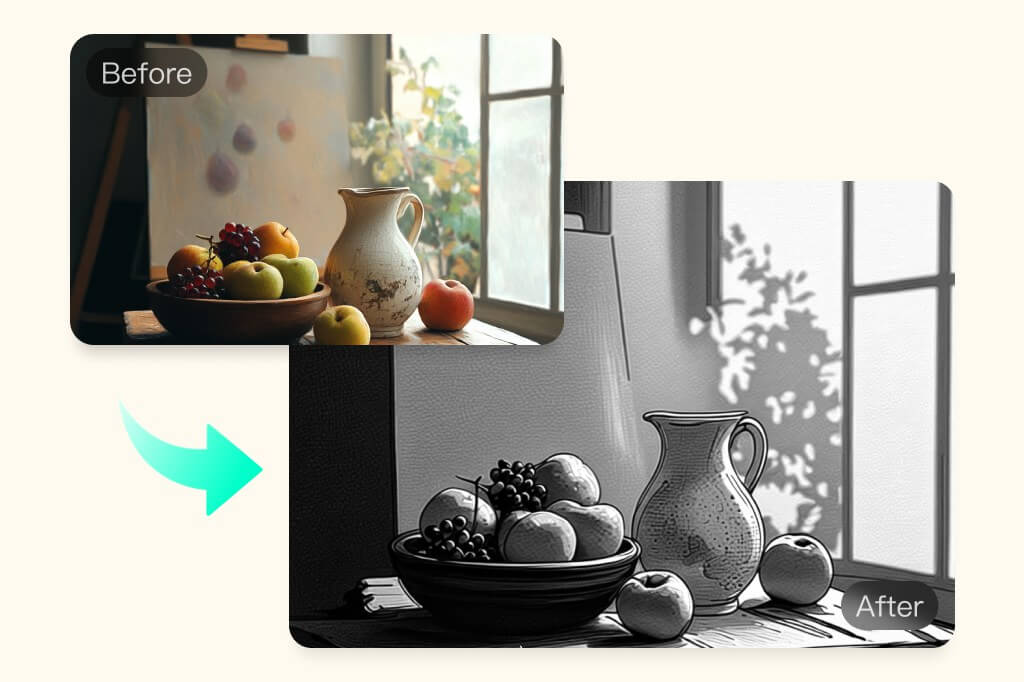
Foto in Strichzeichnung umwandeln
Jedes Bild in eine künstlerische Linienzeichnung verwandeln

Jedes Bild in eine künstlerische Linienzeichnung verwandeln

Entdecken Sie das perfekte KI-gestützte Tool für Strichzeichnungen und verwandeln Sie Ihre Fotos in künstlerische Skizzen. Veredeln Sie Ihre Bilder mit Detaileffekten für gestochen scharfe Illustrationen. Nutzen Sie die leistungsstarken KI-Filter, um mit insMind kostenlos witzige, hochwertige Zeichnungen zu erstellen. Perfekt für professionelle Künstler oder einfach zum Spaß!
Kostenlos ausprobieren
Fotos in Strichzeichnungen umwandeln — überall und jederzeit!

Fotos in Strichzeichnungen umwandeln — überall und jederzeit!

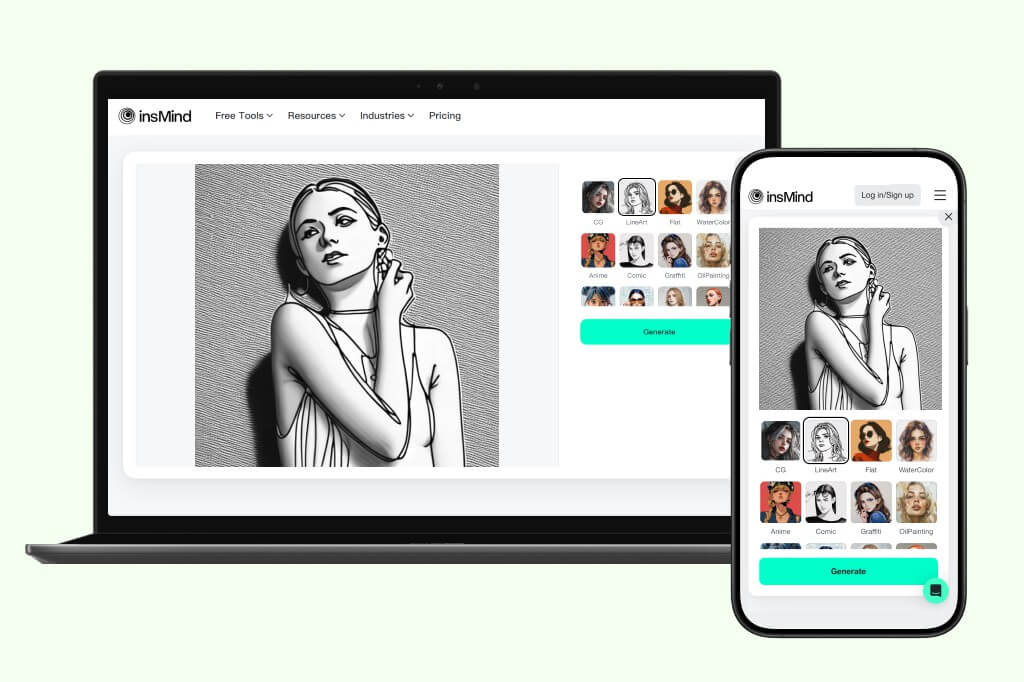
Wandeln Sie Fotos von überall in Strichzeichnungen um. Öffnen Sie insMind in einem Webbrowser auf Ihrem PC oder Smartphone und nutzen Sie unsere AI-Filter. Laden Sie das Bild hoch und lassen Sie die AI-Filter kleine Wunder vollbringen. Ganz gleich, ob Sie Ihr professionelles Portfolio aufwerten oder die Filter einfach zum Spaß ausprobieren möchten - mit insMind erzeugen Sie beeindruckende visuelle Effekte. Dank der ultraschnellen Verarbeitungsgeschwindigkeit können Sie im Handumdrehen Strichzeichnungen erstellen.
Jetzt kostenlos ausprobieren
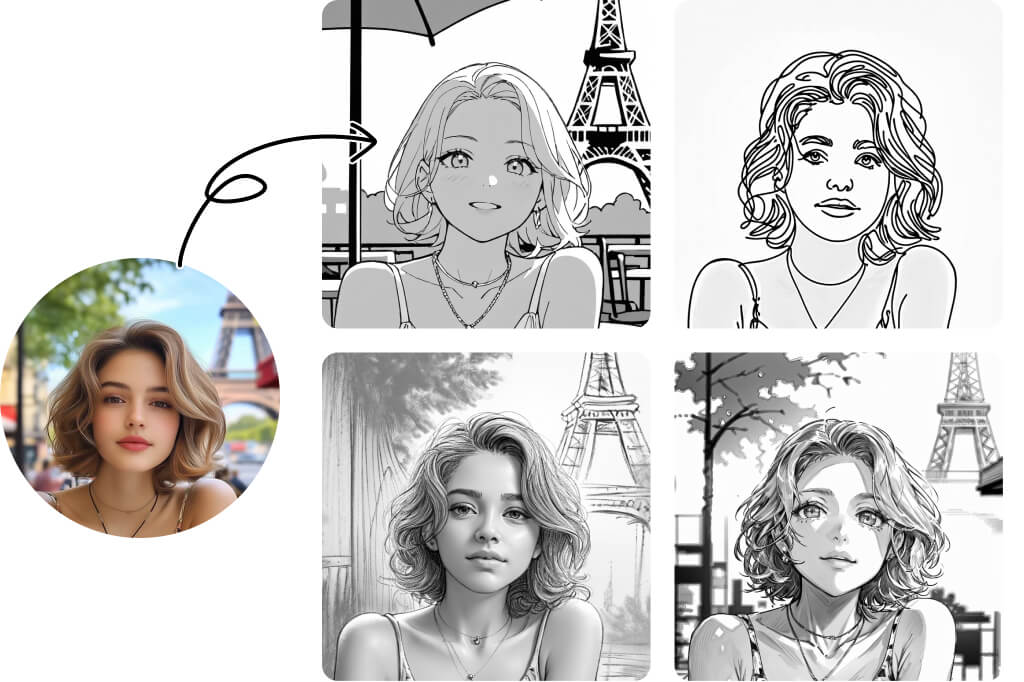
Entdecke über 15 Zeichenstil-Arten für Fotos

Entdecke über 15 Zeichenstil-Arten für Fotos

Denkst du, Line Art gibt es nur in einem Stil? Denk nochmal nach! Unser KI-Zeichengenerator bietet über 15 einzigartige Stile, jeder mit seinen eigenen, unverwechselbaren Details. Von Bleistiftskizzen und Comic-Umrissen bis hin zu Holzschnitt, Kohle, Feinliner, Soft Pen und mehr – entdecke eine Vielzahl an Optionen und finde den perfekten Stil, der zu deiner kreativen Vision passt. Was auch immer du brauchst, es gibt garantiert einen passenden Line-Art-Stil.

Foto in Linienzeichnung umwandeln

Entdecke weitere KI-Line-Art-Filter

Wie man Fotos kostenlos online in Strichzeichnungen umwandelt
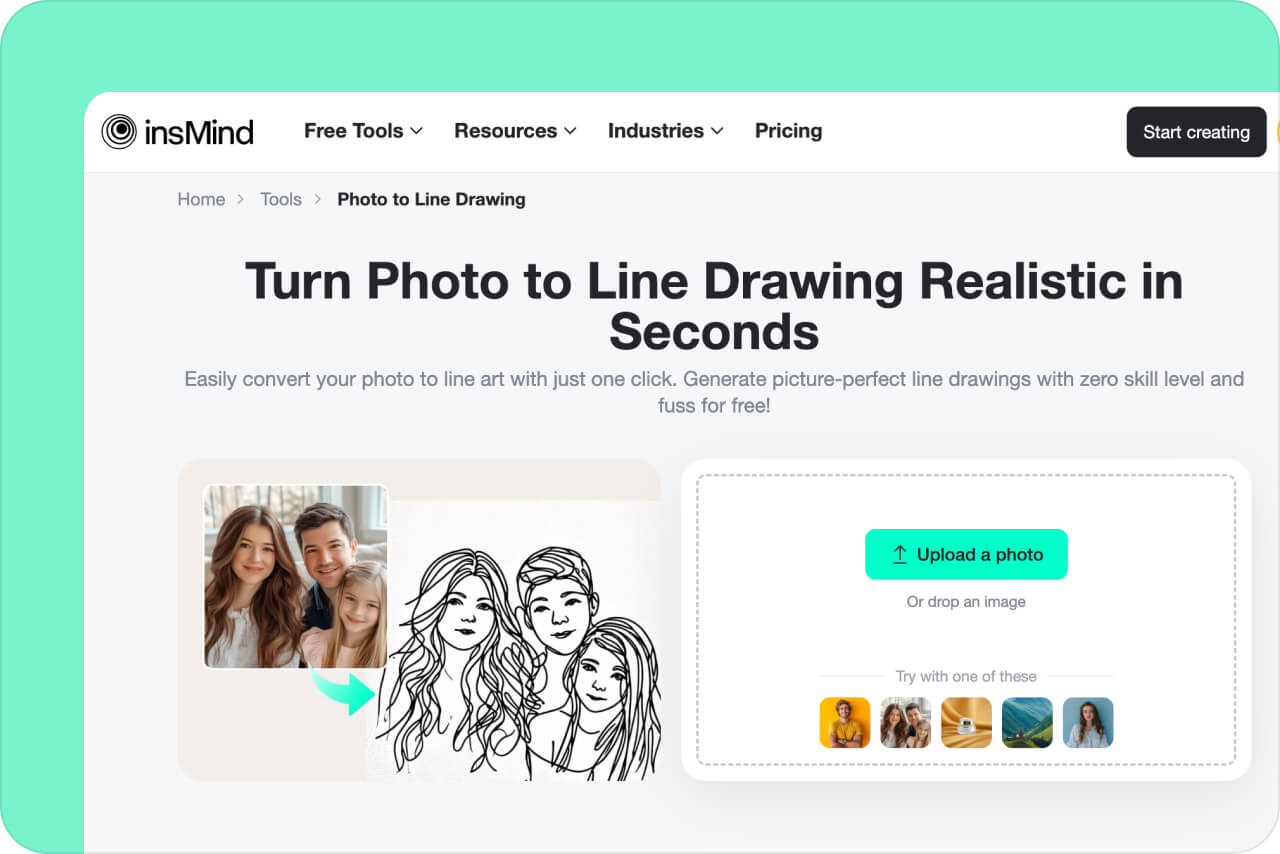
Schritt 1. insMind öffnen
1

1 Schritt 1. insMind öffnen

Öffnen Sie die insMind-Anwendung in einem Webbrowser. Registrieren Sie sich oder melden Sie sich an, um kostenlosen Zugang zu den insMind-Tools zu erhalten.
Schritt 2. Ihr Foto hochladen
2

2 Schritt 2. Ihr Foto hochladen

Klicken Sie auf "Upload a photo" (Foto hochladen), um ein Bild von einem lokalen Speicherort auf Ihrem PC oder Handy auszuwählen. Alternativ können Sie das Bild auch direkt per Drag & Drop auf die insMind-Oberfläche ziehen, um es hochzuladen.
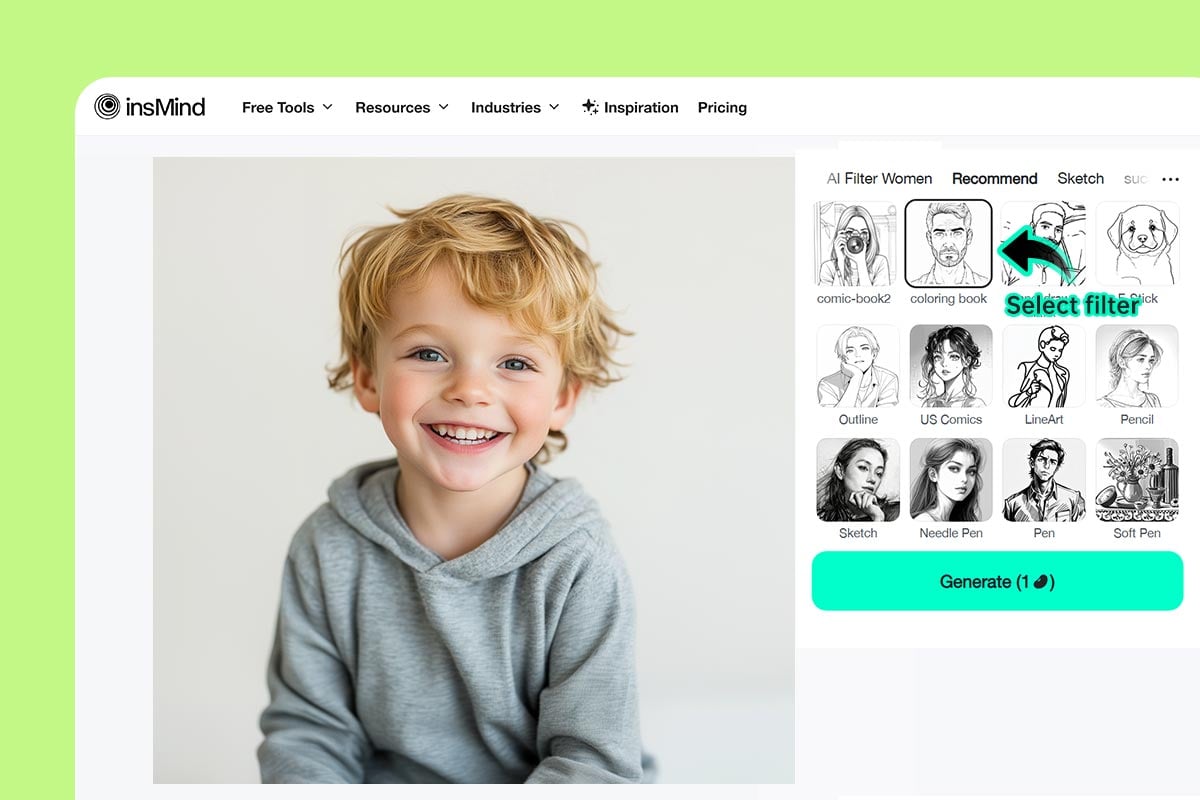
Schritt 3. Strichzeichnungs-Filter auswählen
3

3 Schritt 3. Strichzeichnungs-Filter auswählen

Das Bild wird im Editor von insMind geöffnet. Wähle dann aus verschiedenen KI-Filtern wie LineArt, Linienzeichnung, Malbuch, Umriss, Comic und mehr. Klicke auf „Generieren“, um zu starten.
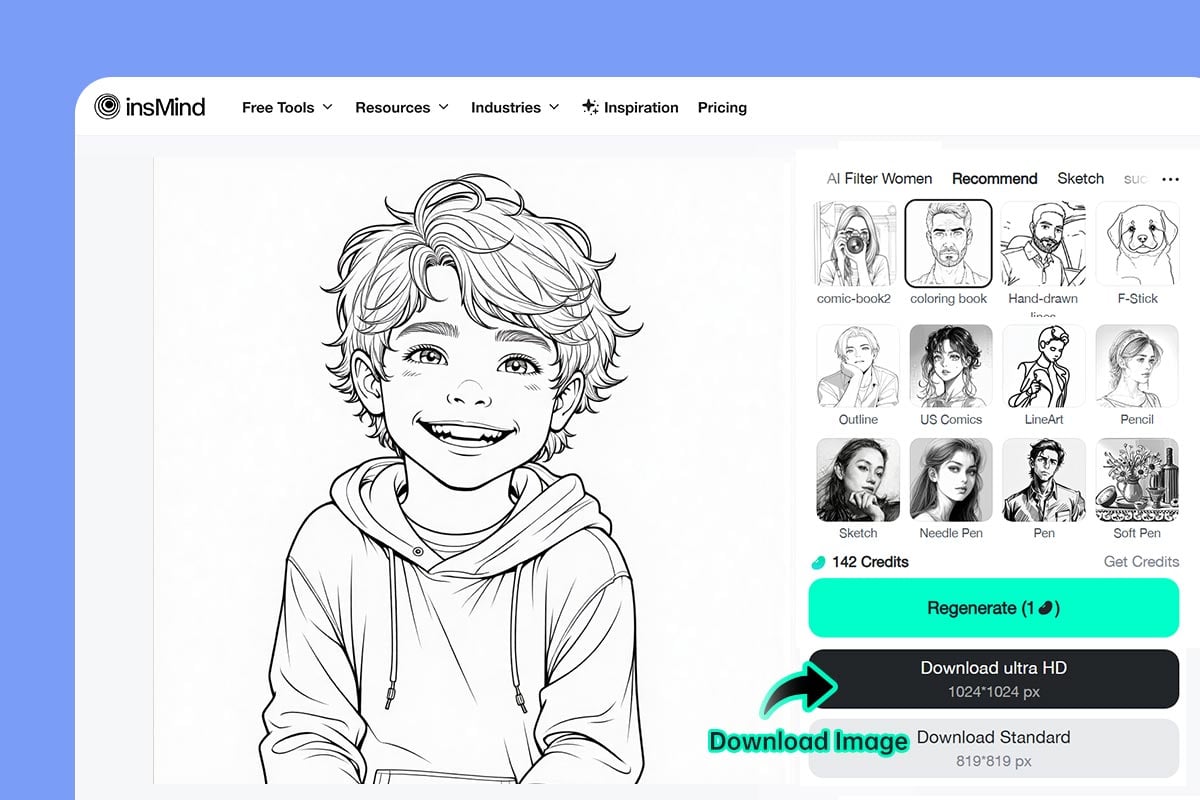
Schritt 4. Bild herunterladen
4

4 Schritt 4. Bild herunterladen

Das Bild wird sofort in eine Linienzeichnung umgewandelt. Um es zu speichern, klicke auf die Schaltfläche „Herunterladen“.

Fotos in Strichzeichnungen umwandeln

Wenden Sie AI-Filter an, um Ihre Fotos im Handumdrehen in Strichzeichnungen zu verwandeln. Ob für Marketingzwecke oder soziale Konten, verleihen Sie Ihrer Arbeit eine einzigartige Note und Finesse. Erfassen Sie jedes Detail mit bemerkenswerter Präzision und Genauigkeit und heben Sie so Ihre Marke hervor.
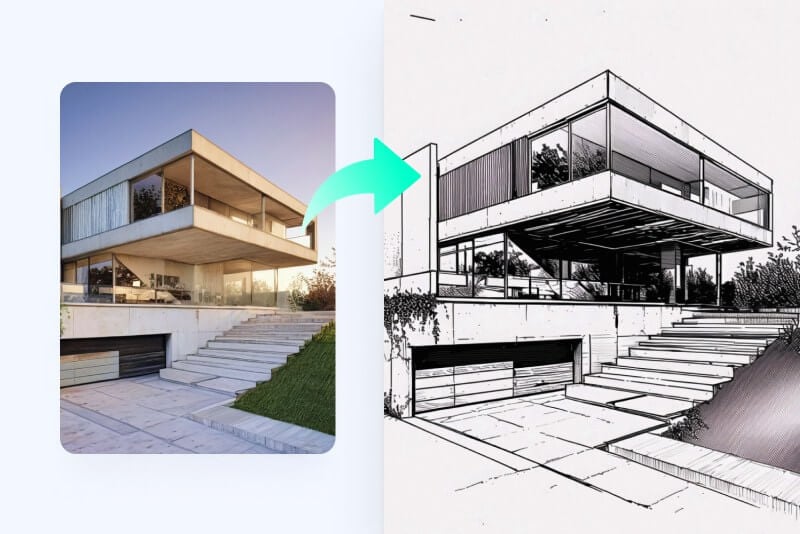
Künstler

Künstler

Sparen Sie sich die Zeit und wandeln Sie Ihre Fotos sofort in Strichzeichnungen um. Erzeugen Sie in Sekundenschnelle lebensechte künstlerische Skizzen.
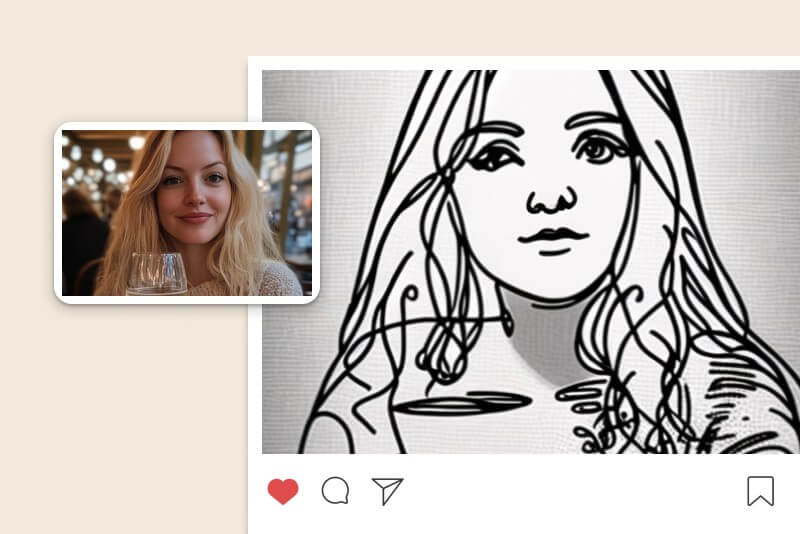
Soziale Medien

Soziale Medien

Verwandeln Sie Ihre Fotos in fantasievolle und künstlerische Bilder für Social Media. Nutzen Sie den AI-Strichzeichnungs-Filter, um lebensecht skizzierte Bilder zu posten.
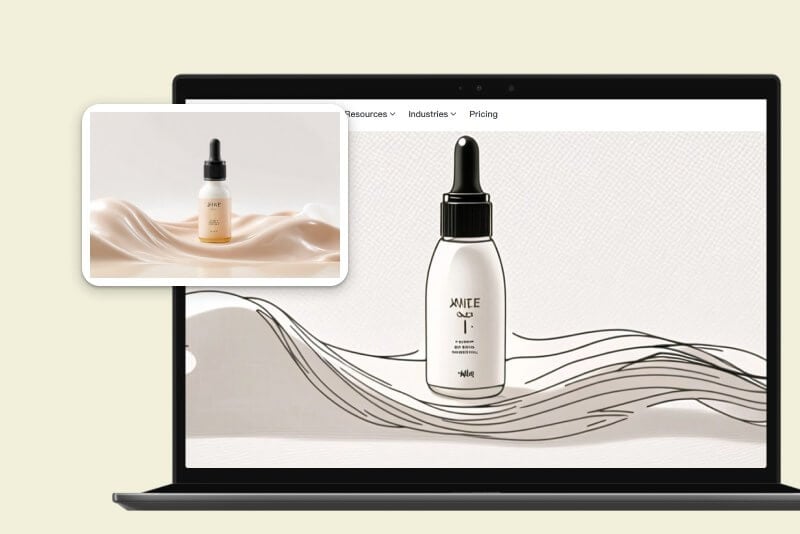
Für Unternehmen

Für Unternehmen

Seien Sie einzigartig mit Marketingtrends und probieren Sie Strichzeichnungen aus. Werden Sie erfinderisch und erzeugen Sie kunstvolle Marketing Visuals.
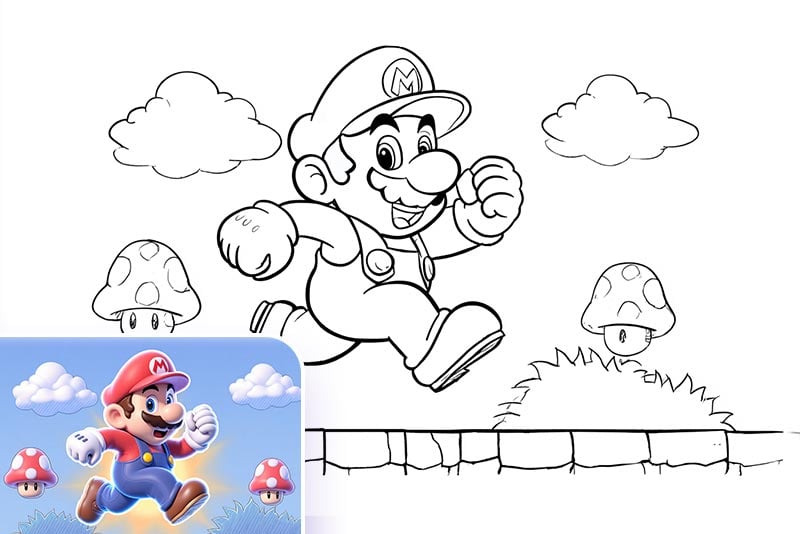
Ausmalbilder für Kinder erstellen

Ausmalbilder für Kinder erstellen

Verwandle ein Bild in eine Linienzeichnung, drucke es aus und erstelle eine Ausmalseite für deine Kinder! Ob Porträt, Tier, Fahrzeug, Superheld oder Gebäude – unser Bild-zu-Kontur-Konverter macht es einfach, jedes Foto in eine druckbare Ausmalvorlage zu verwandeln. Ein perfektes, personalisiertes Geschenk zum Geburtstag oder eine kreative Beschäftigung für Kinder.
Tattoo-Design-Vorlage

Tattoo-Design-Vorlage

Du kannst Fotos in Umrissskizzen umwandeln, die als Vorlage für Tattoos dienen. Verwandle deine Lieblingsgrafik, -figur oder jedes Bild in eine saubere Linienzeichnung und zeige sie deinem Tätowierer, um deine Idee in Tinte umzusetzen.
Minimalistische Kunst für Familie und Freunde

Minimalistische Kunst für Familie und Freunde

Verwandle Familienfotos, Selfies, Haustiere oder berühmte Landschaften in Linienzeichnungen. Nutze sie als gerahmte Wanddekoration oder als bedeutungsvolles Geschenk für Freunde. Unser KI-Generator für Linienkunst macht jedes Bild einzigartig und besonders.

Was unsere Nutzer sagen

Warum Sie den insMind Foto-zu-Strichzeichnungskonverter wählen sollten?

Diverse AI-Filter

Diverse AI-Filter

Verwandeln Sie Ihr Foto mithilfe einer Bibliothek von AI-Filtern im Handumdrehen in eine tolle Strichzeichnung. Erzeugen Sie schöne und fantasievolle Bilder mit einfach zu bedienenden Filtern.

Schnelle Verarbeitungsgeschwindigkeit

Schnelle Verarbeitungsgeschwindigkeit

Verwandeln Sie Ihre Bilder im Handumdrehen. Mit der ultraschnellen Verarbeitungsgeschwindigkeit steigern Sie Ihre Produktivität und erwecken Ihre fantasievollen Visionen zum Leben.

Realistisch und hochwertige Qualität

Realistisch und hochwertige Qualität

Erzeugen Sie in Sekundenschnelle gestochen scharfe Strichzeichnungen. Überlassen Sie es der KI, auf Ihre Vorstellungskraft aufzubauen und realistische, hochwertige Skizzen zu erstellen.

FAQs über Foto-zu-Strichzeichnungs-Konverter

Kann ich ohne Photoshop eine Strichzeichnung erstellen?

insmind expand icon
Ja. Generieren Sie mit insMind Strichzeichnungen aus regulären Bildern. insMind ist schnell, kostenlos und ein großartiges künstlerisches Werkzeug, mit dem Sie Ihre kreative Seite ausleben können.

Was bringt es mir, Fotos in Strichzeichnungen umzuwandeln?

insmind expand icon
Strichzeichnungen werden in der Kunst, in den sozialen Medien und in der Werbung häufig verwendet, um das Publikum anzusprechen. Konvertieren Sie Fotos in Strichzeichnungen, um einen künstlerischen Effekt zu erzielen, und verwandeln Sie sie in lebensechte Skizzen, die Details kreativ hervorstechen lassen.

Gibt es ein kostenloses Tool, um Fotos in Strichzeichnungen zu konvertieren?

insmind expand icon
Ja. Testen Sie insMind, um Fotos kostenlos in Strichzeichnungen zu konvertieren. Es bietet kostenlose künstlerische Effekte, mit denen Sie in Sekundenschnelle hochwertige Bilder erzeugen können.

Kann insMind realistische Strichzeichnungen aus Fotos erzeugen?

insmind expand icon
Ja. insMind kann jedes Bild in eine Linienzeichnung umwandeln — Querformat oder Hochformat, alles ist möglich. Laden Sie einfach Ihr Bild hoch und wählen Sie den AI-Strichzeichnung-Filter - alles Weitere übernimmt die KI.

Wie kann ich auf dem Handy ein Bild in eine Strichzeichnung umwandeln?

insmind expand icon
insMind ist handygerecht und leicht über die Website zugänglich. Rufen Sie insMind einfach über den Browser Ihres Smartphones auf, laden Sie Ihr Bild hoch und wandeln Sie es ganz leicht in eine Strichzeichnung um, egal wo Sie sich gerade befinden.

Wie viele Skizzenstile unterstützt insMind?

insmind expand icon
insMind unterstützt über 15 Skizzen- und Linienzeichenstile, darunter Outline, US Comics, LineArt, Bleistift, Skizze, Nadelfeder, Feder, Weiche Feder, Comic, Retro, Holzschnitt, Kohle und mehr. Jeder Stil hebt einzigartige Details hervor und bietet eine besondere künstlerische Ästhetik für verschiedene kreative Anforderungen.

Warum ist das Foto-zu-Zeichnung-Tool von insMind besser als andere?

insmind expand icon
insMind hebt sich in mehreren wichtigen Punkten von anderen Tools ab. Erstens unterstützt es die meisten Zeichenstile – über 15 –, während die meisten anderen Tools nur ein oder zwei anbieten. Zweitens ist das Ergebnis hochwertig und bewahrt die ursprünglichen Gesichtszüge mit künstlerischen Details. Drittens ist es schnell und benutzerfreundlich – selbst Anfänger können ein Foto in nur 2 Sekunden in eine Zeichnung umwandeln. Insgesamt wurde insMind von über 10 Millionen Nutzern getestet und übertrifft regelmäßig die Konkurrenz.

Das könnte dich auch interessieren
Bring deine Bilder zum Strahlen - mit kostenlosen AI-Features.