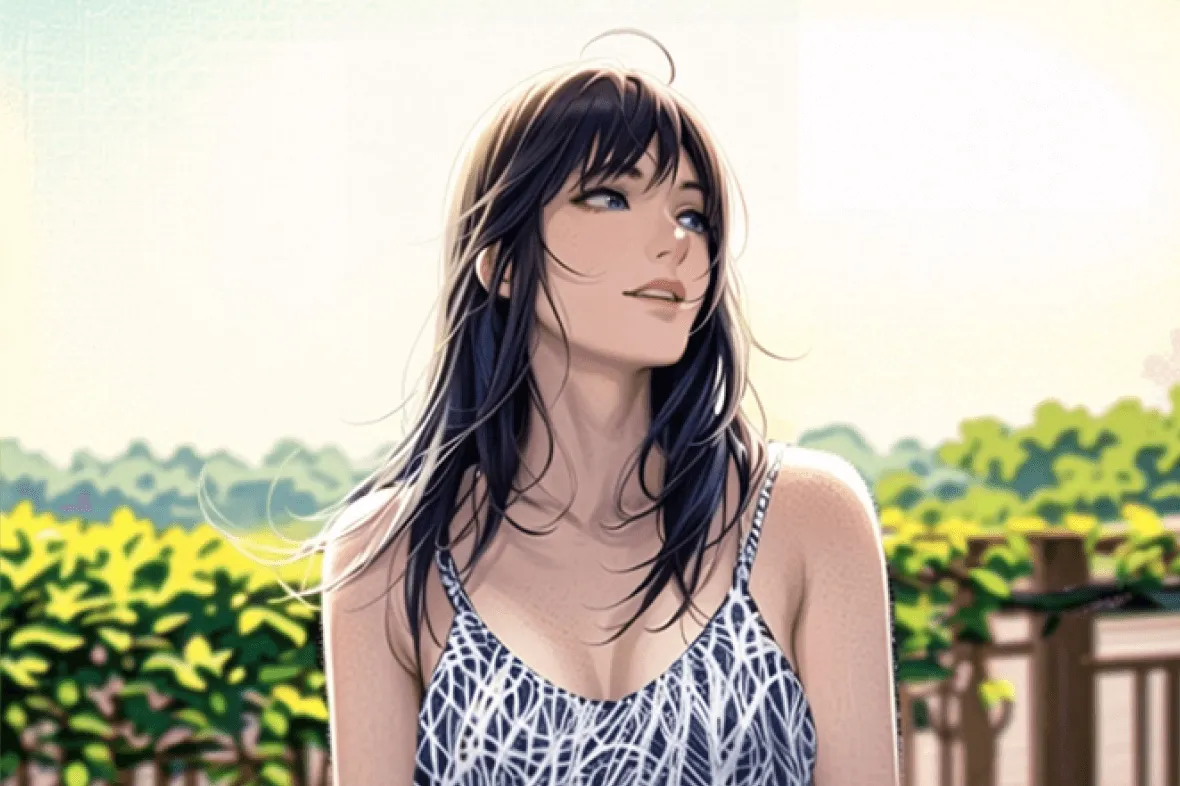
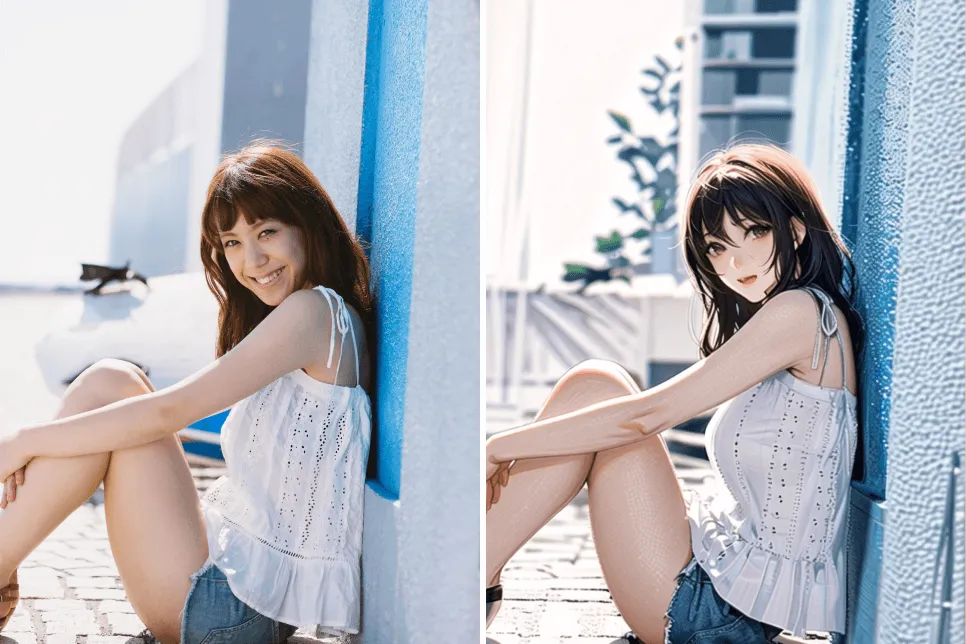
Obraz AI
Wideo AI
Edytor zdjęć
Zasoby
InspiracjeWycena

Przekształć Zdjęcia w Sztukę Anime Za Darmo Online w Jednym Kliknięciu

Przekształć swoje zdjęcia w postacie w stylu anime za pomocą naszego darmowego konwertera zdjęć na anime AI. Zastosuj efekty sztuki anime, aby nadać zdjęciom unikalny i artystyczny charakter.

Przekształć Zdjęcia w Sztukę Anime Za Darmo Online w Jednym Kliknięciu
Po
Zanim
Lub upuść obraz tutaj, wklej obraz lub adres URL
Spróbuj z jednym z tych
insMind AI Crying Filter Próbka 1
insMind AI Crying Filter Próbka 2
insMind AI Crying Filter Próbka 3
insMind AI Crying Filter Próbka 4

Wygeneruj podobne

Subject: The main character in the picture. Expression: An anthropomorphic expression, with the mouth wide open, revealing teeth, canine teeth and tongue. The eyes are narrowed, looking disdainfully at the camera. Style: An exaggerated portrait painting in a digital painting style, combining expressionist brushstrokes. Texture: Has distinct brushstroke textures, as if it was quickly applied with rough oil paints or acrylic brushes. Detail depiction: The details are very realistic, such as hair, teeth, a moist nose and the inside of the mouth, but the overall structure and expression are highly exaggerated to achieve a humorous effect. Posture: Frontal shot, profile view Background: Solid color background
Subject: The main character in the picture. Expression: Extremely angry / Exaggerated anger. Furrowed brows, wrinkled forehead, dilated nostrils, mouth wide open and revealing clenched teeth, facial muscles completely contracted. Looking at the camera. Pose: One-to-one replication of the main character in the picture. Costume: One-to-one replication of the character's costume. Style: Exaggerated portrait painting in a digital painting style, combining expressionist brushstrokes. Texture: Has distinct brushstroke textures, as if it was quickly applied with rough oil painting or acrylic brushes, especially the background and clothing parts. Character style: Satirical caricature style, extremely exaggerated features (big mouth, big teeth, big eyes, big nose), funny expression, proportion: The head is significantly enlarged, the proportion is distorted, while the body is relatively smaller. Facial features: The facial muscles are extremely exaggerated, there are deep expressive lines around the eyes and mouth. Detail depiction: Skin texture, pores, teeth and other details are depicted very realistically, but the overall proportion and expression are exaggerated to a great extent. Lighting: Uses dramatic and intense contrast of light and shadow, highlighting the three-dimensionality of the character's face and the tension of the emotions. Posture: Frontal, portrait Background: Abstract and rough blue-green and orange/brown brushstrokes form the background, without specific environmental depiction, completely focusing on the character.
Character: The main figure in the picture. Core: An exaggerated comic with a wedding photo theme. Style: A highly exaggerated cartoon comic style, presented through digital painting. Head: Both of their heads are significantly enlarged, with distorted proportions, while the bodies are relatively smaller. Facial features: The facial muscles are extremely exaggerated, with deep expressive lines around the eyes and mouth, a very large and prominent nose, and very large teeth. Expression: An extremely exaggerated and joyful wide-open mouth laugh, with bulging eyes, fully matching the joyful mood in the reference image. Both are looking directly at the camera. Light and details: Sharp highlights on the forehead, nose, and cheekbones, contrasting with deep, smooth shadows to emphasize the exaggerated contours. Clean, smooth digital brush strokes. Background: A pure white background, with two red hearts decorating the gap between the two heads. Appearance: A one-to-one replica of the main character in the picture. Costume: The bride is wearing a white strapless wedding dress with a veil, and the groom is wearing a black tuxedo with a bow tie. Posture: Full body, both looking at the camera, the groom holding the bride like a princess, and the bride holding a red rose bouquet of flowers.
Main character: The person in the picture Art style: Exaggerated cartoon style. Bright colors, bold outlines. Character blush. Proportion: The heads are significantly enlarged and the proportions are distorted. Facial features: Exaggerated processing based on the facial features of the reference figure, exaggerated facial muscles, extremely exaggerated facial features (big mouth, big teeth, big eyes, big nose), funny expressions. Expression: Reproduce the main character's expression in the picture and exaggerate it. Facing the camera. Hair: Reproduce the hairstyle of the main character in the picture. Clothing: Exactly the same as the main character's clothing in the picture. Background: Solid color background. Light and details: Styled highlights and shadows, highlighting the facial contours, with the typical smooth texture of digital painting. Posture: Affectionate action, head touching head, looking at the camera, half-length portrait
Subject: The main figure in the picture. Core: A high-resolution real photo showing a couple standing beside a framed painting hanging on the wall. The center of the picture features a large black-framed portrait. The content is an exaggerated caricature style of the main character: extremely exaggerated facial features (big mouth, big teeth, big eyes, big nose), with a funny expression. Portrait: Black simple border (no white border), style: highly exaggerated cartoon comic style, presented by digital painting. Head: Both people's heads are significantly enlarged, with distorted proportions, while the body is relatively smaller. Facial features: Facial muscles are extremely exaggerated, there are deep expressive lines around the eyes and mouth, the nose is very large and prominent, and the teeth are also very big. Comic expression: Extremely exaggerated, joyful mouth wide open laughter, eyes bulging, fully matching the joyful mood in the reference image. Both are looking directly at the camera. Light and details: Sharp highlights on the forehead, nose, and cheekbones, contrasting with the deep, smooth shadows to emphasize the exaggerated contours. Clean, smooth digital brushstroke texture. Low saturation blue as the background of the portrait. Style: One-to-one replication of the main figure in the picture Clothing: One-to-one replication of the main character's clothing Photo scene: Indoor, with warm decoration, warm yellow background wall Posture: The main figure stands in front of the portrait, looking at the camera, with one hand raised in front of the chest pointing at the portrait on the wall. Warm lighting, natural integration of light and shadow, clear image quality, 8K
Subject: The main character in the picture. Art style: Exaggerated cartoon style. Head: The head is enlarged while the body is relatively small. Facial features: Exaggerated facial muscles, exaggerated facial lines, and a large nose. Expression: Reproduce the expression of the main character in the picture and exaggerate it. Looking at the camera. Family name: Exactly the same as the appearance of the main character in the picture. Attire: One-to-one reproduction of the main character's outfit in the picture. Background: Solid color background. Lighting and details: Stylized highlights and shadows, highlighting the facial contours, with a smooth feel typical of digital painting. Pose: Frontal half-length portrait
Retain all the details of the image and convert it to color.
Use the character from the uploaded image exactly as it appears — keep all features, colors, proportions, and style unchanged. Create a four-panel comic/storyboard with each panel showing a different scene of the character. Maintain the same cartoon art style as the reference image. Add speech bubbles/dialogues for the character in each panel, appropriate to the story. Ensure visual continuity: same background style, color palette, and lighting consistent across all panels. Focus on clear composition, expressive poses, and readable dialogue. Output: four distinct panels forming a coherent story.
Refer to Figure 2 and convert the style of Figure 1
Generate a set of powerful 3-panel Japanese anime storyboards by referring to the image
Polaroid 2:3 photo: IMG1 person and IMG2 cartoon character hugging like friends, smiling and laughing, heads close together, looking at the camera, hips-up; original clothes; white-curtain background; cartoon character’s arms naturally around person, proportions adjusted for natural interaction; subtle shadowing for depth; strong flash, slight overall blur, soft light vignette, no omissions; no face-swap, no distortion; classic white-border Polaroid, flat on white table, back flush, 90° top-down, zero tilt, no extras.
Optimize the line drawing, transform it into a Japanese anime style and color it to add a campus background
Young Millionaire Photo to Anime Cartoon
Mother's Day Disney Filter
Disney Style Mother Holding Baby
Cute Cartoon Boy
Cute Cartoon Boy
Cute Cartoon Boy
Attractive Anime Girl Filter
A girl in a blue shirt and black jacket sitting at a table with coffee and drinks, A steampunk-style background featuring intricate gears, brass pipes and glowing lights illuminating the scene. A desk with mechanical tools is in sharp focus while surrounding walls display vintage timepieces and cogs.
depicting futuristic cities with towering skyscrapers made from metallic gold and green hues. Include flying cars and high-tech elements to create a sense of wonder in space and cyberpunk aesthetics.
Beautiful Anime Girl
A cute cartoon black cat is lying in the box, yellow eyes, pink ears
Przekształć Swoje Selfie i Portrety w Anime

Przekształć Swoje Selfie i Portrety w Anime

Przekształć swoje selfie i portrety w urocze postacie anime. Inteligentne narzędzie AI Anime Filter przekształci zdjęcia w anime za pomocą naszego zaawansowanego konwertera zdjęć na anime. Nasze narzędzie skanuje twoją twarz i używa różnych stylów anime, aby zdjęcia były przyjemniejsze.

Bez względu na to, czy chcesz stworzyć zabawną wersję siebie, czy swoich przyjaciół, nasz konwerter zdjęć na anime AI zapewnia niesamowite, wysokiej jakości wyniki szybko i łatwo. Wypróbuj teraz.

Spróbuj teraz
Przekształć Zdjęcia Krajobrazowe w Anime Online w Sekundy

Przekształć Zdjęcia Krajobrazowe w Anime Online w Sekundy

Twórz zapierające dech w piersiach zdjęcia krajobrazowe w stylu anime za pomocą konwertera anime. Możesz przekształcić zdjęcia krajobrazowe w anime online w kilka sekund, używając naszego darmowego konwertera zdjęć na anime. Spraw, aby Twoje ulubione, piękne krajobrazy wyglądały jak w anime lub kreskówce.

Chcesz spokojnych lasów czy zatłoczonych miast? Nasze filtry anime mogą przekształcić każde zwykłe zdjęcie w unikalne dzieło. Nasze świetne narzędzie przekształci twoje zdjęcia w sceny anime z żywymi kolorami, detalami i humorystycznymi teksturami.

Załaduj swoje zdjęcie
Świętuj Swoje Włochate Przyjaciół z Filtrami Anime

Świętuj Swoje Włochate Przyjaciół z Filtrami Anime

Baw się, wyrażając swoją miłość do zwierząt domowych za pomocą naszych filtrów anime! Nasze filtry sprawią, że zdjęcia Twoich zwierzaków będą wyglądały jak z kreskówki, odzwierciedlając ich zabawny i uroczy charakter. Te filtry sprawią, że Twoje zwierzęta będą wyglądały unikalnie i wywołają niezapomniane wrażenia. Naszym celem jest, aby Twoje zwierzęta wyglądały jak one same, ale z akcentem anime, aby były niezapomniane, ale jeszcze fajniejsze!

Eksploruj różne filtry anime dla zwierząt, aby znaleźć idealny wygląd dla swoich futrzanych przyjaciół. Dzięki insMind możesz cieszyć się zabawą i kreatywnością, przekształcając zdjęcia swoich zwierząt w zachwycające dzieła sztuki anime. Świętuj swoje zwierzęta z unikalną sztuką anime i podziel się radością z przyjaciółmi i obserwatorami.
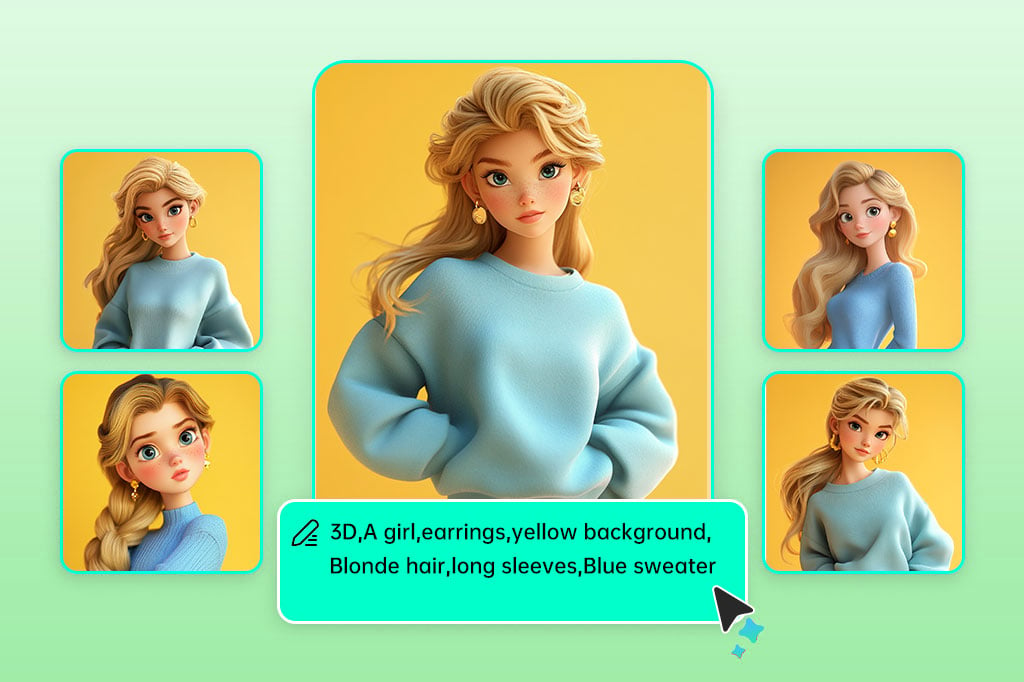
Załaduj swoje zdjęcie
Twórz Sztukę Anime Z Pomocą Naszego Narzędzia AI

Twórz Sztukę Anime Z Pomocą Naszego Narzędzia AI

Pozwól generatorowi AI anime ożywić Twoje marzenia o anime z dowolnego zdjęcia lub fotografii. Na przykład wystarczy, że opiszesz scenę anime lub postać, którą chcesz, a nasze unikalne urządzenia stworzą arcydzieło sztuki anime z Twojego pomysłu. Ciesz się tworzeniem anime i pozwól, by Twoja kreatywność szalała.
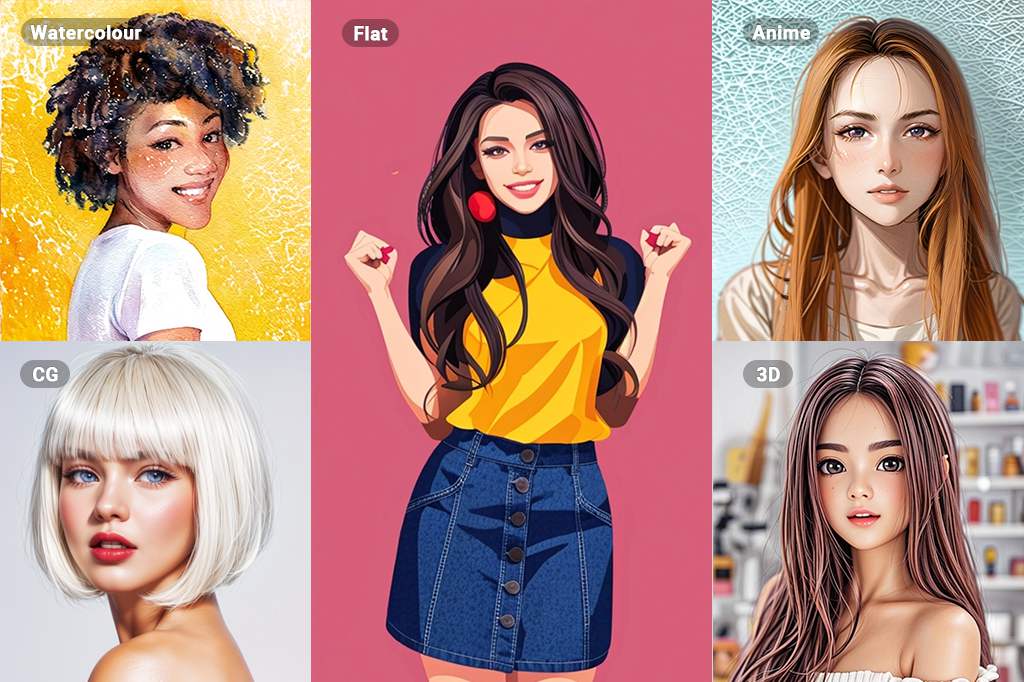
Załaduj swoje zdjęcie
Odkrywaj jeszcze więcej z dziesiątkami filtrów AI

Odkrywaj jeszcze więcej z dziesiątkami filtrów AI

Odkryj nowe metody innowacji dzięki niezliczonym, różnorodnym możliwościom filtrów AI. Pozostając przy sztuce, nasze filtry obejmują stare-style szkice, rysunki, a także nowoczesne akwarele, olejne malarstwo, 3D, filtry anime i wiele innych. Przekształć zdjęcia w obrazy i sztukę jednym kliknięciem.

Załaduj swoje zdjęcie

Odkryj Więcej Funkcji Konwertera Zdjęć na Anime

Jak Przekształcić Zdjęcie w Anime z insMind?

Krok 1: Uzyskaj Dostęp do Konwertera AI Anime
1

1 Krok 1: Uzyskaj Dostęp do Konwertera AI Anime

Przejdź na stronę insMind i znajdź narzędzie AI Anime Maker. To fajne narzędzie pozwala na przekształcenie zwykłych zdjęć w piękne zdjęcia w stylu anime.
Krok 2: Załaduj swoje zdjęcie
2

2 Krok 2: Załaduj swoje zdjęcie

Wybierz i załaduj zdjęcie, które chcesz przekształcić w anime.
Krok 3: Wybierz Filtr Anime
3

3 Krok 3: Wybierz Filtr Anime

Wybierz filtr anime z dostępnych opcji, aby przekształcić swoje zdjęcie w obraz w stylu anime.
Krok 4: Pobierz i podziel się
4

4 Krok 4: Pobierz i podziel się

Po zakończeniu konwersji pobierz nowo utworzony obraz w stylu anime. Możesz teraz go udostępnić lub używać zgodnie z potrzebą.

Odkryj Różne Sposoby Użycia Filtrów Anime

Sztuka anime, szczególnie, pozwala ludziom w każdym wieku wyrażać siebie w bardziej kreatywny sposób. Umożliwia wybór, przygodne wyobrażenia oraz ogólną kreatywną zabawę i ekspresję, a tym samym twórczość.
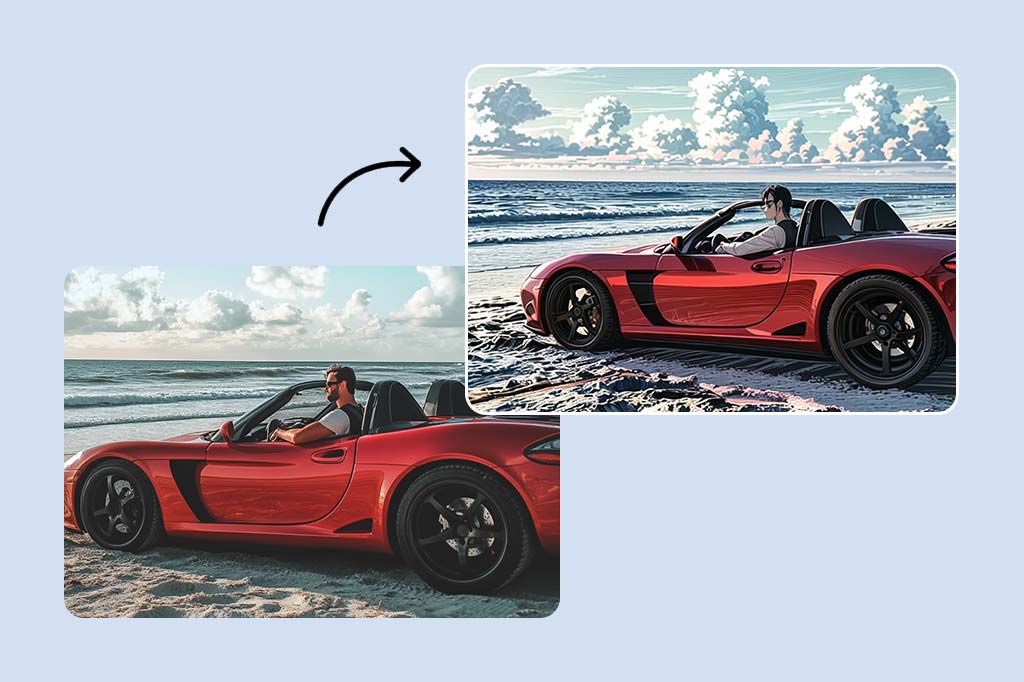
Media Społecznościowe

Media Społecznościowe

Sztuka anime z naszego narzędzia online do przekształcania zdjęć na anime to świetny sposób na wyrażenie siebie na platformach społecznościowych. Opublikuj swoje świetne dzieła sztuki anime na tablicach znajomych i obserwujących, stwórz nową grupę lub dyskutuj z osobami o podobnych zainteresowaniach.
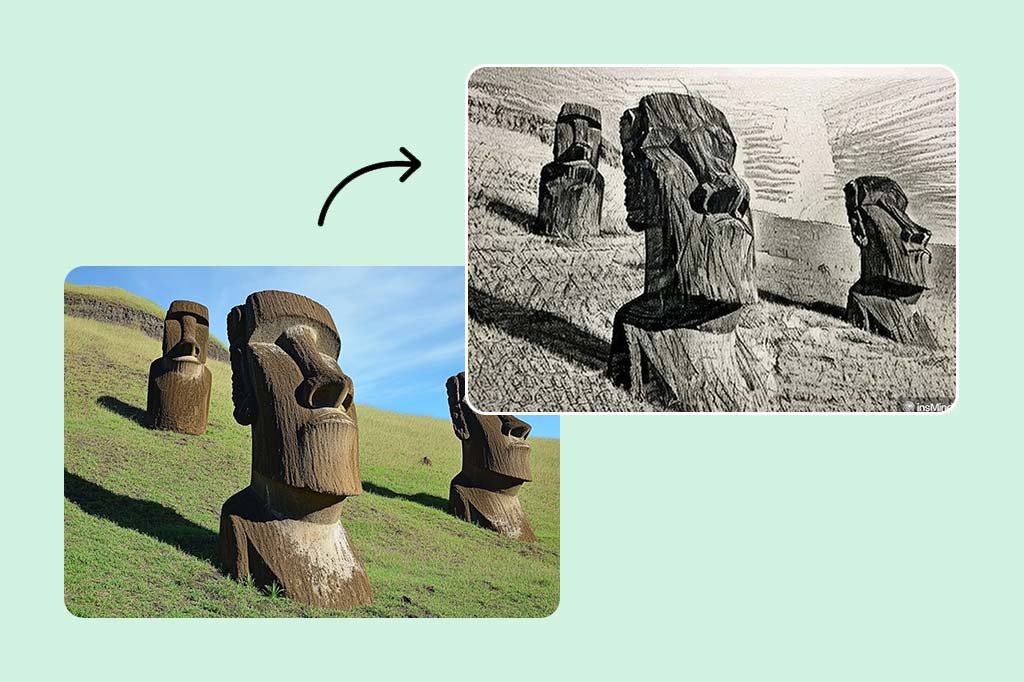
Fotografia

Fotografia

Użyj konwertera zdjęć na anime, aby ulepszyć swoją fotografię za pomocą efektów anime. Baw się, wyglądaj atrakcyjnie i wyrażaj siebie poprzez filtry i efekty anime na swoich zdjęciach. Eksperymentuj z różnymi stylami i podejściami, aby pokazać swoją kreatywność i talent.
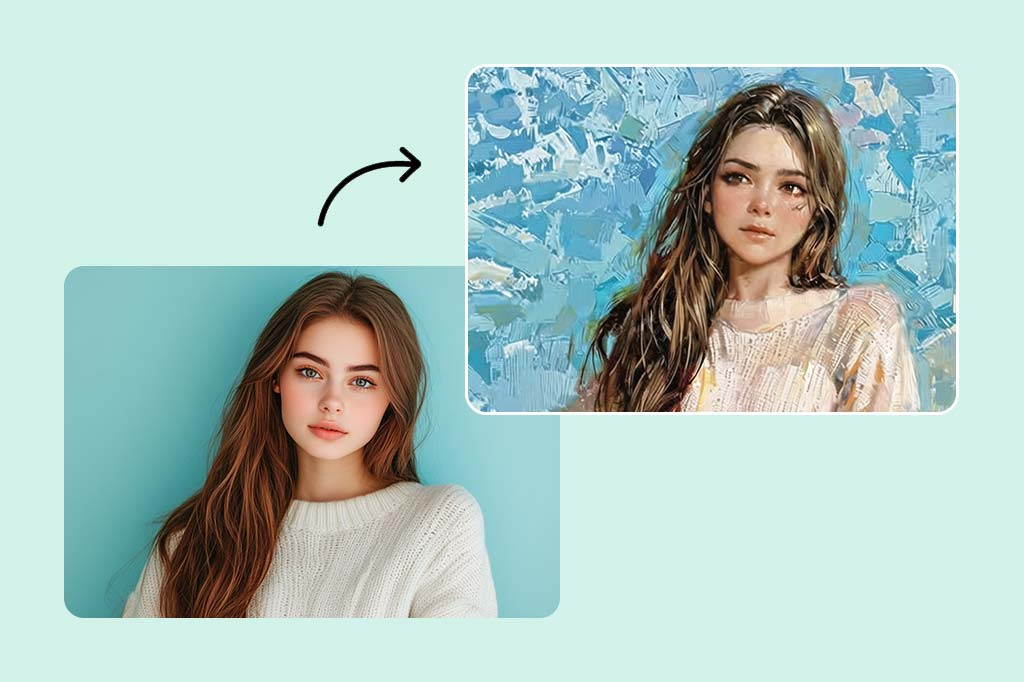
Wyrażanie Siebie

Wyrażanie Siebie

Sztuka anime może być doskonałym sposobem wyrażenia siebie. Jeśli jesteś artystą, narysuj swoje pomysły na papierze, a jeśli nie próbowałeś tego wcześniej, spróbuj stworzyć sztukę anime; to ekscytujący sposób opowiadania historii i wyrażania emocji.

Dlaczego Wybrać Konwerter Zdjęć na Anime od insMind?

Szybkie i łatwe efekty anime

Szybkie i łatwe efekty anime

Za pomocą naszego inteligentnego twórcy AI anime możesz teraz natychmiast przekształcić swoje zdjęcia w sztukę anime bez zbędnych trudności. Kilka opcji pozwala użytkownikom uzyskać szybkie wyniki bez kompromisów w kwestii jakości.

Wysoka rozdzielczość

Wysoka rozdzielczość

Zadbaj o to, by Twoje obrazy nie zostały zniekształcone, korzystając z naszej wysokiej rozdzielczości. Korzystając z naszego narzędzia, ostrość i szczegóły Twoich dzieł anime mogą być łatwo zachowane, niezależnie od powiększenia lub druku.

Wiele różnych stylów anime

Wiele różnych stylów anime

Wybierz styl anime dla swoich zdjęć z ogromnej liczby dostępnych stylów i filtrów w naszym katalogu. Bez względu na to, czy style są tradycyjne, czy nowoczesne, jest wiele możliwości na wyrażenie siebie i bycie unikalnym.

Frequently Asked Questions

Co to jest twórca zdjęć na anime?

insmind expand icon
Konwerter zdjęć na anime to narzędzie, które używa technologii AI do przekształcania Twoich zwykłych zdjęć w piękne obrazy w stylu anime.

Jak zmienić zdjęcie na anime za pomocą twórcy zdjęć na anime od insMind?

insmind expand icon
Aby zmienić zdjęcie na anime za pomocą insMind, wystarczy dodać swoje zdjęcie na stronę, wybrać styl anime, który Ci się podoba, a następnie pozwolić AI wykonać resztę pracy. Możesz także dostosować wyniki do swojego stylu.

Czy twórca zdjęć na anime od insMind jest darmowy?

insmind expand icon
insMind oferuje darmową wersję swojego twórcy zdjęć na anime z podstawowymi funkcjami. Aby uzyskać więcej funkcji i sposobów dostosowywania, może być konieczne opłacenie lepszej wersji.

Jak długo trwa przekształcenie zdjęcia w anime?

insmind expand icon
Czas, jaki zajmuje przekształcenie zdjęcia w anime, zależy od tego, jak skomplikowane jest zdjęcie i jak zajęta jest strona. Jednak AI od insMind jest zaprojektowane, aby działać szybko.

Jakie rodzaje zdjęć mogę przekształcić w sztukę anime?

insmind expand icon
Możesz przekształcić wiele rodzajów zdjęć w sztukę anime, takich jak zdjęcia ludzi, krajobrazów, a nawet zwierząt. AI może obsługiwać różne typy i style zdjęć.

Może Cię Zainteresować

Ożyw swoje zdjęcia za pomocą funkcji, które są całkowicie bezpłatne.