ภาพ AI
วิดีโอ AI
โปรแกรมแก้ไขภาพ
ทรัพยากร
แรงบันดาลใจการกำหนดราคา

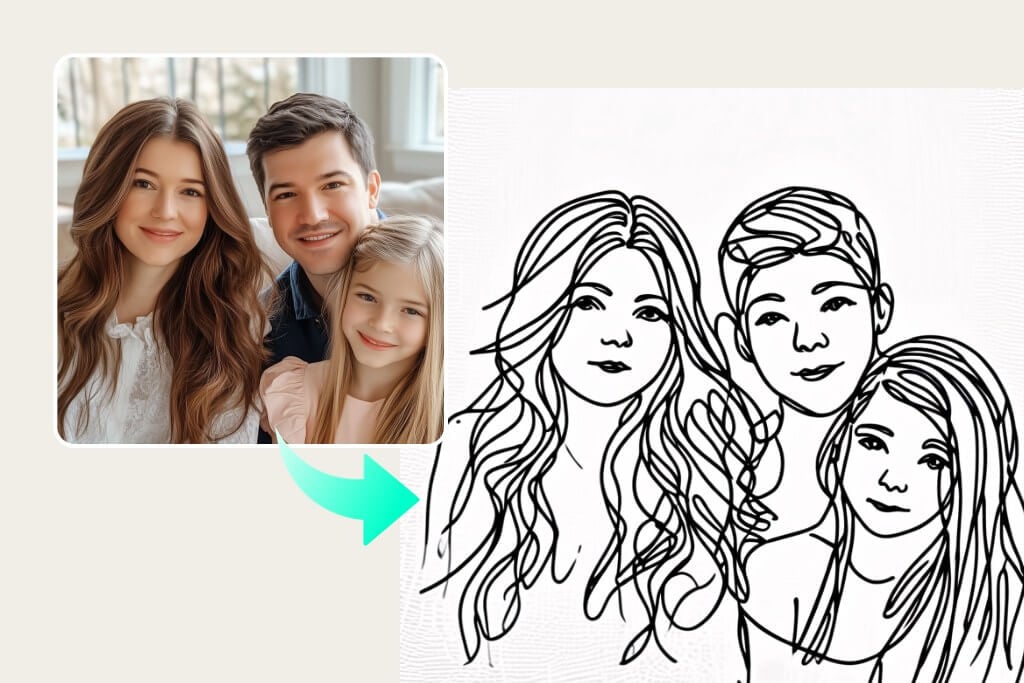
เปลี่ยนภาพถ่ายเป็นภาพวาดลายเส้นที่สมจริงได้ภายในไม่กี่วินาที

เปลี่ยนรูปภาพของคุณให้กลายเป็นภาพวาดลายเส้นได้อย่างง่ายดายภายในคลิกเดียว สร้างภาพวาดลายเส้นที่สวยงาม โดยไม่ต้องใช้ทักษะวาดรูปและไม่ยุ่งยากเลย!

เปลี่ยนภาพถ่ายเป็นภาพวาดลายเส้นที่สมจริงได้ภายในไม่กี่วินาที
หรือวางรูปภาพที่นี่ วางรูปภาพหรือ URL
ลองใช้สิ่งเหล่านี้ดู
ตัวอย่างฟิลเตอร์ร้องไห้ของ insMind AI 1
ตัวอย่างฟิลเตอร์ร้องไห้ของ insMind AI 2
ตัวอย่างฟิลเตอร์ร้องไห้ของ insMind AI 3
ตัวอย่างฟิลเตอร์ร้องไห้ของ insMind AI 4
ตัวอย่างฟิลเตอร์ร้องไห้ของ insMind AI 5

สร้างที่คล้ายกัน

{ "scene": { "type": "street_photography_cyber_surveillance_collage", "source_image": "user_uploaded_photo", "layout": "fragmented_collage", "elements": [ "full_body_shot", "detail_crops", "red_tactical_lines_connecting_elements", "CCTV_UI_overlays: bounding_boxes, telemetry_data, digital_HUD" ], "lighting": "natural_harsh_sunlight_late_afternoon, strong_contrast, long_diagonal_shadows", "background": "urban_paved_plaza, grey_concrete, tiled_pavement, sharp_focus" }, "subject": { "use_uploaded_image": true }, "camera": { "angle": "high_angle_surveillance", "lens": "35-50mm", "focus": "deep_focus", "composition": "main_image_plus_inset_detail_crops" }, "render": { "quality": "8K_ultra_HD, hyperrealistic, photoreal_high_fidelity, full_color, cool_urban_tones, vibrant_red_UI_accents", "aspect_ratio": "4:5", "resolution": "1440x1920", "post_processing": "high_sharpness, digital_grain, scanline_imperfections, red_vector_graphics_overlays (numbers 19 5 3 21 18 9 20 25, text CCWW, TR521, timecode 18/02, bounding_boxes with #83575// #25747//)" }, "theme": "urban_surveillance, tactical_data_visualization, candid_fashion_moment, cool_detached_observation, chaotic_data_stream, privacy_invasion_chic" }
Ultra-realistic digital illustration style, themed around the scene from the user-uploaded image, presenting the passage of the four seasons within a single, unified composition. From left to right, the image naturally transitions through winter, spring, summer, and autumn: The far left depicts winter, showing a cold, snow-covered environment. Gradually moving right, the snow melts, nature awakens, and fresh buds emerge, signaling a vibrant spring. Continuing further, vegetation becomes dense and lush under bright, intense sunlight, revealing the fullness of summer. Finally, the scene gently transitions into autumn on the far right, where leaves gradually turn golden yellow and orange-red, expressing the rich colors and atmosphere of fall. The entire image has no visible dividing lines; climate, lighting, and vegetation blend seamlessly between seasons, creating smooth transitions and forming a unified composition filled with a sense of time’s flow and symbolic meaning. Rich, highly realistic details, cinematic-quality lighting and shading, 8K ultra-high resolution, fine and delicate textures, 4:3 aspect ratio.
A highly detailed, photorealistic extreme low-angle photograph from ground level looking up, featuring the subject from the user-uploaded photo positioned at Shibuya Crossing. The subject appears at a colossal scale, crawling on their knees and reaching out to hold the top of a taxi with their left arm. To emphasize the immense scale, use strong foreshortening from ground level, showing the massive hand reaching toward the taxi. Bright sunny daylight illumination.
Make a photo in a perfectly isometric angle. It must be a realistic live-action photographic style, not illustration or CGI. It is not a miniature; it is a real captured photo that happens to be perfectly isometric. The photo shows a real-life office Christmas party.
Use the subject from the uploaded photo — including the subject’s actual gender — and apply an artistic red–blue double-exposure effect using two poses of the same person. Keep the base layer as the original pose and background exactly as in the uploaded photo. Generate a second pose where their head angle, facial direction, or expression is slightly different, as if captured a moment earlier or later. Color the second pose in red, the base pose in cyan, and offset the layers to create a clean ghosting effect. Preserve skin texture, tattoos, contrast, and maintain the original background.
Use the subject from the uploaded photo and transform it into a 1/7–scale premium ornament. Preserve the original shape, structure, and details of the product exactly as in the uploaded image (do not remove lids, change openings, or alter any design elements). Render it realistically with smooth, high-quality textures, clearly toy-like but not lifelike human skin. Hang this ornament on an indoor Christmas tree using a wide silk ribbon or string, ensuring it blends naturally with the branches. The scene should be warm and festive, filled with golden lights, ornaments, and a cozy Christmas glow. Ensure the product feels like a high-end collectible, fully integrated with the environment, with the image clean, clear, and focused on the ornament.
{ "scene": { "type": "aerial_drone_view", "perspective": "top-down, looking directly at the object from above", "background": { "type": "urban_cityscape", "lighting": "realistic daylight with natural shadows and reflections" } }, "subject": { "object_type": "large_luxury_shopping_bag", "material": "smooth, premium leather or high-quality glossy finish", "details": { "logo": "golden 'InsMind' embossed", "contents": "filled with products from user-uploaded images", "suspension": "hanging from a wide silk ribbon under a drone" }, "lighting": "soft and realistic highlights and shadows on the surface", "texture": "highly detailed, tactile, realistic reflections" }, "composition": { "framing": "ultra high-quality, professional, cinematic composition", "focus": "shopping bag in sharp detail, cityscape slightly blurred", "quality": "ultra-detailed, photorealistic, high-resolution rendering" } }
Use the nano pro model to generate a Christmas tree formed by deep green ribbons spiraling upward with smooth curves and a glossy, dimensional texture. Decorate the tree with the beauty products from the user-uploaded image, preserving their original appearance, colors, packaging, and printed details without alteration. Add silver Christmas balls, heart-shaped ornaments, a vintage pocket watch, and red-and-white candy canes as additional festive elements. The background should be a clean, rich red tone that feels premium and vibrant. Use soft, bright lighting to highlight the ribbon texture and showcase the beauty products clearly. Maintain a centered, balanced composition with a modern, celebratory visual style.
Use the animal from Image 1 as the subject. Use the tall product from Image 2 as the giant object. A bright, clean European-style living room corner with warm tones, soft textures, and elegant home décor. Top-down (slightly high-angle) perspective. Soft, bright ambient lighting. The animal from Image 1 stands upright on its hind legs, lifting its front paws to hold and cling onto the super-enlarged, vertically standing product from Image 2 (the product should be significantly taller than the animal). The animal slightly turns its head toward the camera, looking directly into the lens with a lively, natural, energetic expression. The product from Image 2 must receive lighting, reflections, shadows, and ambient bounce light consistent with the European-style living room, ensuring it visually blends into the environment naturally and convincingly. Clear textures, gentle color palette, warm atmosphere, natural shadows, harmonious scale contrast. Cute, fresh, soft-Japanese aesthetic blended with a European interior setting. High-resolution render, no additional characters, no extra props unless necessary for realism. This is an EDIT using the subjects from the uploaded images: – The animal identity, fur, and posture must follow Image 1. – The product appearance, material, and shape must strictly follow Image 2, with environmental lighting integration. – Background is new (European-style living room). – Keep composition consistent with a warm lifestyle photo.
Use the person from the user’s uploaded Image 1 holding a giant-sized version of the product from Image 2. Bright metal elevator interior, brushed stainless-steel texture, clean reflections, soft overhead lighting. Slight top-down camera angle from elevator ceiling corner. Fresh Japanese aesthetic: airy tones, gentle contrast, light desaturation, natural skin texture. The person’s expression and posture remain true to Image 1, but with natural, youthful energy, relaxed shoulders, lively eyes. The giant product should feel physically present with correct lighting, proportional shadows, and slight squeeze in the character’s arms to show weight. Elevator control panel and metal seams visible for realism. Overall atmosphere: playful, clean, bright, modern. This is an EDIT, not a new character. Preserve: facial identity, hairstyle, clothing style, and camera perspective from Image 1. Integrate giant product from Image 2 seamlessly into the person’s arms.
The Cat robot, presented in a high-contrast scientific studio render against a pure black void. This tight right-side profile features a false-color thermal X-ray aesthetic, where the transparent shell reveals a sharply detailed internal architecture of batteries, drivers, and sensors using a vibrant heatmap gradient. The colors shift from deep cool blues to intense yellows and red highlights, creating a futuristic, clinical look with orthographic perspective and a soft, neon-like glow.
Puppy nose close-up with a fisheye lens, exaggerated perspective, rounded frame, edges warped, playful expression, soft daylight, warm tones, social media viral style, background outside fisheye area completely black.no text
Comical selfie with an extreme fisheye lens, exaggerated nose and cheeks, circular bubble frame, flattering soft light, vibrant grading, slight vignetting, background outside fisheye is pure black, no text
A hyper-realistic fisheye wide-angle selfie, captured with a vintage 35mm fisheye lens creating heavy barrel distortion. without any camera or phone visible in the subject’s hands. Subject & Action: A close-up, distorted group photo featuring [Person From Uploaded Image] taking selfie with Jesus and Santa Claus. Everyone is making wild, exaggerated faces, squinting slightly from the flash. Lighting & Texture: Harsh, direct on-camera flash lighting that creates hard shadows behind the subjects. Authentic film grain, slight motion blur on the edges, and chromatic aberration. It looks like a candid, amateur snapshot as if captured during a chaotic behind-the-scenes moment, not a studio photo.
Extreme wide-angle remix EDIT. Use the original image as strict reference for the person’s identity, hairstyle, outfit style, and the SAME location type. This is an EDIT, not a new character. Generate a 4-panel grid (2×2). Each panel MUST have a different pose, angle, and near-lens body part. No repetition. Camera / Perspective Ultra-wide / fisheye (12–18mm). Dramatic angles required: worm’s-eye, bird’s-eye, low/high, Dutch tilt. Strong foreshortening: near-lens parts appear huge. Photorealistic fashion/street style. Background Keep SAME location; do NOT replace it. Different angles may show new areas—extend environment logically with matching structures, materials, colors, lighting. Near-lens Parts (1–2, sometimes 3) Each panel uses different parts: hands/fingers, feet/shoes, knees/thighs, face, shoulders/chest. Must come extremely close with clear texture and distortion. Pose / Body Each panel must have a UNIQUE dynamic pose: standing with limbs forward, crouching, sitting, lying with feet toward lens, leaning in, twisting, crossed legs, arched back. Complex combos allowed (hands+feet, both hands, both feet, face close with limbs in perspective). Anatomy must remain believable. Angle / Attitude Randomize orientation per panel (up/down/side/tilt). Keep cool, confident fashion/editorial or street vibe. Expressions can vary but must remain the same person. Lighting / Rendering Keep lighting/time consistent with original. You may enhance contrast/color. Maintain realistic shadows and ground contact. High-resolution, sharp textures. Variation (VERY IMPORTANT) All 4 panels must differ clearly: – different camera angles – different poses – different near-lens parts – different orientation Avoid ANY repeated composition. Strict Rules Do NOT change the person. Do NOT change outfit type. Do NOT move to another location. Do NOT add text/logos. Do NOT use illustration/anime; keep photorealistic.
A giant Christmas 3D billboard on the side of a modern building in a lively urban street adorned with festive Christmas lights, wreaths, and ornaments. On the 3D billboard is a confident woman (from attached image) wearing a festive yet fashion-forward outfit — glittery red jacket, green stylish scarf, patterned boots. She’s striking a playful pose, throwing a snowball that seems to come out of the billboard. Next to her, bold text styled like a luxury holiday slogan reads: “FROSTY & FABULOUS” with tagline "MAKE WINTER FUN". The 3D billboard combines high-fashion elegance with humorous Christmas vibes. Photorealistic, stylish, culturally modern, and meme-inspired.
A giant Christmas curve-edge horizontal long-strip 3D anamorphic billboard on the side of a modern building at a busy crossroad, streets decorated with Christmas lights, garlands, and festive ornaments. Inside the wide 3D billboard is a cozy Christmas-decorated living room scene — warm fireplace glow, decorated tree, stockings, red-green holiday accents. In this scene stands a woman (from attached image) dressed in a cozy winter-chic outfit — oversized red coat, patterned mittens, wool hat. She’s playfully tossing tiny wrapped presents that appear to float off the billboard and land on the street below. Next to her, bold text styled like a luxury holiday slogan reads: “SPREAD JOY, ONE GIFT AT A TIME” with tagline "MAKE IT MAGICAL". The 3D billboard mixes high-fashion elegance with whimsical anamorphic style. Photorealistic, stylish, culturally modern, and meme-inspired.
A giant Christmas 3D billboard designed as a vertical long-strip screen on the side of a modern building in a busy urban street decorated with festive Christmas lights, garlands, and ornaments. Inside the 3D billboard is a Christmas-themed interior space, filled with warm red-green color accents, soft golden holiday lighting, subtle snow-sparkle reflections, and elegant Christmas decorations such as ornaments, ribbons, and festive patterns along the background surfaces. Within this Christmas-decorated space stands a cheerful person (from attached image, gender-neutral wording), fully positioned inside the billboard. They are wearing a festive Santa-inspired outfit with a modern twist — red velvet jacket, playful patterned scarf, stylish boots. They hold a giant candy cane that slightly extends out of the 3D billboard, creating a playful breaking-the-frame illusion. Next to them, bold text styled like a luxury holiday slogan reads: “MERRY & BRIGHT SINCE BIRTH” with tagline “BUT MAKE IT FESTIVE”. The 3D billboard mixes high-fashion elegance with joyful Christmas humor. Photorealistic, stylish, culturally modern, and meme-inspired.
{ "task_configuration": { "task_type": "screen_simulation_photorealism", "target_model": "SDXL_1.0_Refiner", "aspect_ratio": "3:4", "resolution": { "width": 1152, "height": 1536 } }, "visual_hierarchy": { "layer_1_physical_macro": { "camera_angle": "high-angle", "framing": "MacBook screen dominant", "surface_imperfections": ["pixel texture","dust","reflection","smudges"] }, "layer_2_digital_interface": { "theme": "Dark Mode", "window_layout": { "left_panel": "Spotify Liked Songs", "right_panel": "Photo Booth" } }, "layer_3_nested_subject_content": { "environment": "dim bedroom", "lighting_simulation": "cool screen glow + warm tones", "subjects": { "shared_attributes": ["black hoodies","reclining"], "subject_a_guy": { "identity_target": "male from uploaded image", "action": "holding phone" }, "subject_b_girl": { "identity_target": "female from uploaded image", "action": "resting beside A" } } } }, "prompt_assembly": { "positive_prompt": "Hyper-realistic downward shot of a MacBook screen with dust and reflections. Photo Booth shows a couple in a dark room, identities from uploaded male and female subjects, wearing black hoodies. Low-key, candid, nocturnal.", "negative_prompt": "vector, flat, clean, daylight, cartoon, 3d, painting, watermark" }, "identity_preservation_settings": { "strictness_level": "CRITICAL", "methodology": { "face_restoration": false, "control_net_stack": [ { "unit": "ControlNet_Tile","weight": 0.4 }, { "unit": "IP-Adapter_FaceID_Plus","weight": 0.95 } ] } }, "rendering_parameters": { "sampler": "DPM++ 3M SDE", "steps": 40, "cfg_scale": 5.5, "denoising_strength": 0.35 } }
task: "edit-image: add widened torn-paper layered effect" base_image: use_reference_image: true preserve_everything: - character identity - facial features and expression - hairstyle and anatomy - outfit design and colors - background, lighting, composition - overall art style rules: - Only modify the torn-paper interior areas. - Do not change pose, anatomy, proportions, clothing details, shading, or scene elements. effects: - effect: "torn-paper-reveal" placement: "across chest height" description: - Add a wide, natural horizontal tear across the chest area. - The torn interior uses the style defined in `interior_style`. - effect: "torn-paper-reveal" placement: "lower abdomen height" description: - Add a wide horizontal tear across the lower abdomen. - The torn interior uses the style defined in `interior_style`. interior_style: mode: "line-art" style_settings: line-art: palette: "monochrome" line_quality: "clean, crisp" paper: "notebook paper with subtle ruled lines" sumi-e: palette: "black ink tones" brush_texture: "soft bleeding edges" paper: "plain textured paper" figure-render: material: "PVC-like" shading: "semi-realistic highlights" paper: "plain smooth surface" colored-pencil: stroke_texture: "visible pencil grain" palette: "soft layered hues" paper: "rough sketchbook paper" watercolor: palette: "soft transparent pigments" blending: "smooth bleeding" edges: "soft contours" paper: "watercolor paper texture" pencil-drawing: graphite_texture: "visible pencil grain" shading: "smooth gradients" line_quality: "mixed sharp and soft" tone: "gray-scale" paper: "notebook paper with faint ruled lines"
Product photography, perfectly straight-on frontal view. CRITICAL: The original art style, linework, and character features of the input illustration MUST BE STRICTLY PRESERVED. Do not abstract or simplify the drawing itself. The artwork is a physical multi-layered construction mounted on a white wall. **COMPOSITION RULE:** 1. The aspect ratio and orientation of the final product photography should match the dimensions of the input source image. 2. A large clear base panel is secured with visible metallic standoffs. 3. Crucially, the entire die-cut illustration (all layers) MUST be contained entirely within the boundaries of this base panel. 4. There should be an appropriate clear margin between the edges of the illustration and the edges of the base panel. **MATERIAL PHYSICS RULE (HIGH TRANSMISSION):** On top of the base, the illustration is reconstructed using **ultra-clear, highly luminous tinted acrylic sheets** designed for maximal light transmission. 1. The colors are the color of the transparent material itself (glass-like), not painted. 2. **For Skin/White Areas:** MUST be **pure, colorless, ultra-clear glass-like acrylic**. 3. **For Colored Areas (Hair/Clothes):** Use **highly translucent colored acrylic**. The color is vibrant but extremely see-through, allowing significant light to pass. **LIGHTING & SHADOWS:** Strong cool diagonal lighting passes through the highly transparent artwork. **Instead of creating dark or heavy shadows, the light casts bright, glowing, highly translucent colorful caustics onto the wall, showing the wall's texture underneath.** The shadow area should feel light and airy, revealing the original colors as bright projections. 8k resolution, ultra-detailed.
Use the person from the uploaded image as the main subject. A table covered with CDs and album covers featuring this person’s face. Bold colors, shiny discs, and the exaggerated, flashy, tacky aesthetic of 2000s rap, fully embodied by this subject.
Make a screenshot from an early-2000s American cooking show, in a Bake-Off style, shot-by-shot format, with subtle realistic glitches on an old SD TV screen featuring this person.
Use the subject from the user-uploaded image. Generate a hand-drawn portrait illustration in red and yellow pen on notebook paper, inspired by doodle art and comic annotations. Keep full likeness of the subject, express spontaneous gestures, bold outline glow, handwritten around, realistic pen stroke texture, 4K resolution.
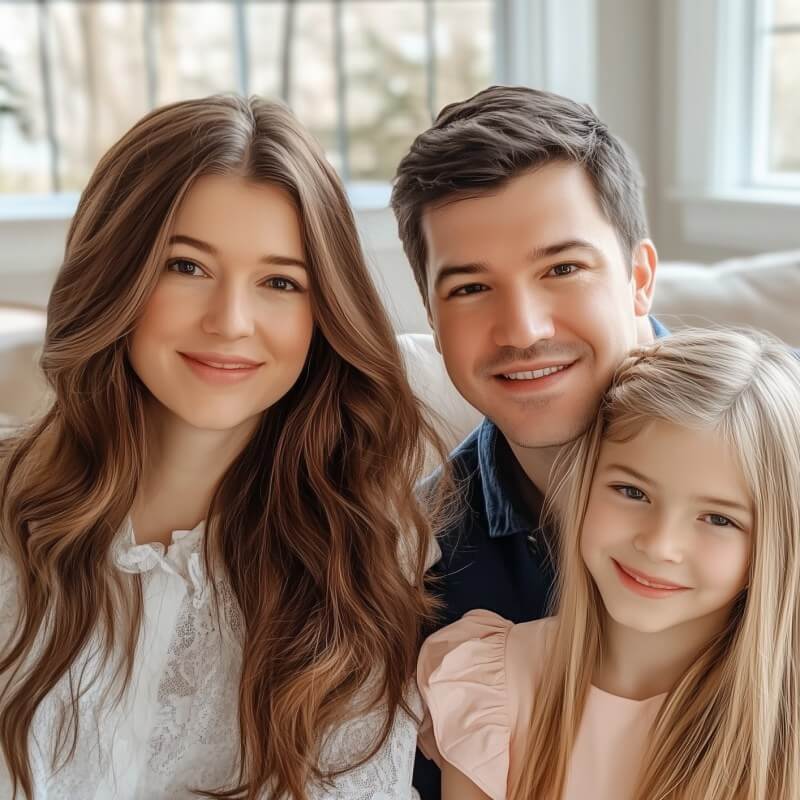
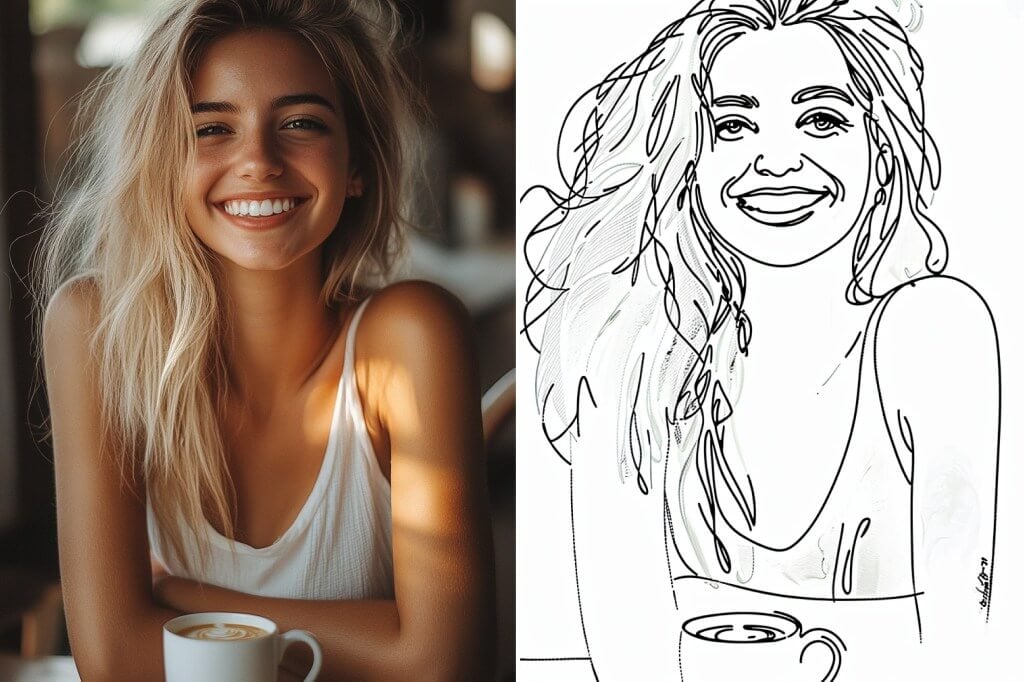
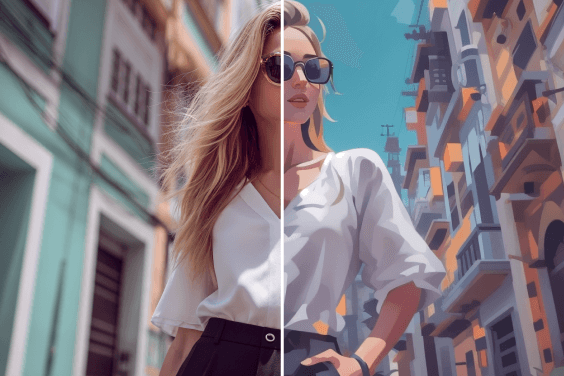
เปลี่ยนรูปถ่ายเป็นรูปวาดบุคคลแบบไม่ยุ่งยาก

เปลี่ยนรูปถ่ายเป็นรูปวาดบุคคลแบบไม่ยุ่งยาก

คุณอยากจะมีภาพวาดลายเส้นที่ถ่ายทอดความเป็นตัวคุณใช่หรือไม่? อัปโหลดรูปภาพของคุณแล้วปล่อยให้ isMind สร้างสรรค์ความมหัศจรรย์นั้น! ฟิลเตอร์ภาพวาดลายเส้นของ insMind เหมาะสำหรับการสร้างผลงานศิลปะที่สวยงามในทุกรูปแบบ ส่งมอบคุณภาพและความคล่องตัวได้ในทุกโอกาส

เปลี่ยนภาพถ่ายเป็นลายเส้น ตอนนี้เลย
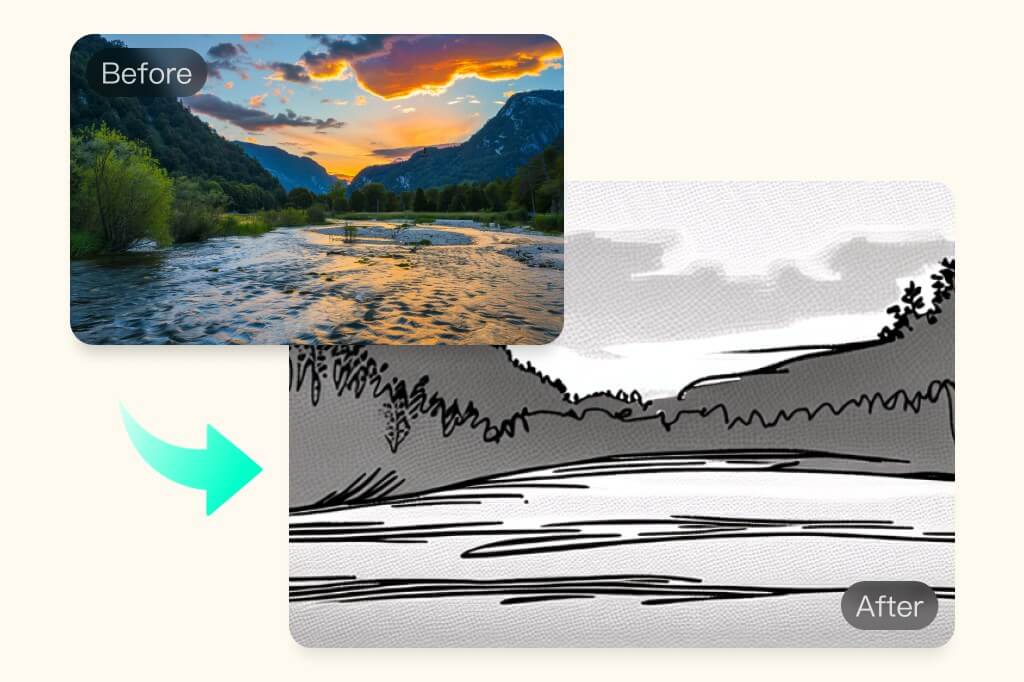
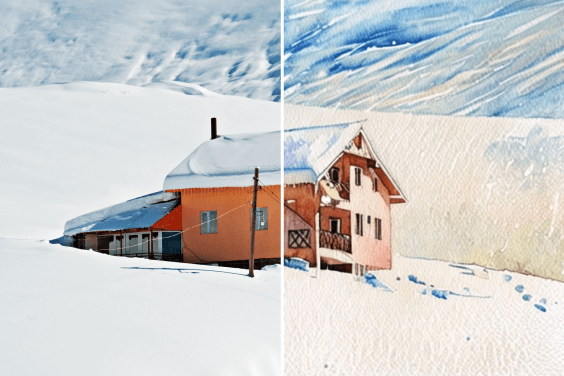
เปลี่ยนรูปถ่ายเป็นรูปวาดธรรมชาติที่สมจริง

เปลี่ยนรูปถ่ายเป็นรูปวาดธรรมชาติที่สมจริง

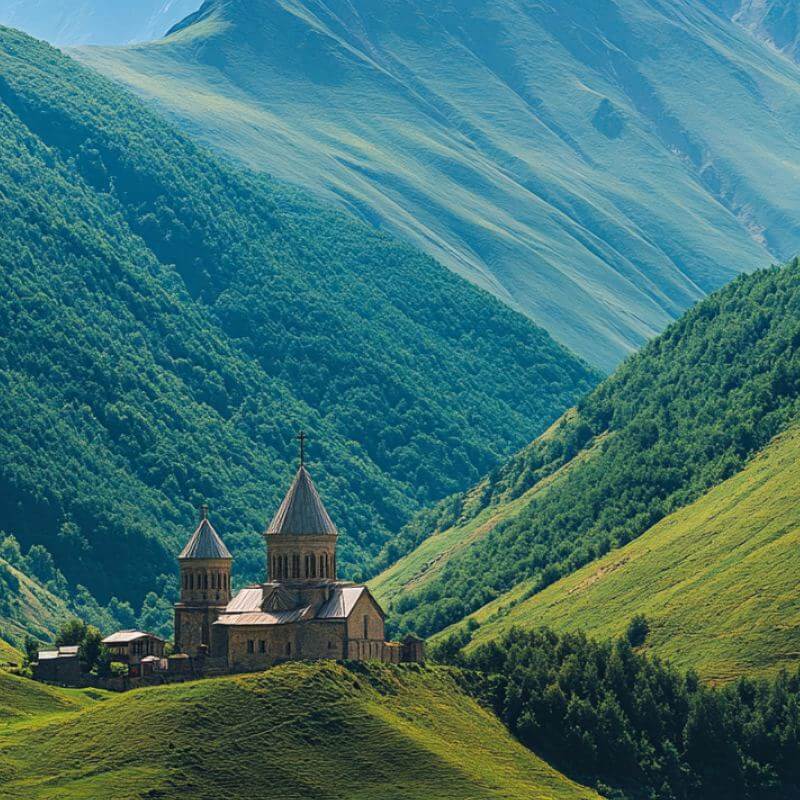
คุณอยากเปลี่ยนรูปถ่ายวิวทิวทัศน์ของคุณให้เป็นภาพวาดลายเส้นใช่หรือไม่? เปลี่ยนรูปถ่ายวิวทิวทัศน์ให้เป็นรูปวาดลายเส้นด้ายภายในไม่กี่นาที ไม่ว่าจะเป็นรูปวาดสำหรับการทำงาน หรือเพื่อความสนุกสนาน เครื่องมือที่ขับเคลื่อนด้วย AI ของ insMind จะช่วยปรับแต่งรูปภาพของคุณให้กลายเป็นภาพวาดลายเส้นขาวดำที่เหมือนจริง อัปโหลดรูปภาพตอนนี้เพื่อรับภาพวาดลายเส้นคุณภาพสูง พร้อมรายละเอียดที่ปราณีตบรรจงและค้นพบโอกาสของความสร้างสรรค์ที่ไม่มีที่สิ้นสุด
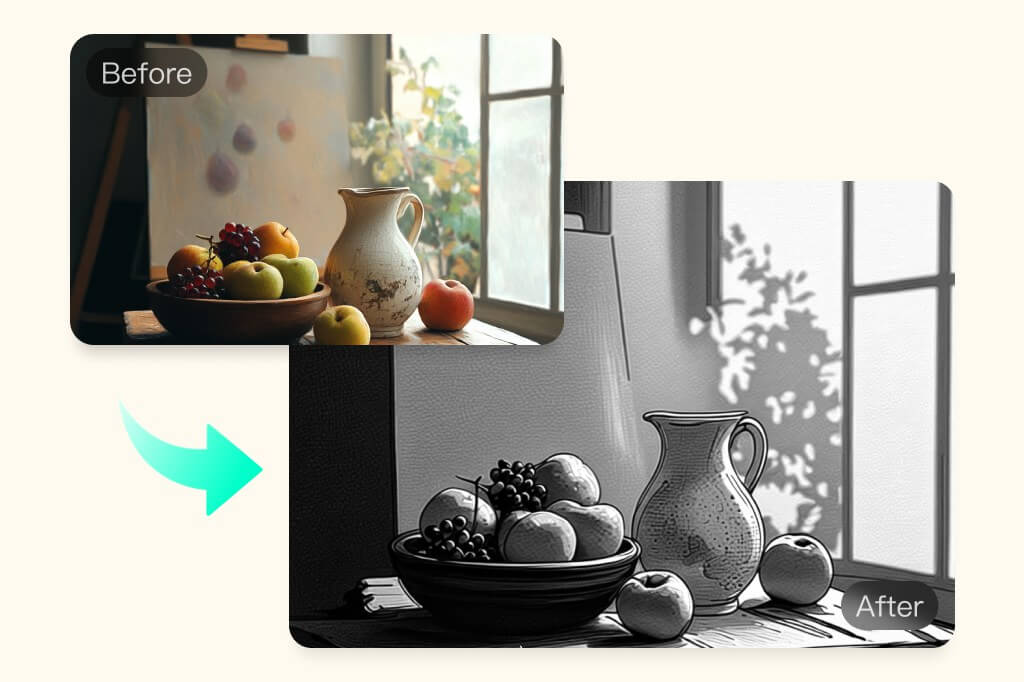
เปลี่ยนภาพถ่ายเป็นลายเส้น
เปลี่ยนรูปถ่ายให้กลายเป็นภาพวาดลายเส้นศิลปะ

เปลี่ยนรูปถ่ายให้กลายเป็นภาพวาดลายเส้นศิลปะ

ค้นหาเครื่องมือวาดภาพลายเส้นด้วย AI ที่จะช่วยเปลี่ยนภาพถ่ายเป็นลายเส้นศิลปะที่สมจริงและสมบูรณ์แบบ เปลี่ยนรูปภาพของคุณให้มีรายละเอียดที่คมชัด เป็นภาพประกอบที่มีมิติ ด้วยการใช้ฟิลเตอร์ที่ขับเคลื่อนด้วย AI อันทรงพลัง จะช่วยสร้างภาพวาดระดับไฮเอนด์ที่สนุกสนานได้ฟรีบน insMind เหมาะสำหรับศิลปินมืออาชีพ หรือเพื่อความสนุกสนานในการสร้างสรรค์ผลงาน!

ทดลองใช้งานฟรี
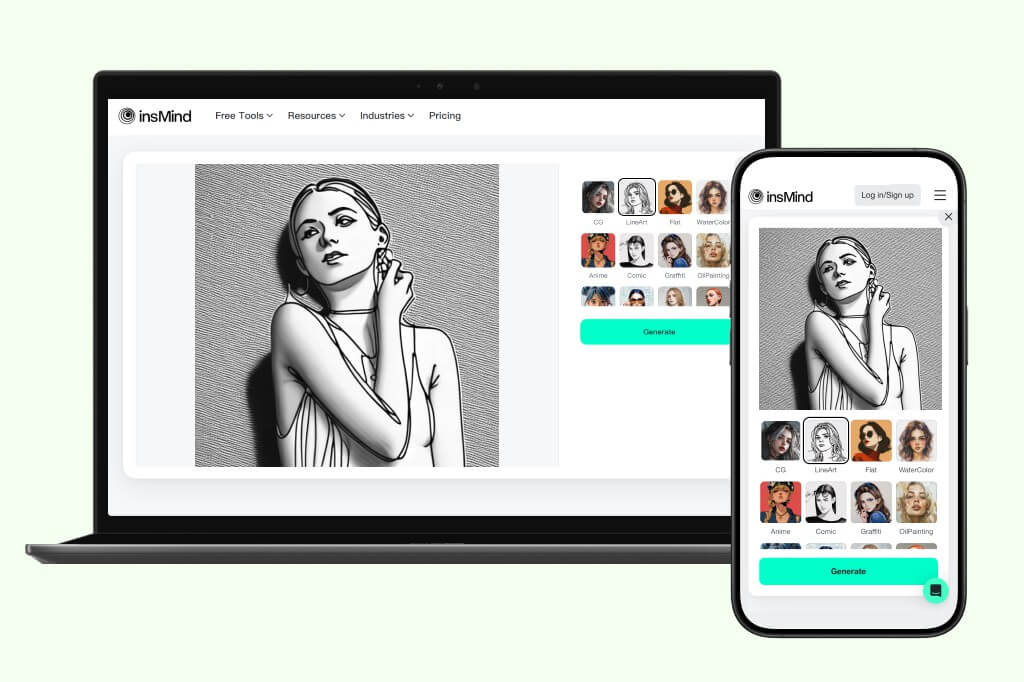
เปลี่ยนรูปภาพให้กลายเป็นภาพวาดลายเส้นได้ทุกที่ทุกเวลา!

เปลี่ยนรูปภาพให้กลายเป็นภาพวาดลายเส้นได้ทุกที่ทุกเวลา!

เปลี่ยนภาพถ่ายเป็นลายเส้นได้ทุกที่ เพียงแค่เปิด insMind ผ่านเว็บเบราวเซอร์บนคอมพิวเตอร์ตั้งโต๊ะ หรือมือถือและเพลิดเพลินไปกับฟิลเตอร์ AI ได้อย่างราบรื่น ทำการอัปโหลดรูปภาพและปล่อยให้ฟิลเตอร์ AI ได้ทำงาน ไม่ว่าจะเป็นการอัปเกรดพอร์ตโฟลิโอ หรือทดลองใช้ฟิลเตอร์เพื่อความสนุกสนาน insMind จะช่วยคุณสร้างภาพที่สวยงามด้วยการประมวลผลที่รวดเร็วที่สุด คุณจะได้ภาพวาดลายเส้นภายในไม่กี่อึดใจ
ทดลองใช้งานฟรี
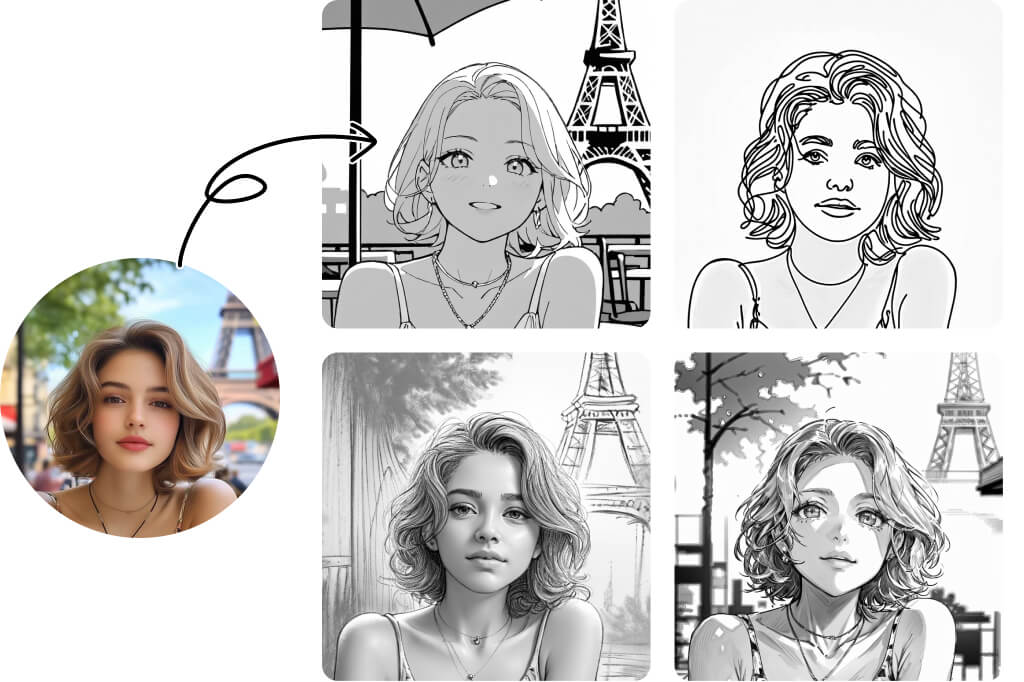
เลือกจากสไตล์ลายเส้นที่หลากหลาย

เลือกจากสไตล์ลายเส้นที่หลากหลาย

คิดว่าลายเส้นมีแค่สไตล์เดียวใช่ไหม? คิดใหม่ได้เลย! AI Line Art Generator ของเรามีสไตล์ลายเส้นมากกว่า 15 แบบที่ไม่ซ้ำกัน โดยแต่ละแบบมีรายละเอียดเฉพาะตัว ตั้งแต่สเก็ตช์ดินสอ เส้นการ์ตูน ไปจนถึงลายไม้ ถ่าน ดินสอเข็ม ปากกานุ่ม และอื่น ๆ อีกมากมาย ค้นหาสไตล์ที่ตรงกับจินตนาการของคุณได้ง่าย ๆ ไม่ว่าคุณต้องการแบบไหน เรามีให้เลือกครบ

แปลงรูปภาพเป็นลายเส้นตอนนี้

สำรวจฟิลเตอร์เส้นภาพด้วย AI เพิ่มเติม

วิธีแปลงภาพถ่ายเป็นลายเส้นออนไลน์ ฟรี
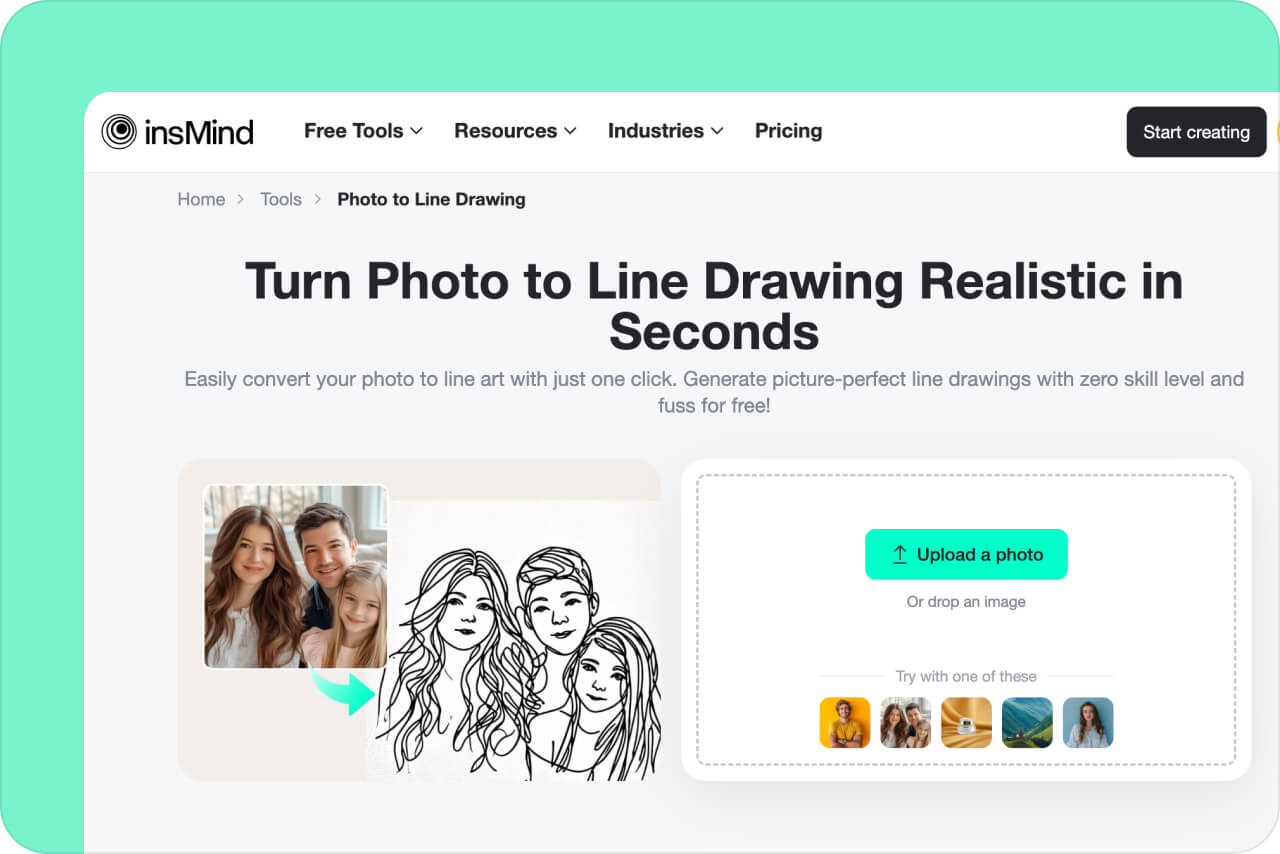
ขั้นตอนที่ 1 เปิด insMind
1

1 ขั้นตอนที่ 1 เปิด insMind

เปิดแอปพลิเคชัน insMind บนเว็บบราวเซอร์ ทำการลงทะเบียน หรือเข้าสู่ระบบเพื่อใช้งานเครื่องมือ insMind ฟรี
ขั้นตอนที่ 2 อัปโหลดรูปภาพ
2

2 ขั้นตอนที่ 2 อัปโหลดรูปภาพ

คลิกที่ "อัปโหลดรูปภาพ" เพื่อเลือกรูปภาพจากอุปกรณ์บนคอมพิวเตอร์ตั้งโต๊ะ หรือมือถือของคุณ หรือสามารถลากและดรอปรูปภาพลงบนอินเตอร์เฟซของ insMind เพื่อทำการอัปโหลดได้เลย
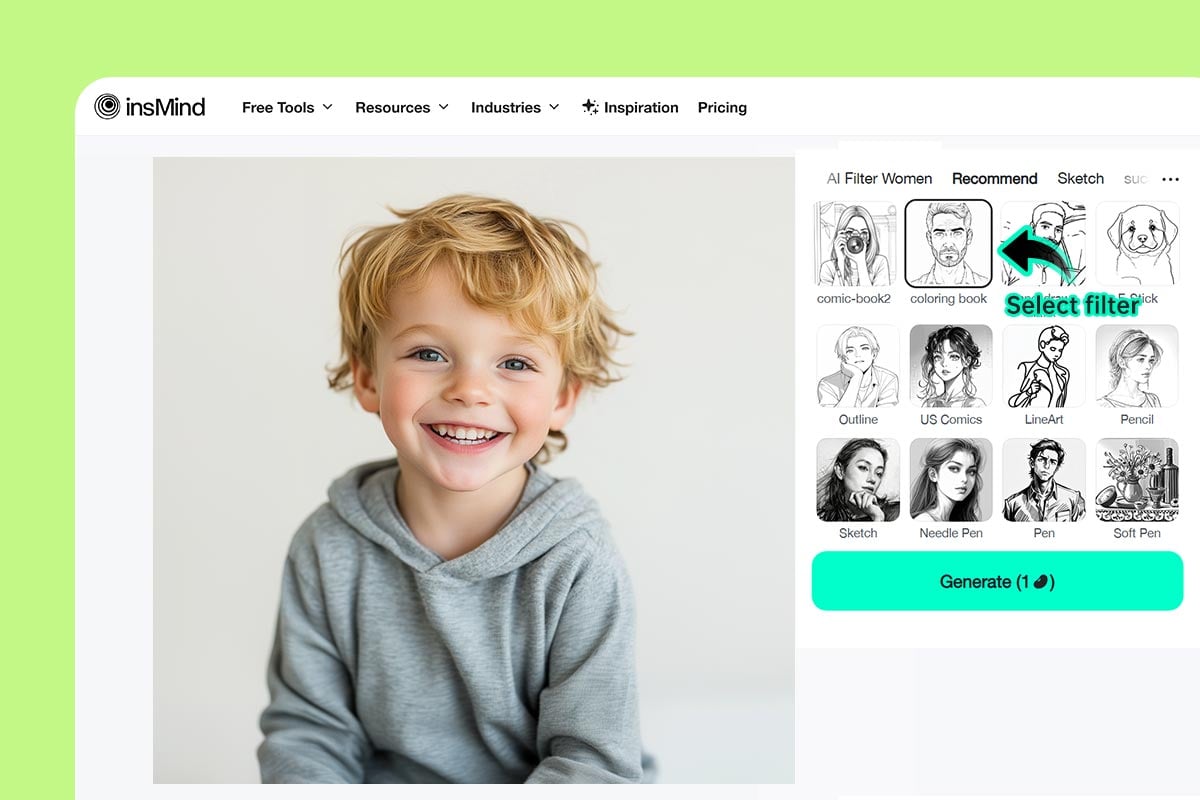
ขั้นตอนที่ 3 เลือกฟิลเตอร์ภาพวาดลายเส้น
3

3 ขั้นตอนที่ 3 เลือกฟิลเตอร์ภาพวาดลายเส้น

ภาพจะเปิดในตัวแก้ไขของ insMind จากนั้นเลือกฟิลเตอร์ AI ต่าง ๆ เช่น LineArt, เส้นร่าง, สมุดระบายสี, โครงร่าง, การ์ตูน และอื่น ๆ แล้วคลิก "สร้าง" เพื่อเริ่มต้น
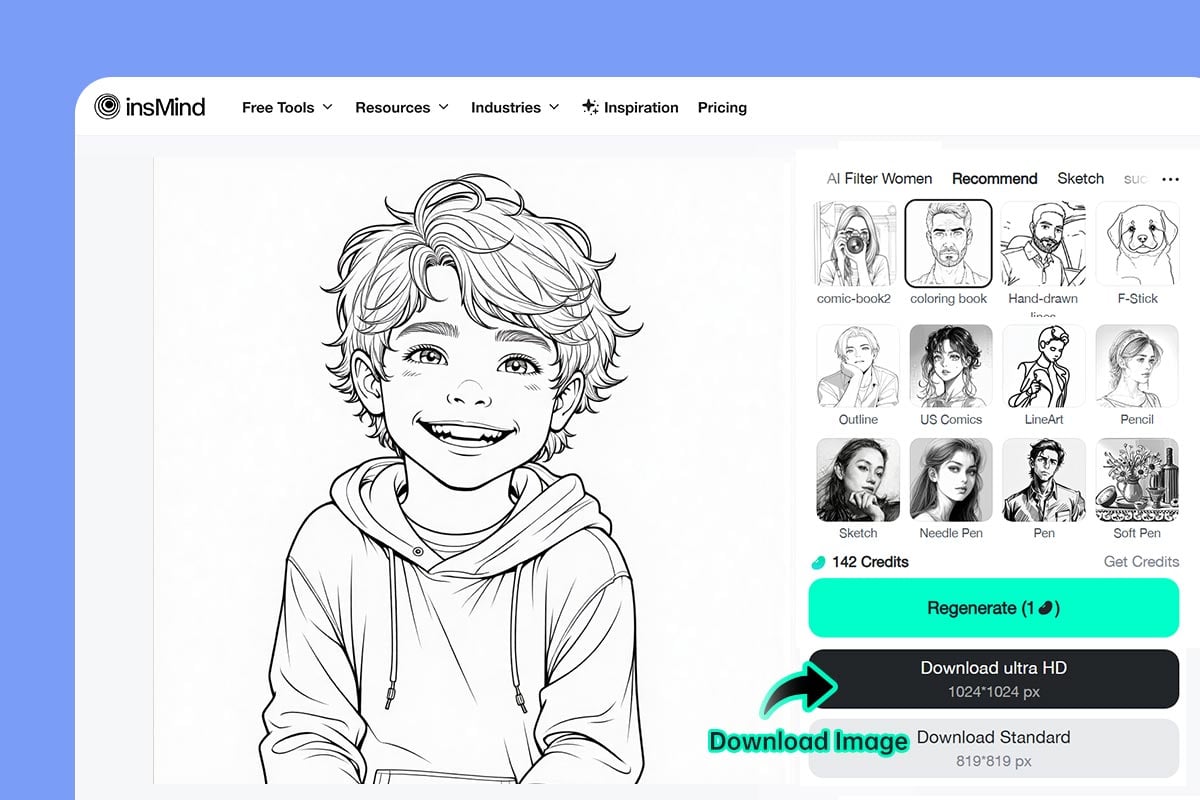
ขั้นตอนที่ 4 ดาวน์โหลดรูปภาพ
4

4 ขั้นตอนที่ 4 ดาวน์โหลดรูปภาพ

ภาพจะถูกแปลงเป็นเส้นร่างทันที หากต้องการบันทึก ให้คลิกปุ่ม "ดาวน์โหลด"

แปลงภาพถ่ายเป็นลายเส้นเพื่อเพิ่มประสิทธิภาพ

ปรับใช้ฟิลเตอร์ที่ขับเคลื่อนด้วย AI ในการเปลี่ยนภาพถ่ายเป็นลายเส้นได้อย่างรวดเร็ว ไม่ว่าจะเป็นการใช้งานทางการตลาด หรือโพสต์บนโซเชียลมีเดีย เพียงแค่ปรับแต่งความเป็นเอกลักษณ์ให้กับงานของคุณ ใส่ใจทุกรายละเอียดด้วยความแม่นยำและน่าทึ่ง ช่วยให้แบรนด์ของคุณมีความโดดเด่น
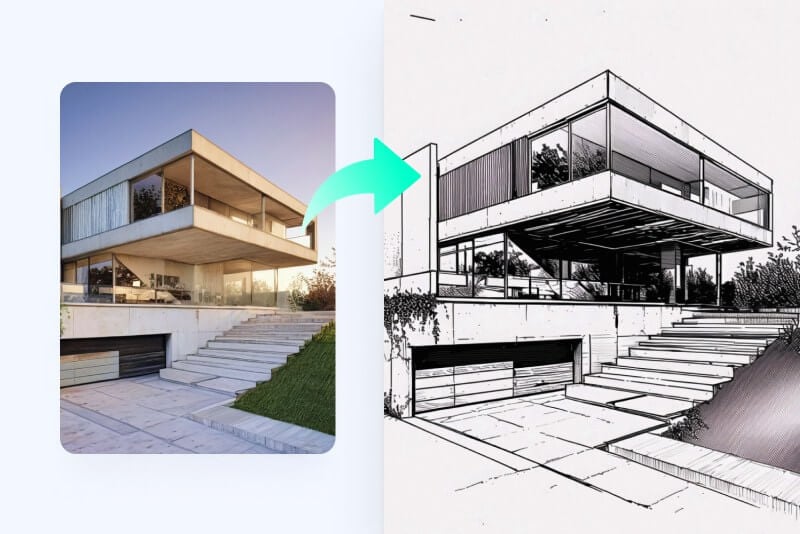
ศิลปิน

ศิลปิน

ช่วยคุณประหยัดเวลาและเปลี่ยนรูปถ่ายเป็นรูปวาดลายเส้นได้ในทันที สร้างภาพลายเส้นศิลปะอันสมจริงได้ภายในไม่กี่วินาที
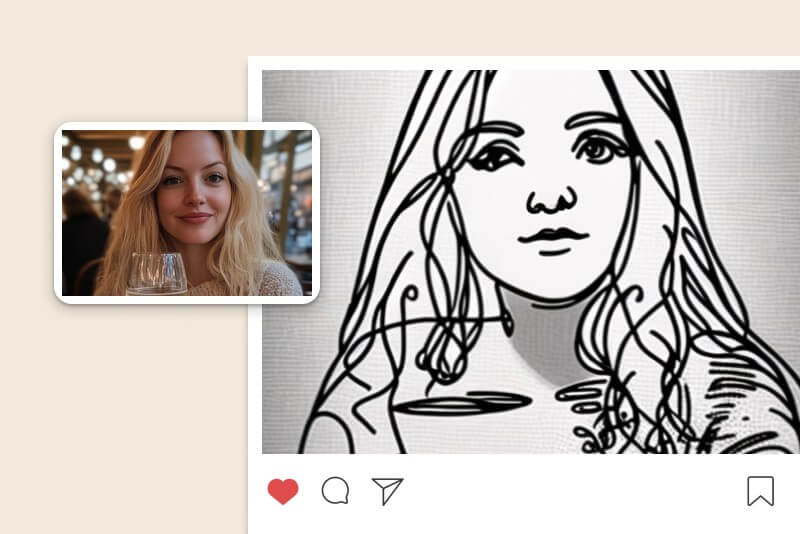
โซเชียลมีเดีย

โซเชียลมีเดีย

แปลงภาพถ่ายเป็นลายเส้นที่ชวนฝันและสร้างสรรค์สำหรับโพสต์บนโซเชียลมีเดีย โพสต์รูปภาพของคุณด้วยฟิลเตอร์ภาพวาดลายเส้นจาก AI เลย
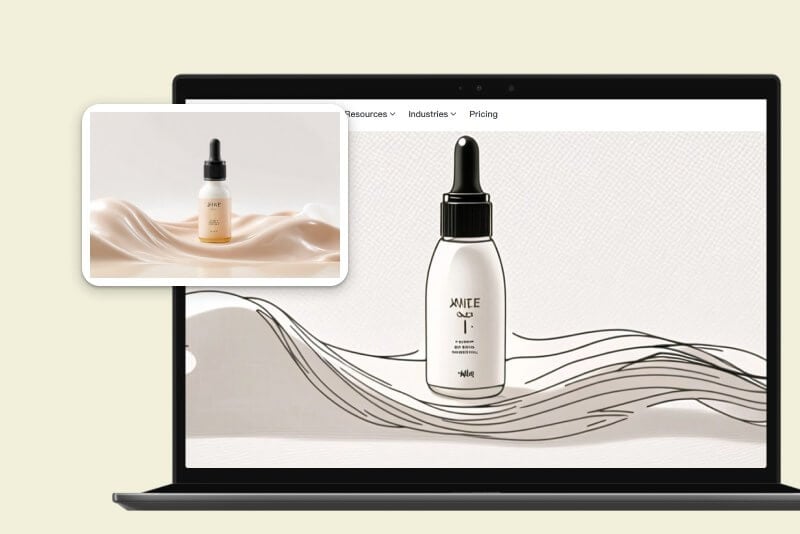
สำหรับธุรกิจ

สำหรับธุรกิจ

ทดลองใช้แอนิเมชันภาพวาดลายเส้นเพื่อสร้างความเป็นเอกลักษณ์ผ่านกระแสเทรนด์การตลาด สร้างสรรค์และสร้างรูปภาพทางการตลาดที่เป็นงานศิลป์
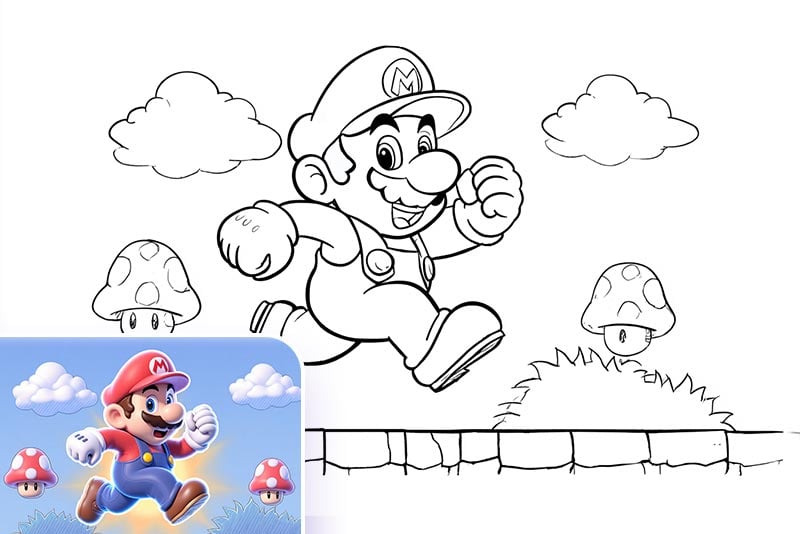
สร้างหน้าระบายสีสำหรับเด็ก

สร้างหน้าระบายสีสำหรับเด็ก

เปลี่ยนภาพถ่ายให้เป็นเส้นลายเส้น พิมพ์ออกมา และกลายเป็นหน้าระบายสีสำหรับลูกของคุณ! ไม่ว่าจะเป็นภาพคน สัตว์ ยานพาหนะ ซูเปอร์ฮีโร่ หรืออาคาร — เครื่องมือแปลงภาพเป็นเส้นของเราทำให้สามารถสร้างหน้าระบายสีที่พิมพ์ได้จากภาพใดก็ได้อย่างง่ายดาย เป็นของขวัญวันเกิดแบบส่วนตัวที่สมบูรณ์แบบ หรือวิธีที่สนุกในการเสริมสร้างความคิดสร้างสรรค์ของพวกเขา
แบบร่างรอยสัก

แบบร่างรอยสัก

คุณสามารถแปลงภาพถ่ายให้เป็นภาพสเก็ตช์แบบลายเส้นเพื่อใช้เป็นต้นแบบในการสัก เปลี่ยนกราฟิก ตัวละคร หรือภาพโปรดของคุณให้เป็นภาพเส้นที่สะอาดและนำไปให้ช่างสักเพื่อเนรมิตภาพลงผิว
ศิลปะมินิมอลสำหรับครอบครัวและเพื่อน

ศิลปะมินิมอลสำหรับครอบครัวและเพื่อน

คุณสามารถแปลงภาพครอบครัว เซลฟี่ สัตว์เลี้ยง หรือแม้แต่ภูมิทัศน์ที่มีชื่อเสียงให้เป็นงานศิลปะลายเส้น นำมาใส่กรอบเป็นของตกแต่งผนังหรือเป็นของขวัญที่มีความหมายให้เพื่อน เครื่องมือสร้างศิลปะลายเส้นด้วย AI ของเราทำให้ทุกชิ้นงานดูสมจริงและพิเศษไม่เหมือนใคร

ความคิดเห็นจากผู้ใช้ของเรา

ทำไมคุณจึงควรใช้เครื่องมือแปลงภาพถ่ายเป็นลายเส้นของ insMind?

มีฟิลเตอร์ AI หลากหลายให้เลือกใช้

มีฟิลเตอร์ AI หลากหลายให้เลือกใช้

เปลี่ยนภาพถ่ายเป็นลายเส้นได้อย่างรวดเร็วด้วยตัวเลือกฟิลเตอร์จาก AI สร้างรูปภาพที่สวยงามชวนฝันได้ด้วยฟิลเตอร์ที่ใช้งานได้ง่ายสุด ๆ

ทำงานได้อย่างรวดเร็ว

ทำงานได้อย่างรวดเร็ว

เปลี่ยนรูปถ่ายของคุณได้ในชั่วพริบตาเดียว ด้วยขั้นตอนที่รวดเร็ว ช่วยให้ผลงานมีประสิทธิภาพและสร้างสรรค์จินตนาการของคุณให้กลายเป็นจริง

มีคุณภาพสูงและมีความสมจริง

มีคุณภาพสูงและมีความสมจริง

สร้างภาพวาดลายเส้นได้ภายในไม่กี่วินาที ปล่อยให้ AI ได้แสดงพลังและวาดรูปลายเส้นที่สมจริง พร้อมกับผลงานที่มีคุณภาพสูง

คำถามที่พบบ่อยเกี่ยวกับเครื่องมือเปลี่ยนภาพถ่ายเป็นลายเส้น

ฉันจะสามารถร่างรูปวาดโดยไม่ใช้ Photoshop ได้หรือไม่?

insmind expand icon
ได้ การวาดรูปภาพด้วยลายเส้นสามารถทำได้บน insMind ซึ่ง insMind สามารถใช้งานได้ฟรี รวดเร็วและเป็นเครื่องมือสำหรับงานศิลป์ที่ยอดเยี่ยมที่จะช่วยให้คุณสร้างสรรค์ผลงานออกมาได้อย่างเต็มที่

เพราะเหตุใดฉันจึงควรแปลงภาพถ่ายเป็นลายเส้น?

insmind expand icon
ภาพวาดลายเส้นถูกนำมาใช้อย่างแพร่หลายในงานศิลป์ โซเชียลมีเดียและในเชิงธุรกิจเพื่อดึงดูดผู้ชม การเปลี่ยนรูปถ่ายให้กลายเป็นภาพวาดลายเส้นเพื่อสร้างเอฟเฟคให้งานศิลป์ เปลี่ยนรูปภาพให้กลายเป็นภาพร่างที่มีความโดดเด่นและสร้างสรรค์ด้วยรายละเอียดต่าง ๆ

มีเครื่องมือสำหรับการเปลี่ยนภาพถ่ายเป็นลายเส้นที่ใช้งานได้ฟรีหรือไม่?

insmind expand icon
มี ลองใช้เครื่องมือเปลี่ยนภาพถ่ายเป็นลายเส้นของ insMind ได้ฟรี ซึ่งมีตัวเลือกเอฟเฟคงานศิลป์ให้ใช้งานได้ฟรี สามารถสร้างรูปภาพที่มีคุณภาพสูงได้ภายในไม่กี่วินาที

insMind จะสามารถสร้างภาพวาดลายเส้นที่มีความสมจริงจากรูปถ่ายได้หรือไม่?

insmind expand icon
ได้ insMind สามารถเปลี่ยนรูปภาพใด ๆ ก็ได้ให้กลายเป็นภาพวาดลายเส้น เพียงแค่อัปโหลดรูปภาพของคุณและเลือกฟิลเตอร์ภาพวาดลายเส้นเพื่อทำการเปลี่ยนแปลง

ฉันจะเปลี่ยนภาพถ่ายเป็นลายเส้นบนโทรศัพท์มือถือได้อย่างไร?

insmind expand icon
insMind สามารถใช้งานได้กับอุปกรณ์เคลื่อนที่และเข้าใช้งานผ่านทางเว็บไซต์ได้ เพียงเข้าไปที่ insMind จากบราวเซอร์บนโทรศัพท์ของคุณ ทำการอัปโหลดรูปภาพและแปลงภาพถ่ายเป็นลายเส้นแบบศิลปะได้อย่างง่ายดาย ทำได้ทุกที่ทุกเวลา

insMind รองรับสไตล์เส้นร่างกี่แบบ?

insmind expand icon
insMind รองรับสไตล์สเก็ตช์และภาพวาดเส้นมากกว่า 15 แบบ เช่น Outline, US Comics, LineArt, ดินสอ, Sketch, ปากกาหัวเข็ม, ปากกา, ปากกานุ่ม, Comic, Retro, แกะไม้, ถ่าน และอื่น ๆ อีกมากมาย โดยแต่ละสไตล์มีความโดดเด่นเฉพาะตัวและให้ความรู้สึกศิลปะที่แตกต่างกันเพื่อตอบโจทย์การใช้งานที่หลากหลาย

ทำไมเครื่องมือแปลงภาพเป็นเส้นร่างของ insMind ถึงดีกว่าเจ้าอื่น?

insmind expand icon
insMind โดดเด่นกว่าเครื่องมืออื่นในหลายด้าน อย่างแรกคือรองรับสไตล์เส้นร่างมากที่สุดกว่า 15 แบบ ในขณะที่เครื่องมืออื่น ๆ มักมีเพียง 1–2 แบบเท่านั้น อย่างที่สองคือผลลัพธ์ที่ได้มีคุณภาพสูง คงรายละเอียดใบหน้าดั้งเดิมไว้พร้อมเพิ่มมิติศิลปะ และสุดท้ายคือใช้งานง่ายและรวดเร็ว แม้เป็นมือใหม่ก็สามารถแปลงภาพเป็นเส้นได้ภายใน 2 วินาที ด้วยอินเทอร์เฟซที่เป็นมิตร ปัจจุบันมีผู้ใช้กว่า 10 ล้านคนที่ไว้วางใจเลือกใช้ insMind ซึ่งเหนือกว่าคู่แข่งเสมอ

คุณอาจสนใจ
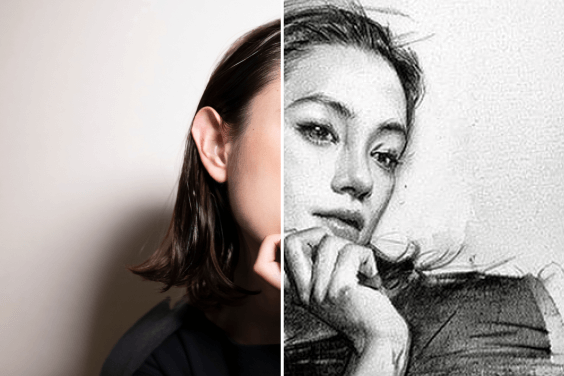
ทำให้รูปภาพของคุณโดดเด่นด้วยฟีเจอร์ที่ใช้งานได้ฟรี