AI-afbeelding
AI-video
Foto editor
Bronnen
InspiratiesPrijzen

Converteer Foto's naar Schilderijen Direct en Gratis
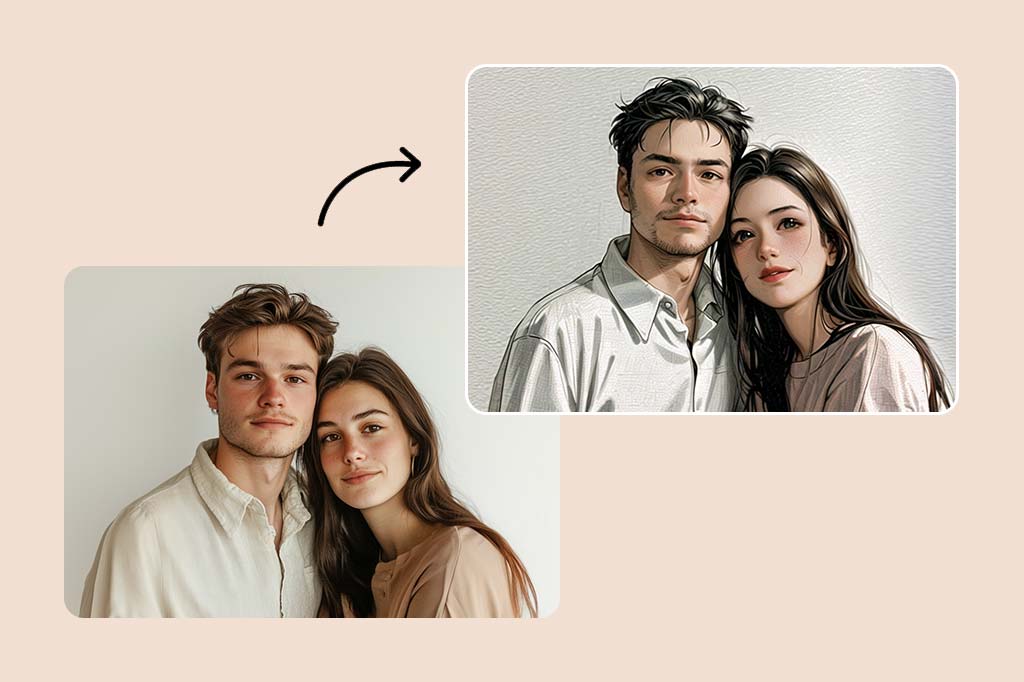
Transformeer je gewone foto's in verbluffende kunstwerken met onze gratis online foto-naar-schilderij converter. Pas verschillende olieverffilters en effecten toe om direct prachtige meesterwerken te creëren.

Converteer Foto's naar Schilderijen Direct en Gratis
Na
Voor
Of sleep de afbeelding hierheen, plak de afbeelding of URL
Probeer eens met een van deze
insMind AI Crying Filter-voorbeeld 1
insMind AI Crying Filter-voorbeeld 2
insMind AI Crying Filter-voorbeeld 3
insMind AI Crying Filter-voorbeeld 4

Genereer Vergelijkbaar

Subject: The main character in the picture. Expression: An anthropomorphic expression, with the mouth wide open, revealing teeth, canine teeth and tongue. The eyes are narrowed, looking disdainfully at the camera. Style: An exaggerated portrait painting in a digital painting style, combining expressionist brushstrokes. Texture: Has distinct brushstroke textures, as if it was quickly applied with rough oil paints or acrylic brushes. Detail depiction: The details are very realistic, such as hair, teeth, a moist nose and the inside of the mouth, but the overall structure and expression are highly exaggerated to achieve a humorous effect. Posture: Frontal shot, profile view Background: Solid color background
Subject: The main character in the picture. Expression: Extremely angry / Exaggerated anger. Furrowed brows, wrinkled forehead, dilated nostrils, mouth wide open and revealing clenched teeth, facial muscles completely contracted. Looking at the camera. Pose: One-to-one replication of the main character in the picture. Costume: One-to-one replication of the character's costume. Style: Exaggerated portrait painting in a digital painting style, combining expressionist brushstrokes. Texture: Has distinct brushstroke textures, as if it was quickly applied with rough oil painting or acrylic brushes, especially the background and clothing parts. Character style: Satirical caricature style, extremely exaggerated features (big mouth, big teeth, big eyes, big nose), funny expression, proportion: The head is significantly enlarged, the proportion is distorted, while the body is relatively smaller. Facial features: The facial muscles are extremely exaggerated, there are deep expressive lines around the eyes and mouth. Detail depiction: Skin texture, pores, teeth and other details are depicted very realistically, but the overall proportion and expression are exaggerated to a great extent. Lighting: Uses dramatic and intense contrast of light and shadow, highlighting the three-dimensionality of the character's face and the tension of the emotions. Posture: Frontal, portrait Background: Abstract and rough blue-green and orange/brown brushstrokes form the background, without specific environmental depiction, completely focusing on the character.
Character: The main figure in the picture. Core: An exaggerated comic with a wedding photo theme. Style: A highly exaggerated cartoon comic style, presented through digital painting. Head: Both of their heads are significantly enlarged, with distorted proportions, while the bodies are relatively smaller. Facial features: The facial muscles are extremely exaggerated, with deep expressive lines around the eyes and mouth, a very large and prominent nose, and very large teeth. Expression: An extremely exaggerated and joyful wide-open mouth laugh, with bulging eyes, fully matching the joyful mood in the reference image. Both are looking directly at the camera. Light and details: Sharp highlights on the forehead, nose, and cheekbones, contrasting with deep, smooth shadows to emphasize the exaggerated contours. Clean, smooth digital brush strokes. Background: A pure white background, with two red hearts decorating the gap between the two heads. Appearance: A one-to-one replica of the main character in the picture. Costume: The bride is wearing a white strapless wedding dress with a veil, and the groom is wearing a black tuxedo with a bow tie. Posture: Full body, both looking at the camera, the groom holding the bride like a princess, and the bride holding a red rose bouquet of flowers.
Main character: The person in the picture Art style: Exaggerated cartoon style. Bright colors, bold outlines. Character blush. Proportion: The heads are significantly enlarged and the proportions are distorted. Facial features: Exaggerated processing based on the facial features of the reference figure, exaggerated facial muscles, extremely exaggerated facial features (big mouth, big teeth, big eyes, big nose), funny expressions. Expression: Reproduce the main character's expression in the picture and exaggerate it. Facing the camera. Hair: Reproduce the hairstyle of the main character in the picture. Clothing: Exactly the same as the main character's clothing in the picture. Background: Solid color background. Light and details: Styled highlights and shadows, highlighting the facial contours, with the typical smooth texture of digital painting. Posture: Affectionate action, head touching head, looking at the camera, half-length portrait
Subject: The main figure in the picture. Core: A high-resolution real photo showing a couple standing beside a framed painting hanging on the wall. The center of the picture features a large black-framed portrait. The content is an exaggerated caricature style of the main character: extremely exaggerated facial features (big mouth, big teeth, big eyes, big nose), with a funny expression. Portrait: Black simple border (no white border), style: highly exaggerated cartoon comic style, presented by digital painting. Head: Both people's heads are significantly enlarged, with distorted proportions, while the body is relatively smaller. Facial features: Facial muscles are extremely exaggerated, there are deep expressive lines around the eyes and mouth, the nose is very large and prominent, and the teeth are also very big. Comic expression: Extremely exaggerated, joyful mouth wide open laughter, eyes bulging, fully matching the joyful mood in the reference image. Both are looking directly at the camera. Light and details: Sharp highlights on the forehead, nose, and cheekbones, contrasting with the deep, smooth shadows to emphasize the exaggerated contours. Clean, smooth digital brushstroke texture. Low saturation blue as the background of the portrait. Style: One-to-one replication of the main figure in the picture Clothing: One-to-one replication of the main character's clothing Photo scene: Indoor, with warm decoration, warm yellow background wall Posture: The main figure stands in front of the portrait, looking at the camera, with one hand raised in front of the chest pointing at the portrait on the wall. Warm lighting, natural integration of light and shadow, clear image quality, 8K
Subject: The main character in the picture. Art style: Exaggerated cartoon style. Head: The head is enlarged while the body is relatively small. Facial features: Exaggerated facial muscles, exaggerated facial lines, and a large nose. Expression: Reproduce the expression of the main character in the picture and exaggerate it. Looking at the camera. Family name: Exactly the same as the appearance of the main character in the picture. Attire: One-to-one reproduction of the main character's outfit in the picture. Background: Solid color background. Lighting and details: Stylized highlights and shadows, highlighting the facial contours, with a smooth feel typical of digital painting. Pose: Frontal half-length portrait
Retain all the details of the image and convert it to color.
Use the character from the uploaded image exactly as it appears — keep all features, colors, proportions, and style unchanged. Create a four-panel comic/storyboard with each panel showing a different scene of the character. Maintain the same cartoon art style as the reference image. Add speech bubbles/dialogues for the character in each panel, appropriate to the story. Ensure visual continuity: same background style, color palette, and lighting consistent across all panels. Focus on clear composition, expressive poses, and readable dialogue. Output: four distinct panels forming a coherent story.
Refer to Figure 2 and convert the style of Figure 1
Generate a set of powerful 3-panel Japanese anime storyboards by referring to the image
Polaroid 2:3 photo: IMG1 person and IMG2 cartoon character hugging like friends, smiling and laughing, heads close together, looking at the camera, hips-up; original clothes; white-curtain background; cartoon character’s arms naturally around person, proportions adjusted for natural interaction; subtle shadowing for depth; strong flash, slight overall blur, soft light vignette, no omissions; no face-swap, no distortion; classic white-border Polaroid, flat on white table, back flush, 90° top-down, zero tilt, no extras.
Optimize the line drawing, transform it into a Japanese anime style and color it to add a campus background
Mother's Day Photo to Watercolor
Boy Photo to Watercolor
Young Millionaire Photo to Anime Cartoon
Mother's Day Disney Filter
Disney Style Mother Holding Baby
Father and Daughter in Watercolor
Cute Cartoon Boy
Cute Cartoon Boy
Cute Cartoon Boy
Attractive Anime Girl Filter
A girl in a blue shirt and black jacket sitting at a table with coffee and drinks, A steampunk-style background featuring intricate gears, brass pipes and glowing lights illuminating the scene. A desk with mechanical tools is in sharp focus while surrounding walls display vintage timepieces and cogs.
depicting futuristic cities with towering skyscrapers made from metallic gold and green hues. Include flying cars and high-tech elements to create a sense of wonder in space and cyberpunk aesthetics.
Beautiful Anime Girl
Watercolor Mother Holding Daughter
Transformeer moeiteloos je foto's in olieverfschilderijen met AI
Transformeer moeiteloos je foto's in olieverfschilderijen met AI

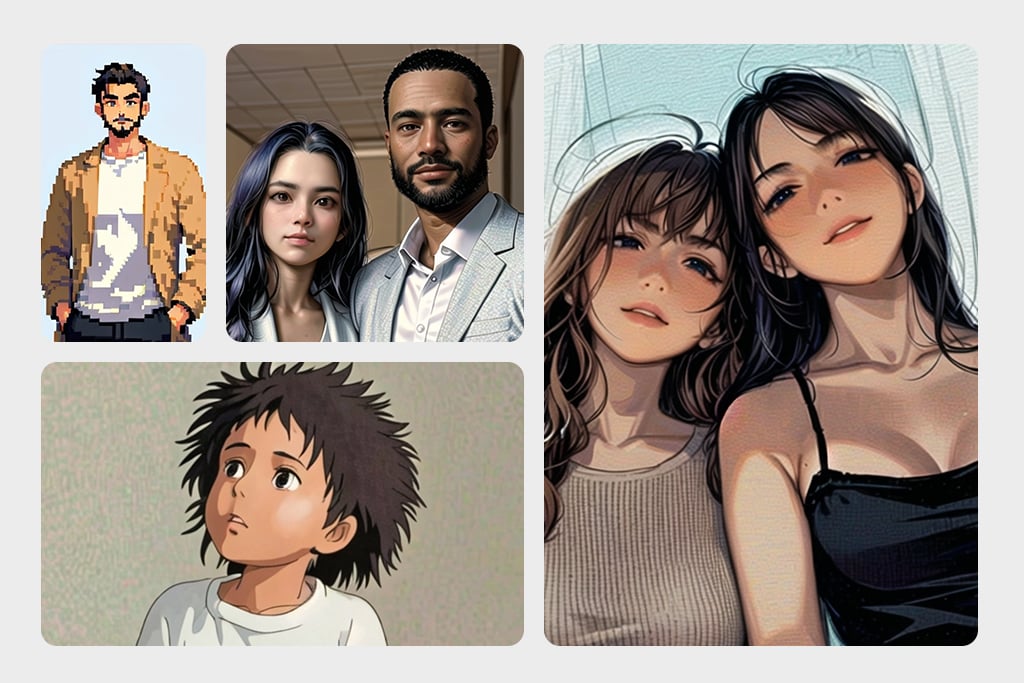
Wil je je favoriete foto's omtoveren tot geweldige olieverfschilderijen? Onze foto-naar-schilderij converter maakt het eenvoudig om realistische olieverfschilderijen van elke foto te maken. Of het nu gaat om een natuurlijk landschap of een geliefd portret, onze tool recreëert het gevoel en de kleuren van traditionele olieverfschilderijen. Probeer je gewone foto's te converteren naar verbluffende kunstwerken met onze AI-gebaseerde online foto naar schilderij tool. Onze slimme AI analyseert je foto en past olieverfeffecten toe met de realistische sfeer van kunst op een moderne manier. Perfect voor landschappen en portretten, onze converter laat je gemakkelijk en gratis een vleugje vintage glamour toevoegen aan je favoriete foto's.
Probeer het nu
Versterk je sociale media marketing met ons schilderijfilter
Versterk je sociale media marketing met ons schilderijfilter

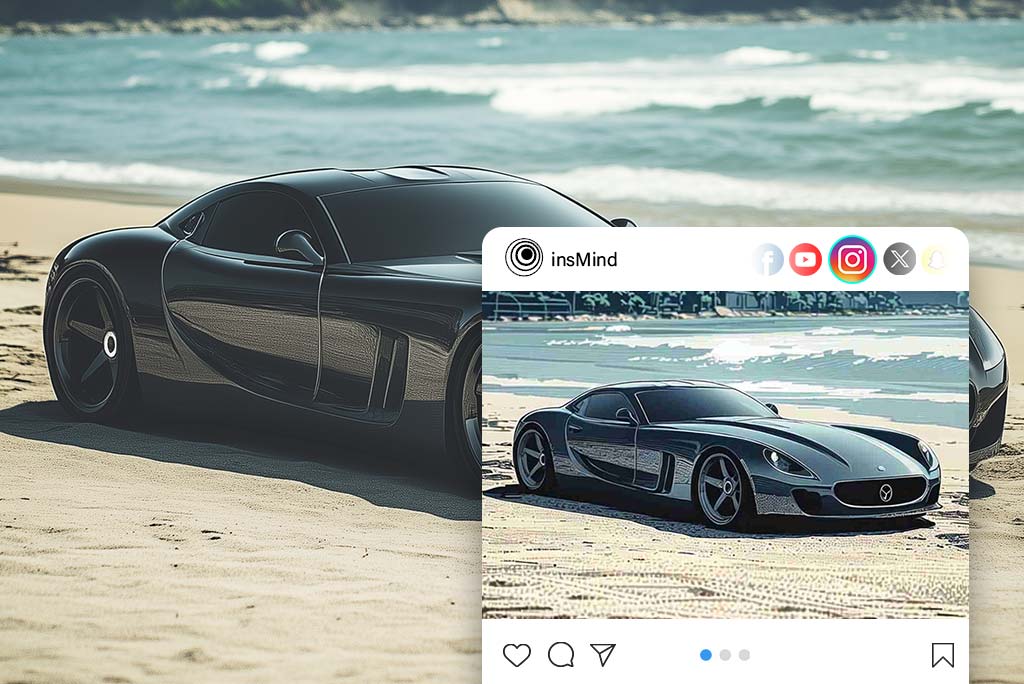
Transformeer je foto's in verbluffende kunstwerken met ons door AI aangedreven schilderijfilter, perfect voor het versterken van je merkmarketinginspanningen. Of je nu producten toont, evenementen promoot, of klantverhalen deelt, deze oogverblindende illustraties helpen je om op te vallen. Door gewone afbeeldingen om te zetten in visueel aantrekkelijke content, zul je de aandacht trekken, de betrokkenheid vergroten en je aanwezigheid op sociale mediaplatforms versterken. Gebruik het schilderijfilter om gedenkwaardige marketingvisuals te creëren die verbinden met je publiek en de aantrekkingskracht van je merk verhogen.
Probeer het nu
Foto naar Schilderij voor het geven van persoonlijke cadeaus

Foto naar Schilderij voor het geven van persoonlijke cadeaus

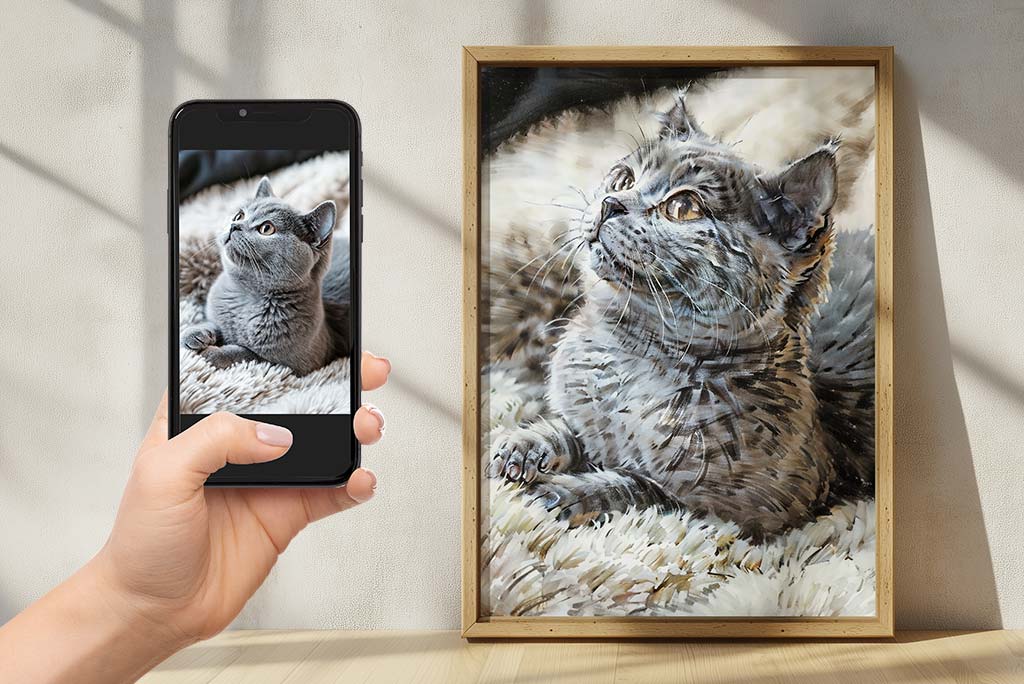
Breng je gevoelens over met geschenken die zijn gemaakt van foto's die speciaal voor jou zijn. Onze foto-naar-kunst service stelt je in staat om foto's om te zetten naar schilderijen die een leven lang gekoesterd zullen worden. Of het nu gaat om een portret van een dierbare, een mooi landschap, of gewoon een mooi moment dat vastgelegd is in een foto, onze gegraveerde geschenken zijn perfect om te communiceren met mensen.
Upload je afbeelding
Krijg Van Gogh's Sterrennacht-effect op je foto's
Krijg Van Gogh's Sterrennacht-effect op je foto's

Bekijk hoe je foto's opnieuw worden bedacht door een professionele kunstenaar met ons Van Gogh kunstfilter. Wil je weten hoe je favoriete herinneringen eruit zouden zien als ze door Van Gogh zelf geschilderd waren? Ons slimme filter neemt je foto's mee naar zijn iconische "Sterrennacht" setting, en voegt de wervelingen en kleuren toe waarvoor hij beroemd is. Pas gewoon het filter toe en kijk hoe je alledaagse foto's veranderen in buitengewone beelden die de tijdloze schoonheid en elegantie van Van Gogh oproepen. Ontdek de wereld van kunst en zie je foto's in een geheel nieuw licht met ons kunstfilter van de meester schilder.
Upload je afbeelding
Eindeloze Mogelijkheden Met Foto Filters

Eindeloze Mogelijkheden Met Foto Filters

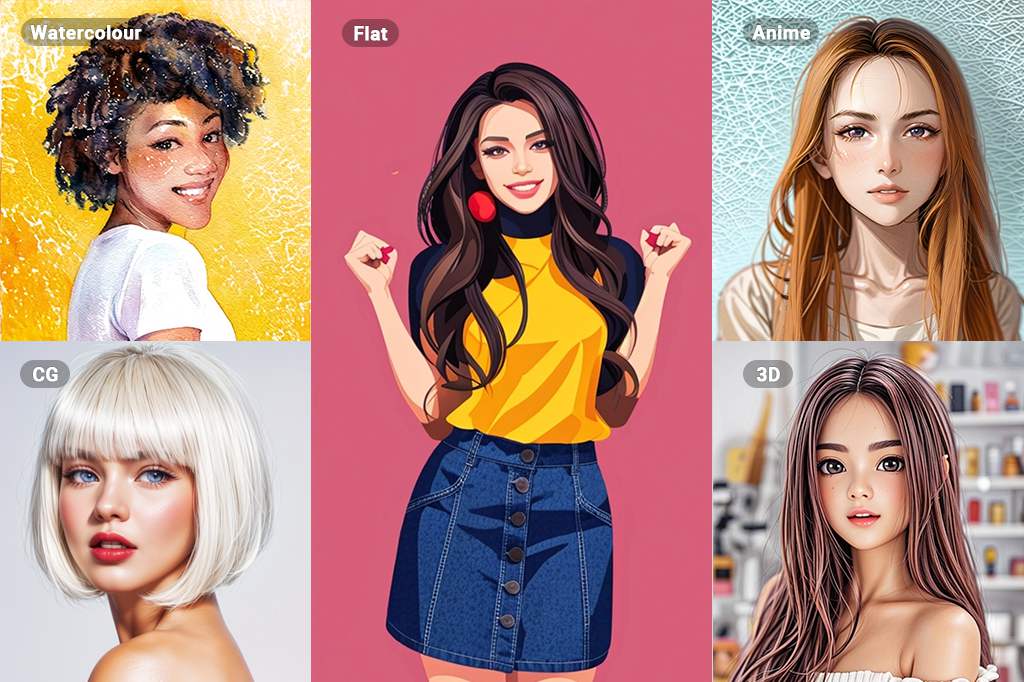
Ervaar kunst op een geheel nieuw niveau met onze enorme opties voor AI fotofilters. Met filters variërend van aquarel en lijntekeningen tot schetsen, olieverf, en anime, de mogelijkheden zijn praktisch onbeperkt als het gaat om je creativiteit en de resultaten die het zal opleveren voor je foto's. Wees niet bang om verschillende stijlen en technieken uit te proberen om de perfecte creatieve uitlaatklep voor jezelf te vinden.


Of je nu je beelden wilt omzetten in CG-meesterwerken of boeiende 3D-kunst, insMind heeft het perfecte filter voor jou. Onze geavanceerde AI-technologie zorgt ervoor dat elke transformatie van hoge kwaliteit en visueel aantrekkelijk is. Ontdek de eindeloze mogelijkheden met insMind's diverse filteropties, en breng je artistieke visie moeiteloos tot leven.

Upload je afbeelding

Verken Meer Foto naar Schilderij Converter Functies

Hoe Zet je een Foto om in een Schilderij met insMind?

Stap 1: Toegang tot de AI Schilderij Converter
1

1 Stap 1: Toegang tot de AI Schilderij Converter

Bezoek de insMind website en vind de AI Schilderij Converter tool. Deze gebruiksvriendelijke tool is ontworpen om eenvoudig te gebruiken te zijn.
Stap 2: Upload je afbeelding
2

2 Stap 2: Upload je afbeelding

Selecteer en upload de foto die je wilt omzetten.
Stap 3: Zet de foto om naar een schilderij
3

3 Stap 3: Zet de foto om naar een schilderij

Kies nu het olieverf filter uit het insMind filtermenu. Dit filter is gemaakt om je foto die traditionele olieverf uitstraling en feel te geven, met dezelfde textuur en penseelstreken.
Stap 4: Downloaden en delen
4

4 Stap 4: Downloaden en delen

Wanneer je tevreden bent met je creatie, sla het schilderij op in het gewenste formaat. Vervolgens kun je het delen met vrienden en familie of op sociale media om je artistieke vaardigheden te tonen.

Transformeer je Foto's naar Kunst met insMind

We kunnen de insMind AI foto schilderij tool voor verschillende doeleinden gebruiken, waaronder artistieke, persoonlijke en professionele toepassingen.
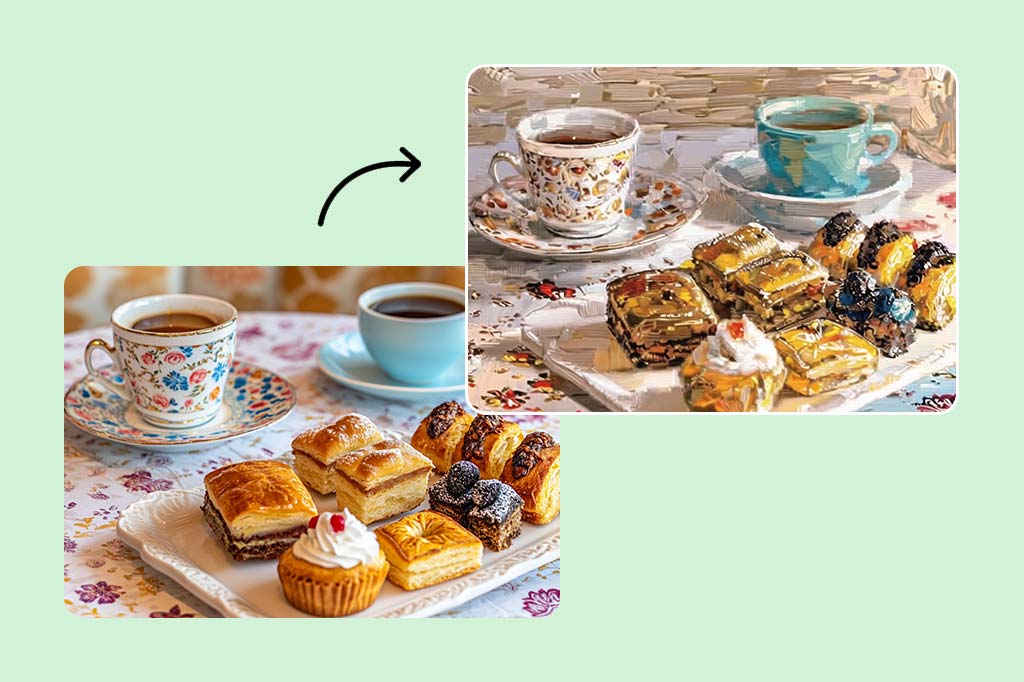
Sociale Media
Sociale Media

Verbeter je online aanwezigheid en leer hoe je mensen kunt aantrekken door aantrekkelijkere en opvallendere content op de site te plaatsen. Maak unieke profielfoto's, omslagafbeeldingen en statusupdates die de aandacht trekken.
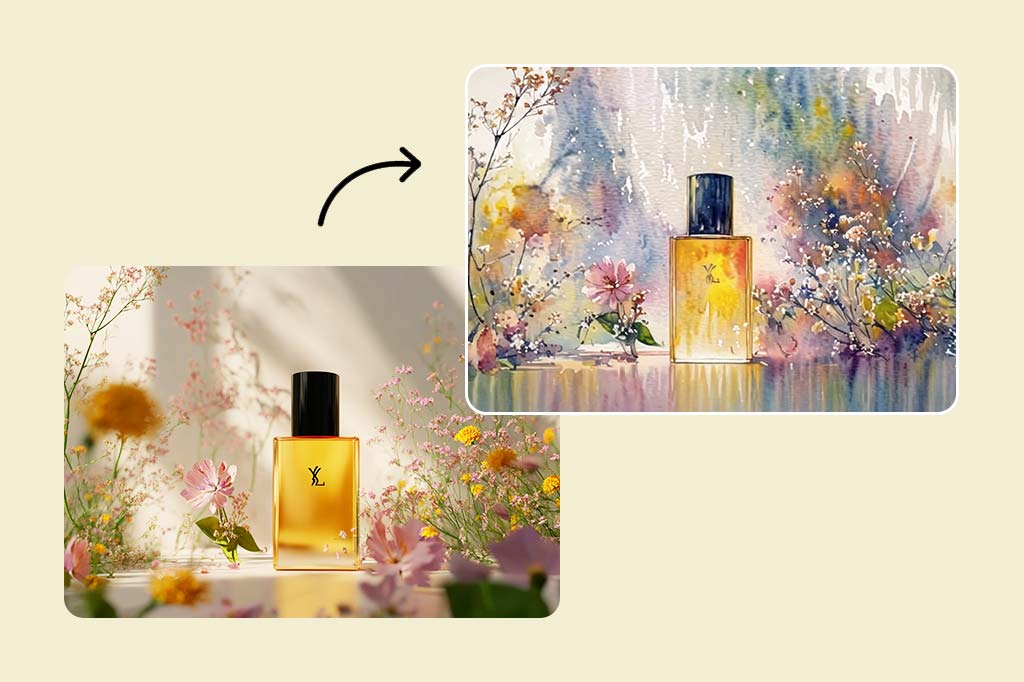
Marketing

Marketing

Maak unieke visuals voor marketingobjecten zoals advertenties, sociale media promoties, banners op officiële websites, en dergelijke. Trek de aandacht van je doelklanten en laat een onuitwisbare indruk van de schoonheid van de content achter.
Persoonlijk

Persoonlijk

Bewaar gedenkwaardige momenten door foto's om te zetten naar kunstwerken die niet vervagen. Plaats kunstwerken aan de muur om de creativiteit en uniekheid van je huis te verbeteren. Schilder met verschillende technieken en wees zo creatief mogelijk.

Waarom Kiezen voor insMind Foto naar Schilderij Converter?

Eenvoudig in gebruik

Eenvoudig in gebruik

De eenvoudige interface en gedetailleerde instructies zorgen ervoor dat iedereen in een mum van tijd foto's kan omzetten naar kunst.
Hoge Definitie Output

Hoge Definitie Output

De kleine details en heldere kleuren van je originele foto worden behouden met onze hoge definitie output.
Veel Verschillende Schilderstijlopties

Veel Verschillende Schilderstijlopties

Voor je foto kun je een breed scala aan artistieke stijlen vinden, waaronder traditionele olieverfschilderijen en hedendaagse abstracte stijlen.

Frequently Asked Questions

Hoe zet ik mijn foto's om in schilderkunst?

insmind expand icon
Upload gewoon je foto naar de AI-schilderijtool van insMind, kies de schilderstijl die je wilt, en laat onze slimme computer je afbeelding omzetten in een prachtig kunstwerk.

Heb ik speciale vaardigheden nodig om de foto naar schilderij tool van insMind te gebruiken?

insmind expand icon
Nee, je hebt geen eerdere ervaring in kunst nodig. Onze gebruiksvriendelijke tool en handige hulpmiddelen maken het eenvoudig voor iedereen om prachtige schilderijen te maken.

Wat zijn de voordelen van het gebruik van Foto naar Schilderij?

insmind expand icon
Met Foto naar Schilderij kun je speciale herinneringen bewaren, unieke en gepersonaliseerde geschenken maken, en je artistieke kant tonen.

How to make a photo look like a painting?

insmind expand icon
insMind can convert any photo into an oil painting - simply upload your photo to the platform and select the oil painting filter from the menu. Settings: adjust the intensity of the painting effect if desired. Once satisfied with the output, download your transformed image.

Is de insMind Foto naar Schilderij tool gratis?

insmind expand icon
Onze basisfunctionaliteiten voor foto naar olieverfschilderij zijn gratis te gebruiken. Voor geavanceerde functies en high-resolution uitvoer bieden we betaalbare premium plannen aan.

Kunnen de resultaten van foto's naar schilderijen gebruikt worden in een bedrijf?

insmind expand icon
Ja, je kunt de schilderijen die je met insMind maakt gebruiken voor verschillende zakelijke doeleinden, zoals marketingmaterialen, sociale media-inhoud en productontwerpen.

Je zou ook geïnteresseerd kunnen zijn in

Maak je foto's opvallend met volledig gratis functies.