

AI Image
AI Video
Photo Editor
Resources
InspirationsPricing

AI Toy Generator – Create Cute Toy Characters from Photos

Turn your photos or ideas into adorable toy-style characters with AI. Create plush, cartoon, or 3D toy visuals in seconds — no design skills needed.

Create Similar

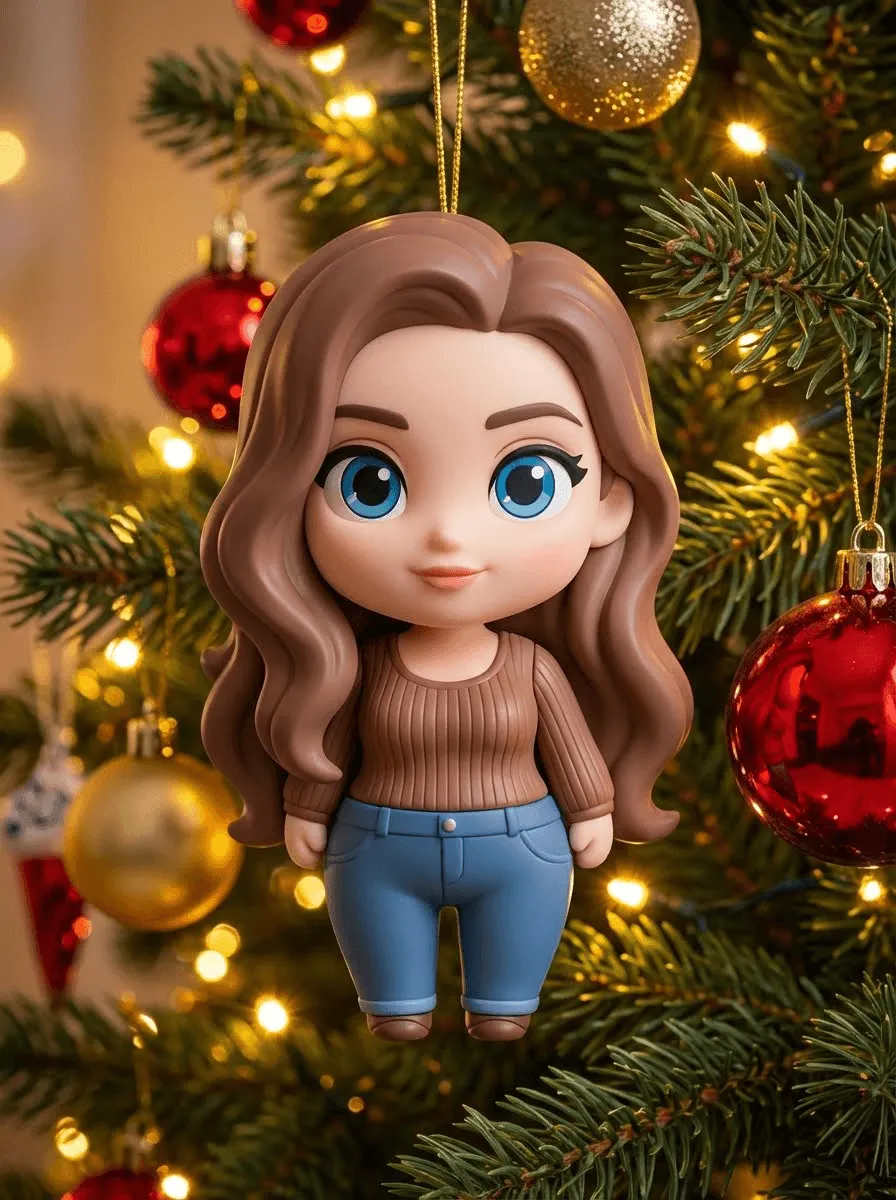
Use the subject from the uploaded photo and transform them into a 1/7–scale commercial figure ornament in a silicone Disney Chibi style. Keep the pose, hairstyle, clothing, and proportions recognizable, but render the figure with exaggerated cute Chibi features—large head, expressive eyes, and simplified, rounded proportions. The material should look like soft silicone with smooth, slightly glossy surfaces, clearly toy-like, not lifelike human skin. Hang this 1/7 Chibi figure ornament on an indoor Christmas tree using a thin golden string like a Christmas bauble. The scene is warm and festive, filled with golden lights, ornaments, and a cozy Christmas glow. Ensure the figure feels like a premium collectible toy, integrated naturally with the tree branches, with the image clean, clear, and focused on the ornament.
Use the subject from the uploaded photo and transform them into a 1/18–scale commercial collectible action figure, fully articulated. Keep the pose, hairstyle, clothing, and proportions recognizable. Render the figure in high-gloss molded plastic, with smooth, shiny surfaces and precise sculpting typical of premium collectible figures. Hang this 1/18 action figure on an indoor Christmas tree using a thin golden string like a Christmas bauble. The scene is warm and festive, filled with golden lights, ornaments, and a cozy Christmas glow. Ensure the figure has a strong toy-like presence, integrated naturally with the tree branches, and keep the image clean, clear, and focused on the ornament.
Use the uploaded person, keeping their identity and facial features fully recognizable, turned into a 3D Disney-style chibi figure with soft stylized textures. The figure must look directly at the camera. Winter outfit. Dreamy 3D night scene with fireworks and glowing particles. Figure and environment must fully blend through matching lighting. No realism, no 2D anime.
Refer to this photo and maintain the consistency of the characters.Create an image of this person as an artist painting a tiny miniature figurine version of themselves. looking directly at the camera with a confident expression while holding a tiny paintbrush in one hand. The small action figure-sized version of themselves is prominently placed on a clean workbench in front of them - make the miniature slightly larger and more visible than realistic scale so it clearly stands out. The doll is a complete body.The miniature figure is also wearing the same iconic outfit in a signature pose. Minimal art supplies on the workbench to avoid clutter - just 2-3 small paint bottles and one extra brush, keeping the focus on the person and their miniature. Soft neutral white background, professional studio lighting, shallow depth of field. The composition emphasizes the person’s face looking at camera and the miniature figure they’re working on. Clean, uncluttered, photorealistic style with high detail on both figures
Create a realistic figurine of this pet with incredibly detailed fur/feather textures, capturing their unique personality and expression. Place on a nature-themed base with tiny grass, flowers, or appropriate habitat elements. Include a small nameplate and paw print details.
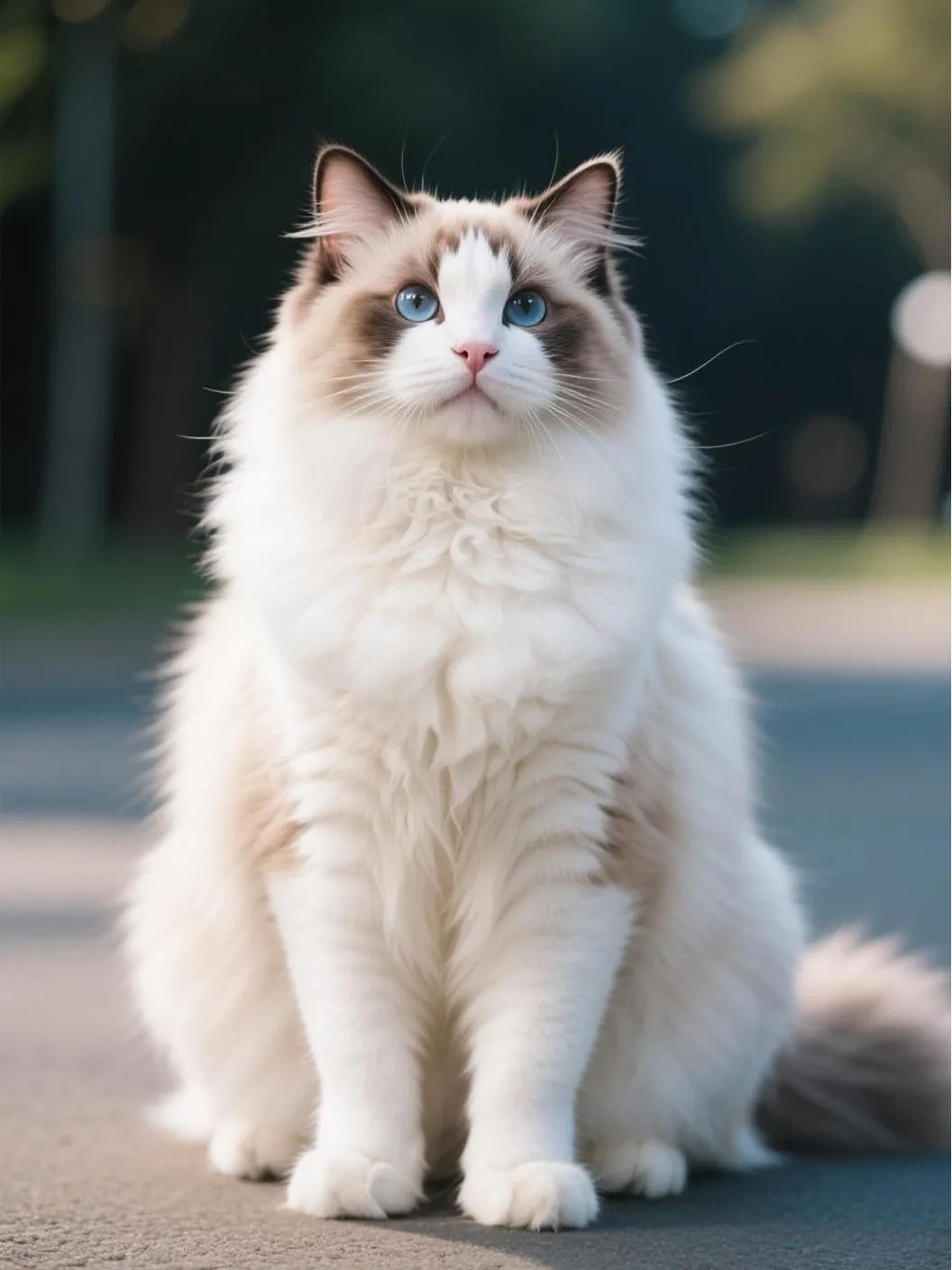
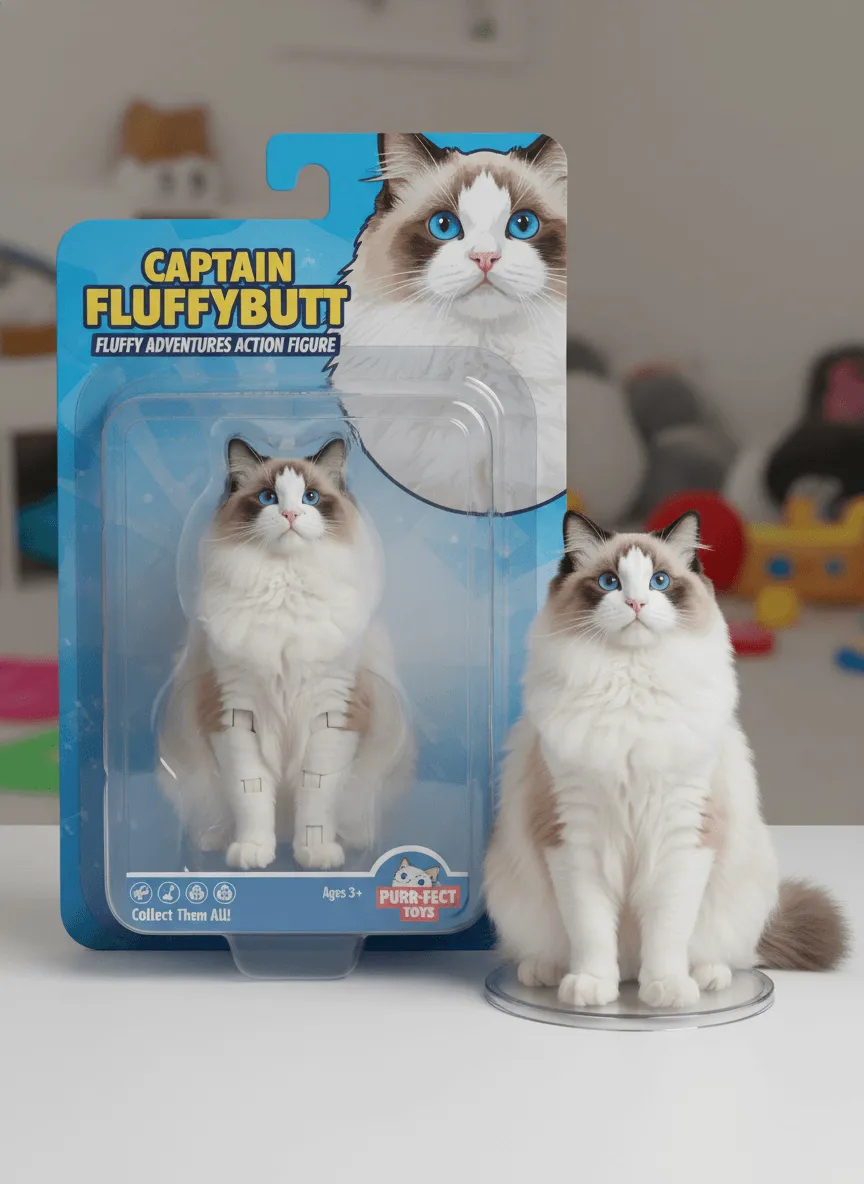
Turn my pet into a plastic action figure next to its packaging
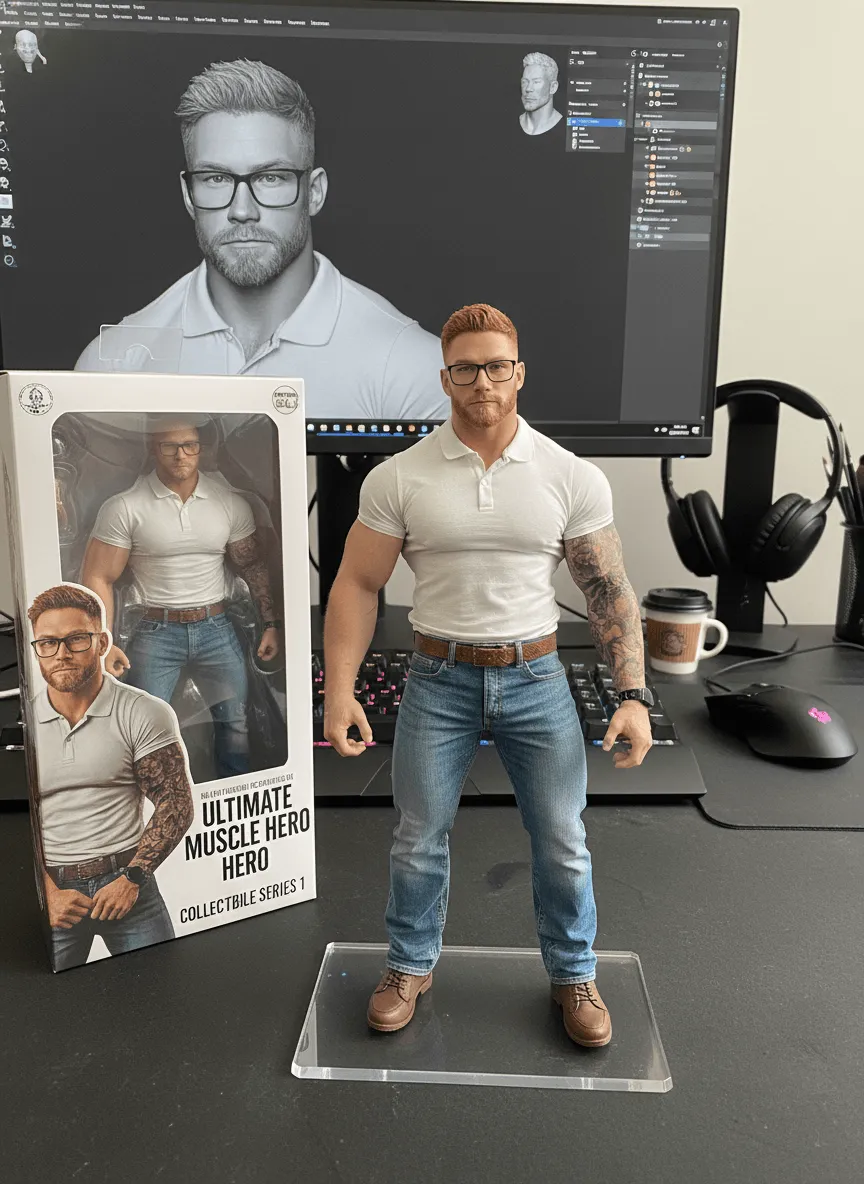
Create a commercial 1/18 scale collectible action figure based on the attached image, rendered in a hyper-realistic style within a real-world computer desk workspace. The figure is displayed on a computer desk, standing on a transparent acrylic base with no text or logos. Next to it, include a branded action figure box with a clear plastic front window, showing the figure inside, styled like professional collectible packaging. On the computer screen behind, show the digital sculpting process inside ZBrush, making it clear that the figure was designed in 3D. The environment must clearly show a desk setup with monitor, keyboard, and small desk accessories. Lighting should be bright, evenly diffused studio lighting, with controlled highlights and soft shadows, emphasizing the fine details of the figure, the box with its transparent window, and the acrylic base
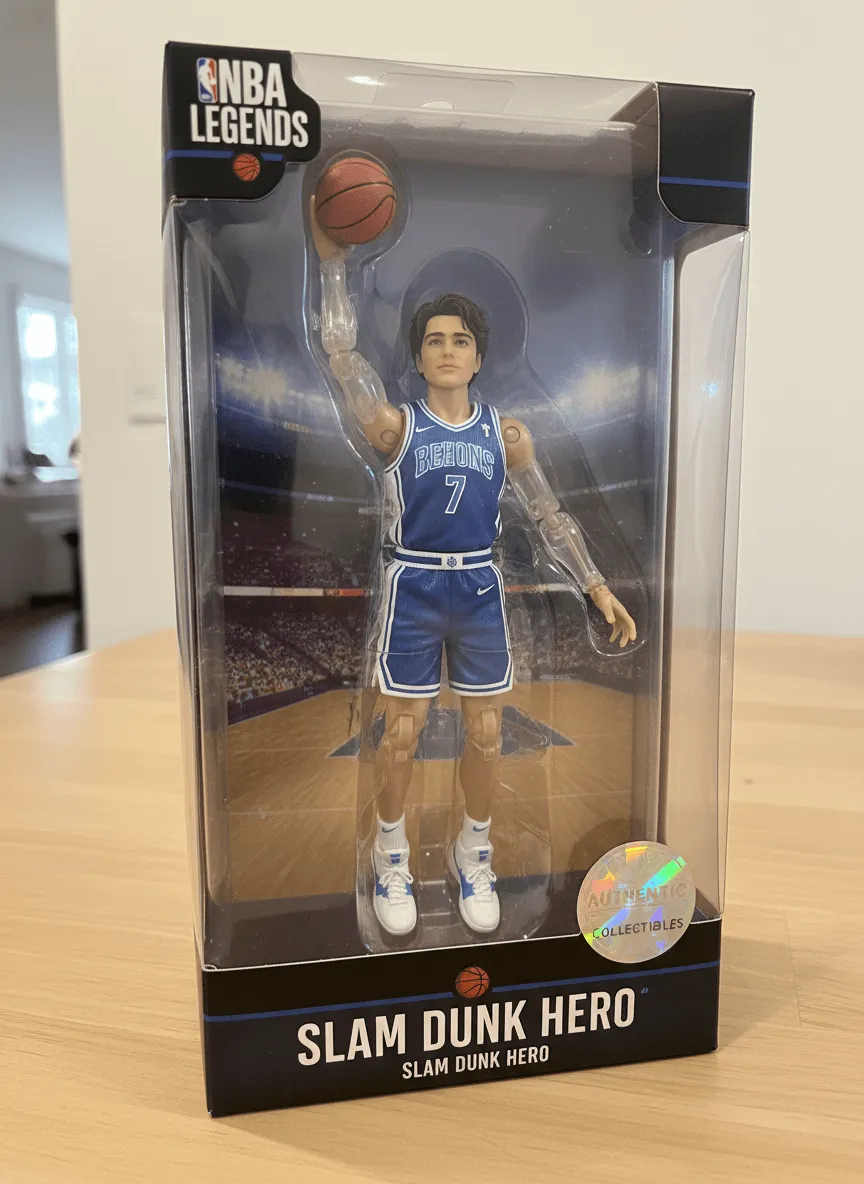
Me as a 1/7 scale basketball action figure made of high-gloss molded plastic, packaged inside its collector's edition window box, complete with miniature basketball, glossy team jersey, articulated joints for slam-dunk poses, and a holographic authenticity sticker on the corner of the packaging.
Create a 1/7 scale commercialized figurine of the characters in the picture, in a realistic style, in a real environment. The figurine is placed on a computer desk. The figurine has a round transparent acrylic base, with no text on the base. The content on the computer screen is a 3D modeling process of this figurine. Next to the computer screen is a toy packaging box, designed in a style reminiscent of high-quality collectible figures, printed with original artwork. The packaging features two-dimensional flat illustrations
Use the subject(s) from the uploaded photo exactly as they appear — keep all faces, hair, poses, and proportions unchanged. Place the subject(s) naturally on a wooden table. On the table, stack several boxes of cookies with realistic textures. In the bottom left corner, show a hand holding a square long-pile plush pillow, fluffy and soft; the cookie design on the pillow should also appear soft and furry. Make sure the hand and pillow are naturally integrated into the scene, casting realistic shadows on the table, matching the warm yellow lighting and perspective of the environment. Background: cozy coffee shop interior, blurred coffee equipment and furniture. Realistic photography style, natural lighting and shadows, photorealistic textures, soft depth of field, cinematic warm ambiance.
Generate a model toy of the cartoon character in the picture. Place the figurine on the computer desk, equipped with a circular transparent acrylic base, with a scale of 3:4
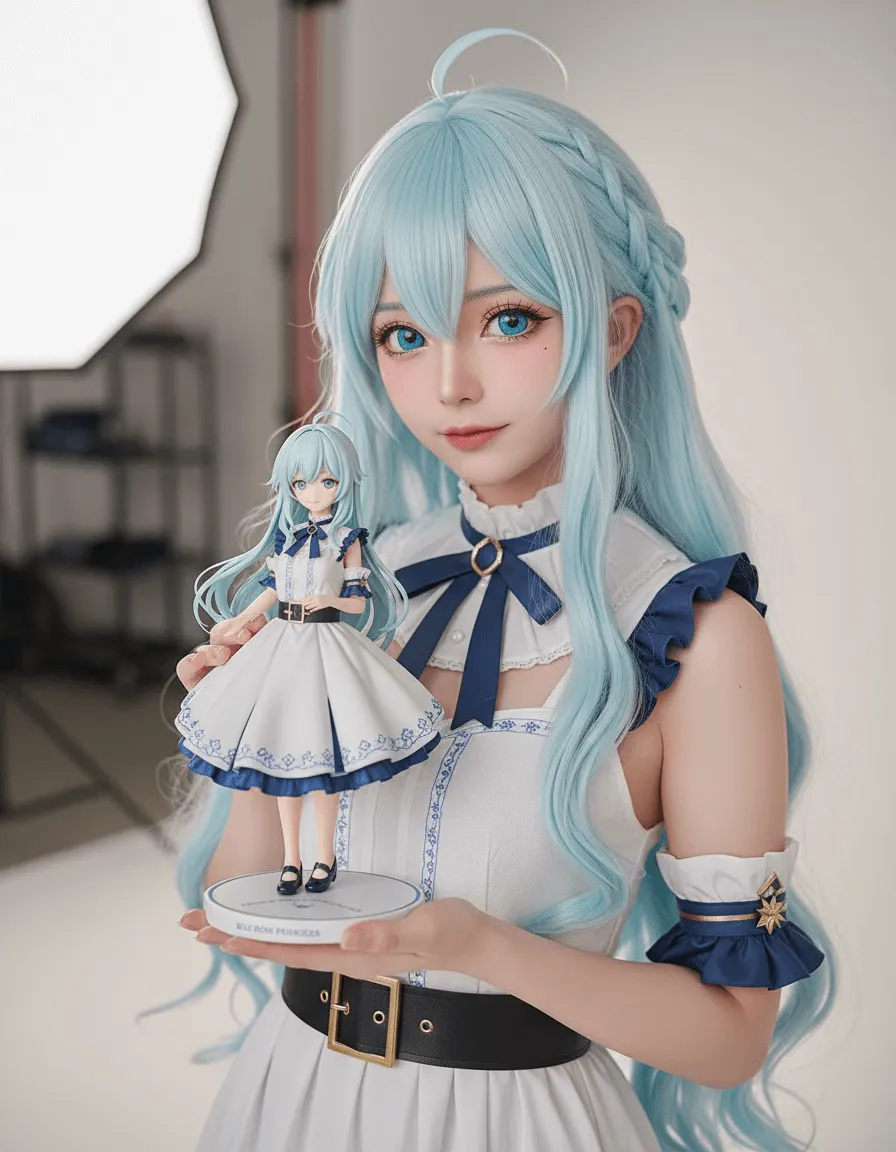
Hyper-real photo, not anime: human cosplayer replicating the reference 2D character, pore-level skin texture, natural softbox lighting, accurate real fabrics and armor finishes. Cosplayer is holding a 1/7 scale resin portrait in the photo studio—razor-sharp on hair strands, embroidery, metallic shine, base lettering legible. Cinematic 85 mm, f/2.2, 12 K.
create a 1/7 scale commercialized figurine of the characters in the picture, in a realistic style, in a real environment. The figurine is placed on a computer desk. The figurine has a round transparent acrylic base, with no text on the base. The content on the computer screen is a 3D modeling process of this figurine. Next to the computer screen is a toy packaging box, designed in a style reminiscent of high-quality collectible figures, printed with original artwork. The packaging features two-dimensional flat illustrations.
Building in the style of Chinese architecture, cartoon-style house model, red and yellow color scheme, white background, clay material,
Hatsune Miku Blind Box Caricature 3D AI Art
Cute Lolita Blind Box Caricature 3D AI Art
Kimono Dress Lolita Blind Box Caricature 3D AI Art
Rabbit Ears Chibi Girl Blind Box Caricature 3D AI Art
What is an AI Toy Generator?

What is an AI Toy Generator?

An AI toy generator is a creative tool that transforms photos or text prompts into toy-style characters. It supports toy creation from images or descriptions, making AI toy design accessible without modeling skills. This approach suits content creators, parents, designers, and brands who want fast, visual toy concepts. Instead of drawing or sculpting manually, users can generate expressive toy characters quickly and refine them through simple prompts.
Create Toy Character Now
Turn Photos into Toy Characters Instantly

Turn Photos into Toy Characters Instantly

This AI toy figure generator works with selfies or full-body photos to create toy-like characters while preserving facial expressions and key details. The AI analyzes proportions, expressions, and features to keep the result recognizable. In seconds, you get a ready-to-share toy image that looks playful and polished, making it easy to make your pictures into a toy free for personal or creative use.

Turn Photos to Toy Characters
Explore Multiple Toy Styles and Looks

Explore Multiple Toy Styles and Looks

The AI toy generator supports multiple toy aesthetics, from cute and stylized to collectible-inspired looks. You can experiment with different styles, mix visual elements, and see variations quickly. Despite style changes, the generator maintains consistent quality, helping you compare ideas and choose the best direction for your project without repeating the process from scratch.

Create AI Toy Image Now
Turn Text into AI Toy Characters

Turn Text into AI Toy Characters

Beyond photos, this tool also functions as an AI toy box generator driven by text prompts. Describe a character, outfit, or mood, and the AI produces a unique toy design without requiring any images. This is ideal for storytelling, early concept design, branding visuals, or creative experiments where imagination comes first.

Convert Text to AI Toy Now

Simple Steps: How to Turn Photos into AI Toy Characters

Step 1: Upload your photo

Click the Upload a photo button and select a JPEG, JPG, PNG, or WEBP image from your device. Clear portraits or full-body photos work best, helping the AI toy generator capture facial features, proportions, and details accurately.

Step 2: Select a toy filter

Choose a toy style you like from insMind's collection, such as 3D figure, pop figure, starter pack, chibi, Polly Pocket style, clay style, or action figure. Each filter applies a distinct toy aesthetic while keeping the character recognizable.

Step 3: Generate the toy image

Click the Generate button to start the transformation. Within seconds, the AI toy generator processes your photo and turns it into a toy figure, preserving key details while applying the selected toy style consistently.

Step 4: Download the image

Preview the generated toy image and click Download to save it to your device. You can use the image for social avatars, creative projects, sharing with friends, or regenerate it if you want to try another toy style.

What Can You Create with the AI Toy Generator?

Social Avatars and Profile Pictures

Creators can use the AI toy generator to design playful avatars for social platforms. Toy-style profile images stand out visually and add personality while remaining recognizable. This approach works well for personal branding, creator accounts, or themed communities.

Kids' Characters and Storybook Figures

Parents and storytellers can generate toy characters for children's stories or activities. The friendly toy style makes characters approachable and fun, helping kids connect with visual storytelling without requiring illustration skills.

Toy Concept Design and Mockups

Designers can use AI toy design to explore early toy concepts quickly. Generating multiple toy looks from photos or text helps visualize ideas before committing to detailed modeling or production steps.

Stickers, Emojis, and Fun Visuals

Toy-style images are perfect for stickers, emojis, and lighthearted visuals. With an AI toy generator, you can create expressive characters that work well in chats, presentations, or casual content.

Why Choose Our AI Toy Generator?

Fast Creation Without Design Skills

The AI toy generator removes the need for manual modeling or illustration. Upload a photo or write a prompt, and the system produces toy visuals quickly, saving time and lowering the barrier to entry.

Flexible Input Options

You can generate toys from photos or text. This flexibility supports different creative workflows, whether you start with an image or only an idea.

Consistent and Reliable Output

Across different styles and prompts, the generator maintains stable image quality. This consistency is useful when comparing designs or creating multiple variations.

Built for Creative Exploration

The tool encourages experimentation. You can regenerate, adjust prompts, and explore styles freely, making it suitable for ideation and concept development.

Who is This AI Toy Generator For?

Content Creators

Creators can design unique toy-style visuals for profiles, posts, or campaigns. These images help differentiate content and build a recognizable visual identity.

Parents and Kids

Parents can create fun toy characters from family photos or ideas. Kids enjoy seeing familiar faces transformed into playful toy designs, making it a creative activity.

Toy Designers

Toy designers can quickly prototype character ideas using AI toy design tools. This speeds up early-stage concept exploration before detailed production work.

Marketers and Brands

Brands can use toy-style characters for mascots, promotions, or playful campaigns. A consistent toy character can support storytelling and brand recognition.

Explore More AI Photo Effects

Frequently Asked Questions

What is an AI toy generator?

insmind expand icon
An AI toy generator is a tool that turns photos or text prompts into toy-style character images. It uses AI to apply toy aesthetics while keeping key visual features recognizable.

How is an AI toy generator different from an AI action figure generator?

insmind expand icon
An AI toy generator focuses on a broader range of toy styles, from cute and playful to stylized collectibles. Action figure generators often emphasize realistic proportions and specific figure aesthetics.

Can I make my pictures into a toy character?

insmind expand icon
Yes. insMind allows you to make your pictures into a toy character easily. You can upload a photo and generate a toy-style image without advanced tools.

Can I try different toy styles?

insmind expand icon
Yes. The AI toy generator lets you explore multiple toy looks and regenerate results to compare styles easily.

Is this suitable for professional toy design?

insmind expand icon
Yes, you can use this tool for concept and visual exploration. With the help of insMind's advanced AI image models, you can create high-quality toy designs.

Are the generated toy images high quality?

insmind expand icon
The AI produces clear, visually consistent images suitable for sharing, concept mockups, and creative use.

Do I need design experience to use it?

insmind expand icon
No. The tool is prompt-based and beginner-friendly, making AI toy design accessible to everyone.