


If you've ever wondered how your photo would look through a real fish eye lens, this tool lets you try it instantly. Upload a picture and apply the fish eye filter with one click. The result is a bold, rounded, and fun visual effect perfect for creative edits or viral content.
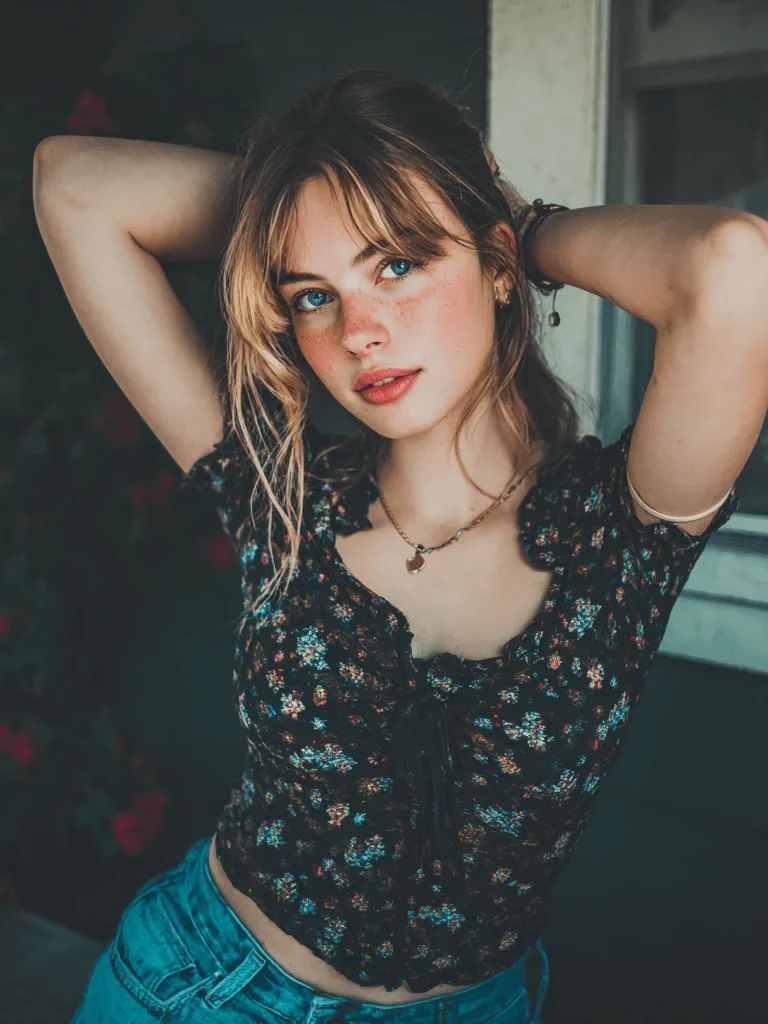
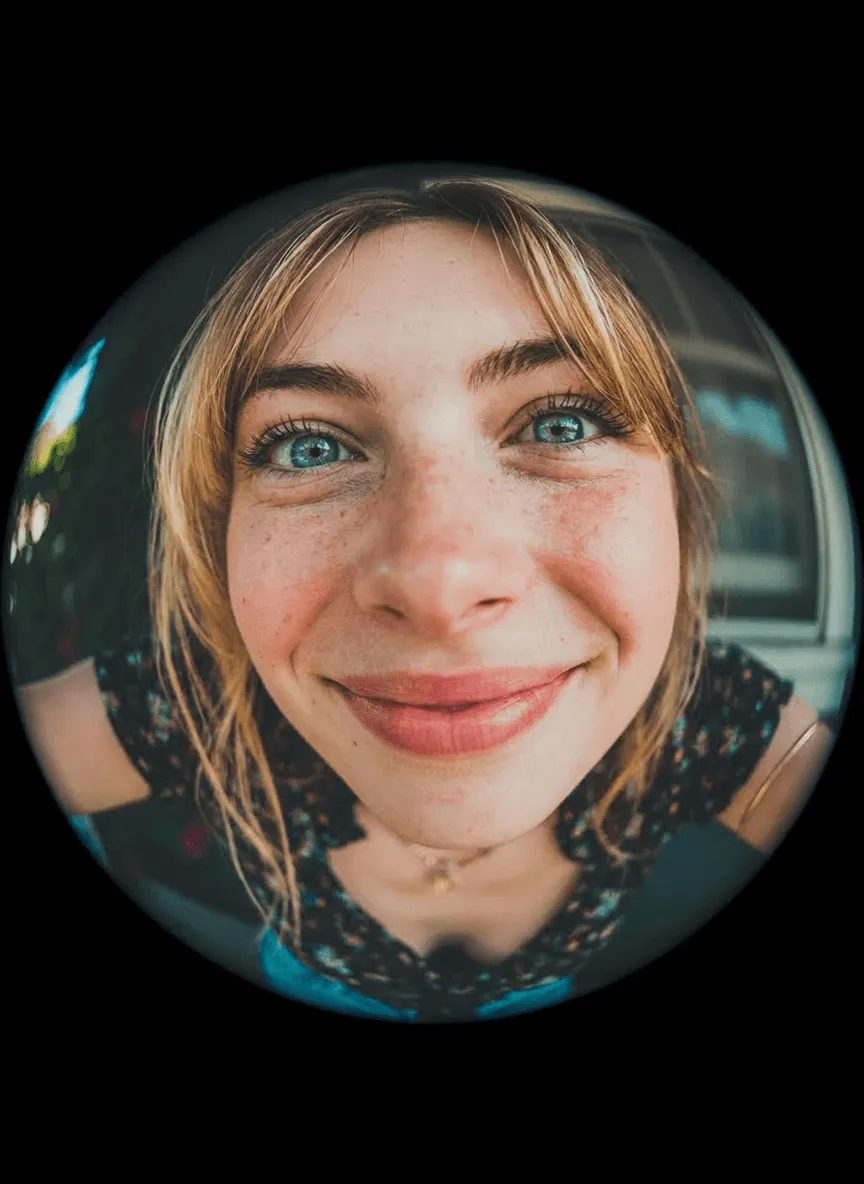

Fill in the prompt words
Create Similar


AI Fish Eye Filter for Every Photo Type
Our AI fish eye lens effect works on any kind of photo, from portraits and selfies to landscapes, pets, or group pictures. The filter adjusts automatically to your image, giving you a smooth wide-angle look without manual editing. Everyone can create impressive curved photos instantly.

Create Fish Eye Effect for Social Media, Avatars, or Memes
The fish eye camera filter is ideal for creating eye-catching visuals that stand out on social media. Use it to design unique avatars, highlight reactions, or produce entertaining meme-style images. The dramatic distortion adds personality and humor, helping your posts get more attention and engagement.
How to Add a Fish Eye Filter to Your Photo
Step 1: Upload your photo
Choose any image from your device. The tool supports portraits, selfies, pet photos, and more, preparing them instantly for the fish eye lens effect.
Step 2: Generate your fish eye photo
Our tool has the fish eye effect preset for you. Just click "Generate" and your photo will transform instantly with a wide, curved lens style.
Step 3: Preview the image
Review the final fish eye effect online. Make sure the distortion, curvature, and wide-angle look match what you want before downloading.
Step 4: Download the image
Save your edited photo and share it on social media, messaging apps, or anywhere you want to show your new fish eye effect.
Fun Ways to Use a Fish Eye Lens Effect
Creative Profile Pictures
Turn your portrait into a playful, rounded fish eye photo that instantly captures attention. The curved distortion adds humor and personality, making it perfect for gaming avatars, creator profiles, or anyone who wants a memorable and fun online identity.
Viral Social Media Posts
The fish eye lens filter creates bold visuals that perform well on TikTok, Instagram, and Snapchat. The exaggerated distortion can turn a simple moment into something funny or dramatic, making your posts more likely to catch eyes, spark reactions, and spread quickly.
Pet Photos with Personality
Give your pet photos a hilarious twist. The fish eye effect enlarges faces and creates adorable distortions that highlight your pet's expressions. It's perfect for playful social posts, pet-themed memes, or unique keepsake images for cat and dog lovers.
Group Photos with a Twist
Use the fish eye filter to turn ordinary group shots into energetic, wide-angle photos. It brings everyone closer to the center, creating a fun, dynamic vibe. Great for friends, family moments, parties, or behind-the-scenes content that feels lively and spontaneous.
Landscape Photography Experiments
Apply the fisheye effect online to curve horizons, bend buildings, or create surreal perspectives. This is a fun way for beginners or digital creators to experiment with wide-angle distortion without using a professional camera lens.
Meme Creation
Fisheye distortion is a classic meme style. The round, bulging look exaggerates emotional expressions and makes any situation more dramatic or ridiculous. With one click, you can transform a normal photo into a meme-ready image perfect for sharing.
Creative Artwork and Posters
Artists and designers can use the fish eye effect to add depth, motion, and visual impact to posters, album covers, or digital artwork. The curved perspective helps create bold compositions that stand out in marketing materials or creative projects.
Filters for Video Thumbnails
Use the fish eye lens effect to create strong, attention-grabbing thumbnails for YouTube, TikTok, or gaming videos. The exaggerated style draws viewers in and makes your content look energetic and fun before they even click.
Explore More AI Photo Effects & Templates
Frequently Asked Questions
What is a fish eye effect?


It's a wide-angle distortion that curves lines and expands the center of the image, creating a bubble-like, rounded look often used in creative photography.
What is a fish eye filter?
A fish eye filter applies this wide-angle lens effect to your photo digitally, stretching the image for a dramatic, playful result without needing a real lens.
How does the fish eye lens effect work?
It mimics how a real fish eye lens bends light. The filter curves edges and enlarges the center to create a big, circular perspective.
Can I add fish eye effect to any photo?
Yes. Upload any portrait, pet photo, landscape, or selfie, and the tool will apply the fish eye filter automatically.
Is the effect strong or subtle?
You can generate both. The tool creates a clear fish eye effect, but you can regenerate or adjust style if you want stronger or softer distortion.
Does this work for social media content?
Yes. The fish eye lens filter is great for viral posts, profile pictures, and meme designs across all social platforms.
Do I need editing skills?
No. The fish eye effect works in one click. Just upload the photo and the AI handles everything.
Can I preview before downloading?
Yes. You can preview the fisheye effect online to make sure the distortion looks right before saving.


