


AI video generation has evolved fast—but for many creators, it still feels unpredictable. You type a prompt, press generate, and hope the result matches your intent. Sometimes it works. Often, it doesn't. The output may look visually impressive, but it lacks structure, continuity, or narrative payoff.
At insMind, we believe AI video should feel less like a gamble and more like directing a scene.
That's why we're introducing Start & End Frames—a powerful new way to bring cinematic control and narrative structure into AI video creation. Instead of relying on vibe-based or random motion, creators can now define exactly where a scene begins and where it ends. insMind handles everything in between.
This shift marks a new era of structured storytelling—one where AI becomes your cinematographer, not the author of your story.
Table of Contents
Part 1. What Are Start & End Frames?
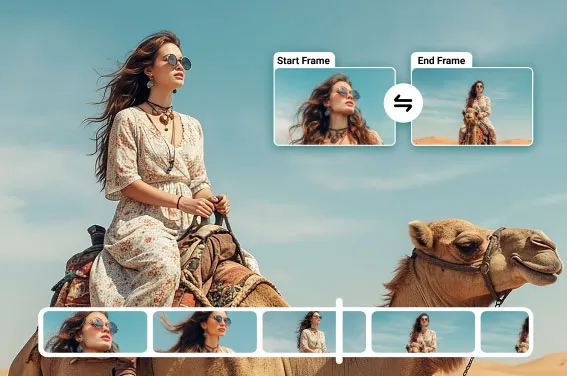
Start & End Frames allow you to upload (or define) a beginning image and an ending image, then have insMind generate a smooth, cinematic video sequence that connects the two.
Think of it as storytelling from Point A to Point B:
-
You define the opening visual
-
You define the final moment
-
insMind animates the narrative arc between them
Instead of a looping clip or a random motion sequence, you get a deliberate visual journey—with pacing, movement, and emotional direction.
This approach aligns with how filmmakers, advertisers, and visual storytellers actually think: not in isolated frames, but in sequences with intention.
Part 2. How to Use Start & End Frame Video Generation on insMind?
Creating a structured AI video with insMind is simple and intuitive. Here's how it works:
Step 1: Open the insMind Start & End Frame Video Generator
Go to insMind and access the Start & End Frame video generation tool. This is where your structured storytelling begins.
Upload:
-
A start frame image (your opening shot)
-
An end frame image (your final moment)
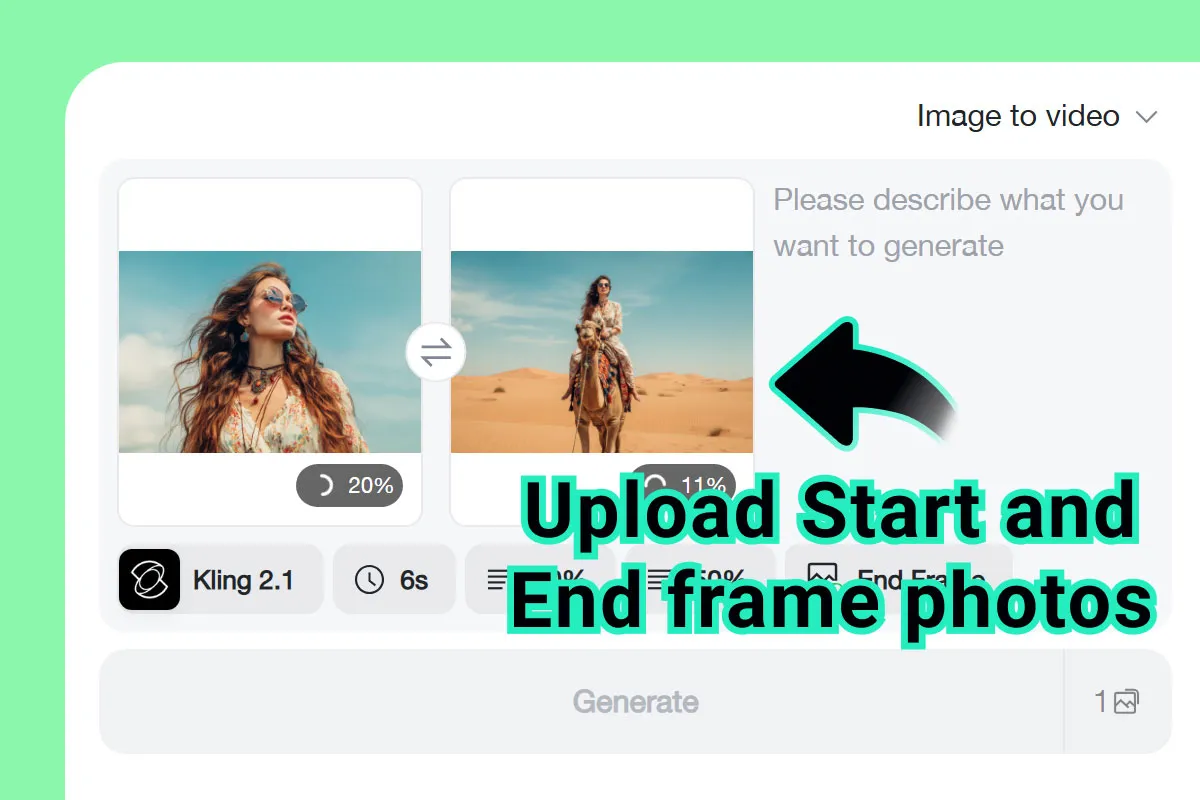
These frames act as visual anchors for the entire sequence.
Step 2: Enter a Prompt
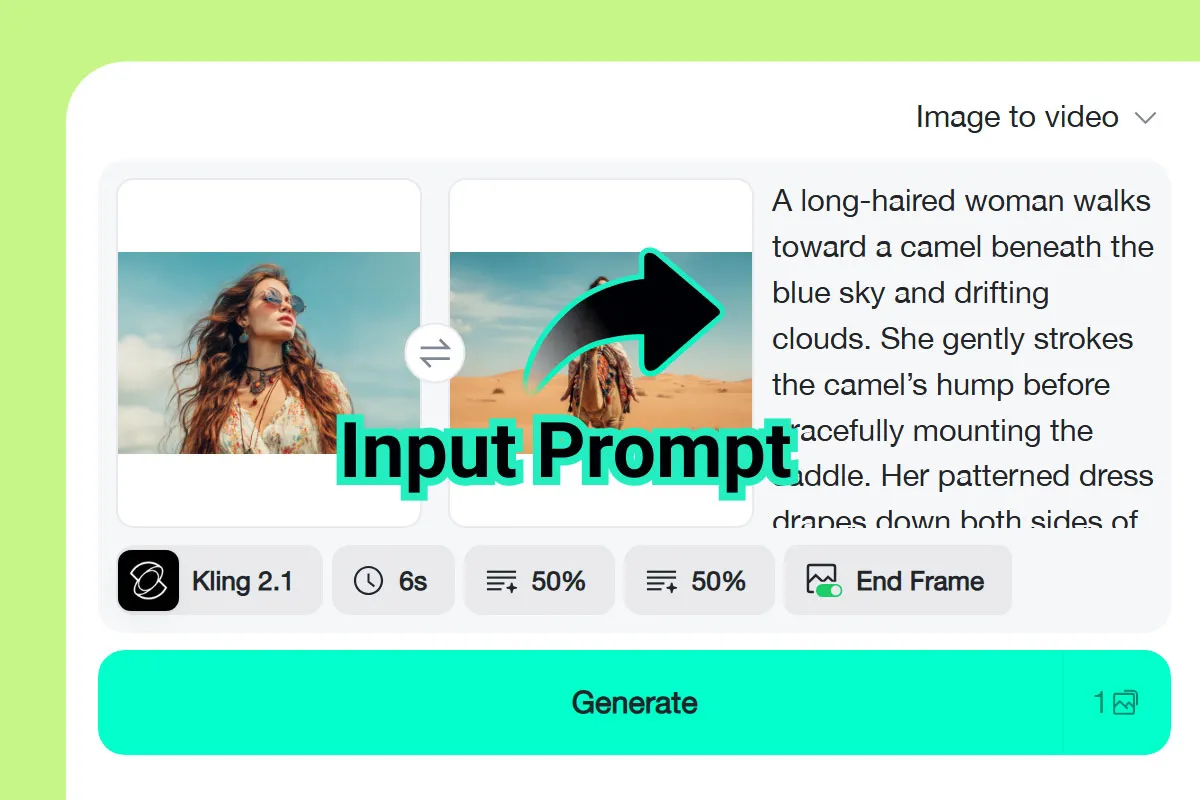
Add a prompt to guide the transition and overall mood.
You can describe:
-
The emotional tone (cinematic, dramatic, calm, energetic)
-
Camera behavior (slow push-in, dynamic movement, smooth pan)
-
Atmosphere (lighting, environment, time of day)
The prompt doesn't replace structure—it enhances it.
Step 3: Adjust Video Settings
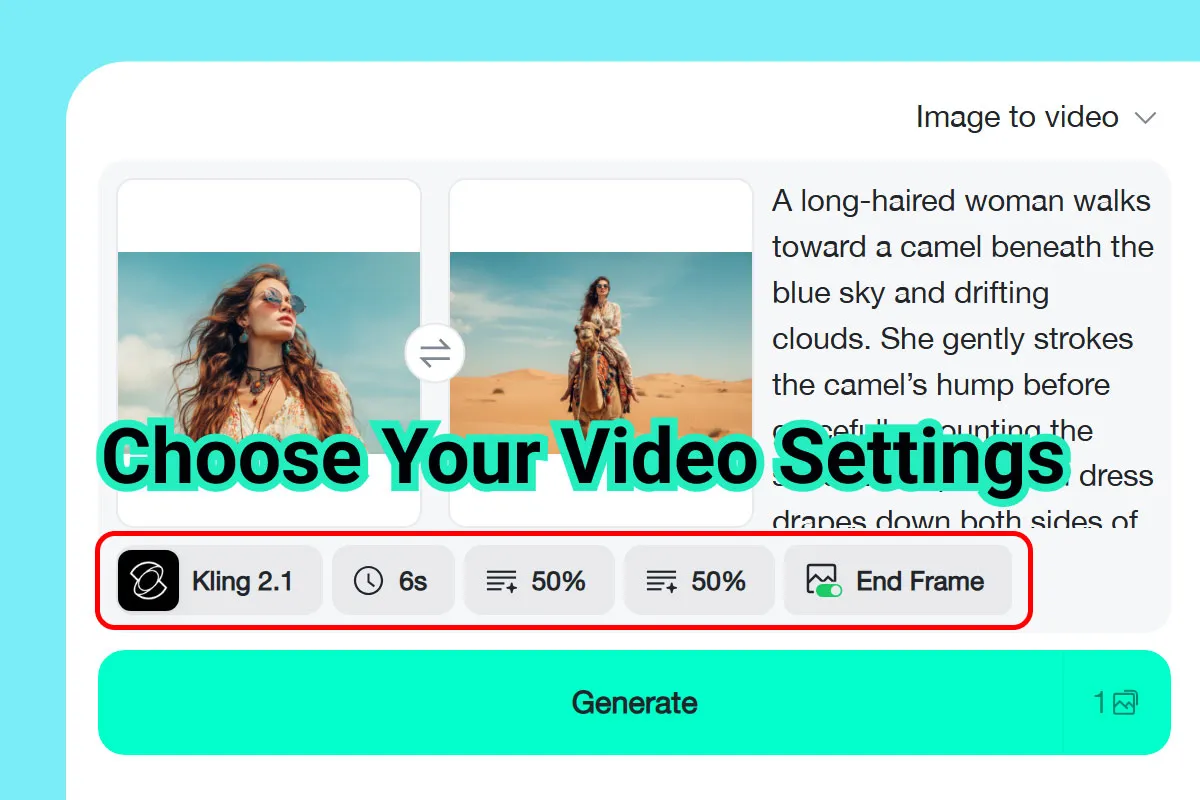
Customize the video to match your creative goals:
-
Choose AI model (optimized for cinematic motion and realism)
-
Set transition length (short reveal or longer narrative build)
-
Select video resolution (HD or higher for professional output)
These settings give you fine control over pacing and visual quality.
Step 4: Generate and Download
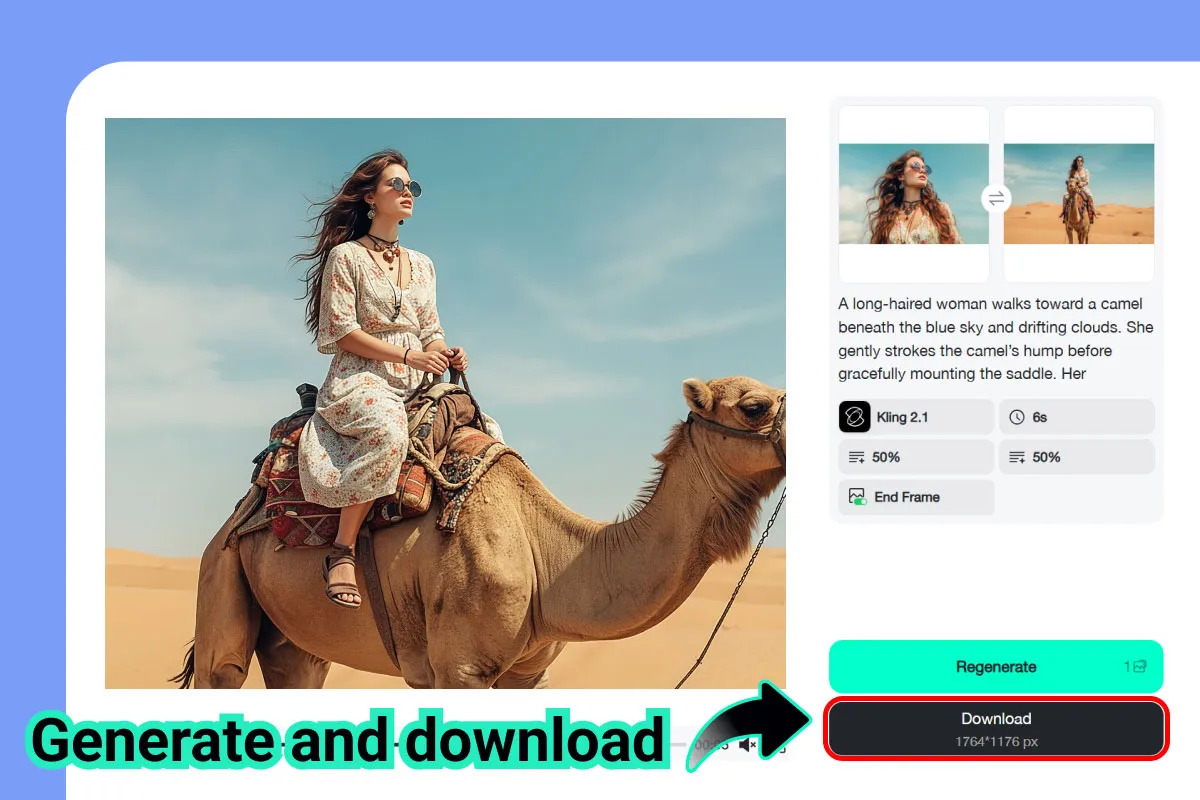
Click Generate, and insMind animates the full sequence between your start and end frames.
Preview the result, then download your video—ready for social media, ads, or creative projects.
No editing timeline. No manual keyframes. Just structured AI storytelling.
Part 3. Structured Video Generation: From A to B
Traditional AI video tools often produce:
-
Short loops
-
Repetitive motion
-
Visually appealing but narratively empty clips
Cinematic storytelling, however, depends on:
-
Progression
-
Contrast
-
Reveal
-
Payoff
With Start & End Frames, creators can lock in both ends of a scene and trust insMind to animate the space between using dynamic motion, camera movement, lensing, and composition.
This transforms AI video from “generate something cool” into “tell a story visually.”
You're no longer reacting to what the AI gives you—you're directing the outcome.
Part 4. Why Start & End Frames Matter
Structure Beats Randomness
Random generations may look interesting, but structure creates meaning. By defining both the start and the end, your video gains direction, clarity, and intent.
No Post-Production Required
There's no need to export clips into editing software just to connect scenes. insMind animates directly between your visual anchors.
More Control, Less Guesswork
You decide the narrative arc. The AI handles execution—smoothly and consistently.
Built for Real Creative Work
This isn't just for experimentation. It's designed for creators who need repeatable, controlled results.
Part 5. Who Is This Feature Designed For?
Start & End Frames were built for creators who care about story, pacing, and outcome, including:
-
Before / After transformations (makeovers, edits, restorations)
-
Reveal shots (products, characters, environments)
-
Brand storytelling & visual ads
-
Music videos and short films
-
Social content with narrative transitions
-
Concept art and visual development
If your content depends on progression—not just aesthetics—this feature is for you.
Part 6. Conclusion: From Generation to Direction
AI video generation is no longer just about producing content—it’s about directing stories with intention. With Start & End Frames, insMind moves beyond random motion and visual guessing, giving creators true narrative control from the first frame to the last.
By defining where a scene begins and how it ends, you transform AI from a generator into a collaborator—one that understands structure, pacing, and payoff. Whether you’re crafting a product reveal, a visual transition, or a short cinematic moment for social media, Start & End Frame helps you tell clearer, stronger stories without complex timelines or post-production tools.
This is structured storytelling built for modern creators: faster, smarter, and more intentional.
Upload your beginning. Upload your ending. Let insMind bring the story to life in between.
Start directing, not just generating.

Sid Buckley
I'm a professional writer and amateur photographer, and I author insightful articles at insMind to help you integrate AI into compelling image creation.


