


Video content is now a big part of social media, marketing, and online education. Short videos, tutorials, and promos are all over the place, and the need for fast, clean content continues to increase. Back in the day, editing videos was a time-consuming activity and required a high level of skill. People needed to know how to use complicated software, work with timelines, and spend hours making tiny edits.
Today, an AI video editor enables video editing to become far easier using basic prompts rather than manual tools. You can explain what you would like changed, and the editor edits the video for you. This method allows for quicker editing and less work, as well as tools that are easy for beginners to use.
In this guide, you will get to know what AI video editing is and how it works. You will also find out the best video editor AI tools to look for in 2026. Finally, you shall find how to edit videos step by step using insMind, as well as some practical use cases regarding real-world projects.
Table of Contents
What Is an AI Video Editor?
An AI video editor is a tool that can assist you with editing videos by means of simple text instructions rather than having to deal with complicated video editing timelines. Rather than cutting clips by hand, you can explain what you want to change, and the tool edits the video for you. This makes it easier and faster for video editing, no matter what your video editing skill level might be.
An AI video editing tool can take care of some common tasks, such as getting rid of the unwelcome objects or people, or even changing the background or updating the style of the video to look like it was shot cinematically, cartoon-like, or animated. Unlike traditional editors, video editing AI is more focused on automation rather than manual controls. You don't have to include advanced editing skills or professional software to use it. With the help of AI edit video features, creators save time and effort but still provide clean and polished results using an AI editor video workflow.
insMind AI Video Editor
insMind is a modern-day AI video editor online made for speed and simplicity. It only requires users to describe changes in a plain text format to make edits to a video without having to use complex timelines or having advanced skills. The tool works directly in the browser, making video editing easy to access anywhere.
What It Does
· Edits videos based on text-based prompts, rather than based on manual controls
· Created for beginners and quick-paced creators
· Works completely online without software installation
· Best for quick edits and clean visual updates
Key Features:
· Prompt-based editing to modify style, background, or subjects
· Supports Kling O1 for smooth and high-quality results
· Browser-based workflow that requires no downloads
· Works as an AI video changer for quick visual updates
· Available AI video editor online free
Best Use Cases:
· Social media content and short videos
· Marketing promotional videos
· Creative edits and experiments with visuals
· This combination of easy controls and powerful features makes insMind a great choice of an AI video editor for 2026.
Other Recommended AI Video Editing Tools
Runway
Runway is known for being creative and experimental with editing. It is used frequently for artistic visuals and short clips. Many creators use it to try out bold ideas quickly.
Features:
· Creative video effects
· Visual scene edits
· Short-form video support
Magisto
Magisto is for fast business videos. It helps users generate good marketing content. The focus of the tool is speed and simplicity.
Features:
· Auto video edits
· Marketing-friendly layouts
· Quick video creation
Pika Labs
Pika Labs are used for creative visual edits. It is effective for short and artistic videos. The tool is popular among creators of experiments.
Features:
· Visual style edits
· Short clip creation
· Creative effects
Animaker
Animaker is easy to use and friendly to beginners. It is focused on animated videos and explainers. No design skills are needed.
Features:
· Drag-and-drop editor
· Animated templates
· Simple characters
Lumen5
Lumen5 turns text into videos. It is very much used in marketing content. The tool is good for blogs and adverts.
Features:
· Text-to-video creation
· Marketing templates
· Easy layout tools
FlexClip
FlexClip is an easy-to-use online editor. It is good for quick edits. It is used by many beginners at no cost as an AI video editor.
Features:
· Browser-based editing
· Basic video tools
· Ready-made templates
CapCut
CapCut is extremely popular on social media. This is for reels and short videos. The app is fast and easy.
Features:
· Social media tools
· Trend-based effects
· Quick editing
InVideo
Ad and promo videos are the focus point of InVideo. It uses templates to save time. It is often used by businesses for campaigns.
Features:
· Ad-ready templates
· Text overlays
· Easy exports
Wisecut
Wisecut is aimed at talking videos. And it eliminates pauses and mistakes automatically. This is what helps in cleaning content fast.
Features:
· Auto-cut silences
· Speech cleanup
· Simple workflow
How to Edit Videos Using insMind AI Video Editor
Step 1: Open the AI Video Editor Page
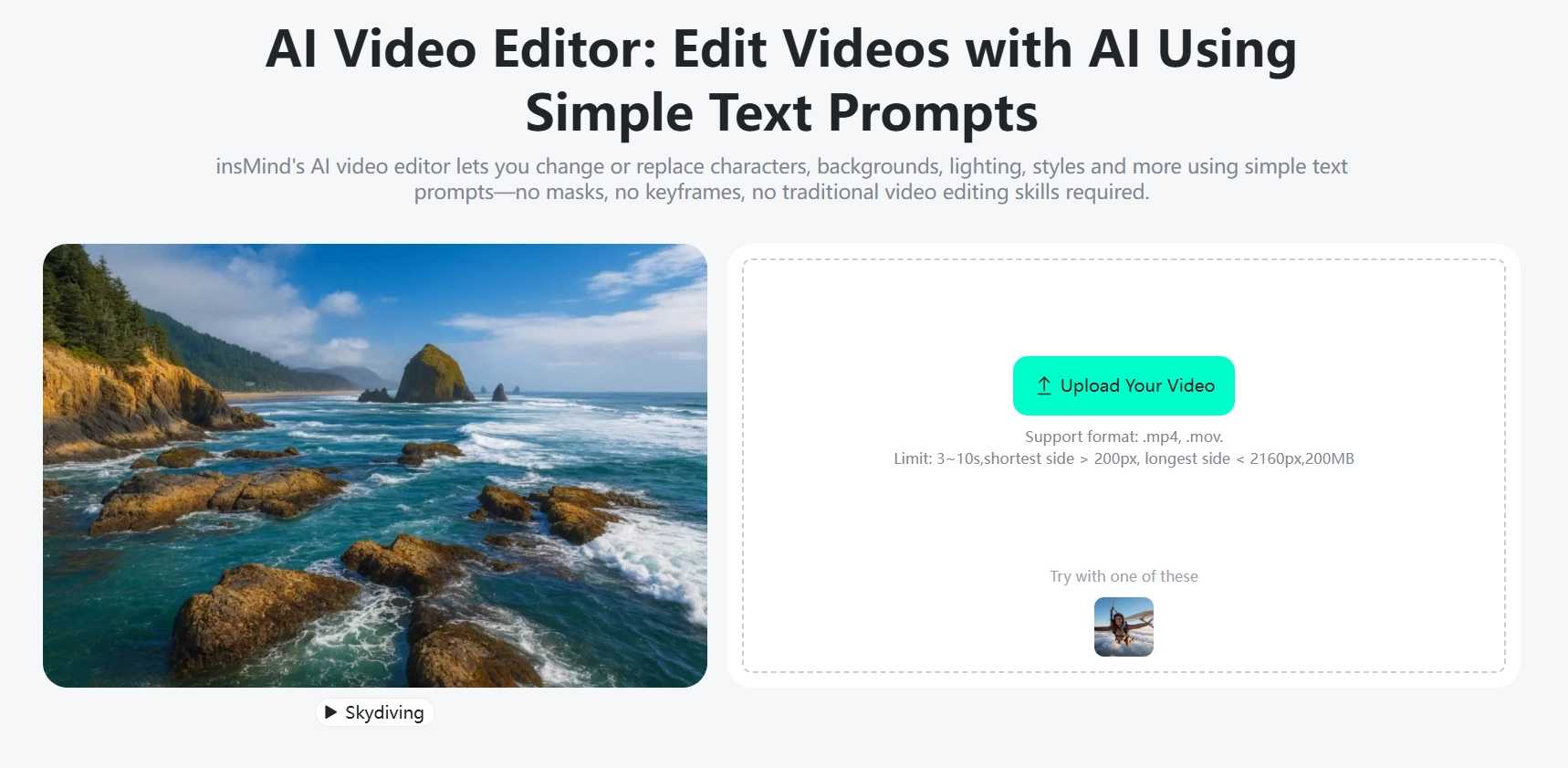
Start by going to the insMind AI Video Editor page with your web browser. When the page opens, you will see a clean and simple interface that is designed for easy use. All the main ones are clearly labeled, too, so you know where to start immediately. Since it is completely online, there is no download or installation required. This contributes to insMind being a convenient AI video editor online tool for quick and flexible editing.
Step 2: Upload Your Video
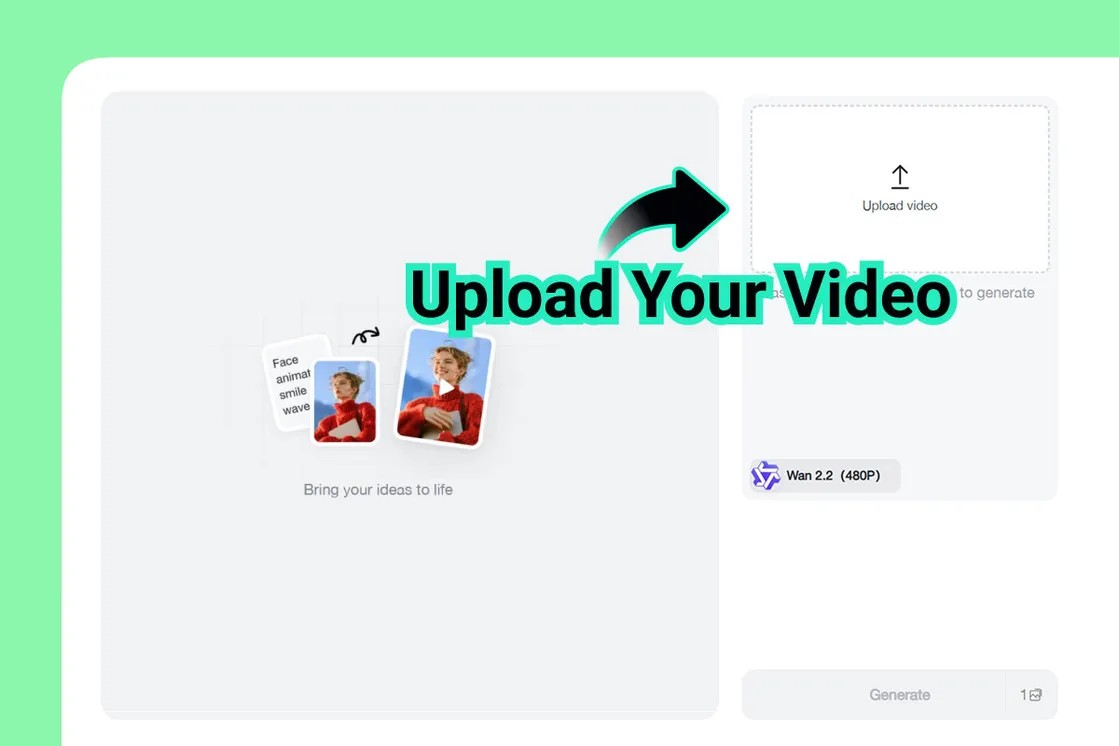
Next, upload the video you want to edit. insMind supports MP4 and other common video formats, so you can easily get started with it. You can upload social media clips, product videos, or personal footage without any additional steps. The uploading process is quick and easy, even for larger files. Once your video is uploaded, it is ready for editing, and you can move on without waiting or adjusting some complex settings.
Step 3: Fill in Your Prompt to Edit Video
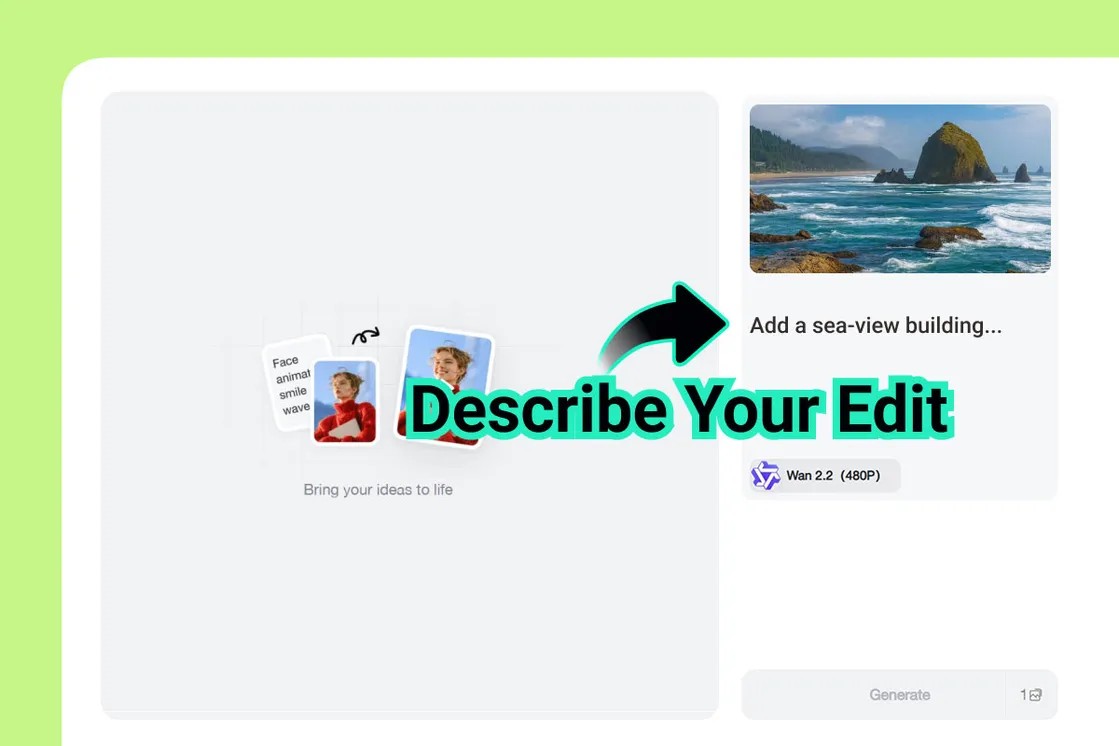
Once uploaded, there are options to edit your video based on easy-to-use text prompts. Instead of chopping clips with your own hands, you simply describe what it is that you want to change. For example, you can ask to delete people or things, change the main person, change the background, or change the video style to cinematic, cartoon, or anime. This system, which is prompt-based, makes insMind feel like an AI video changer that anyone can use. Even beginners can edit videos easily with this AI video editor online for free.
Step 4: Generate and Download
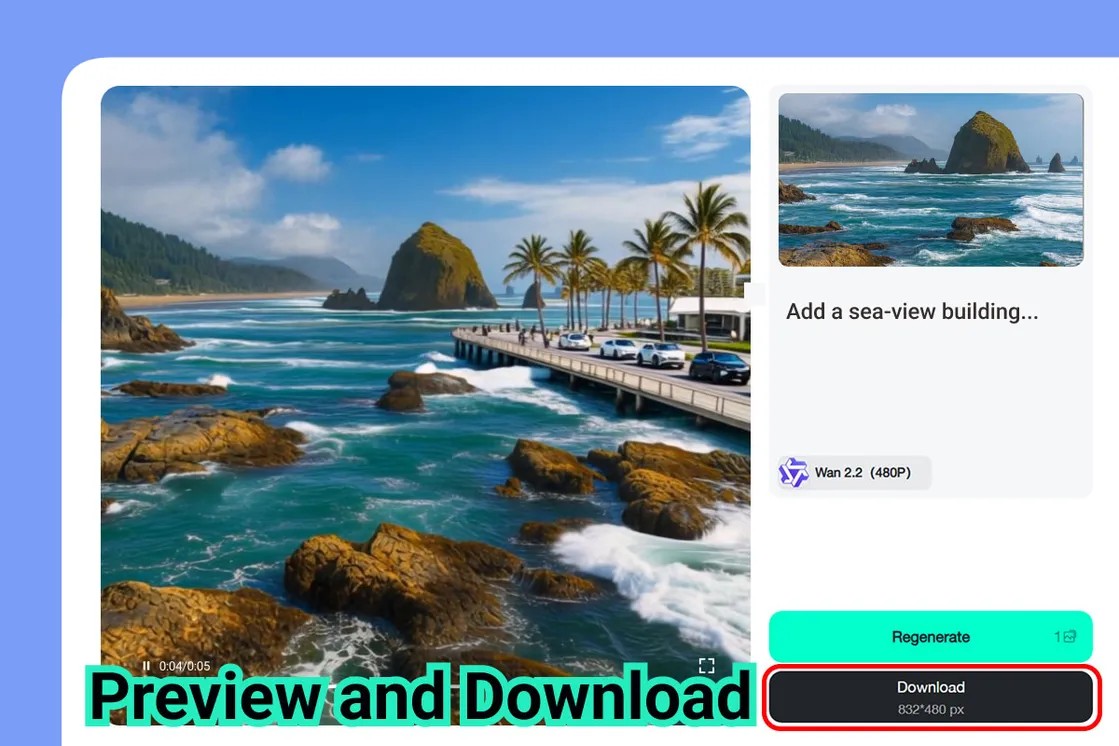
Once you have your prompt ready, click on the Generate button. The tool does what it can to process your request and produce a new version of your video. You can preview the result to ensure that everything appears okay before saving it. If necessary, you can change your prompt and generate again. When you are satisfied, download the final video to your device, and you can use this free AI video editor and the free AI video editor online workflow anywhere you like.
Practical Examples and Use Cases
Social Media Content
Creators use video editing in AI & create fast and eye-catching video clips for Instagram reels, TikTok, & YouTube Shorts. Short-form videos take advantage of quick edits, changes in style and background, that keep the viewer watching. An AI editor video workflow assists creators in exploring trends and posting more frequently without additional effort.
Business and Marketing Videos
For brands, AI-powered editing can come in handy for promo videos, corporate updates, and product highlights. Teams can change visuals, messages, and styles on the fly. This makes it easier to maintain fresh, consistent marketing content across content channels.
Creative Filmmaking and Storyboarding
AI tools also enable creative work, such as visual ideas, testing of concepts, and short creative edits. Filmmakers can experiment with looks, pace, and scenes before going into full production. This saves time while aiding the formulation of ideas at a faster rate.
Final Thoughts
AI has transformed the way videos are created, making the process faster, simpler, and more accessible than ever. With an AI video generator, creators no longer need complex editing software—ideas can be turned into videos using prompts and quick actions instead. insMind stands out with its prompt-based editing workflow, easy online access, and beginner-friendly design. Whether you are working on social videos, marketing content, or creative projects, an AI video editor helps you move from the idea to the final video with less effort. Now is a good time to try using AI video editing and understand how much faster your workflow can become.

Jayson Harrington
I am the Chief Editor of insMind. I provide tips and skills to help users design better photos with insMind, whether for e-commerce, social media, or any other use.


