AI Collage Generator: The Smartest Online Collage Creator
Create professional photo collages in seconds with our free online photo collage generator. Upload your images and let AI automatically handle layout, spacing, and alignment for perfect grid results.
Before
After
Fill in the prompt words
Create stunning 3-Grid & 9-Grid photo collages
Extreme wide-angle remix EDIT.
Use the original image as strict reference for the person’s identity, hairstyle, outfit style, and the SAME location type. This is an EDIT, not a new character.
Generate a 4-panel grid (2×2). Each panel MUST have a different pose, angle, and near-lens body part. No repetition.
Camera / Perspective
Ultra-wide / fisheye (12–18mm). Dramatic angles required: worm’s-eye, bird’s-eye, low/high, Dutch tilt. Strong foreshortening: near-lens parts appear huge. Photorealistic fashion/street style.
Background
Keep SAME location; do NOT replace it. Different angles may show new areas—extend environment logically with matching structures, materials, colors, lighting.
Near-lens Parts (1–2, sometimes 3)
Each panel uses different parts: hands/fingers, feet/shoes, knees/thighs, face, shoulders/chest. Must come extremely close with clear texture and distortion.
Pose / Body
Each panel must have a UNIQUE dynamic pose: standing with limbs forward, crouching, sitting, lying with feet toward lens, leaning in, twisting, crossed legs, arched back. Complex combos allowed (hands+feet, both hands, both feet, face close with limbs in perspective). Anatomy must remain believable.
Angle / Attitude
Randomize orientation per panel (up/down/side/tilt). Keep cool, confident fashion/editorial or street vibe. Expressions can vary but must remain the same person.
Lighting / Rendering
Keep lighting/time consistent with original. You may enhance contrast/color. Maintain realistic shadows and ground contact. High-resolution, sharp textures.
Variation (VERY IMPORTANT)
All 4 panels must differ clearly:
– different camera angles
– different poses
– different near-lens parts
– different orientation
Avoid ANY repeated composition.
Strict Rules
Do NOT change the person.
Do NOT change outfit type.
Do NOT move to another location.
Do NOT add text/logos.
Do NOT use illustration/anime; keep photorealistic.
Generate a cohesive 3x3 grid cinematic contact sheet featuring 9 distinct, photorealistic camera shots of the subject(s) from the input image.
Location & Setting:
Set the scene at the following coordinates: Latitude: 55.7558° N, Longitude: 37.6173° E.
The environment must accurately reflect the specific location, local time, and weather.
Emotional Theme:
The overall emotional theme for the 9 shots is: [fun / joy / bittersweet / calm / curious / determined etc. – write the desired emotion here].
Each shot should subtly reinforce this theme.
Style & Emotion:
The 9 shots must maintain a consistent, dramatic, and emotionally profound mood.
Subject's facial expressions must dynamically adapt to the narrative emphasis of each unique perspective, while strongly conveying the overall Emotional Theme.
9 Shot Coverage (Focus on Content & Angle):
Full Environment View: Subject small in a vast, atmospheric environment.
Full Body Shot: Entire subject visible, emphasizing presence against the backdrop.
Mid-Body Shot: Knees-up view, capturing an emotionally charged stance.
Upper Body Shot: Waist-up; focus on expressive posture and interaction.
Intimate Chest-Up Shot: Chest-up; intimate framing, highlighting the gaze and inner feeling.
Tight Face Shot: Close-up on the face, clearly conveying a specific, unstated emotion.
Macro Detail Shot: Extreme close-up on hands, texture, or eyes, revealing a narrative element.
Upward Gaze Shot: Looking up from below (worm's eye view); emphasizing quiet power or resolve.
Downward Gaze Shot: Looking down from above (bird's eye view); suggesting reflection or vulnerability.
Strict Constraints:
Maintain strict consistency (same subject, clothes, lighting) across all 9 panels.
Depth of field must shift realistically (bokeh in close-ups).
Absolutely NO text, logos, labels, watermarks, symbols, numbers, letters, or typography should appear in any of the 9 generated images.
Create a single page photo collection from a high-end Japanese photobook scan featuring 5 photos of a woman at the location with latitude and longitude 35.31721720077321, 139.5357227423284, matching the local current time atmosphere and real-time weather. Make the specified character blend in naturally as if sightseeing at that location. Arrange the 5 photos in varying sizes with a beautifully designed, album-style layout, without showing any photobook or album background—only the single curated photo page. Do not display any explicit year, date, or timestamp; only reflect the atmosphere.
A photorealistic 3x3 grid collage showing the lifecycle of a handsome man with dark wavy hair and warm eyes, celebrating various holidays throughout his life.
Top Left (Age 5): A cute young boy in a knitted Christmas sweater holding a toy truck in front of a decorated tree.
Top Middle (Age 15): A teenage boy with longer hair sitting at a festive dinner table, smiling.
Top Right (Age 25): A young adult male in a suit wearing a Santa hat, holding a drink at a holiday party.
Middle Left (Age 35): A stylish portrait of the man with a beard, wearing a burgundy velvet shirt, looking confident.
Middle Center (Age 45): The man carving a turkey at a family Thanksgiving dinner.
Middle Right (Age 55): The man with greying hair lighting a Menorah, looking dignified.
Bottom Left (Age 65): The man with silver hair holding a grandchild in front of a Christmas tree.
Bottom Center (Age 75): The elderly man outdoors in a spring setting, perhaps looking for Easter eggs, wearing a beige sweater.
Bottom Right (Age 85): The very old man sitting in an armchair by a fireplace, holding a wrapped gift, looking happy.
Style: Cinematic lighting, high resolution, 8k, highly detailed, ensuring the facial features remain recognizable as the same person aging naturally across all panels. Label each panel with white text at the bottom: 'Age 5', 'Age 15', etc
Wong Kar-wai's inspired cinematic triptych of a young man attached in the photo in the city at night, bathed in moody neon green, amber, and red lights. Film grain, dreamy haze, and soft blur with saturated colors. He has messy comma hair, parted to the side with strands falling across his forehead, giving a slightly disheveled, romantic look. keeping the original face.
Top Panel:
The man sits outside a late-night 7-Eleven with neon signs glowing behind him with the text "RNGOCT", holding a lit cigarette near his lips, his expression contemplative and distant.
Middle Panel:
He takes a slow sip from a canned beer bottle, his gaze unfocused as if lost in thought, neon reflections dancing across his face.
Bottom Panel:
He stands alone on a pedestrian overpass bridge at night, exhaling smoke from a cigarette, head tilted back toward the sky, expression weary and melancholic, blurred crowded people's headlights in the distance. Shallow depth of field, intimate close-up framing, nostalgic atmosphere.
Use the lipstick from the uploaded reference exactly as it appears — keep color, shape, and details unchanged. Generate a vertical 4K (2160×3840) triptych: three equal horizontal panels forming one cohesive artistic story with the lipstick as the main subject.
Overall Mood: Medieval European vintage cinematic atmosphere, warm caramel-brown and soft pink gradient tones, elegant and nostalgic, subtle analog film grain.
Frame 1 – Distant Wide Shot with Mirror Reflection: Capped lipstick upright on a vintage vanity, viewed from far behind. Human side profile appears only in the mirror, small and highly blurred, keeping full attention on the lipstick. Warm diffused light highlights the lipstick; soft shadows create cinematic depth.
Frame 2 – Mid-Shot on Fabric: Lipstick uncapped, standing upright on a soft gradient red-to-pink wool fabric, side view. A complete dried rose with stem lying on its side beside the lipstick. No cap visible. Soft light emphasizes texture of lipstick and fabric, creating a refined, retro feel.
Frame 3 – Extreme Close-Up on Solid Background: Lipstick angled diagonally, tight focus on bullet showing velvet-cut surface and fine details. Background: warm solid color complementing lipstick tone. Directional warm light enhances texture, giving luxurious vintage cinematic quality.
Technical & Style: Analog 35mm film style, ISO 400, f/2.8, soft film grain. Color palette: warm caramel-brown, soft pink, muted medieval tones. Output: authentic, artistic, vintage cinematic triptych, keeping the lipstick exactly as in the reference.
Use the animal in the uploaded reference image exactly as it appears — keep fur, color, proportions, and expression unchanged. Do not add or remove any animals. Generate a vertical 4K (2160×3840) triptych: three equal horizontal panels forming a cohesive story in a bright, sunny living room with warm golden-brown and cream tones, sofa, and rug.
Frame 1 – Corner Observation (Far Back View)
View from behind the animal, looking from its rear/hip area, showing its back as it curiously examines something on the floor in the corner. Not a side view. Warm sunlight streams softly, highlighting fur texture. Mood: gentle curiosity, playful and sweet.
Frame 2 – Mischief in Action
Side view, animal holds a slipper in its mouth, standing in the middle of the room. Sofa, rug, and scattered toys visible. Sunlight warms the scene, emphasizing fur and lively movement. Mood: happy, playful, mischievous.
Frame 3 – Playful Dynamic Close-Up
Close-up of the animal with joyful expression, surrounded by disheveled pillows and cotton stuffing. Add motion: animal mid-movement, fur slightly ruffled, cotton flying in the air. Warm sunlight highlights flying cotton and movement. Mood: energetic, cute, full of fun and liveliness.
Technical & Style
Vertical 4K frame, soft background focus, photorealistic textures, warm golden sunlight illuminating the scene. Output: cohesive vertical triptych capturing the animal’s curiosity, playful energy, and adorable personality, keeping the reference animal exactly as in the uploaded image.
Generate a set of powerful 3-panel Japanese anime storyboards by referring to the image
Create an image at the location with latitude and longitude 21.28° N, -157.83° W that matches the local current time atmosphere and real-time weather. Make the specified character blend in naturally as if sightseeing at that location, with clothing appropriate to the local time and weather, rather than matching the uploaded image. There are many tourists of various nationalities.
“Based on the uploaded image, generate a high-angle CCTV surveillance camera–style image with an ultra-wide-angle lens (horizontal field of view ≥110°), producing a fisheye/mirror-like visual effect. Draw white face-detection frames on each person’s face, zoom in on the most noticeable person’s face and display it in a separate frame connected by a line. Add noise and distortion to the main image, while keeping the zoomed-in frame clean and sharp. Do not include any text or timestamps. Ratio: 3:4
Create a high angle CCTV surveillance shot using the uploaded image as the source. Detect every visible person in the image and automatically draw a white rectangular bounding box around each face. For the most prominent person, add a large zoom in inset: a sharp, enhanced close-up of their face displayed in a floating rectangular frame connected with a thin white line.Keep the main image slightly noisy and security camera like (soft grain, slight distortion, muted colors), while the zoom in face box should be clearer, brighter, and more detailed. No text, no timestamps, no overlays except the boxes and connecting line. Maintain the original scene layout, angle, and environment of the uploaded image.
**[Type]:** A scanned page from a high-end Japanese photobook. **9-grid photo layout on textured matte art paper.**
**[Layout Design]:** 9 photos in a clean grid with **wide white bottom margins** for typography.
**[Subject Consistency - STRICT]:**
* **Source:** Must follow uploaded reference image. **Same character in all panels.**
* **Styling (RANDOM ONE):**
1. {Classic}: Loose white shirt + shorts.
2. {Soft}: Beige knit cardigan + camisole.
3. {Pure}: White lace-trim slip dress (best for bath).
* **Note:** Row 3 outfit appears wet / shows skin.
**[Typography & Title]:**
AI must render a title in the bottom white margin.
**(Randomly choose one theme):**
1. {Summer}: Large text **“Blue Summer”**, small **“www.insmind.com”**.
2. {Private}: Large **“Private Novel”**, small **“www.insmind.com”**.
3. {Air}: Large **“One Fine Day”**, small **“www.insmind.com”**.
* **Signature:** Handwritten **“By : InsMind”** near the title or as a watermark.
**[Grid Narrative – Day to Night]:**
**Row 1: Outdoor Breath**
1. TL (Wide): Subject in wind, hair blowing, **sun backlight**.
2. TM (Detail): Close-up of **hand with soda bottle** or blocking sun.
3. TR (Motion): Blurry candid of subject **walking away on street**.
**Row 2: Indoor Play**
4. ML (Hiding): On tatami, **covering one eye with dried flower**.
5. M (Candid): **Upside-down on sofa**, reading, face partly hidden.
6. MR (Fetish): Detail of **bare feet on rug** or fingers touching hair.
**Row 3: Private/Wet**
7. BL: **Back view in steamy bathroom**, wet hair on neck.
8. BM: **In bathtub**, water to chin, dreamy high-key light.
9. BR: Detail of **steam on mirror**.
**[Aesthetic Style]:**
* Film: Fujifilm Pro 400H (cyan shadows, airy highlights).
* Texture: **Visible paper texture**, slight vignetting, photobook layout.
**[Parameters]:** --ar 2:3 --style raw --v 6.0 --stylize 200 --cref [URL] --cw 80 --no commercial smile, stiff posing, studio lighting
Generate a cohesive 3x3 grid cinematic contact sheet featuring 9 distinct, photorealistic camera shots of the subject(s) from the input image.
Location & Setting: The environment for all 9 shots must be directly derived from the uploaded input image, accurately reflecting its specific location, local time, and weather.
Emotional Theme: The overall emotional theme for the 9 shots is: [fun / joy / bittersweet / calm / curious / determined etc. – write the desired emotion here].
Each shot should subtly reinforce this theme.
Style & Emotion: The 9 shots must maintain a consistent, dramatic, and emotionally profound mood.
Subject's facial expressions must dynamically adapt to the narrative emphasis of each unique perspective, while strongly conveying the overall Emotional Theme.
9 Shot Coverage (Focus on Content & Angle):
Full Environment View: Subject small in a vast, atmospheric environment.
Full Body Shot: Entire subject visible, emphasizing presence against the backdrop.
Mid-Body Shot: Knees-up view, capturing an emotionally charged stance.
Upper Body Shot: Waist-up; focus on expressive posture and interaction.
Intimate Chest-Up Shot: Chest-up; intimate framing, highlighting the gaze and inner feeling.
Tight Face Shot: Close-up on the face, clearly conveying a specific, unstated emotion.
Macro Detail Shot: Extreme close-up on hands, texture, or eyes, revealing a narrative element.
Upward Gaze Shot: Looking up from below (worm's eye view); emphasizing quiet power or resolve.
Downward Gaze Shot: Looking down from above (bird's eye view); suggesting reflection or vulnerability.
Strict Constraints: Maintain strict consistency (same subject, clothes, lighting) across all 9 panels.
Depth of field must shift realistically (bokeh in close-ups).
Absolutely NO text, logos, labels, watermarks, symbols, numbers, letters, or typography should appear in any of the 9 generated images.
Use each person in the uploaded photo exactly as they appear — keep every individual’s face, hair, race, pose, and proportions unchanged.
Do not add or remove anyone. Keep the exact number of people from the original image.
Create a vertical 4K (2160×3840) triptych with three equal horizontal frames showing all original subjects together.
Overall Look & Mood
A quiet snowy daytime scene with soft sunlight filtering through a misty forest. Falling snow glows in the light.
Shot on 35mm film with direct flash — visible grain, light haze, crisp analog winter feel.
Colors: daylight whites, pale blues, soft skin warmth.
Frame 1 – Over-the-Shoulder
View from slightly behind, showing backs and side profiles.
Winter coats (dark gray, brown, navy, plaid) with bright scarves (red, burgundy, cobalt).
Flash freezes snowflakes; sunlight adds soft rim light.
Background: sunlit misty trees with drifting snow.
Frame 2 – Full Body
Slightly elevated angle on a snow-covered forest path.
All stand facing top-left; some may hold small winter bouquets (white, lilac, neutral).
Coat texture, scarves, and footprints glow under sunlight + flash.
Sunbeams through snowy trees add depth and analog softness.
Frame 3 – Close-Up
Tight portraits focusing on eyes and calm expressions (warmth, nostalgia, gentle sorrow).
Shallow depth: sharp eyes, diffused snowy forest behind them.
Technical & Style
35mm film, ISO 400, f/2.8, 1/180s, flash ON.
Lighting: daylight + flash.
Texture: fine film grain, no smoothing.
Color tone: cold daylight shadows, clean whites, natural skin.
Output: realistic analog snowy daytime triptych with all original people unchanged.
Use the person from the uploaded photo exactly as they appear — keep original face, hair, and proportions unchanged. Create a vertical triptych with three equal horizontal panels, sweet, warm, cozy Christmas mood, gentle snowfall, soft warm lights, and subtle Kodak film grain. The subject wears a gray wool coat, red knitted scarf and gloves, and white fluffy earmuffs.
Top Panel — Near Side-Profile, Sweet & Warm
A near side-profile shot of the subject at a Christmas market stall.
They hold a gingerbread man, smiling softly.
Warm string lights form red-green festive bokeh; snow rests on hair.
Textures of coat and scarf are visible; warm lighting enhances the sweetness.
Middle Panel — Close-Up (Neck to Head), Looking at Camera
A close-up from neck to head beside a decorated Christmas tree.
The subject looks directly at the camera with a soft, sweet smile, holding a large wrapped Christmas gift in front of the chest to enrich the composition.
Gold and red reflections from ornaments illuminate their face.
Shallow depth of field keeps the subject crisp while background lights blur into warm film glow.
Atmosphere: warm, festive, tender, joyful.
Bottom Panel — Full Body, Night Market Entrance with Large Gates
A full-body rear shot at night, with the subject walking toward the market entrance.
The scene features large open iron gates occupying most of the frame, flanked by decorative walls extending to the edges.
Inside, a huge glowing Christmas tree and warmly lit market stalls are clearly visible.
Add colorful decorative lights, atmosphere lights, soft bokeh, lens flares, and gentle halation to enhance nighttime magic.
Footprints trail behind; scarf sways lightly in the breeze.
Mood: warm, inviting, magical.
Technical Style
Warm Christmas illumination blended with soft snow ambience.
Kodak film grain, halation around highlights, natural glow, warm analog tones.
Create a vertical frame (4K quality) - divided into three equally sized horizontal images placed together.
Do not change facial features of the person from the uploaded photo. Keep face of person 100% accurate from the reference image.
The main character is based on the reference face, hairstyle, and body: a figure with an expression of sadness and nostalgia, deep eyes radiating loneliness.
The outfit is a loose winter puffer set with wide - leg pants and a black scarf.
The overall atmosphere is covered in white snow, with a cold color palette that evokes melancholy and solitude.
Image 1 (portrait):
The character holds a transparent umbrella, turning their head slightly back while looking directly at the frame. The expression is sorrowful, with soulful eyes.
The background is blurred with snowy whiteness.
Image 2 (full body):
The character, with the umbrella, stands alone in a vast snowy field, walking while gazing at the sky. The camera angle looks downward from above, as if the character is raising a hand to catch falling snowflakes.
In the distance, a few bare, leafless trees stand. The scene conveys smallness and isolation against the vastness of nature.
Image 3 (close-up):
A zoomed-in shot of the character's eyes, with a distant, sorrowful gaze that evokes feelings of loneliness and yearning.
Create Similar
How to Use the Best Free Collage Generator in 4 Steps
Describe Your Vision
Start by entering a prompt into the ai generator collage box. Tell us the theme, mood, or style you want, such as "vintage travel" or "modern minimalist," to guide the creative process.
Upload Your Images
Select the photos you want to feature from your device. Our image collage generator works with various formats, ensuring your high-quality memories are ready to be transformed into a beautiful, cohesive layout.
Generate Your AI Collage
Click the button to let the ai photo collage generator work its magic. Our technology automatically analyzes your photos to create a perfectly balanced ai generated photo collage in just a few seconds.
Save and Share Your Design
Once you are happy with the results from the pic collage generator, click download. Save your high-resolution file instantly and share your new ai picture collage generator masterpiece across all your social media platforms.
AI 3-Grid Photo Collage Generator
Create clean 3-grid layouts with this AI-powered collage generator. Upload three photos and let the photo collage generator automatically convert them into a perfectly aligned grid in seconds. No manual layout or design skills are needed.
As a free online photo collage generator, it uses AI to crop and balance each image, delivering fast and consistent results. This online collage generator works as a picture collage generator online and pic collage generator for quick visual content. Ideal for Instagram posts, before-and-after comparisons, and simple designs, this collage generator free option makes creating a polished image collage easy, while also supporting other flexible photo grid designs.
Build a complete 9-grid layout using this AI collage generator designed for multi-image stories. Upload up to nine photos, and the image collage generator automatically arranges them into a structured, visually consistent grid.
This collage creator uses AI to handle alignment, spacing, and cropping across all images, making it a powerful collage generator ai for social media. As a free collage generator and ai photo collage generator free, it helps you create an ai generated photo collage quickly. Perfect for Instagram profile grids, brand storytelling, and campaigns, this AI image collage generator delivers instant results online with expandable grid formats for social media.
Endless Possibilities with Our Photo Collage Generator
Seamless Instagram 3-Grid Posts
Create clean 3-grid photo collages for Instagram posts effortlessly. Upload three images, and let our ai collage generator free automatically align and balance the layout for a sleek, modern social media aesthetic.
Instant Before-and-After Comparisons
Combine transformation photos into a clear 3-grid collage. This collage creator highlights visual differences perfectly without manual editing, making it ideal for fitness goals, home renovations, or makeup tutorials.
Professional Product Showcases
Display your products using a 3-grid photo collage generator. This layout allows you to show multiple angles or close-up details in one clean visual, helping customers see everything your brand offers.
Stunning Instagram 9-Grid Layouts
Design a complete 9-grid collage for Instagram profiles. Our ai collage generator online ensures all images look consistent and professional, giving your profile a curated and high-end feel that attracts followers.
Visual Brand Storytelling
Tell a compelling story by arranging images into a structured 9-grid collage. Our collage generator free provides balanced spacing and flow, helping you communicate your brand's mission and history through beautiful imagery.
Dynamic Campaign Promotions
Create eye-catching 9-grid collages for marketing campaigns. Use the online collage generator to handle complex layouts instantly, allowing you to focus on your message while the AI manages the technical alignment.
Meaningful Personal Memories
Turn travel, family, or lifestyle photos into shareable grids. This free picture collage generator organizes your best moments into 3-grid or 9-grid layouts, making it easy to preserve and celebrate your favorite memories.
Rapid AI Social Media Assets
Generate photo collages in seconds by uploading images and letting the ai image collage generator convert them into ready-to-share grids. It is the fastest way to keep your social feeds fresh and engaging.
Frequently Asked Questions about AI Collage Generator
What is an AI collage generator?
An ai collage generator is a smart tool that uses artificial intelligence to automatically arrange your photos. It handles the layout, cropping, and spacing so you can create professional designs without any manual effort.
Is the ai photo collage generator free to use?
Yes, our ai photo collage generator free tool allows you to create and download beautiful layouts at no cost. It is a free online photo collage generator designed to make high-quality design accessible to everyone.
Can I use the ai image collage generator free for commercial work?
Our ai image collage generator free platform is perfect for creating social media content, product displays, and marketing materials. It helps businesses quickly generate professional visuals that look like they were made by a pro.
How does the ai pic collage generator choose layouts?
The ai pic collage generator analyzes the composition and colors of your uploaded photos. It then selects the best grid pattern to ensure your collage generator ai result is visually balanced and aesthetically pleasing.
Do I need design skills to use the collage ai generator?
Not at all! This collage ai generator is built for beginners. The picture collage generator online does the hard work for you, so you only need to upload your photos and enjoy the results.
What makes this the best ai collage generator free online?
Our tool stands out as the best ai collage generator free online because it combines speed, ease of use, and high-quality AI intelligence. It produces a professional creator collage in seconds with zero hassle.
Can I create collages with other grid sizes?
Yes. While 3-grid and 9-grid layouts are the most popular, you can customize other grid formats based on your photos.

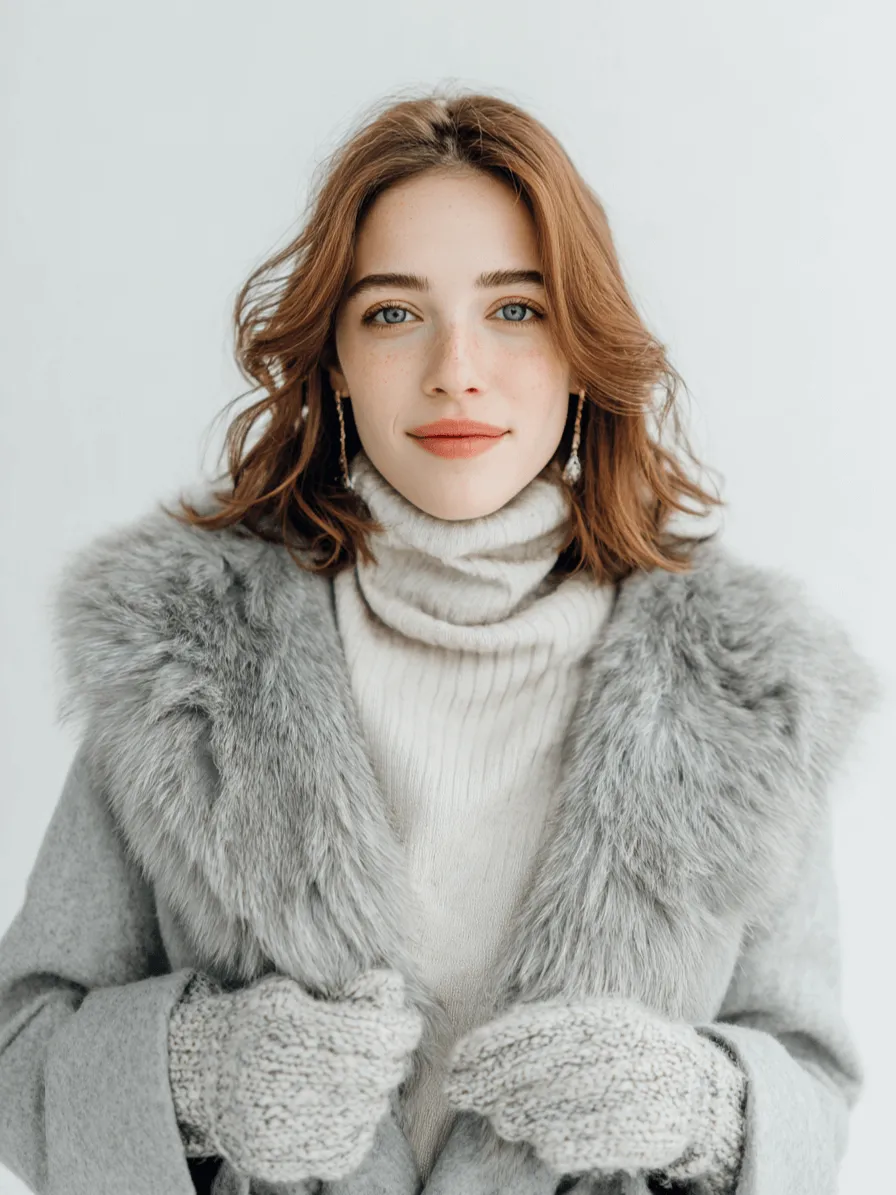
![Generate a cohesive 3x3 grid cinematic contact sheet featuring 9 distinct, photorealistic camera shots of the subject(s) from the input image.
Location & Setting:
Set the scene at the following coordinates: Latitude: 55.7558° N, Longitude: 37.6173° E.
The environment must accurately reflect the specific location, local time, and weather.
Emotional Theme:
The overall emotional theme for the 9 shots is: [fun / joy / bittersweet / calm / curious / determined etc. – write the desired emotion here].
Each shot should subtly reinforce this theme.
Style & Emotion:
The 9 shots must maintain a consistent, dramatic, and emotionally profound mood.
Subject's facial expressions must dynamically adapt to the narrative emphasis of each unique perspective, while strongly conveying the overall Emotional Theme.
9 Shot Coverage (Focus on Content & Angle):
Full Environment View: Subject small in a vast, atmospheric environment.
Full Body Shot: Entire subject visible, emphasizing presence against the backdrop.
Mid Body Shot: Knees-up view, capturing an emotionally charged stance.
Upper Body Shot: Waist-up; focus on expressive posture and interaction.
Intimate Chest-Up Shot: Chest-up; intimate framing, highlighting the gaze and inner feeling.
Tight Face Shot: Close-up on the face, clearly conveying a specific, unstated emotion.
Macro Detail Shot: Extreme close-up on hands, texture, or eyes, revealing a narrative element.
Upward Gaze Shot: Looking up from below (worm's eye view); emphasizing quiet power or resolve.
Downward Gaze Shot: Looking down from above (bird's eye view); suggesting reflection or vulnerability.
Strict Constraints:
Maintain strict consistency (same subject, clothes, lighting) across all 9 panels.
Depth of field must shift realistically (bokeh in close-ups).
Absolutely NO text, logos, labels, watermarks, symbols, numbers, letters, or typography should appear in any of the 9 generated images.](https://gaoding-market.dancf.com/market-operations/independent/side/fce6860ac3394bec92ea043f558b2f41/1764659477878.png?x-oss-process=image/resize,w_1416,type_6/interlace,1,image/format,webp)


